
Summary: In this guide, you will learn simple and effective ways to import PST to Zoho Mail and safely move your Outlook mailbox data. We will also explain an automated PST to Zoho Mail migration method that allows you to upload PST emails directly to your Zoho account without installing Microsoft Outlook.
Many Outlook users switch to Zoho Mail for its secure and ad-free email environment. However, when migrating to Zoho Mail, users often face one common challenge: how to import Outlook PST files into Zoho Mail.
Since PST files are designed for Microsoft Outlook, they cannot be uploaded directly into Zoho Mail. Therefore, you need a proper solution to transfer your PST emails safely without losing attachments or folder structure.
This guide explains the best way to migrate PST files to Zoho Mail step-by-step.
Why Users Import PST to Zoho Mail?
Many individuals and organizations migrate their Outlook data to Zoho Mail because of the following benefits.
Cloud-Based Email Access: Zoho Mail allows users to access their mailbox from any device and location through a web browser or mobile app.
Better Email Privacy: Unlike many email services, Zoho Mail is ad-free and focuses on protecting user data.
Integrated Business Tools: Zoho Mail integrates easily with Zoho CRM, Zoho Projects, and other productivity tools.
Cost-Effective Email Hosting: Zoho Mail offers affordable plans for both individuals and businesses.
Secure Email Environment: Zoho provides advanced security features such as:
- Two-factor authentication
- Spam protection
- Email encryption
Because of these advantages, many users migrate their Outlook PST files to Zoho Mail.
Can You Import PST Files Directly to Zoho Mail?
Zoho Mail does provide a PST migration feature in its admin migration tool, but it usually requires Outlook or server configuration and is mainly designed for administrators.
For individual users, the easiest approach is to upload PST emails to Zoho Mail using the IMAP protocol.
How to Move PST Emails to Zoho Mail Without Outlook?
To import PST to Zoho Mail account, you can use Xtraxtor PST Converter on your system. After successful installation, follow the steps. This tool has the potential to export PST file to Zoho Mail. In addition, the program provides many features that can add benefits to users. Using this tool, you can import PST emails along with attachments. With its advanced filter option, it is easy to transfer selective emails only.
A free demo version of the software is also available. Click the link below and download it.

Steps to Import PST to Zoho Mail
Step 1. Download and install Xtraxtor on your Windows machine.
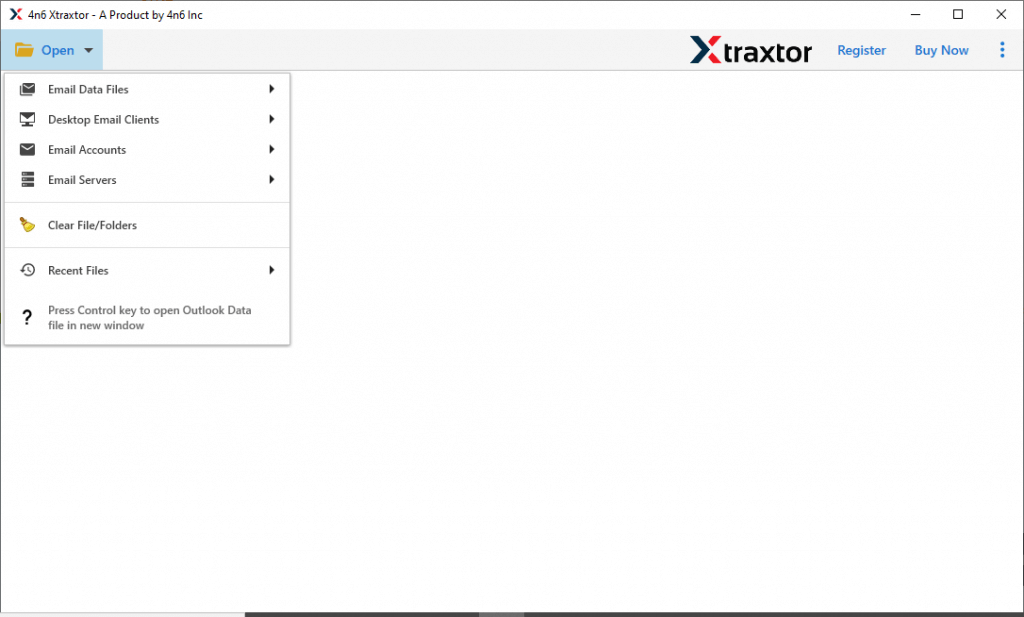
Step 2. Then hit on the Open >> Email Data File >> PST File.
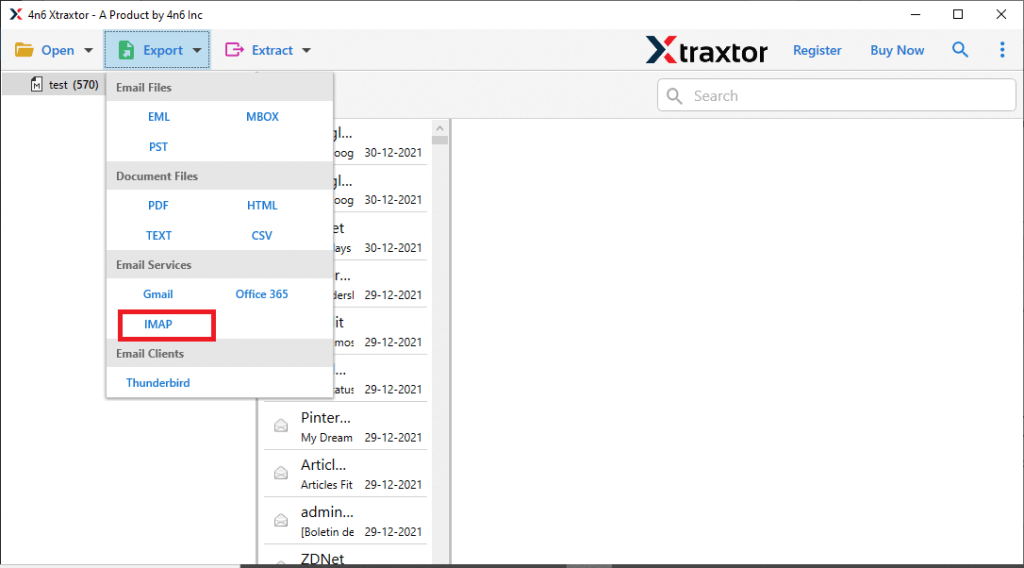
Step 3. Click Export and choose IMAP as a saving option.
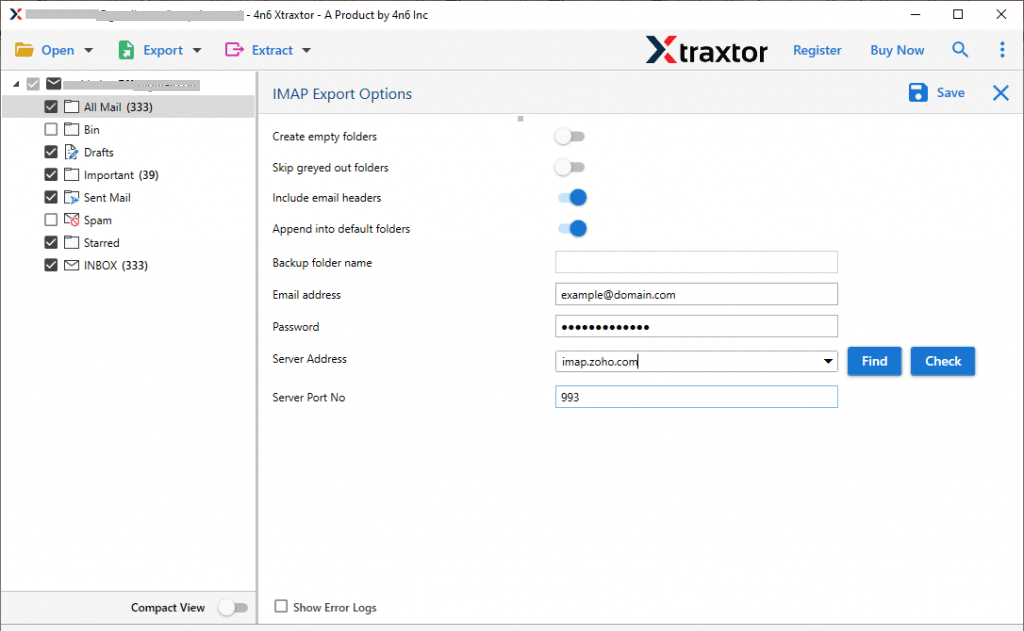
Step 4. Enter your Zoho Mail login credentials and click Save.
In the next section, we will describe a few robust features of the tool.
But before that, in this section, we describe a simple process to import PST to Zoho Mail in a few simple steps.
Robust Features of Xtraxtor PST to Zoho Mail Wizard
With this tool, there are various outstanding features that help to migrate PST file to Zoho Mail account along with attachments.
- Transfer PST emails to Zoho Mail with all attachments
- Export EML files to Zoho Mail instantly without any effort
- This utility is 100% safe and completes the migration of files
- Import PST to Gmail, Office 365, and Yandex.Mail, Yahoo, etc.
- Keeps the complete privacy of Zoho account details while importing your emails.
- Display the complete progress status.
- It keeps the folder hierarchy the EML files are exported with their original formatting and file structure
- Extract Phone numbers, Email addresses, and Attachments in a collection rapidly.
- View PST file data in four formats, such as content, the message header, and the raw message, in the tool pane.
- Allow converting PST to MBOX, PDF, CSV, EML, and other file formats as well.
- The application offers an advanced search option to search your data files by entering a name, from/to, subject, select date, to, time from, file name, File size unit, file size, etc.
- The utility supports all versions of Windows OS, including the latest editions.
- It supports transferring PST file to Zoho mail account in bulk without losing any data.
Why Import PST to Zoho Mail Account?
There are various advantages of PST to Zoho Mail migration, some of which include –
- All-in-one email service – Zoho Mail includes email, contacts, calendar, tasks, and more in one place.
- Works well with Zoho CRM – You can connect your email with Zoho CRM to manage customer info easily.
- Easy login options – You can sign in using your Google, Yahoo, or other accounts.
- Supports PST import – With Zoho’s free Migration Wizard, you can import emails, contacts, and calendars from Outlook PST files.
- Secure and private – Zoho Mail is ad-free and offers strong security features.
- Mobile access – You can use Zoho Mail on your phone with their mobile app.
Final Verdict
It seems like the write-up is self-sufficient to assist the users in importing PST to Zoho Mail account. The blog includes an automated solution to transfer PST file to Zoho Mail, and this appears to be an easy method for both technical and non-technical users. You can download a free demo version of the software to check the working efficiency of the utility.
