How to Convert OLM to PST File? (Step-by-Step Guide)

Do you want to convert OLM to PST file? This guide offers the best solutions to easily export OLM files to PST format. Many users face this issue while exporting OLM files into PST format. As this need often requires, many users are frequently migrating from Mac Outlook to Windows Outlook.
The main challenge that arises while converting OLM file into PST is that both support different applications on different Operating systems. You can do it by using any IMAP email account, but it will take time. Moreover, we will also introduce a quick approach to easily export OLM files into PST format.
So, let’s get started!
Why Do Users Need to Convert OLM to PST File?
There are several reasons to export OLM to PST. Some common reasons are given here-
- If you switch from Outlook for Mac to Outlook for Windows then need to convert Mac Outlook OLM to Windows PST.
- Sometimes, users need to open OLM file in Windows Outlook. They cannot directly access OLM file in Outlook for Windows. Converting OLM to PST enables the reading of OLM data.
- When users receive OLM file from other users on their Windows systems. To open these files convert it into PST file format.
- For organizations or individuals collaborating across different platforms, the conversion of OLM to PST becomes crucial for seamless data sharing and management.
Ways to Export Outlook OLM to PST
There are two methods for converting OLM to PST format.
#1. Convert OLM to PST Freeware
#2. Export OLM File to PST using Expert Solution
Both methods are explained in detail in the upcoming section.
Let’s start.
Method 1. How to Convert OLM File to PST Free?
You can convert OLM to PST manually, but it is such a lengthy process. In this method, first of all, you need to configure a Gmail account in Mac Outlook and import OLM files to this account. After that, configure the same email account in Windows Outlook and export OLM file to PST file format.
Follow the given steps-
- First of all, Open Outlook for Mac, go to Preferences, and then select the Accounts option.
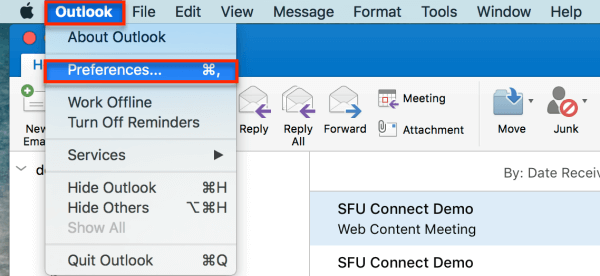
- Now, click on the plus sign and select New accounts.
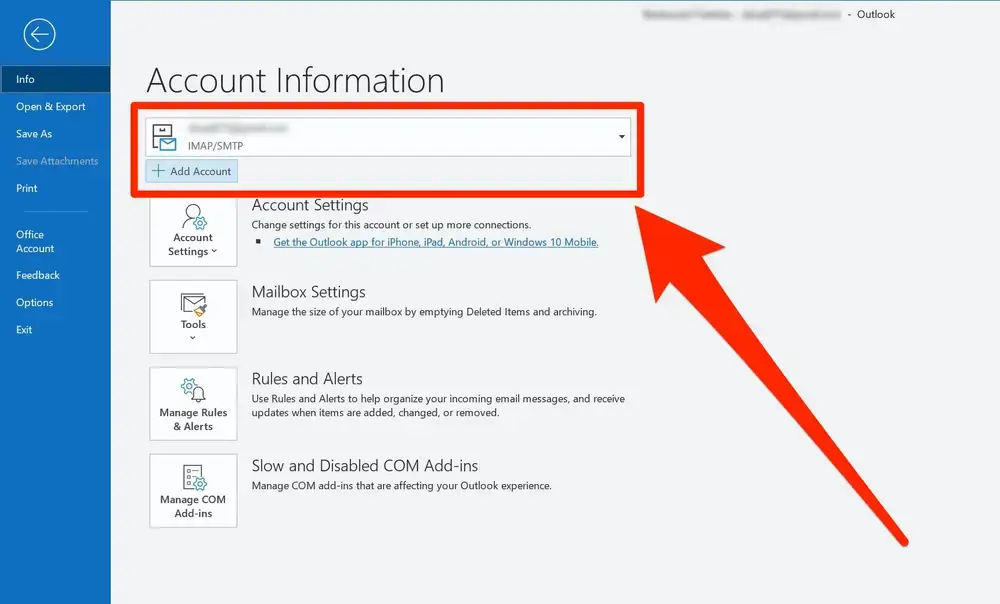
- Enter your Gmail email address and press Continue.

- Type your Gmail password and click on Add Account.
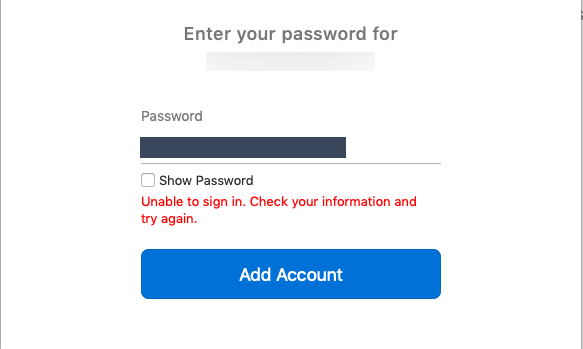
- After that, a new email window appears where you click on Continue.

- A message will appear on your screen. Press the Sign in to Google button.
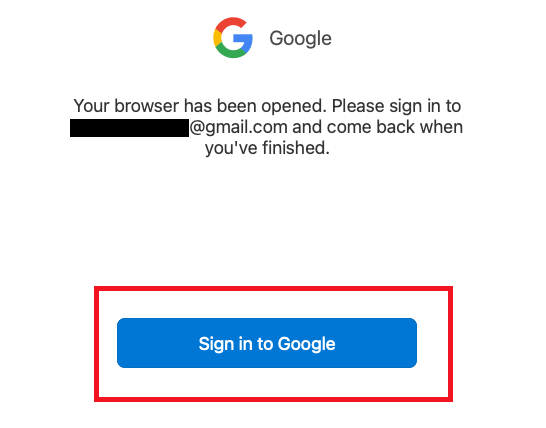
- Now again enter your Gmail credentials and click on the Allow button to confirm the configuration process.

- Then a confirmation box will appear. Click on the Open Microsoft Outlook button.
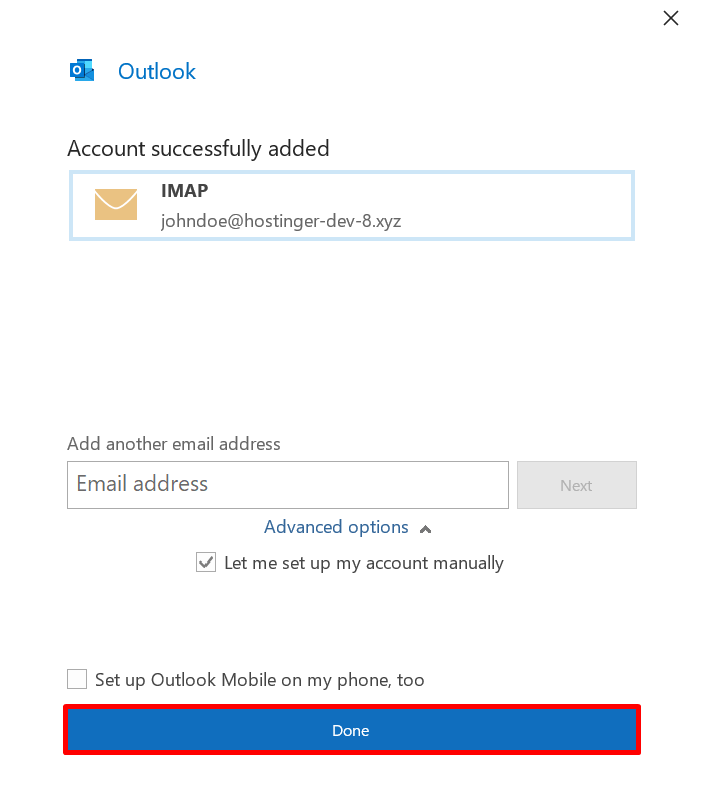
- Finally, click on the Done button to successfully configure.
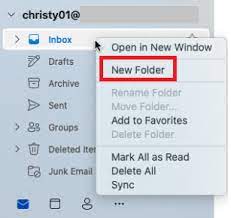
- Right-click on the newly added Gmail and select New Folder.
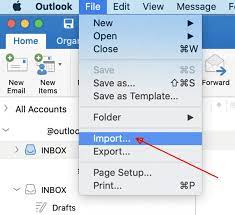
- Now, name this folder and then click on File, and select the Import option.
- After that, select the OLM file and click on Move >> Choose Folder.
- Find the Gmail folder and select Copy.
- So, you have successfully imported Mac OLM file data into Gmail.
- Now, Open Windows Outlook.
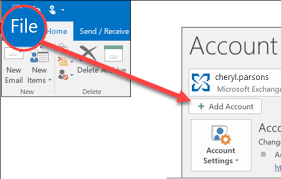
- Navigate to File tab and click on the Add Account option.
- After that, enter your Gmail account email address and click on Connect button.

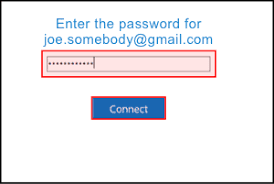
- Enter the password of your Gmail account and click on the Connect button.
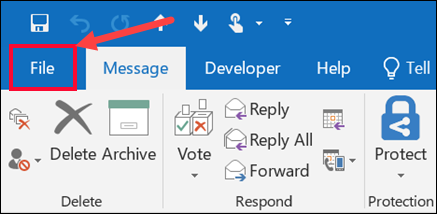
- After configuring the Gmail account in Windows Outlook, again click on the File tab.
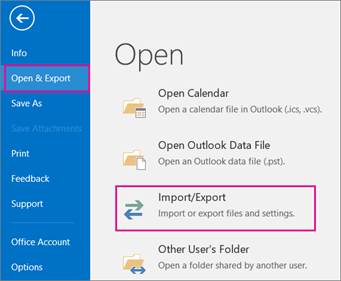
- Now, click on Open & Export >> Import/Export option.
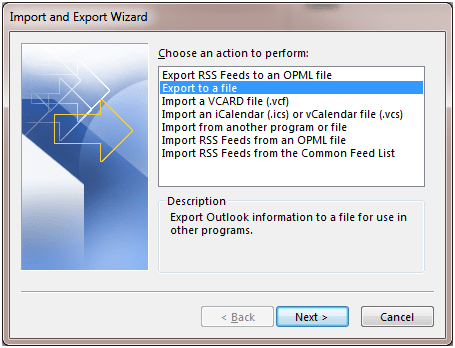
- Then, select Export to a File and click on the Next button.
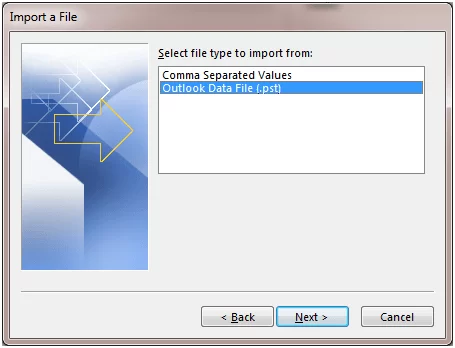
- After that, select the Outlook Data File (.pst) from the Export to a file and press Next.
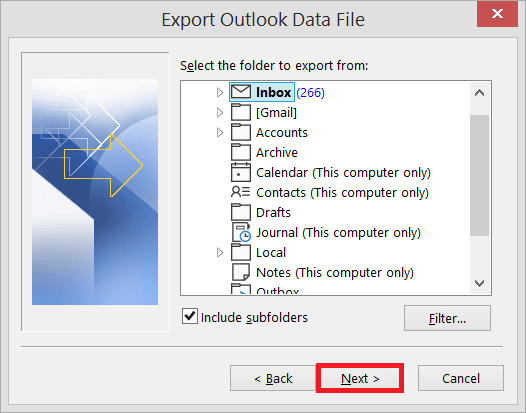
- Select the mailbox folder off newely configured account that contains OLM file and click Next.
- Now, tap on the Browse button to choose a path to save PST file and then press the Finish button.
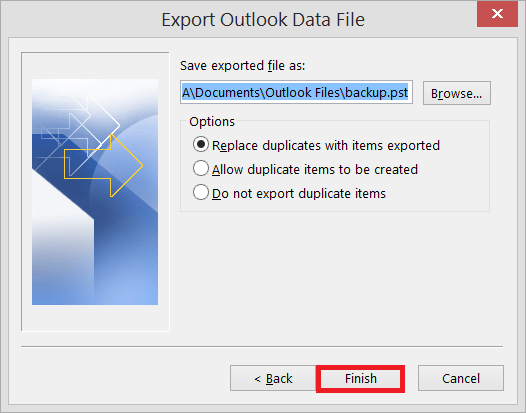
Done! Hence, you can convert OLM to PST manually.
Limitation of Manual Method
- The method cannot convert corrupted OLM files.
- It is only suitable for emails. You cannot move contacts, calendars, tasks, etc using this method.
- The method contains many technical steps. So. It is complicated for non-technical users.
- There is a higher chance of data loss during OLM to PST conversion process.
- In case the import-export option greyed out Outlook, then this method does not work.
Method 2. How to Export Mac Outlook Mail to PST Instantly?
Use Xtraxtor OLM Converter and export OLM to PST in just a few seconds. The software is a stand-alone utility, which means you do not need to install any external application on your system to convert OLM to PST. It can export multiple Outlook OLM files to PST format at once. The software is programmed with a simple user interface to facilitate users to easily convert OLM file to PST without any technical guidance.
Download the trial version and convert OLM to PST for free with ease.


Steps to Convert OLM to PST File with Attachments
- Download and run this software on your system.
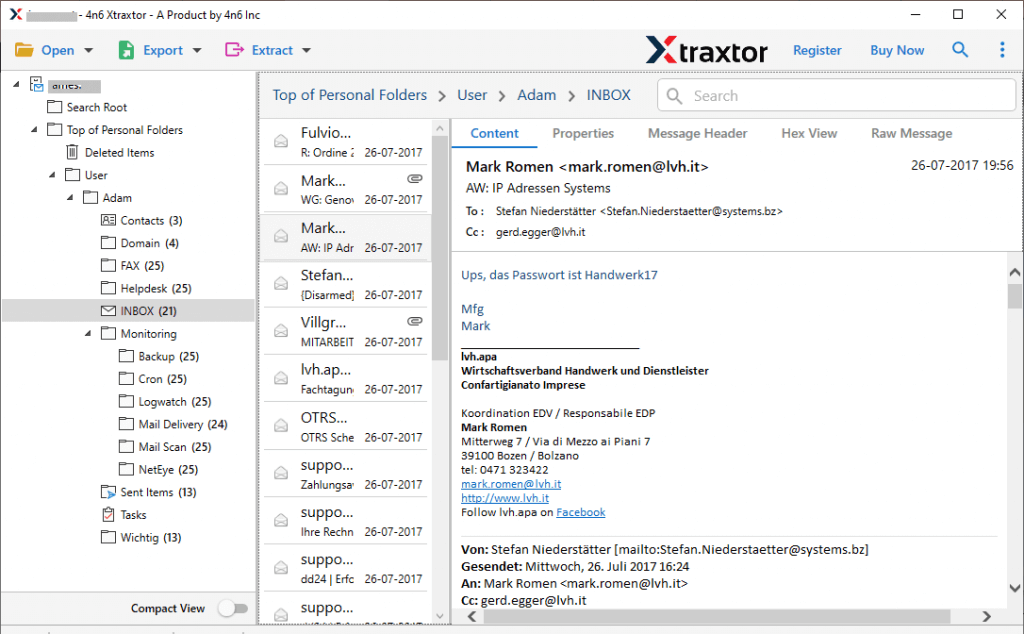
- After that, navigate to Open >> Email Data Files >> Outlook for Mac OLM Files >> Choose File from Folder.
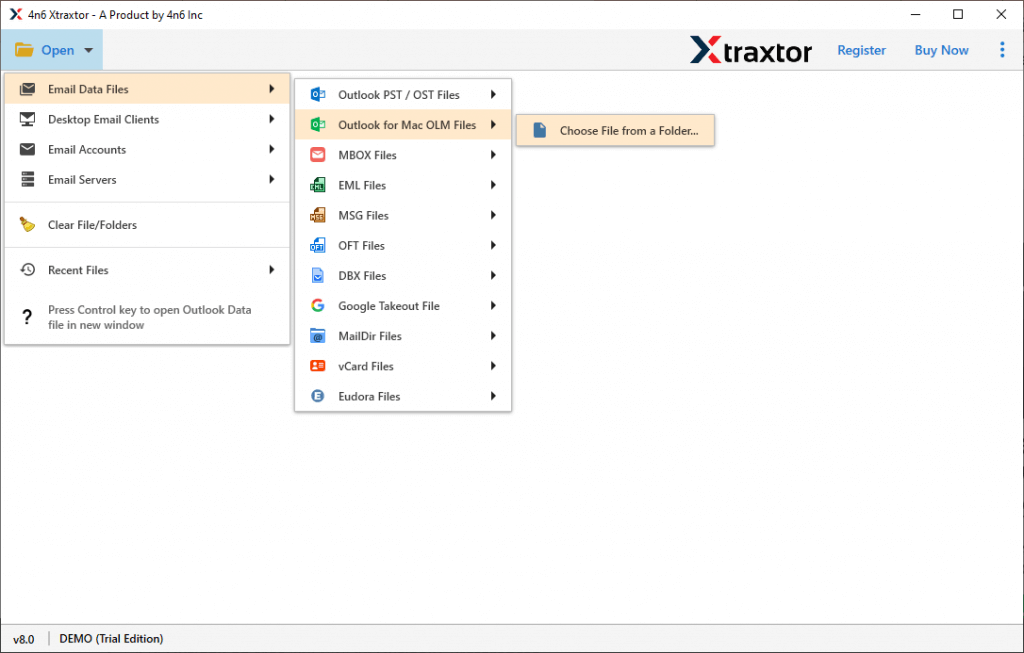
- The software provides a preview of OLM emails.
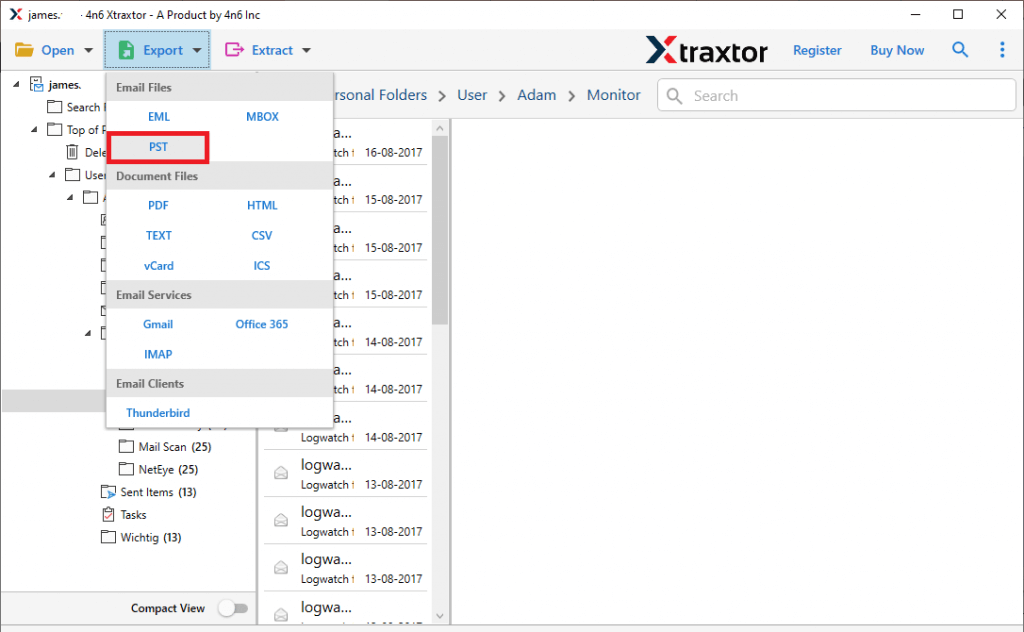
- Click on Export and Choose PST.
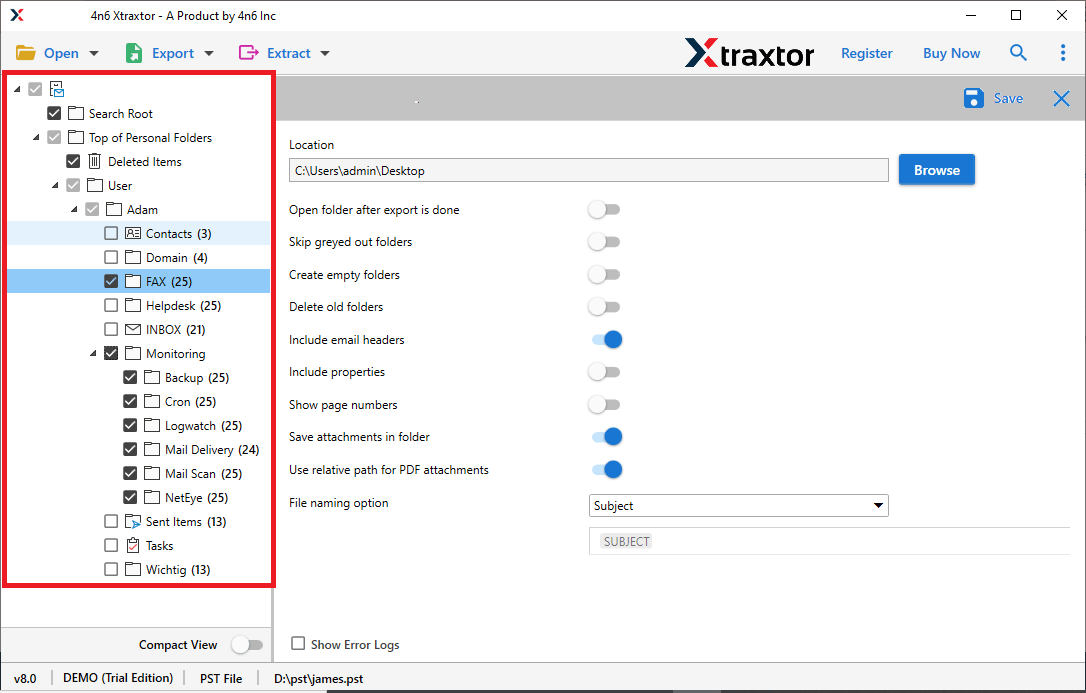
- Select folders and subfolders of OLM file that you want to convert into PST.
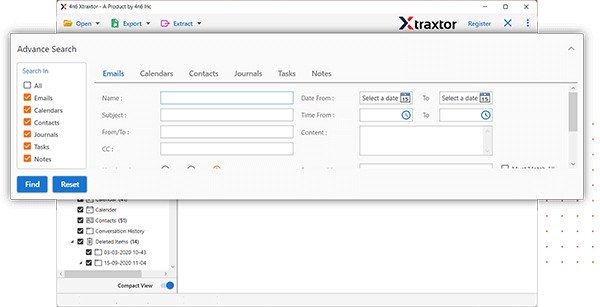
- Apply filters to export selected emails.
- Click on Browse to set the destination path and then press the Save button.
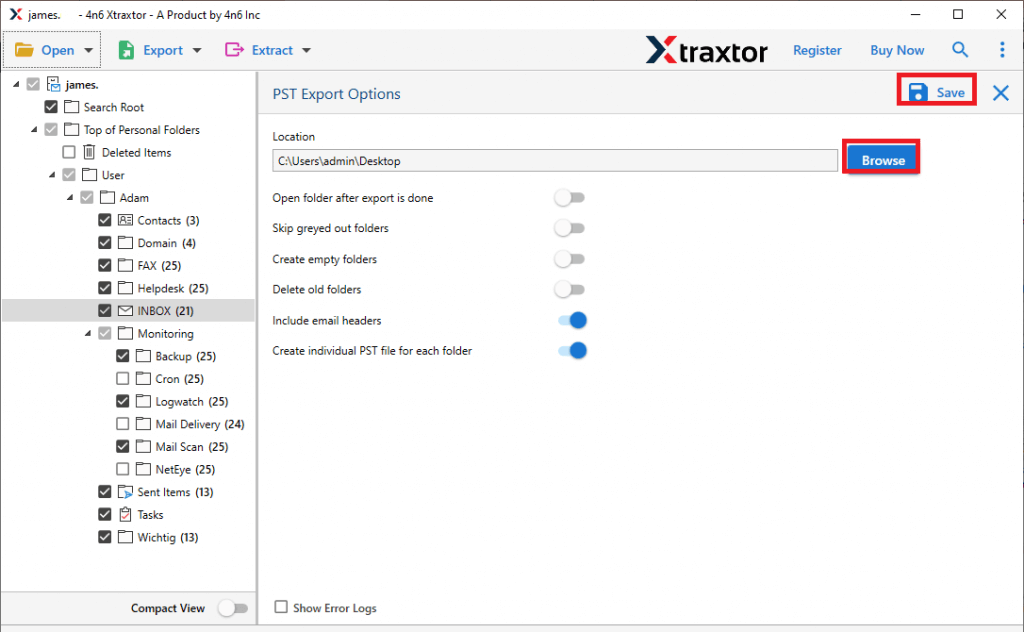
Done! Hence, you can easily convert OLM to PST file in just a few clicks.
Key Features of OLM to PST Converter
- It can directly export OLM file to PST without installing any external applications.
- It can convert Mac Outlook OLM to PST in bulk without any single bit of loss.
- The software enables you to convert only specific emails according to your needs.
- It not only export Outlook OLM to PST but also convert OLM to PDF, MBOX, PST, etc.
- The tool maintains the original structure of emails during OLM to PST conversion.
- Using this tool, you can export OLM emails with attachments, and other key attributes.
- The software can directly import OLM to Gmail, Office 365, Yahoo Mail, Zoho Mail, etc.
- Due to its simplified user interface any novice user can easily convert OLM file to PST.
- A free demo version is available to check its work efficiency and accuracy.
Conclusion
This blog has discussed the solutions to convert OLM to PST file. Here, we have explained a manual as well as a professional solution. You can convert OLM file to PST using freeware, but if you face any issues with it, then use the above-suggested tool. With the best OLM to PST Converter, any novice user can easily export OLM file to PST file format.
