
If you are:
- Moving from South Korea to another country
- Switching company email systems
- Looking for better email management, storage, and integrations
This guide will help you migrate Naver emails to Gmail securely and completely.
Why Users Prefer Migrate Naver Mail to Gmail?
Users don’t migrate emails randomly. The decision is usually driven by long-term needs.
Key Reasons for Naver to Gmail Migration
- No native backup option in Naver Mail
- Limited automation and productivity tools
- Better global accessibility with Gmail
- Easy integration with Google Drive, Docs, Sheets & Meet
- Advanced spam protection and search
- More reliable long-term email archiving
For professionals, Gmail becomes a central hub, not just an inbox.
Can You Manually Transfer Naver Emails to Gmail?
Technically, Naver supports IMAP access. However, manual methods are not practical for real-world migration.
Why Manual Methods Fail
- No bulk migration support
- High risk of missing emails or attachments
- Time-consuming for large mailboxes
- Requires technical IMAP configuration
- No control over selective migration
For users with years of business emails, a manual approach is risky.
How to Migrate Naver Emails to Gmail Automatically?
Creating a local backup of your Naver emails ensures greater data security. While many solutions are available, the Xtraxtor Email Migration Tool stands out as one of the best options for migrating Naver emails. Why is it highly recommended? The tool is equipped with advanced features to provide a seamless and error-free migration process, ensuring your emails are transferred reliably without any issues.
For direct and secure migration from Naver Mail to Gmail, try the email migration tool on your Windows PC. The software allows you to transfer emails from Naver to Gmail with just a few clicks. You can either migrate all Naver emails at once or select specific emails to transfer.
The tool offers a 100% secure platform for migration, utilizing an advanced algorithm and a user-friendly interface to simplify the process.
Try the demo version and migrate Naver emails to Gmail in just 5 simple steps.

Steps to Transfer Naver Mail to Gmail with Attachments
Step 1. First of all, install and run the Xtraxtor software on your Windows-based PC.
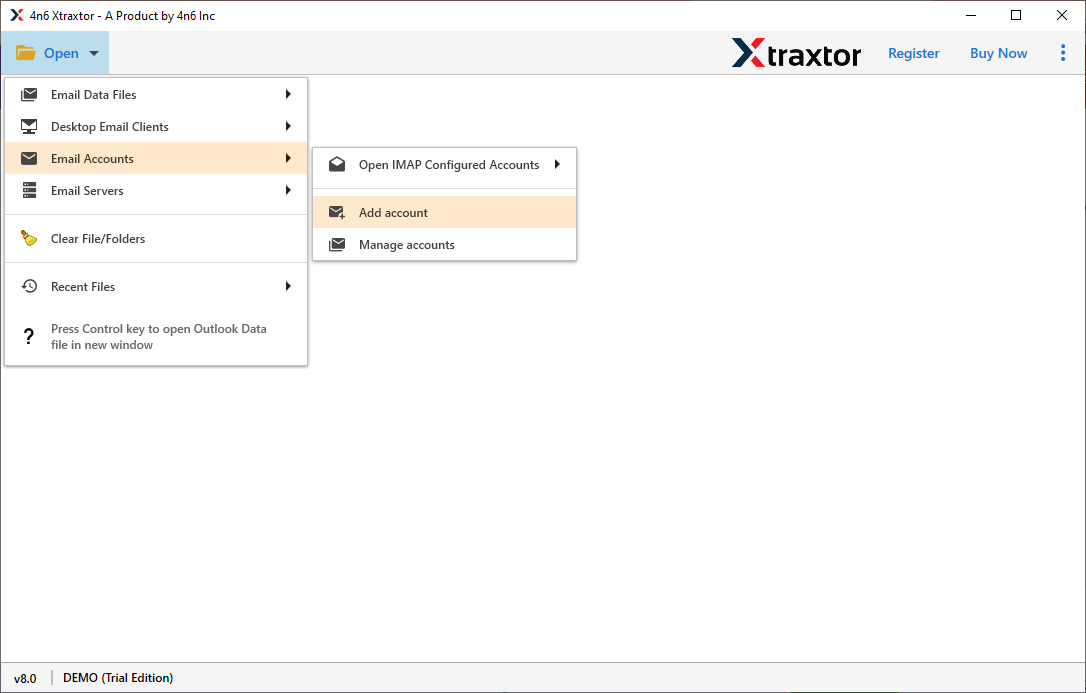
Step 2. Go to the Open menu, select Email Accounts, and click Add Account.
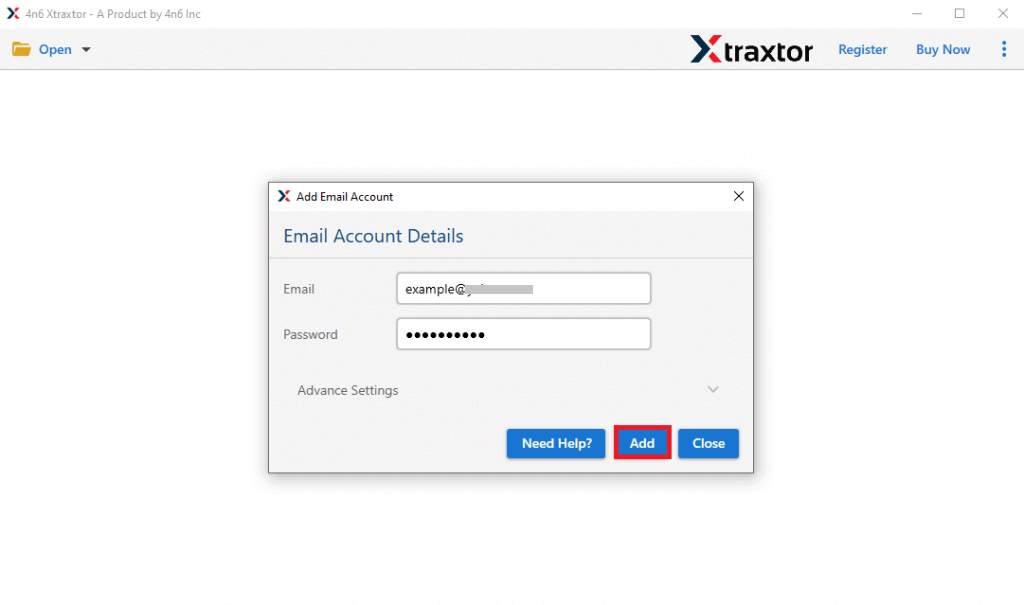
Step 3. Enter your Naver Mail email ID and password, then click Add.
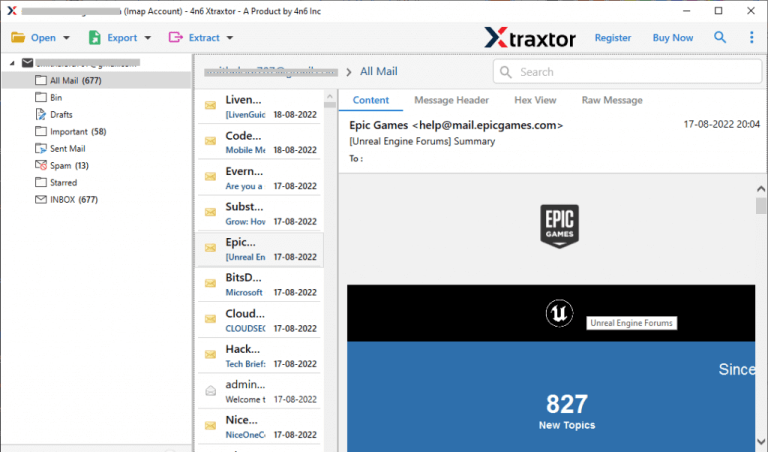
Step 4.The tool loads your mailbox data for review before migration.
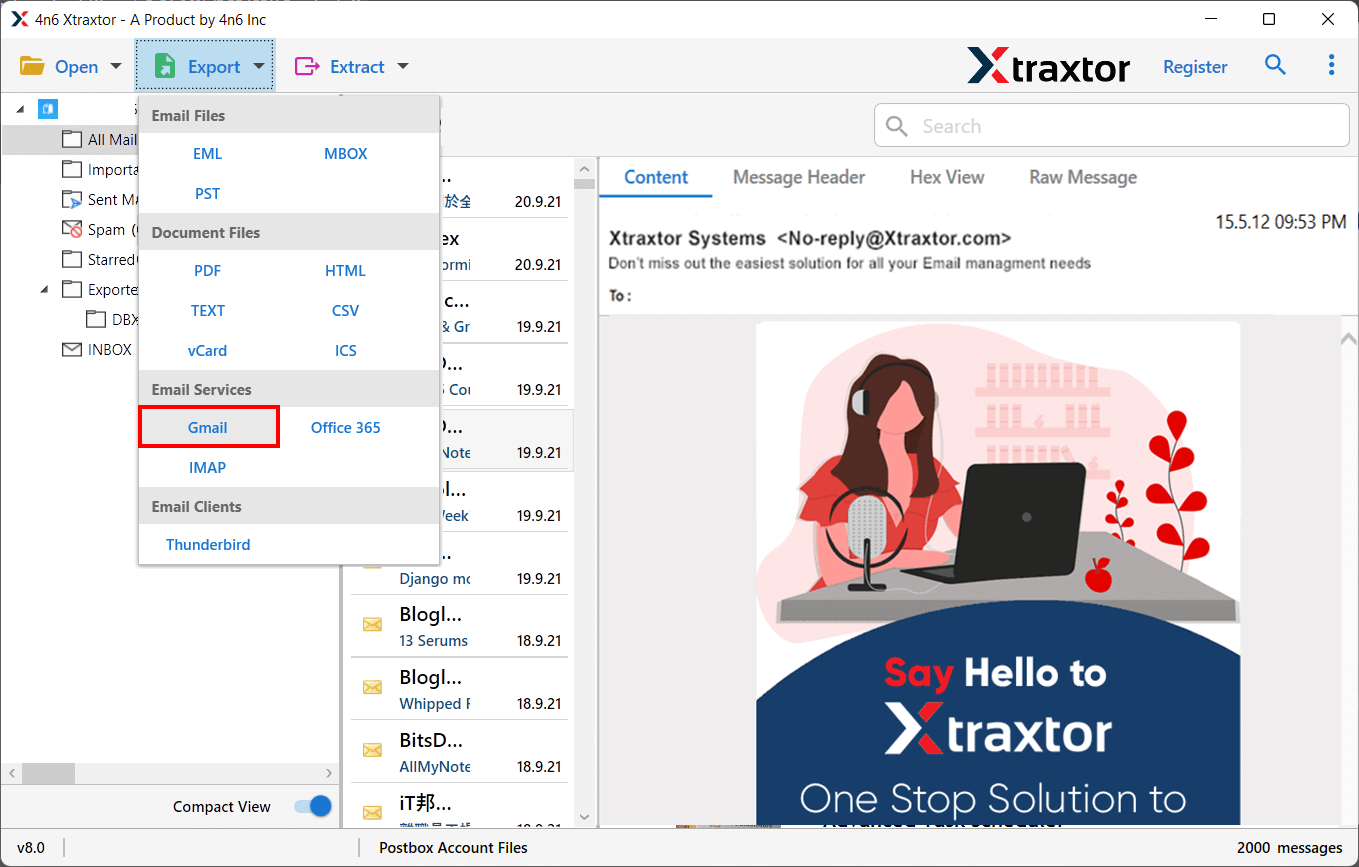
Step 5. After that, Click on Export and choose Gmail from the Email services list to migrate emails from Naver Mail to Gmail.
Step 6. Select the Folders & Subfolders to transfer Naver email folder to Gmail.
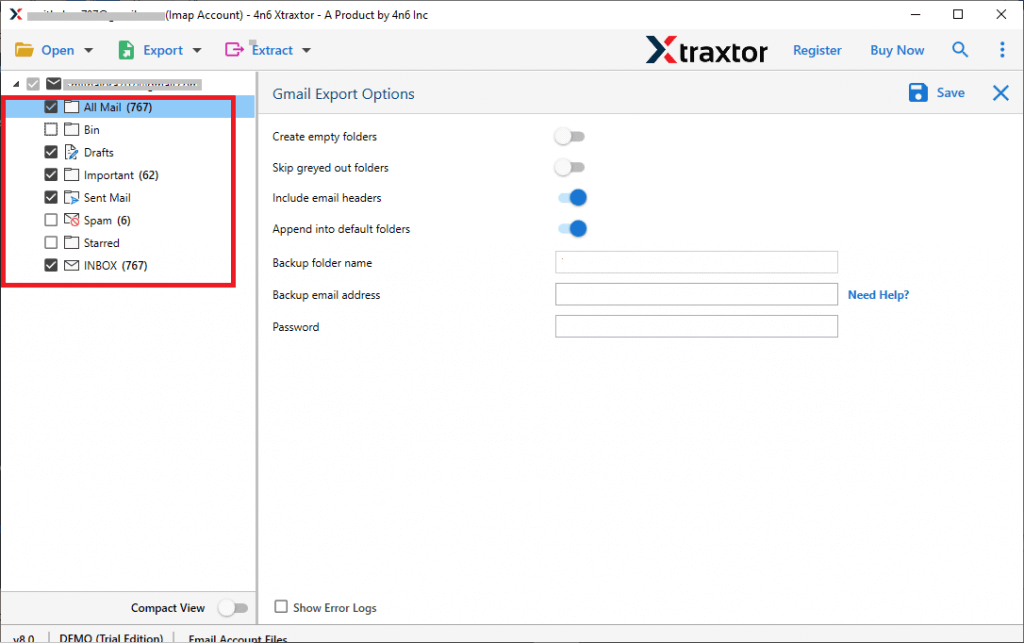
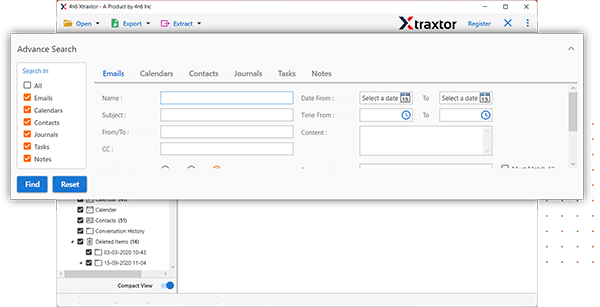
Step 7. Apply the Advanced Filter options from the Filter option tab to add only the required data.
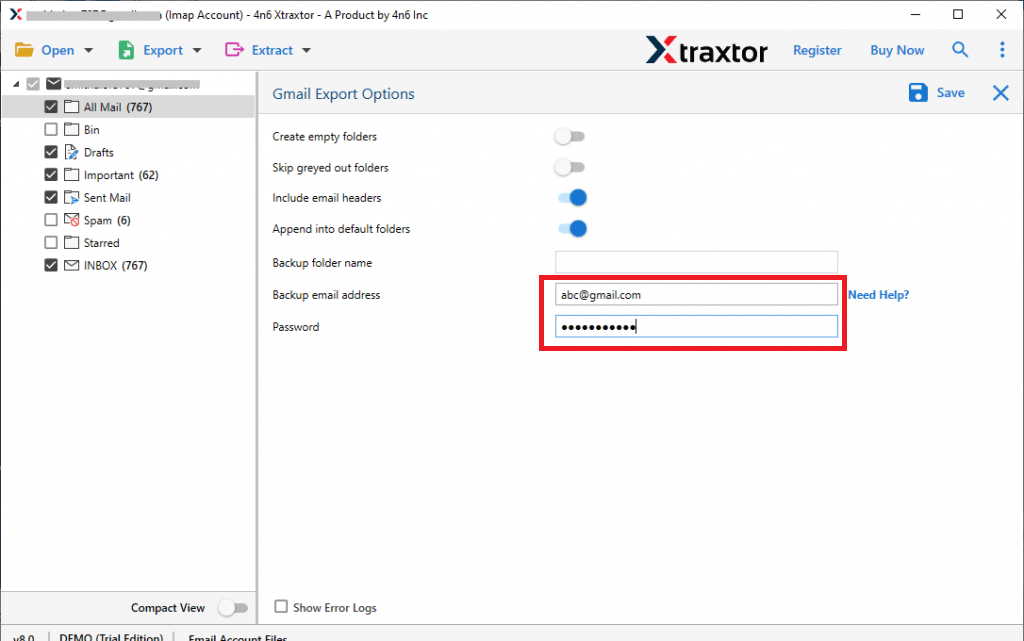
Step 8. After that, enter your Gmail Account Credentials in the respective field.
Step 9. Finally, press the Save button to start the Naver to Gmail migration.
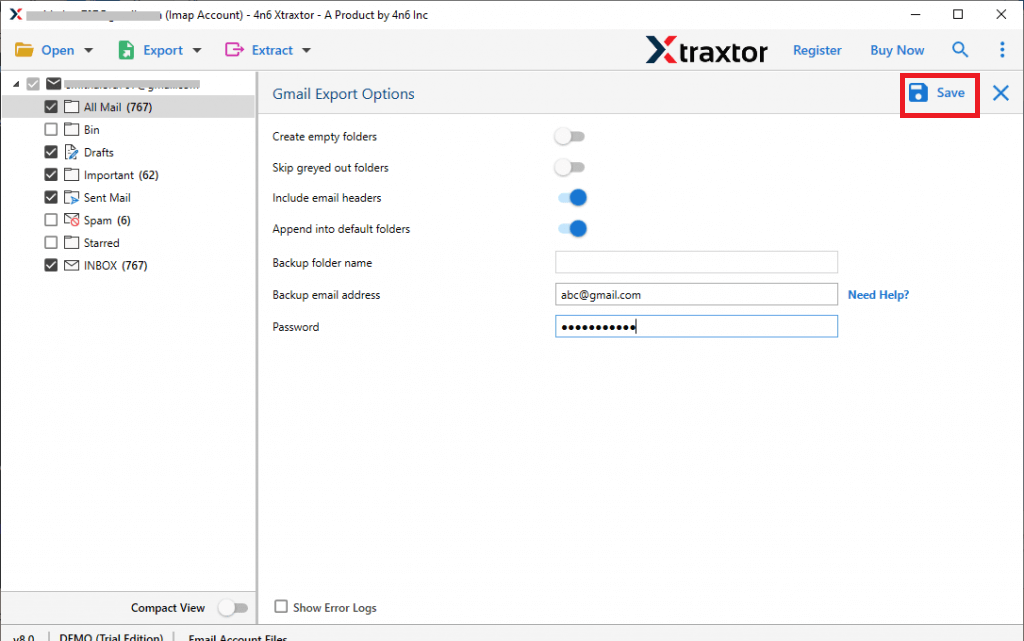
Done! You can now easily migrate Naver emails to Gmail with attachments in just a few clicks.
Eminent Features of Xtraxtor Naver Mail to Gmail Migration Tool
- Migrate Naver Email in Bulk- In this application, there are no restrictions on the number of emails. It permits you to transfer emails from Naver to Gmail in batch without any data loss.
- Secure Interface- Xtraxtor Migrator tool offers its users the opportunity to migrate Naver email to Gmail without changes or losses. It preserves 100% data integrity and gives accurate results after the process without any single bit of loss.
- Retains Folder Hierarchy- Users are always worried about the structure of emails and folders during migration. The tool retains the hierarchy of folders as the original throughout the process.
- Advanced Filter Option- The software offers an advanced search option to transfer selective emails from Naver Mail to Gmail. You can move emails based on the date, range, to, from, subject, etc.
- Transfer Naver Email with Attachments- It is a complete tool that helps users to migrate Naver email to Gmail with attachments. It also preserves all metadata properties and attributes of emails.
- Cloud-to-Cloud Migration- This tool not only transfer emails from Naver Mail to Gmail but also migrate emails from Office 365 to Gmail and many other accounts. With this utility, you can transfer emails from
- Windows Supportive- The software is compatible with all latest and lower versions. You can run this utility on Windows 11, 10, 8.1, 8, 7, and all previous editions.
- User-Friendly Interface- The interface of this tool is very simple and easy to use. Any technical or non-technical users easily perform the Naver Mail to Gmail migration process without any guidance.
Summary
With Naver Backup software, users can easily migrate Naver emails to Gmail without worrying about data loss. It supports batch email migration, including attachments, ensuring no data modification. Try its robust features for free with the demo version, allowing you to convert up to 25 emails from over 40 sources. For unlimited Naver email conversions, switch to the licensed version for lifetime use.
