
If you are a Yahoo Mail user who relies on Outlook for your email management, you might have encountered the need to export Yahoo Mail to PST file. By converting your Yahoo emails into PST file, you can easily access them offline in a secure way.
This article will explore different methods to export Yahoo emails to PST, including manual and automated solutions. So, let’s get started!
Why Export Yahoo Mail to PST File?
Before we know how to process, let’s know the reasons for exporting Yahoo email to PST file. There are various benefits of converting your Yahoo mailbox data into PST file, such as –
- Backup and Archiving: Converting Yahoo emails to PST file provides a local backup of your important data. After you backup Yahoo Mail, it will protect your data against data loss.
- Outlook Integration: Exporting emails to PST file makes it easy to access your data in an email client. In this way, you can transfer Yahoo email folders to Outlook and access them locally.
- Offline Access: One can access PST file data offline without any internet connection.
- Easy Management: In PST file, you can organize large volumes of your mailbox data securely.
Now you know why users want to export Yahoo Mail to PST, let’s talk about the “how” part. Here we will discuss two solutions – Manually using Outlook and an Automated tool.
How to Convert Yahoo Emails to PST Manually?
To manually export your Yahoo Mail data, you can use an email client that supports PST file. Follow the given instruction for that –
1. Sign in to your Yahoo Mail account.
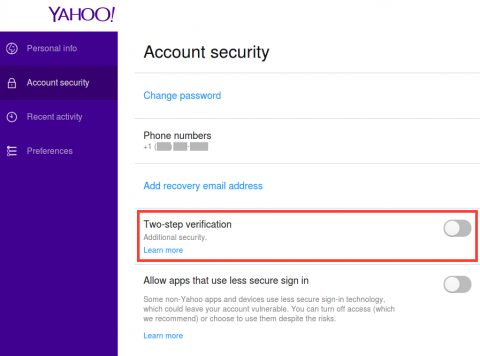
2. Navigate to Settings and enable IMAP access.
3. Allow third-party app access to generate a One-Time Password (OTP).
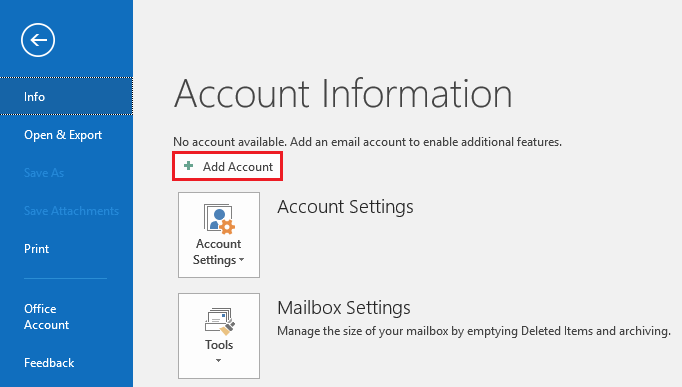
4. Next, Open Microsoft Outlook and go to File >> Add Account.
5. Enter your Yahoo Mail credentials and move further.
6. When prompted, enter the OTP received from Yahoo in the password field.
7. Click Next and wait for the account to sync.
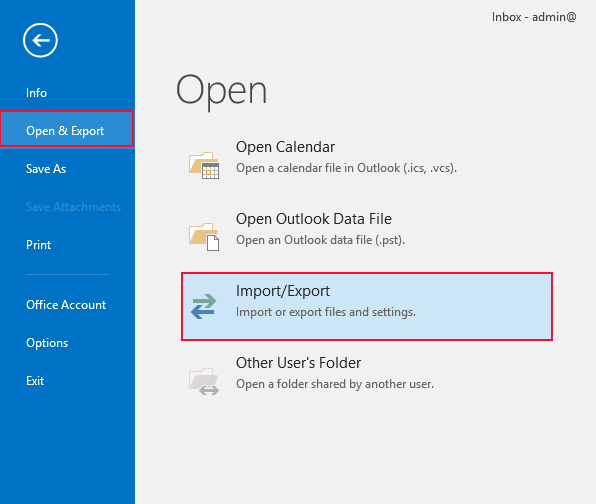
8. Restart Outlook again, go to File > Open & Export > Import/Export.
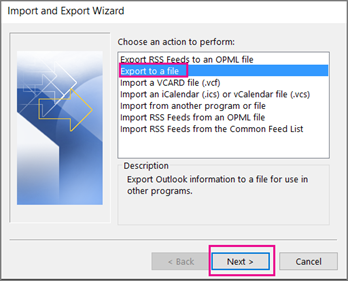
9. Select Export to a file >> Outlook Data File (.pst) and click Next.
10. Select the Yahoo Mail folder(s) to export.
11. Set a destination path to save the PST file and click Finish.
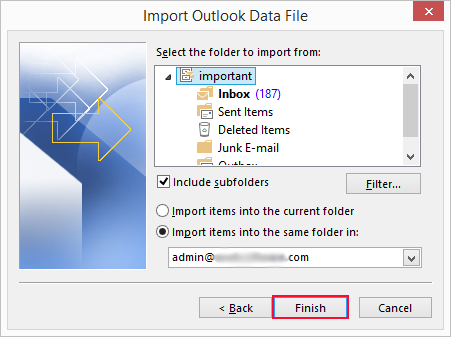
Done! Here, complete the Yahoo Mail to PST conversion manually.
However, there are a few limitations with this tool: a time-consuming, lengthy process, and required technical knowledge for adding an account.
How to Convert Yahoo Emails to PST File in Bulk?
Try out the Xtraxtor software and effortlessly export multiple emails from Yahoo Mail to PST file at once. Along with that, you can also choose the email folders from Yahoo Mail and export only them. If you need to export emails from a specific date or time, then you can apply the date range filter of this tool.
To learn about the complete export process, you can use the demo version of the software.


Steps to Export Yahoo Mail to PST Automatically
1. Run the tool on your system.
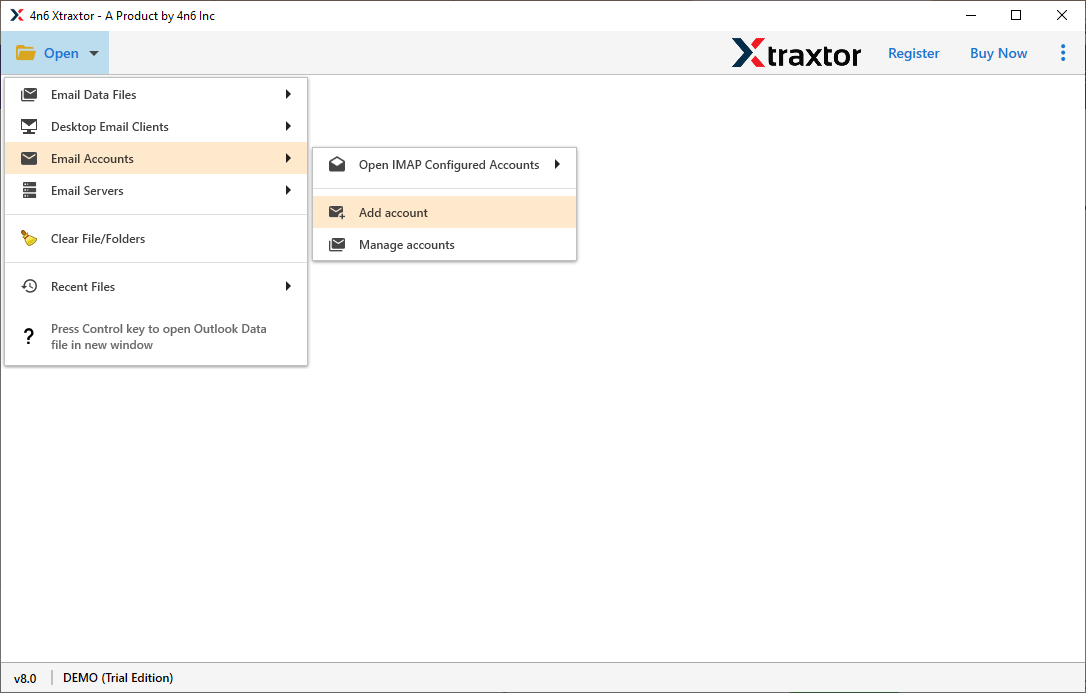
2. Select Open >> Email Accounts >> Add Account.
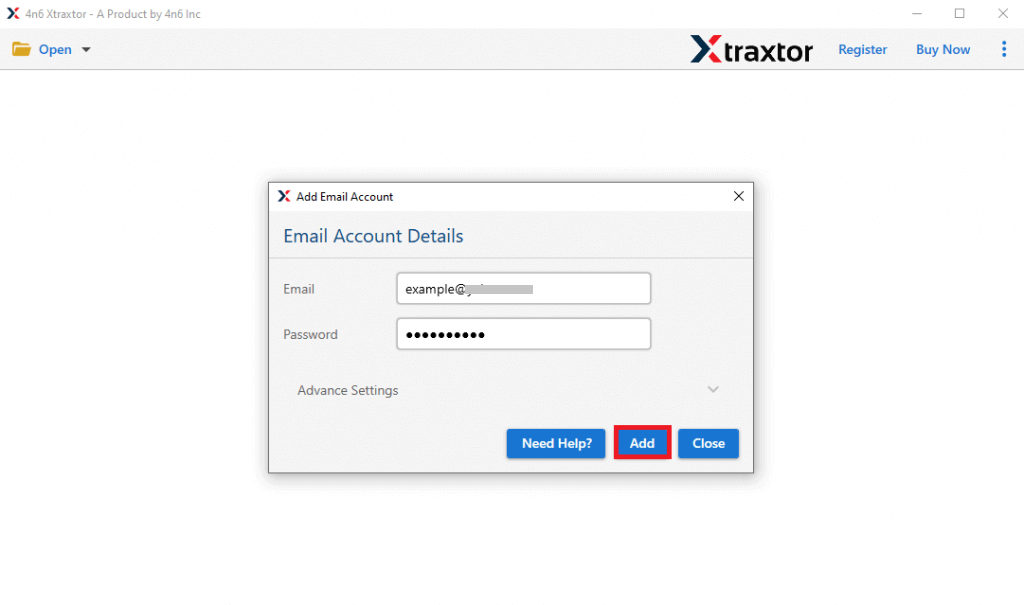
3. Enter your Yahoo Mail login details and hit the Add button.
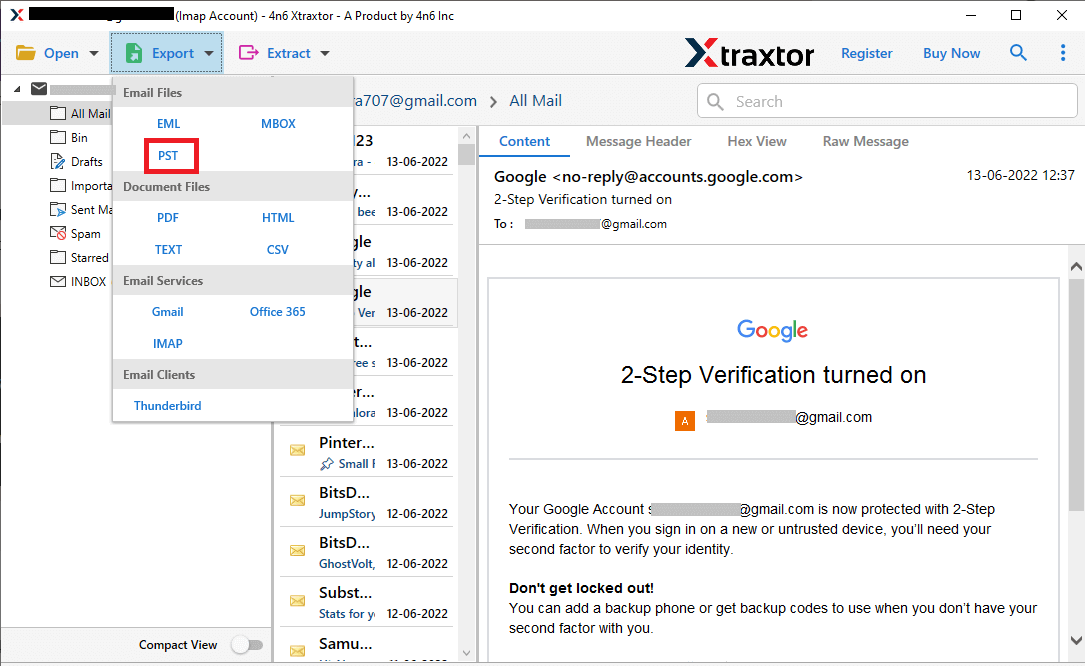
4. Click on Export >> choose PST file.
5. Select the email folders you want to export.
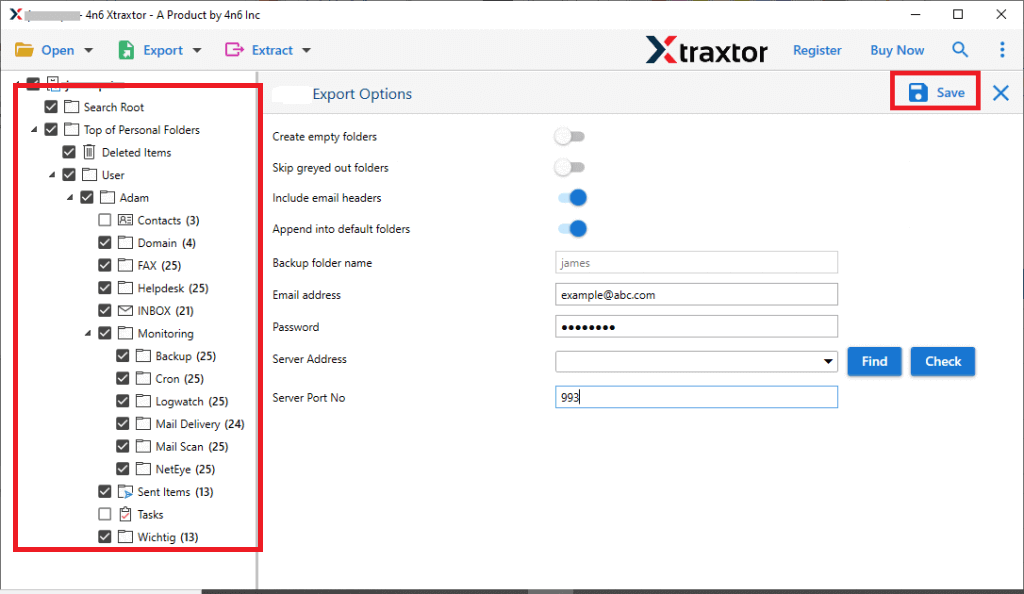
6. Browse the target location and hit the Save button.
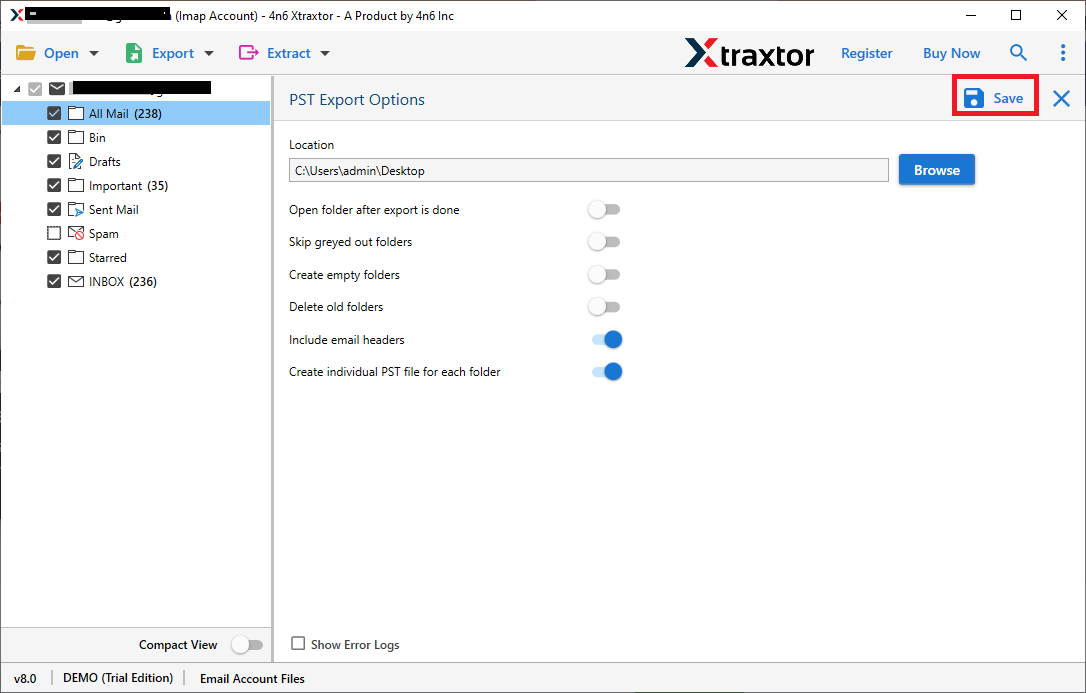
Done! Here, you export your Yahoo Mail data into a .pst file.
Why Choose Xtraxtor to Export Yahoo Mail Emails?
This software offers various outstanding features, some of which are –
- Allow to export Yahoo to PST along with attachments in a few simple clicks.
- Simple and user-friendly interface for both technical and non-technical users.
- Advanced email filters – to, from, cc, bcc, name, date, time, etc.
- Allows you to select important email folders and export them only.
- Maintain email folder and sub-folder hierarchy and structure while exporting emails.
- Option to transfer Yahoo emails to Gmail, Office 365, and many other webmail accounts.
- This tool gives you the option to export Yahoo Mail to MBOX, PDF, CSV, and other file formats.
- Works on all Windows OS, including 11, 10, Vista, XP, and all older versions.
- A free demo version of the software is also available to analyse its working process.
Conclusion
Exporting Yahoo Mail to PST ensures a secure backup and easy management. In this post, we discuss both manual and automated ways to export Yahoo emails to PST file with complete data. Now it’s up to you, choose the right method and export your email without any hassle.
Frequently Asked Questions
1. Can I export Yahoo Mail to PST without Outlook?
Ans. Yes, you can use Xtraxtor to export Yahoo emails to PST without Outlook.
2. Will exporting Yahoo Mail to PST delete emails from Yahoo?
Ans. No, exporting emails to PST creates a copy; it does not delete them from your Yahoo account.
