How to Transfer cPanel Emails to Yahoo Mail?

Are you planning to move your emails from cPanel to Yahoo Mail, but don’t know how to do it? Don’t worry. In this guide, we will show you a simple, step-by-step method to transfer cPanel emails to Yahoo Mail safely and without losing any data. Let’s get started.
Understanding the Real Problem Users Face
cPanel does not store emails directly on your computer. Emails stay on the hosting server and are accessed through webmail clients like Roundcube. Yahoo Mail, on the other hand, is a cloud-based email service.
Because of this difference:
- There is no direct export button in cPanel
- Emails cannot be moved in one click
- Manual methods work only for a small number of emails
This is why users often get stuck while migrating emails.
Why Transfer cPanel Emails to Yahoo Mail?
There are several reasons why users may want to move emails from cPanel to Yahoo Mail:
Account consolidation: Keep all emails in one personal account for easier access
Better storage options: Yahoo Mail offers more space than most cPanel accounts
Mobile accessibility: Yahoo Mail mobile app makes managing emails on-the-go easy
Secure Backup: Store emails safely on a cloud service independent of hosting
User-friendly interface: Yahoo Mail’s interface is simple and intuitive
How to Migrate Emails from cPanel to Yahoo Mail Directly?
The most reliable way to transfer cPanel emails to Yahoo Mail is by using the Xtraxtor Email Migration Tool. This tool connects securely to your cPanel mailbox using IMAP and transfers all emails, including attachments and folder structure, to your Yahoo Mail account. You can also select specific folders or emails for migration, and use filters to move emails by date. Also, it ensures no email is lost during the process and makes migration fast, safe, and simple.
Download the free version to explore how the software works.

Steps to Transfer cPanel Emails to Yahoo Mail
Step 1. Download and install Xtraxtor software on your Windows system.
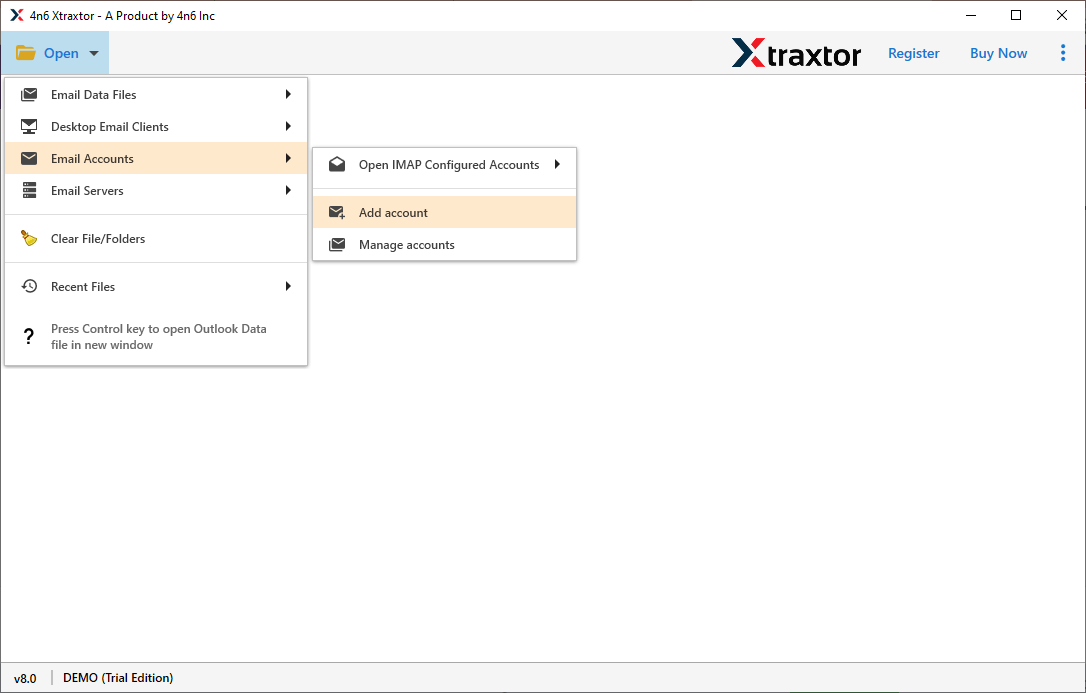
Step 2. Launch the software and click Open >> Email Accounts >> Add Account.
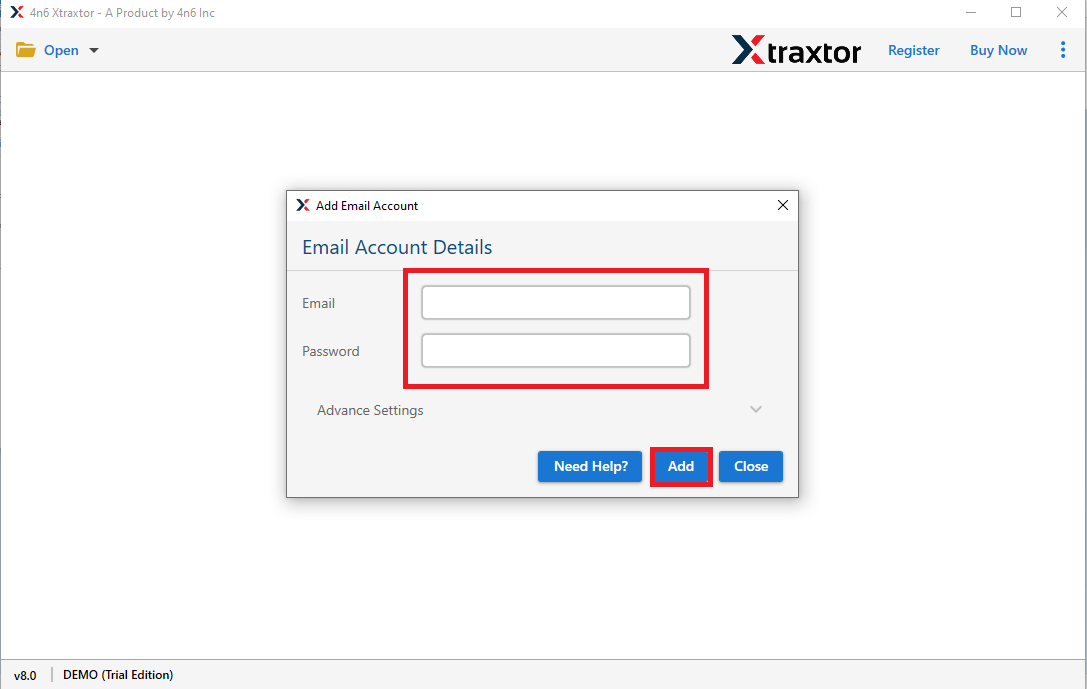
Step 3. Provide your cPanel email address and password, then click Add.
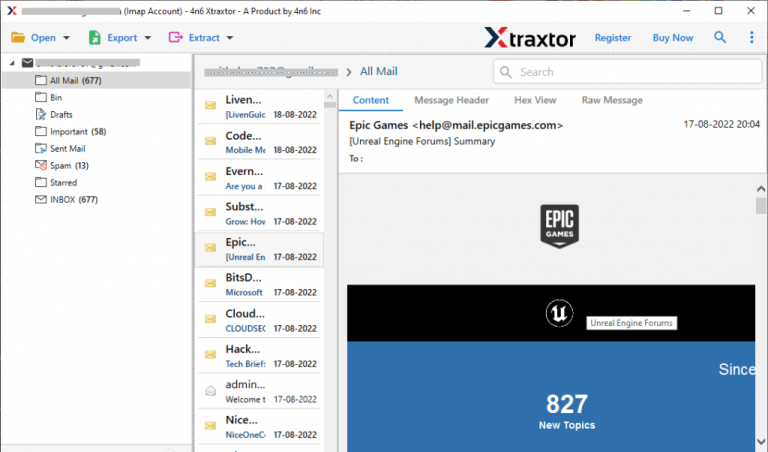
Step 4. The software will fetch all email folders from your cPanel account.
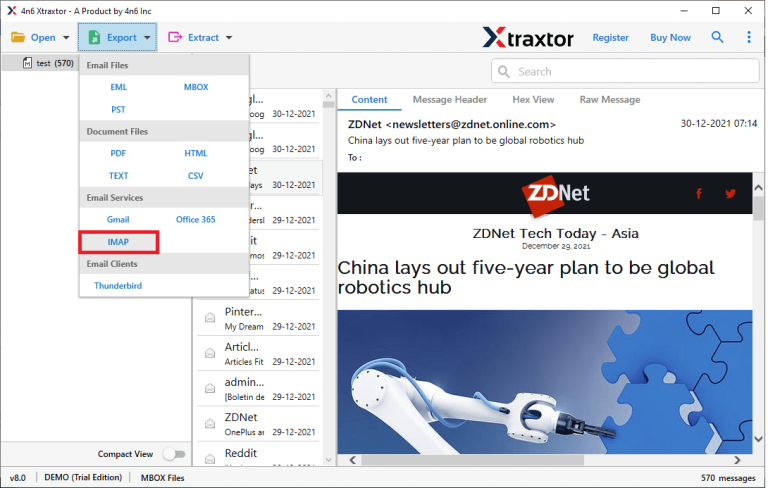
Step 5. Click on Export and select IMAP as the destination.
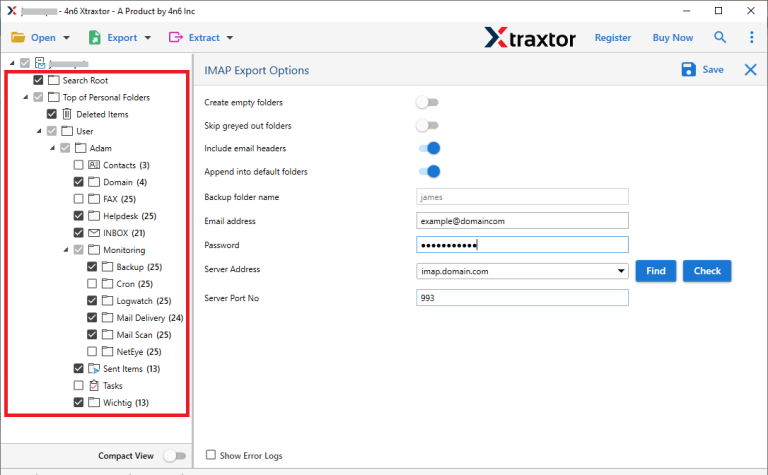
Step 6. Choose the email folders you want to transfer.
Step 7. Enter your Yahoo Mail credentials & click the save button.
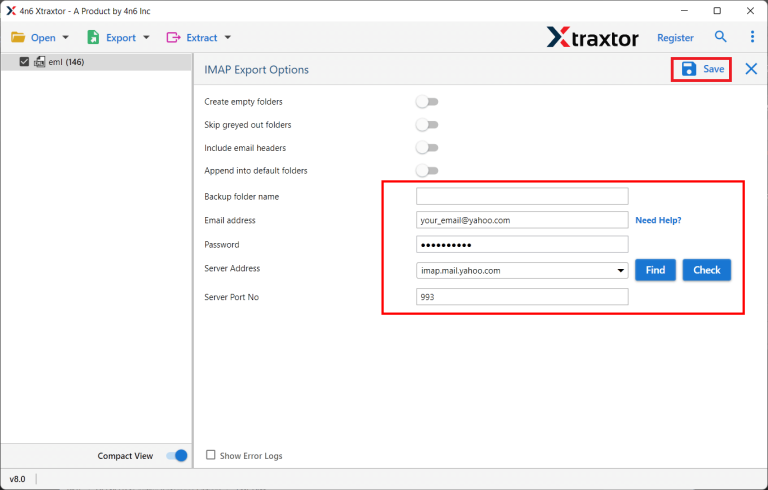
Once completed, all selected emails will be available in Yahoo Mail with folders and attachments intact.
Log in to your Yahoo Mail and check all the transferred emails there.
Best Features of Using Xtraxtor Email Migration Software
- Instant Email Migration: Quickly transfer emails from cPanel to Yahoo Mail without manual effort.
- Supports All IMAP Services: Works with Roundcube, Horde, Gmail, Yahoo, Zoho, Office 365, and more.
- Selective Migration: Move only specific folders or emails using date filters for better control.
- User-Friendly Interface: Designed for beginners with minimal technical knowledge.
- Secure & Safe: Keeps your email credentials and sensitive data protected.
- Transfer to Another Cloud Email: Also, it can easily transfer cPanel emails to Gmail, Zoho Mail, etc.
- Preserves Folder Structure: Emails arrive in Yahoo Mail exactly as they were in cPanel.
Conclusion
Transferring emails from cPanel to Yahoo Mail is simple when you use the right tool. Manual methods are slow, risky, and not practical for large mailboxes. Xtraxtor software provides a secure, fast, and user-friendly way to transfer cPanel emails to Yahoo Mail while keeping all attachments and folder structures intact.
With Xtraxtor, even users with little technical knowledge can move their cPanel emails to Yahoo Mail confidently. So why wait? Use the free version to see how the software performs.
