How to Migrate Roundcube to Zoho Mail Account?

Are you looking to move your emails from Roundcube webmail to Zoho Mail? You are not alone. Many users switch to Zoho Mail for various reasons, such as better email experience, advanced features, etc. However, you must know that Roundcube doesn’t provide a direct migration option. So, what will you do to make it happen? Don’t worry. In this guide, we will explain how to migrate Roundcube to Zoho Mail account. We will explain both manual and professional methods, along with their advantages and disadvantages, so you can choose the best option for your needs.
Why Do Users Migrate from Roundcube to Zoho Mail?
Roundcube is a basic webmail client mainly provided with web hosting. Zoho Mail, on the other hand, is a full-featured business email solution. Let’s see what’s more offered in Zoho Mail than Zoho Mail and what’s the reason behind the Roundcube to Zoho Mail migration.
- Better spam and security protection
- Professional email interface
- More storage and scalability
- Centralized email management
- Access across devices without hosting dependency
Because of these benefits, many users want to move their old Roundcube emails into Zoho Mail.
Now, talking about the methods, we want you to be aware of the fact that there is no such official method provided by Roundcube to move emails into Zoho Mail. However, you can try the IMAP migration feature by Zoho Mail that allows you to import emails from Roundcube.
Also, we will discuss a professional method that can easily transfer complete emails from Roundcube to Zoho Mail account. So, let’s check out both methods one by one.
How to Migrate Roundcube Emails to Zoho Mail Manually?
Follow the steps below to transfer emails from Roundcube to Zoho Mail account.
- Log in to your Zoho Mail Admin Console.
- Go to Data Migration.
- Choose IMAP Migration.
- Enter your Roundcube IMAP server details.
- Provide email credentials.
- Map the source mailbox to the Zoho Mail account.
- Start the migration process.
Zoho Mail will now copy emails from Roundcube to Zoho Mail.
Limitations of the Manual Method
- Not suitable for large mailboxes
- Migration speed depends on server performance
- Risk of incomplete data transfer
- Requires technical configuration
- No advanced filters or selective migration
If you have a small number of emails, this method may work. For business or bulk migration, it is not ideal.
How to Transfer Emails from Roundcube to Zoho Mail Account Directly?
If you are looking for a direct and reliable way to transfer emails from Roundcube to Zoho Mail account, Xtraxtor Email Migration Tool is designed to solve this exact problem. Many users struggle because Roundcube does not provide any built-in option to move emails to Zoho Mail. The software connects securely to your Roundcube mailbox using IMAP and transfers the selected emails straight into your Zoho Mail account. You only need to enter your login details, choose Zoho Mail as the destination, and start the process. This software handles the rest automatically.
Try the free download to understand the step-by-step process.

Steps to Migrate from Roundcube to Zoho Mail
Step 1. Download and install Xtraxtor software on your Windows system.
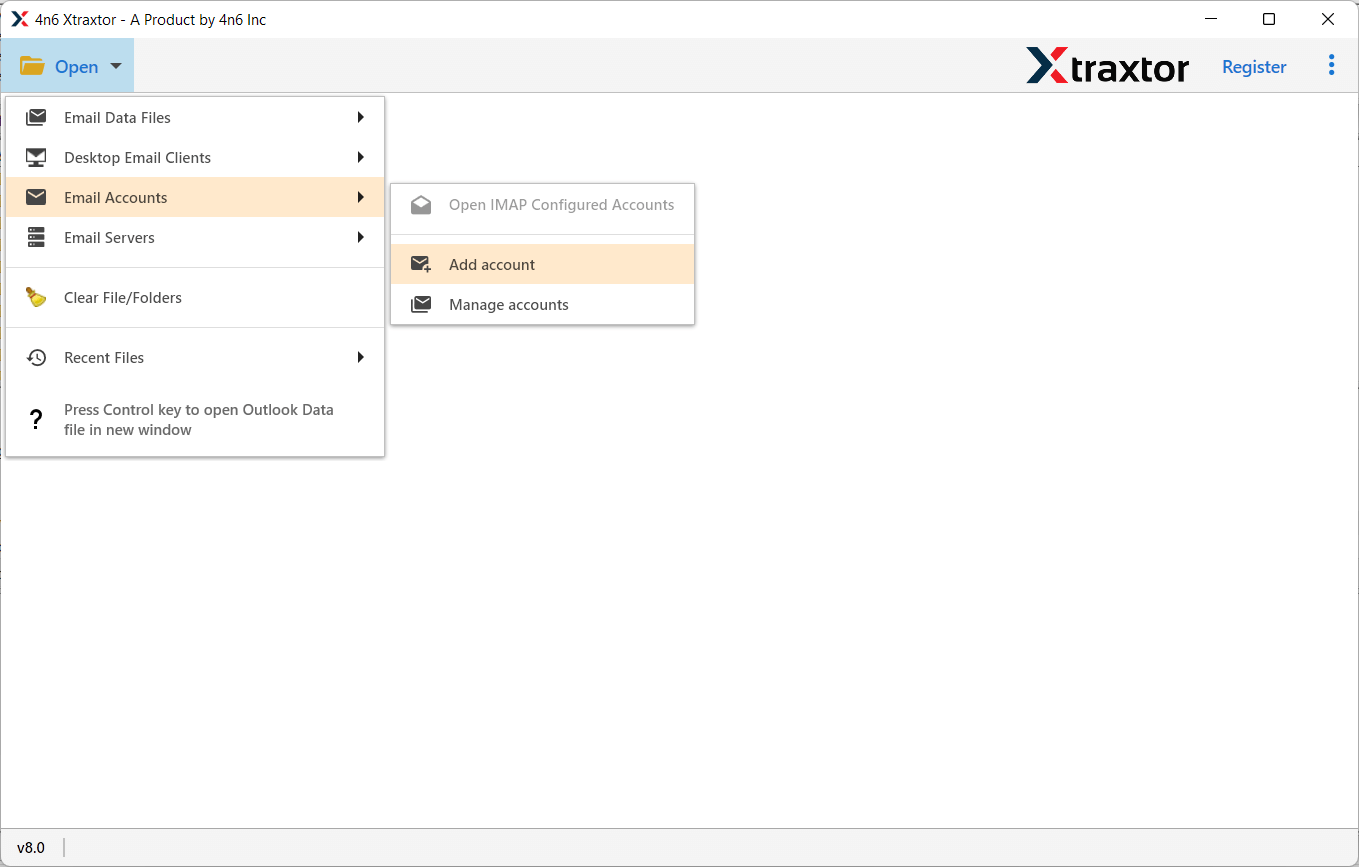
Step 2. Launch the software, click Open, go to Email Accounts, and select Add Account.
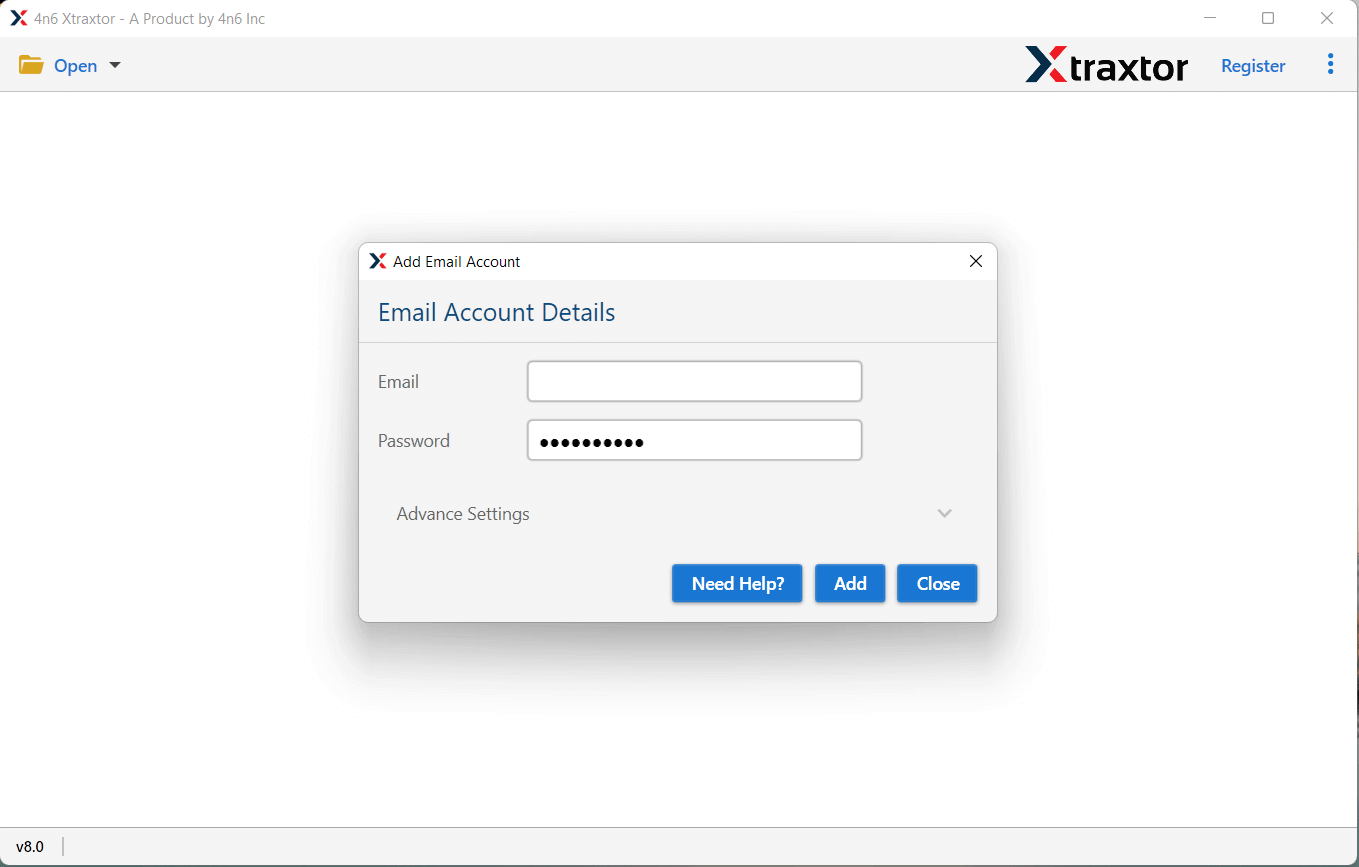
Step 3. Enter your Roundcube email address and password, then click the Add button.
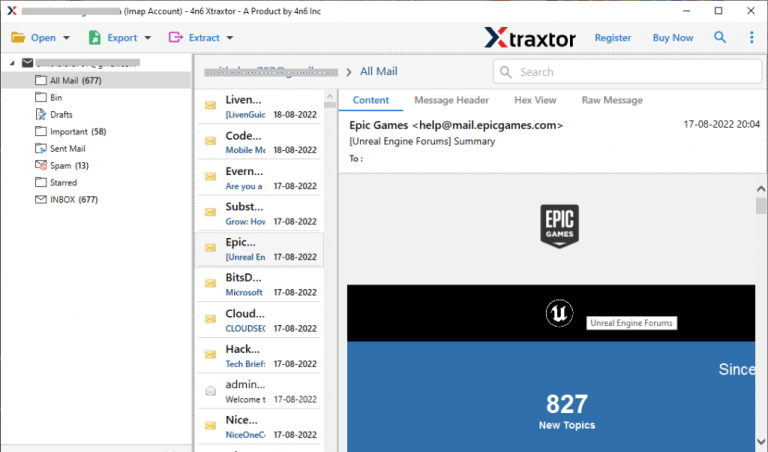
Step 4. The software will automatically fetch all Roundcube mailbox folders and emails for preview.
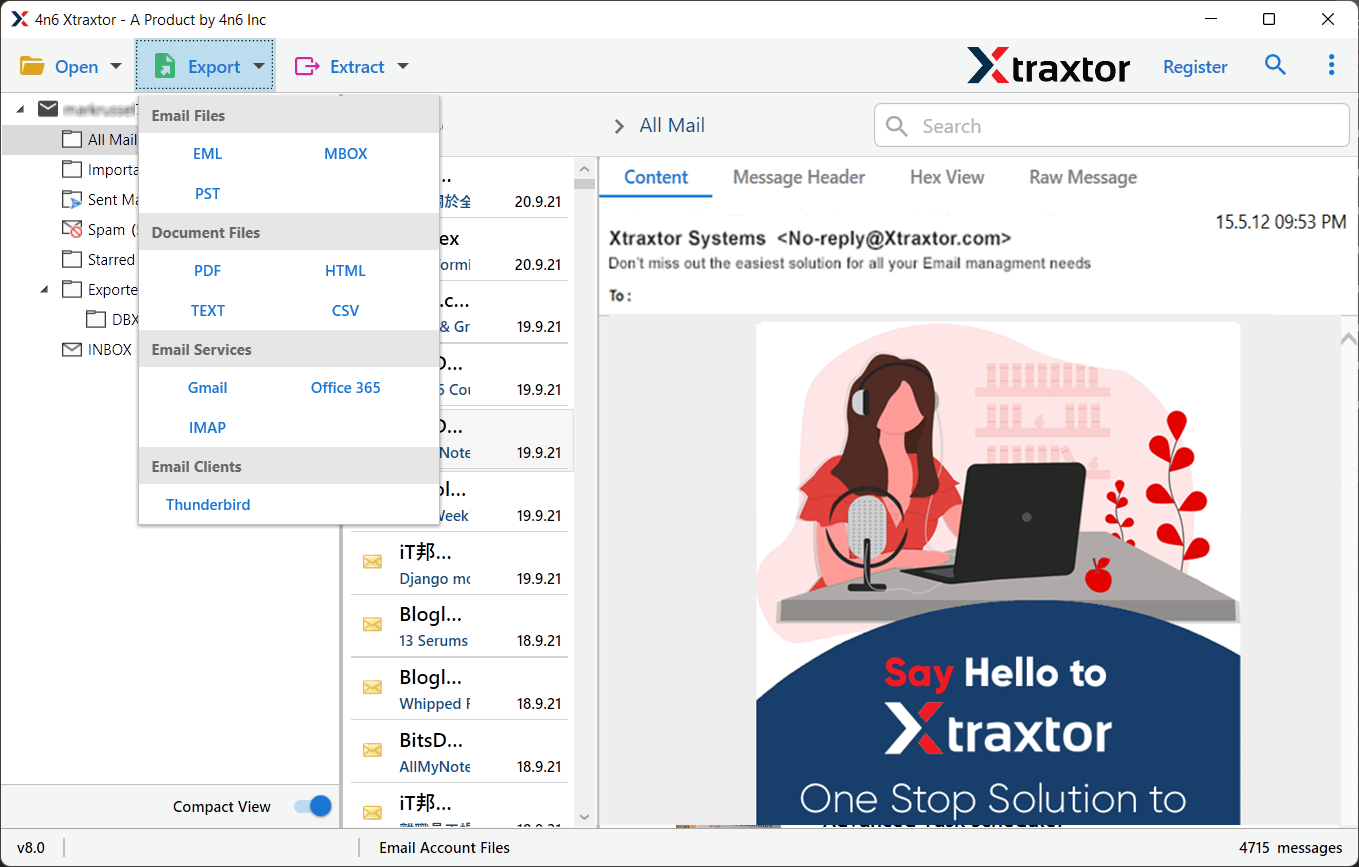
Step 5. Click on Export and choose IMAP from the list of email services.
Step 6. Select the email folders you want to transfer from Roundcube to Zoho Mail.
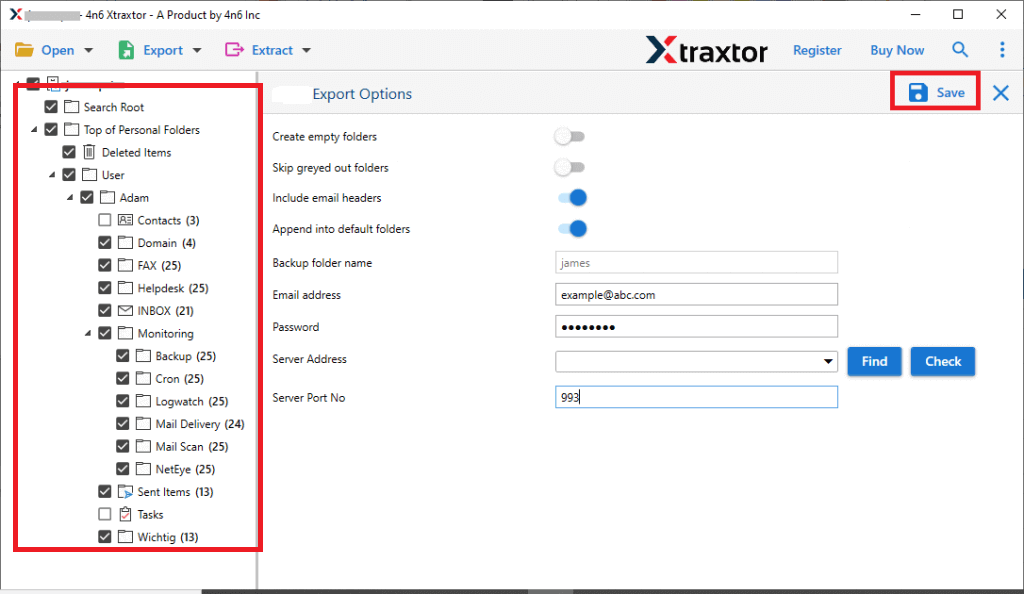
Step 7. Enter your Zoho Mail email ID and password, then click Save to start the migration process.
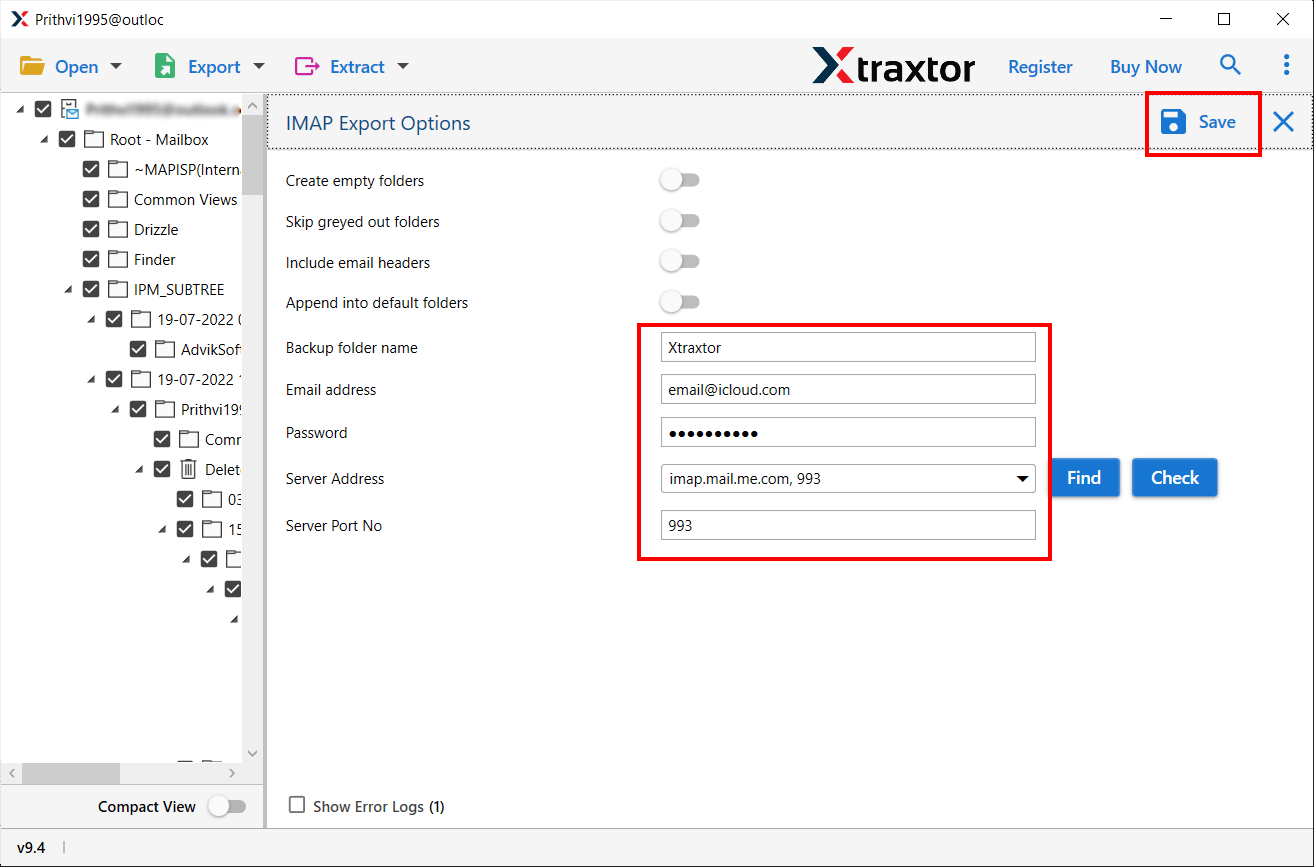
Once the process is complete, all selected Roundcube emails will be successfully transferred to your Zoho Mail account with their original folders and attachments.
You can use the free trial version of Xtraxtor to test the software before upgrading to the licensed version for unlimited Roundcube to Zoho Mail migration.
Final Words
So, now we have reached the conclusion part. Here, you would surely like to listen to which method you choose? To be very honest, I will provide you with suggestions under two circumstances. Such as that if you have a small mailbox and technical knowledge, the manual method can work.
However, if you are migrating multiple emails from Roundcube to Zoho Mail, then using a professional solution is the safest choice. It is helpful for multiple users or business-critical data.
Thus, choosing the right approach saves your time, prevents data loss, and ensures a smooth transition to Zoho Mail.
