How to Migrate Roundcube Emails to Google Workspace?

Are you planning to migrate Roundcube emails to Google Workspace, but don’t know where to start? You’re not alone. Many users struggle because Roundcube does not provide a direct export option. As a result, email migration becomes confusing and time-consuming.
Don’t worry. In this guide, you will learn how to move emails from Roundcube to Google Workspace using both manual and professional methods. Each method is explained in simple steps so you can choose what works best for your needs.
Let’s get started.
Why Move from Roundcube to Google Workspace?
As we all know, Google Workspace is a complete suite platform that includes various online applications for better collaboration and work. Whereas Roundcube offers normal email features.
Below are some benefits of switching from Roundcube to Google Workspace migration.
- All-in-One Platform: Google Workspace is a complete solution. It includes Gmail, Google Drive, Docs, Sheets, Slides, and many other tools. With this, you can manage emails and work files in one place. Roundcube only provides basic webmail access.
- Better Email Management: Google Workspace email offers smart features like labels, filters, and email categories such as Primary, Promotions etc. These features help you organize emails easily which is not possible in Roundcube.
- High Uptime and Reliability: Google Workspace provides 99.99% uptime. This means your email service stays available most of the time. It helps businesses work without email interruptions or downtime.
- Strong Security Features: Google Workspace offers two-step verification and advanced threat protection. Using the Admin Console you can manage users, permissions and security settings easily.
- Easy to Scale and Flexible: You can add new users anytime in Google Workspace. It also offers flexible plans so you can upgrade as your business grows.
- Easy App Integration: Google Workspace works smoothly with many third-party apps like Zoom, Slack, and others. This makes teamwork easier and improves productivity.
Now, let’s get back to the solutions. There are two reliable ways to migrate Roundcube emails to Google Workspace. One is an automated expert method and a manual method; we have explained both the methods step-by-step so that you can choose the one that fits best as per your needs and requirements.
Let’s check both one by one easily.
How to Migrate Roundcube Emails to Google Workspace? (Free Method)
We have explained the complete method step-by-step so that it will be easy to understand. This is a free method, but it is suitable for small mailboxes and single accounts only.
Step 1. Log in to your Gmail account.
Step 2. Go to Settings > See all settings.
Step 3. Open the Accounts and Import tab.
Step 4. Click Add a mail account.
Step 5. Enter your Roundcube email address and click the continue tab.
Step 6. Choose Import emails from my other account (POP3).
Step 7. Enter the Roundcube IMAP/POP server details.
Step 8. Select import options and start the process.
It will now begin importing emails from your Roundcube mailbox to Google Workspace account.
How to Transfer Emails from Roundcube to Google Workspace Directly?
As there is no direct option available to migrate Roundcube emails to Google Workspace, using an automated solution is the most reliable approach. Xtraxtor Email Migration Tool helps you migrate emails by connecting directly to your Roundcube mailbox through IMAP and transferring them securely to Google Workspace.
The software moves all emails along with attachments while keeping the original folder structure and email details intact. It supports bulk migration and makes it ideal for businesses and professionals. With its easy-to-use interface, even non-technical users can complete the migration process without manual effort or risk of data loss.
Click the Free Download button to see how the tool works step by step.

Steps to Migrate Roundcube Emails to Google Workspace
Step 1. First, download and install the Xtraxtor software on your Windows computer.
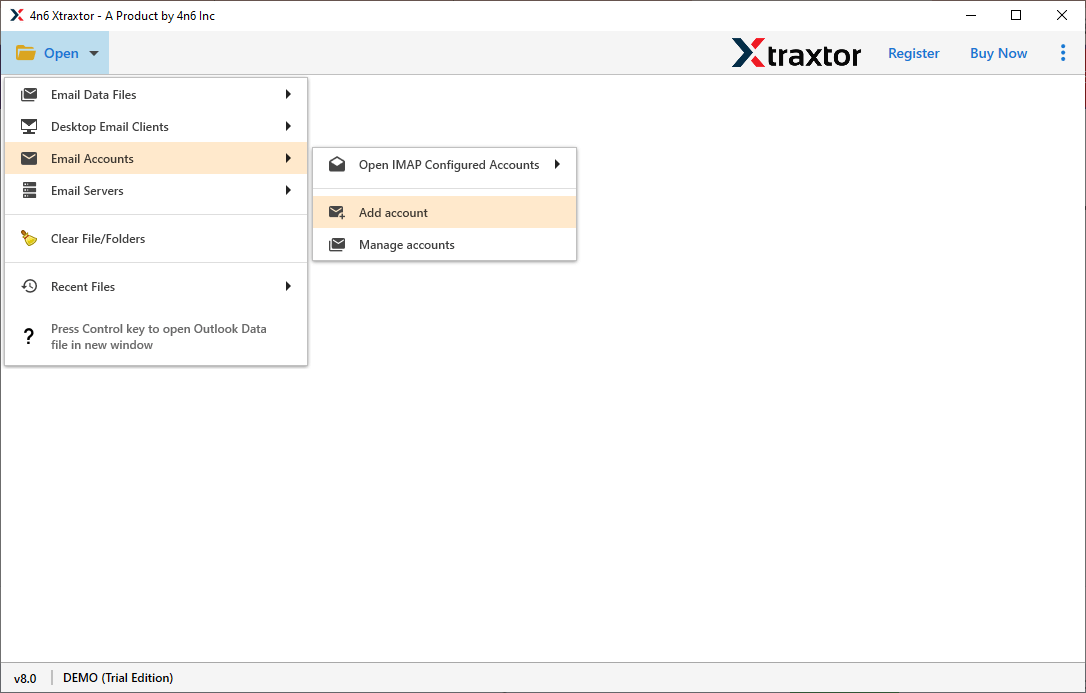
Step 2. Launch the software; click Open tab >> Email Accounts >> Add account.
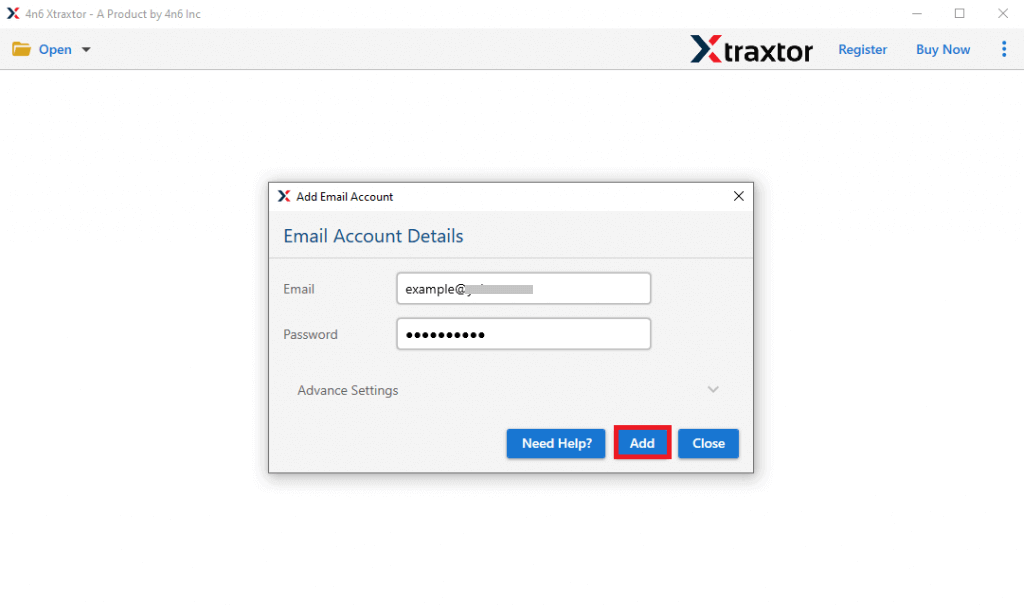
Step 3. Enter your Roundcube email ID and password to connect your mailbox.
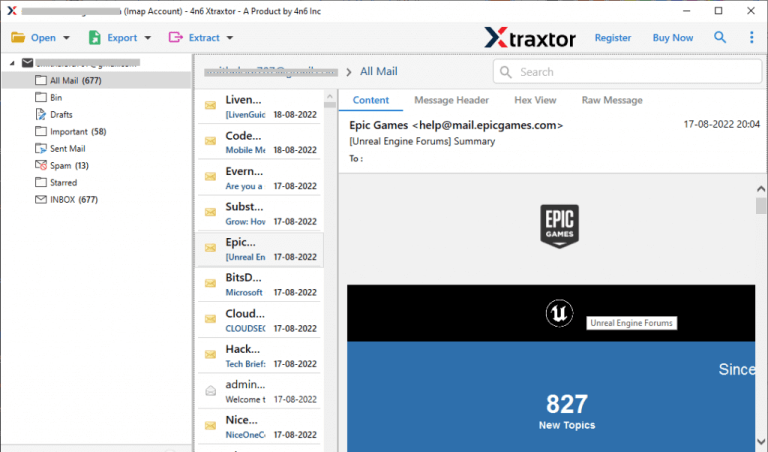
Step 4. After logging in, the software will automatically load all folders from your Roundcube account.
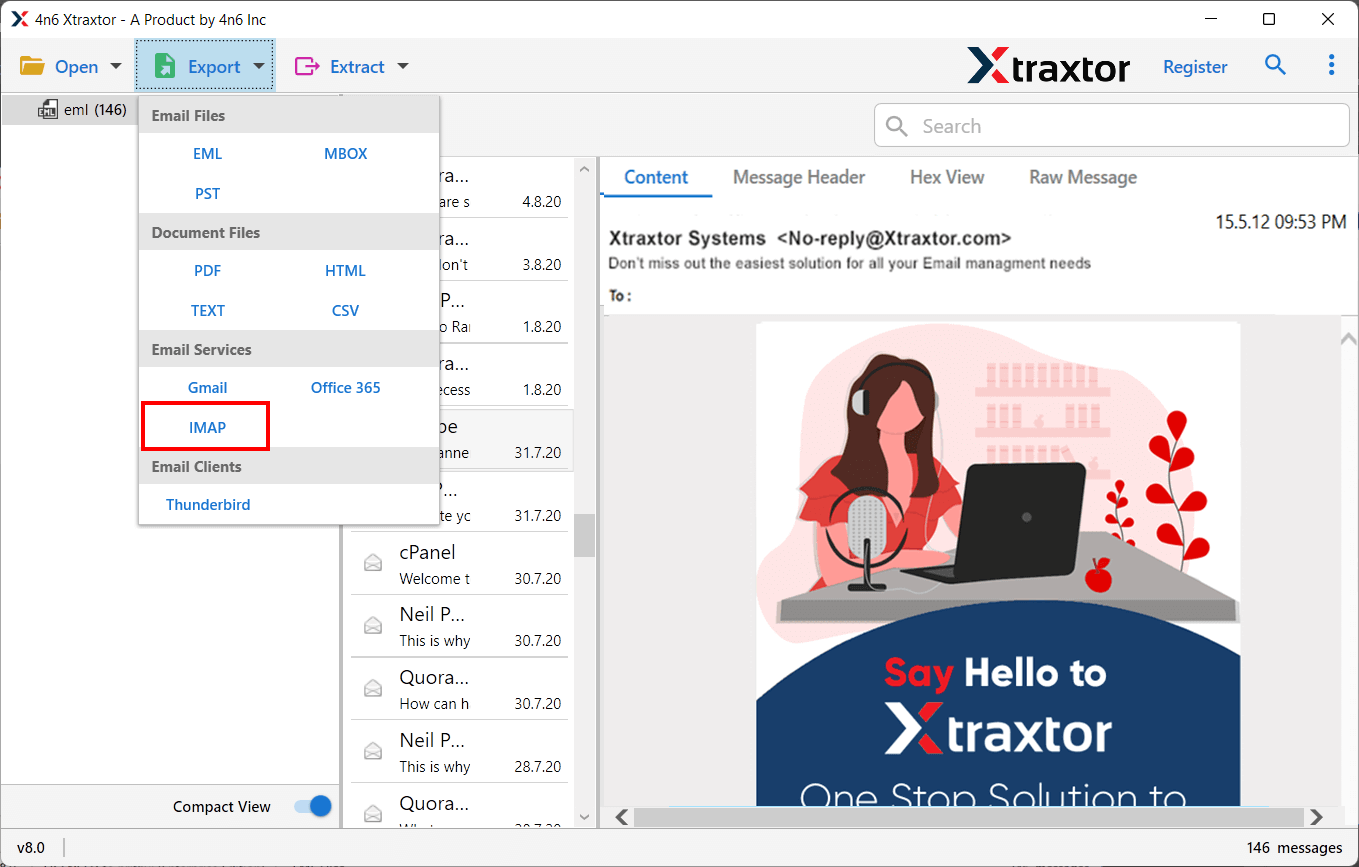
Step 5. Now, select the Export & choose the IMAP option from the menu.
Step 6. Select the folders or emails you want to move to Google Workspace.
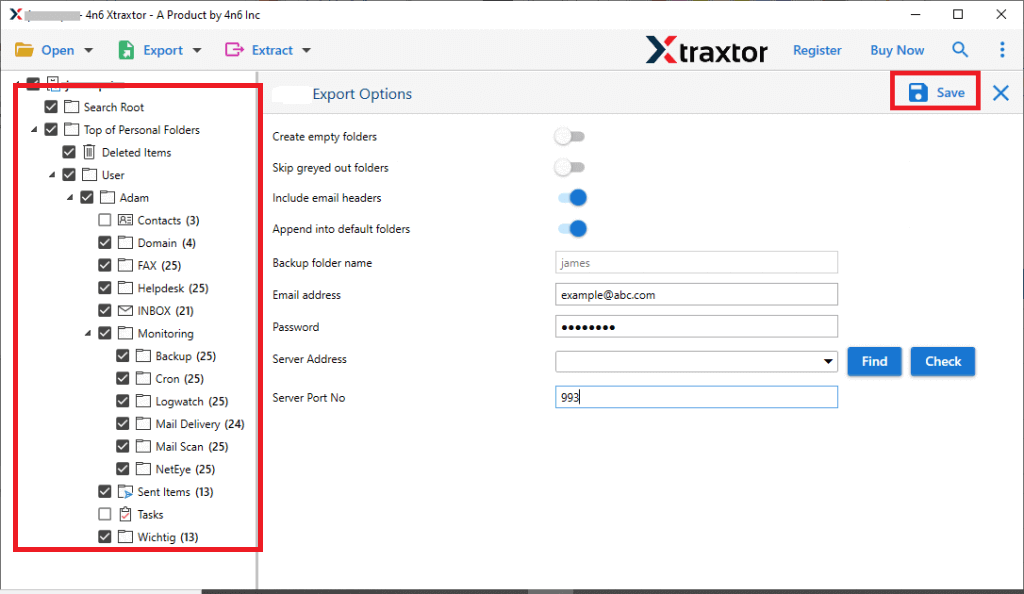
Step 7. Enter your Google Workspace login details and click the Save button.
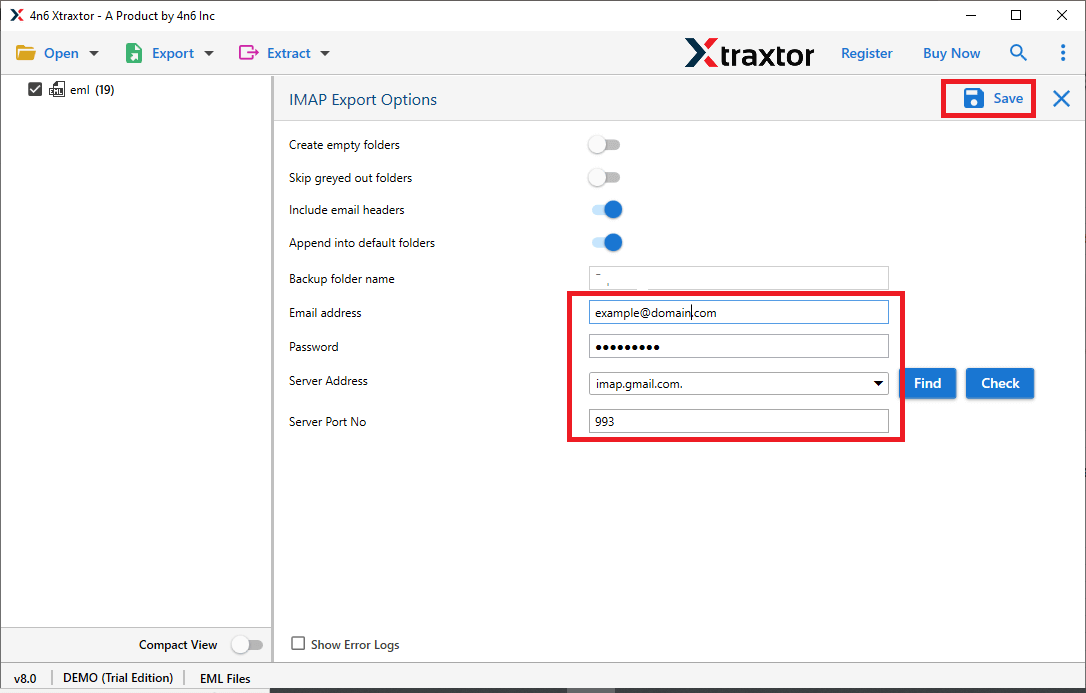
Start the migration process and wait until all emails are successfully transferred.
Conclusion
In this blog, we explained the benefits and different ways to migrate Roundcube emails to Google Workspace. The manual method is free and can be used for small mailboxes. However, it is not recommended for large mailboxes or users who want a smooth and error-free migration. For a safe, fast, and reliable transfer, using a professional solution is the better choice. It ensures complete data security while switching from Roundcube to Google Workspace.
Frequently Asked Questions
Q1. Can I migrate Roundcube emails to Google Workspace for free?
Ans. Yes, you can use Gmail’s import option. However, it works best only for small mailboxes.
Q2. Is data loss possible during migration?
Ans. Manual methods may cause missing emails or attachments. Professional tools reduce this risk.
Q3. Can I migrate multiple Roundcube accounts?
Ans. Manual methods are not suitable. Use a professional tool for multiple users.
