How to Migrate Gmail to Tutanota?

With the increasing use of emails for personal and professional communication, managing large volumes of messages, attachments, and files becomes important. This is where email services like Tutanota come in, offering strong privacy and security features. Many users now prefer to migrate Gmail to Tutanota to protect their data and maintain better control over their emails.
In this guide, you will learn everything about how to transfer emails from Gmail to Tutanota, including manual methods, limitations, and a professional solution for coplete eail migration.
Common Reasons to Migrate Gmail to Tutanota
There are several reasons why users switch from Gmail to Tutanota:
- Tutanota offers end-to-end encryption for better privacy.
- No ads or data tracking like in Gmail.
- Secure email communication with encrypted inbox and attachments.
- Better protection from phishing and data breaches.
- Simple interface focused on privacy.
- Ideal for users who want confidential email communication.
How to Import Gmail to Tutanota for Free?
There is no direct option to import Gmail to Tutanota, but you can use basic methods like email forwarding or manual email transfer.
Follow these steps to forward Gmail to Tutanota:
- Log in to your Gmail account.
- Go to Settings and open the Forwarding and POP/IMAP tab.
- Click on Add a forwarding address.
- Enter your Tutanota email address.
- Verify the email address.
- Choose to forward incoming emails to Tutanota.
Drawbacks of Manual Migration
Manual methods to transfer Gmail to Tutanota have several limitations:
- No direct bulk migration option.
- Cannot migrate all emails at once.
- Time-consuming process for large mailboxes.
- No support for attachments, contacts, or calendars in bulk.
- Risk of missing important emails.
- Requires technical understanding for setup.
- No advanced filter options.
How to Transfer Emails from Gmail to Tutonota Professionally?
As you have seen, the manual method is suitable for a few emails but not for complete mailbox migration. It is also time-consuming and not reliable for large data. To overcome these issues, many users prefer an automated and secure solution like Xtraxtor. This software provides a simple way to migrate Gmail to Tutanota in just a few easy steps.
You only need to enter your Gmail account details, select the required emails, and export them in a format supported by Tutanota. The tool will handle the rest of the process automatically without any data loss.
Click on the free download button and check its working process.

Steps to Migrate Gmail to Tutanota Account
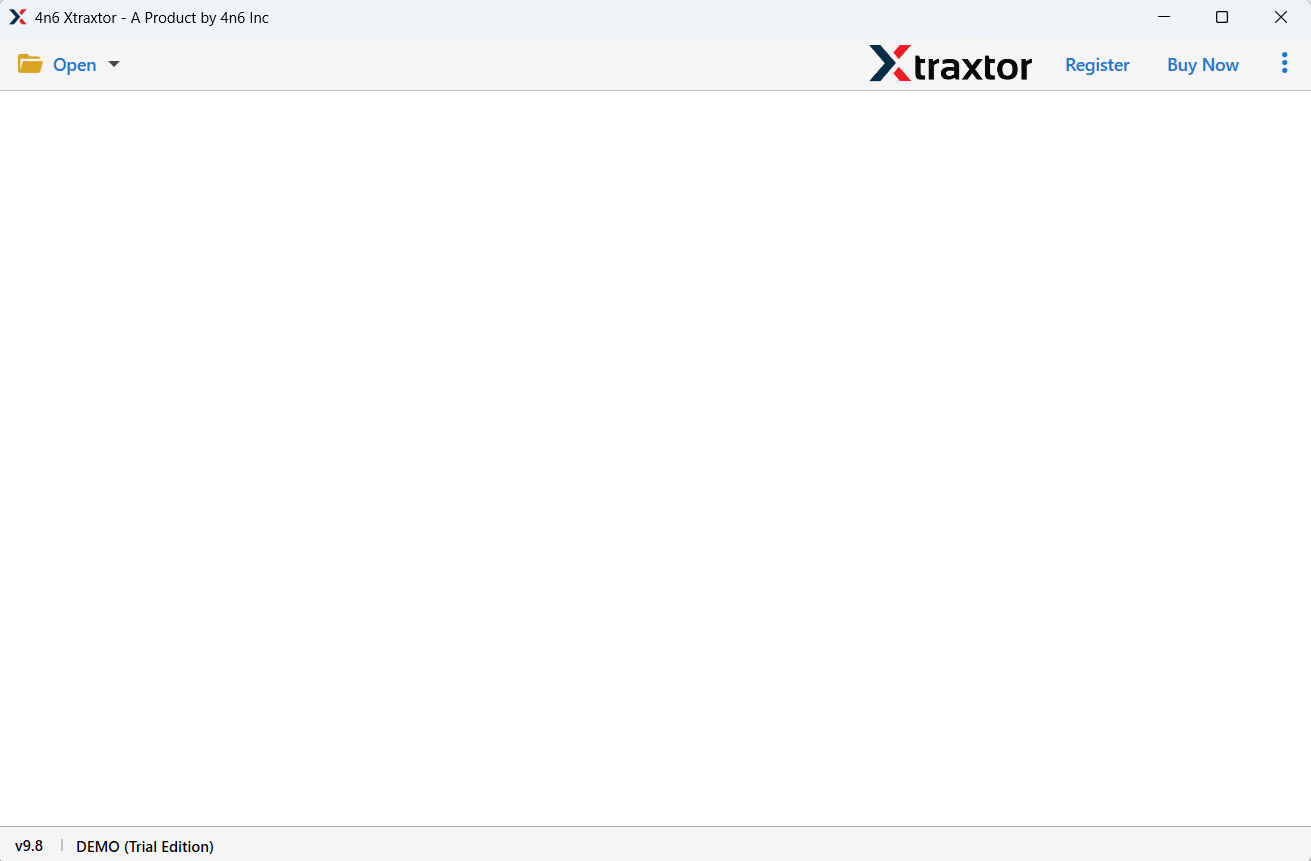
Step 1. Launch the software and click the Open tab as shown below.
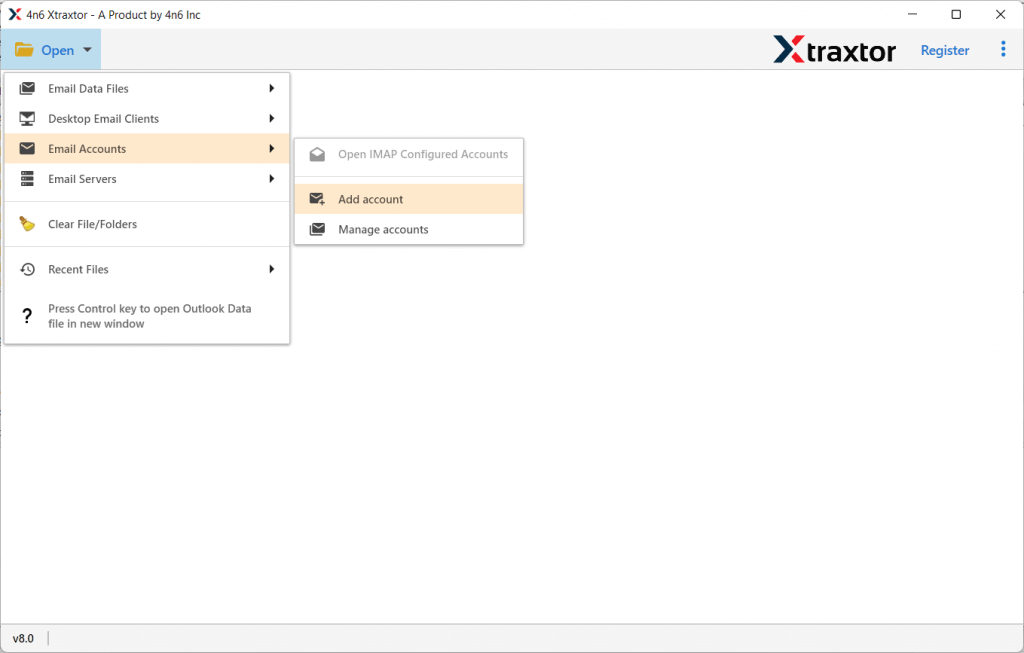
Step 2. Click Email Accounts and choose the Add Account option.
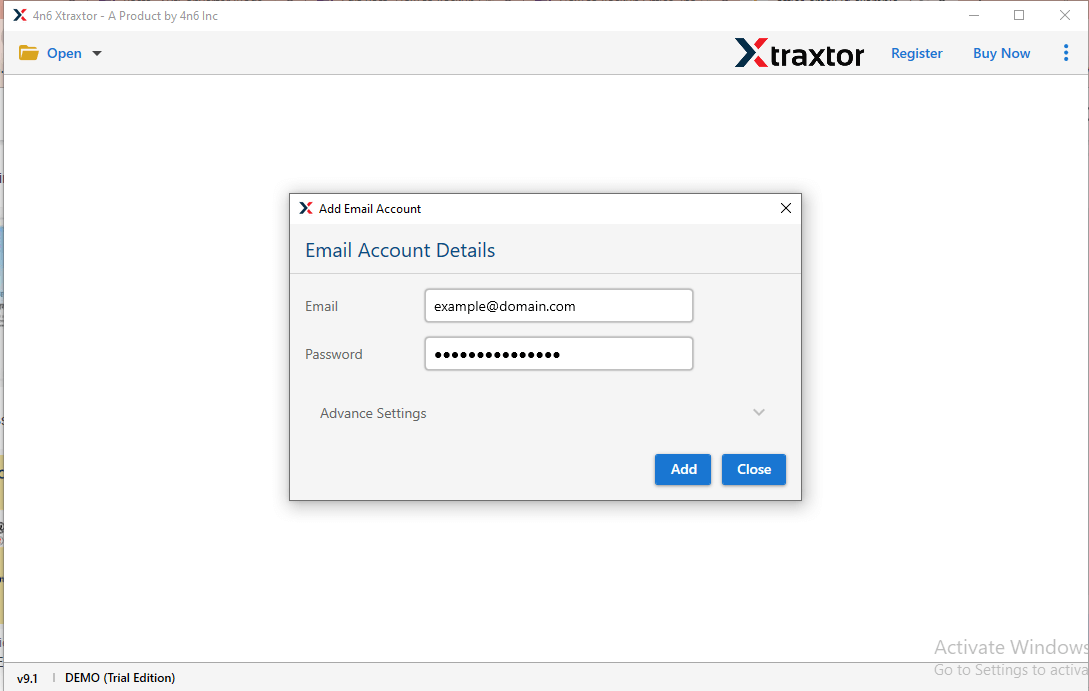
Step 3. Enter your Gmail email credentials and password, then click Add.
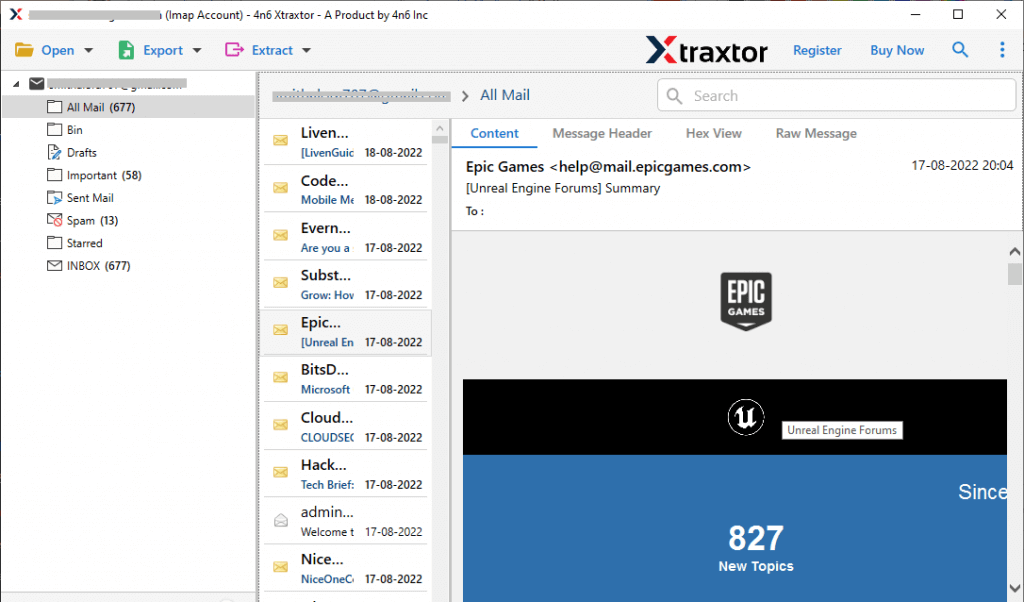
Step 4. Once the mailbox loads, preview emails and folders to verify the data.
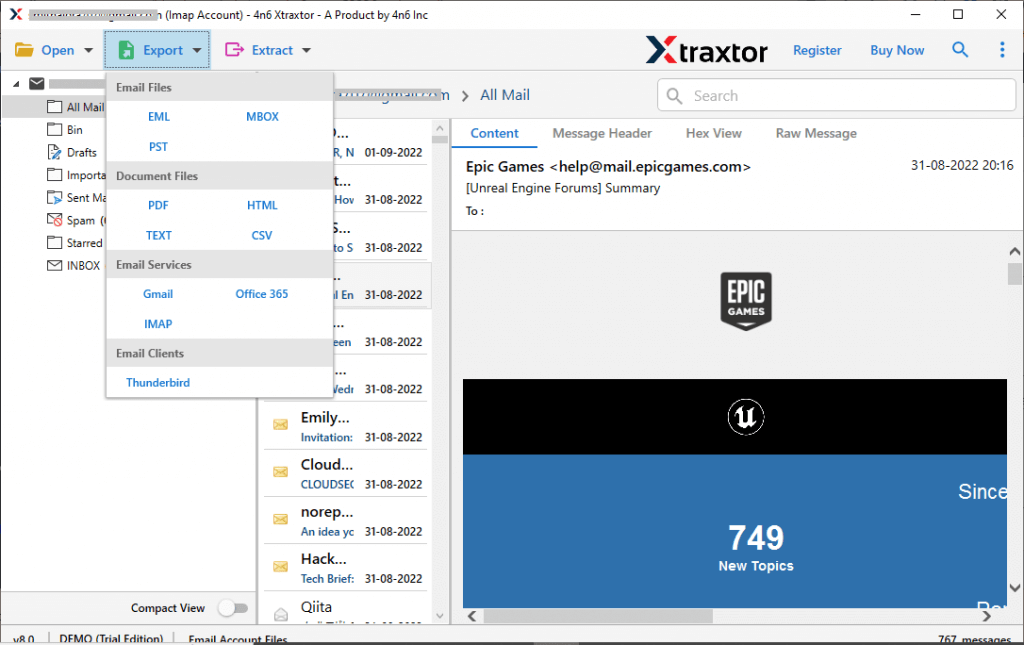
Step 5. Click on Export and choose IMAP as a saving option.
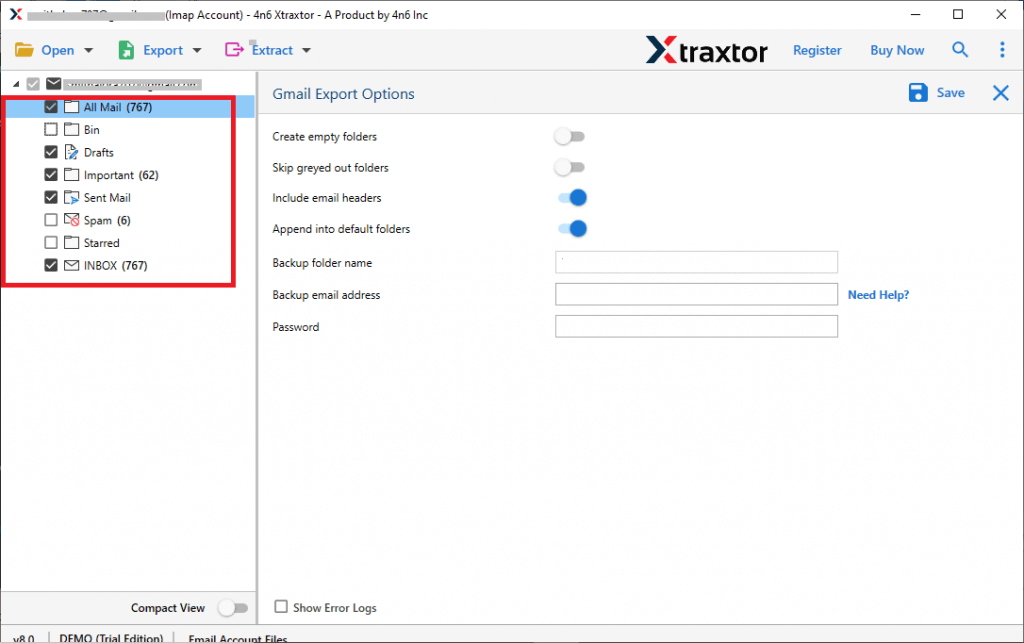
Step 6. Select the required Gmail folders or emails that you want to migrate.
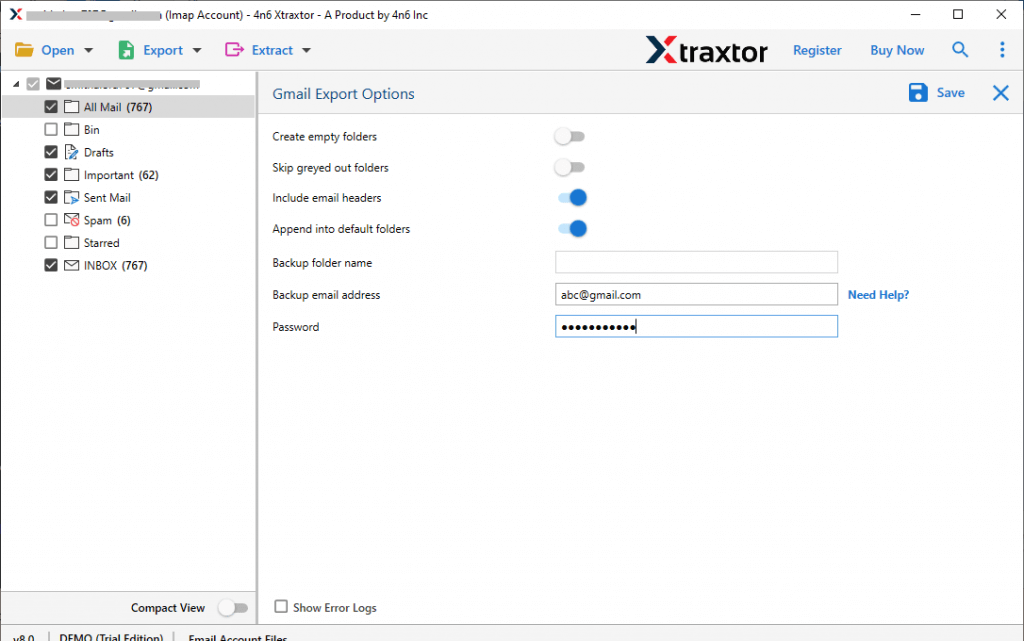
Step 7. Click on the Save button to start the export process.
After that, upload the exported emails into your Tutanota account. The software will complete the Gmail to Tutanota migration quickly and securely.
Wait for a few moments, and once the process is complete, the tool will display a log report. Click OK to finish.
Advanced Features of Using an Automated Solution
- Safely migrate emails without any data loss.
- Use smart filter options to transfer only selected emails.
- Export and backup emails in 200+ file formats easily.
- Keeps the original folder structure after migration.
- Fully secure and trusted software for email transfer.
- Generates a detailed report after the process is complete.
- Also, transfer Gmail to ProtonMail, iCloud, Office 365, Yahoo Mail, etc.
- Free demo version available to test the tool before purchase.
Conclusion
Migrating emails manually from Gmail to Tutanota can be difficult and time-consuming, especially for large data. While manual methods may work for a few emails, they are not suitable for complete migration.
To avoid all these issues, it is better to use a professional solution that helps you transfer Gmail to Tutanota safely and quickly. This ensures that your data remains secure and intact throughout the process.
