How to Migrate Emails from Roundcube to Outlook.com?

Are you planning to migrate emails from Roundcube webmail to Outlook.com but don’t know the right way to do it? You’re not alone. Many users and businesses want to leave Roundcube due to its limited features and switch to Outlook.com for better security, accessibility, and email management.
However, migrating emails from Roundcube to Outlook.com is not as simple as clicking a button. IMAP configuration, large mailbox size, and folder structure issues can confuse non-technical users.
That’s why this guide explains two reliable ways to migrate emails from Roundcube to Outlook.com:
- One manual (free) method
- One professional (automatic) method
You can choose the approach that best fits your needs.
Let’s begin.
Why Migrate Emails from Roundcube to Outlook.com?
Many users decide to switch from Roundcube to Outlook.com because:
- Outlook.com offers a cleaner and modern interface
- Better spam and security features
- Easy access on mobile, desktop, and web
- Smart email rules and focused inbox
- Integration with Microsoft apps like OneDrive and Calendar
How to Import Roundcube Emails into Outlook.com Manually?
Step 1. Log in to your Outlook.com account. If you don’t have one, create it first.
Step 2. Click on the Settings or gear icon in the top-right corner.
Step 3. Go to Mail >> Sync email.
Step 4. Under Connected accounts, choose Other email accounts.
Step 5. Enter your Roundcube email address and password.
Step 6. Provide IMAP details, such as required.
Step 7. Click OK to start syncing.
Outlook.com will now begin importing emails from your Roundcube mailbox.
Drawbacks of the Manual Method
- No folder selection option
- Slow migration for large mailboxes
- Sync may stop unexpectedly
- No email filtering option
- Not suitable for business users
How to Transfer Roundcube Emails to Outlook.com Automatically?
Not satisfied with the manual method? Now, try the Xtraxtor Email Migration Tool that can automatically fetch all emails and folders from your Roundcube email account and transfer it into your Outlook.com account securely. The tool transfers emails while keeping folder structure, attachments, and email details intact. There is no need for manual server configuration or technical skills.
Thus, with just a few clicks, you can move Roundcube emails to Outlook.com safely and without errors.
Use the free version to see how the software performs.

Steps to Migrate Emails from Roundcube to Outlook.com
Step 1. Download and install Xtraxtor Tool on your Windows system.
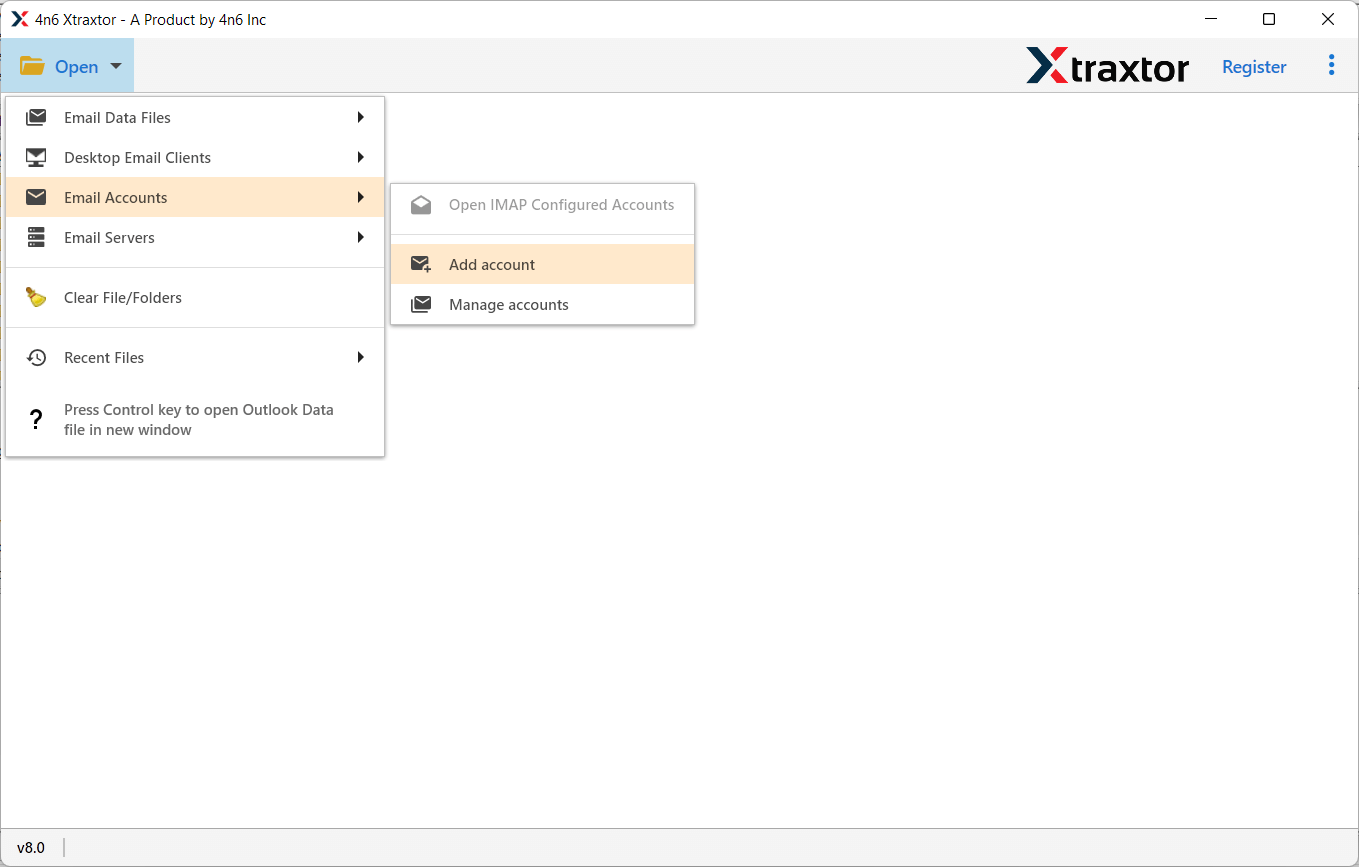
Step 2. Launch the software and click on Open >> Email Accounts >> Add Account.
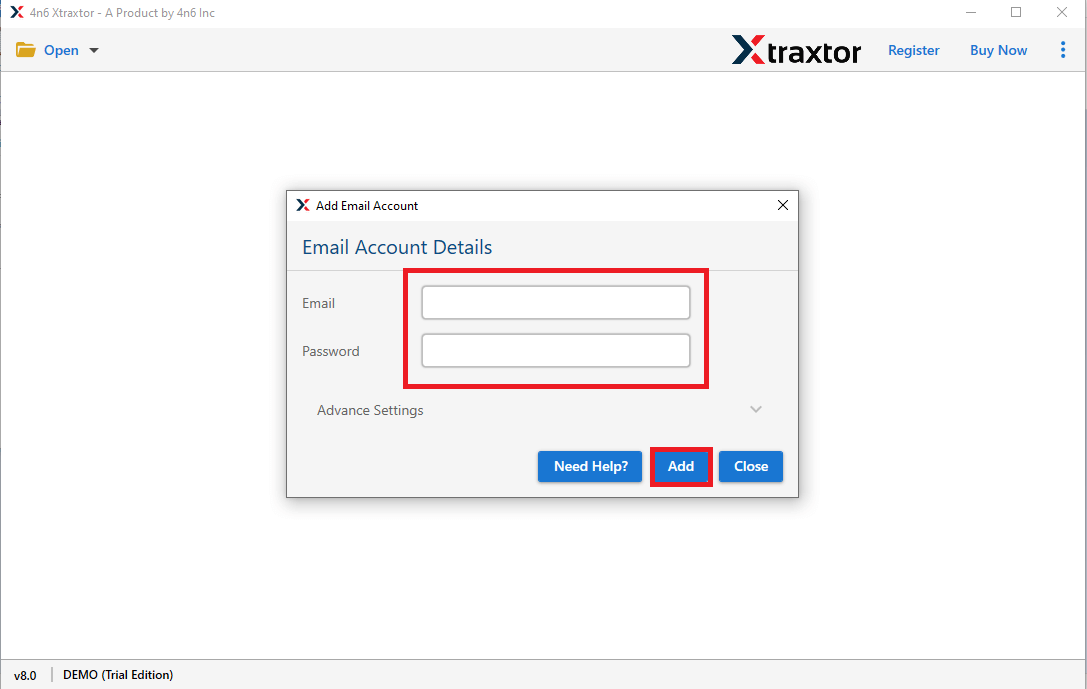
Step 3. Enter your Roundcube email credentials and click Add button.
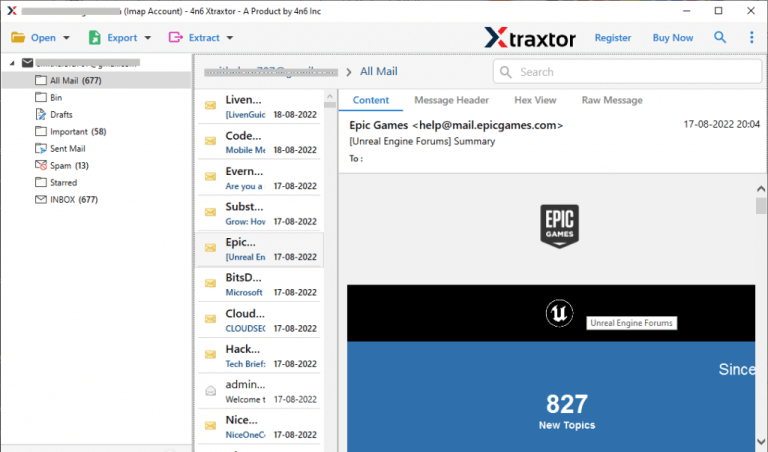
Step 4. The software will load and preview all mailbox folders.
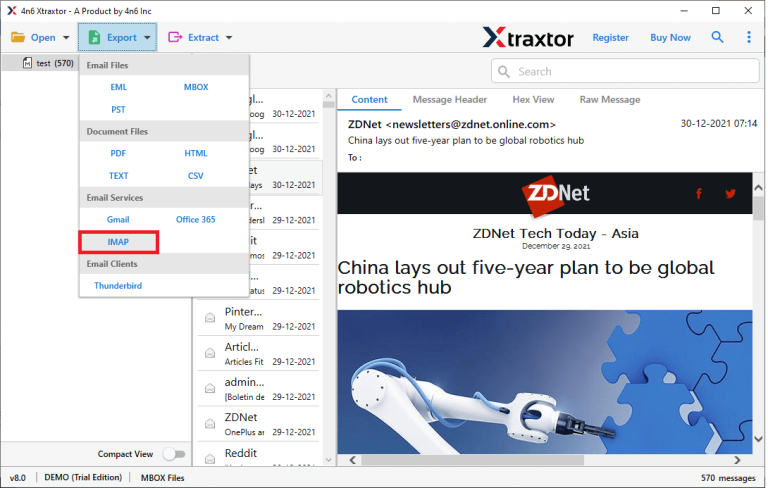
Step 5. Click Export and select IMAP as the saving option.
Step 6. Now, choose the required email folders to transfer.
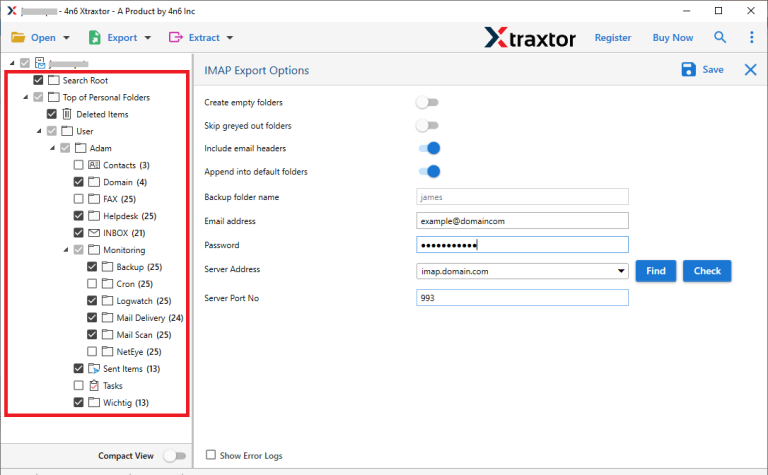
Step 7. Enter your Outlook.com login details & click Save to start the migration.
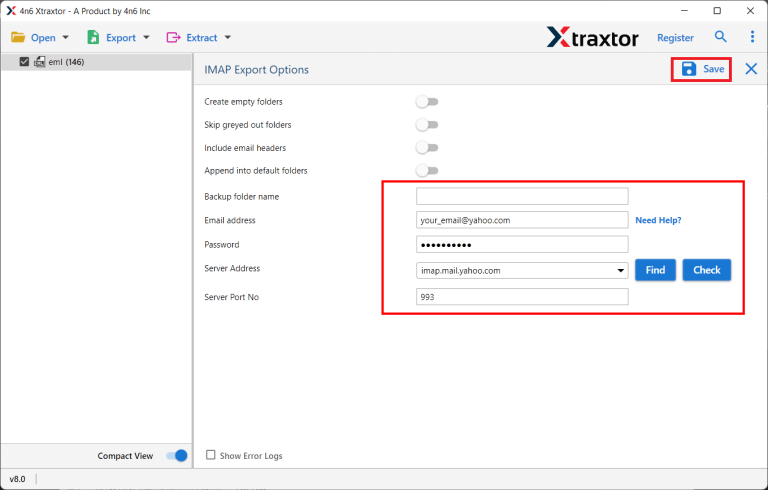
The tool will automatically migrate all selected Roundcube emails into Outlook.com.
Key Features of Xtraxtor Email Migration Tool
- Complete Mailbox Migration: The software transfers the entire mailbox, including Inbox, Sent, Drafts, Trash, Spam, and any custom folders created by the user. This ensures no important email is left behind during the migration process.
- Preserve Folder Structure: Xtraxtor maintains the original folder hierarchy exactly as it is. After migration, emails appear in Outlook.com in the same order and folders as in Roundcube, making it easy to find messages.
- Advanced Email Filters: Users can migrate selected emails based on date range, specific folders, subject lines, or keywords. This helps reduce data size and saves time by moving only required emails.
- Secure Authentication: The tool uses safe and encrypted authentication methods to protect login credentials. User data remains secure throughout the migration process without unauthorized access.
- User-Friendly Interface: Designed with a simple and clean interface, the software is easy to use even for non-technical users. No advanced configuration or technical skills are required.
- Fast and Accurate Results: Xtraxtor performs migrations quickly while ensuring complete data accuracy. It transfers emails without duplication, corruption, or data loss, even for large mailboxes.
Final Words
To migrate emails from Roundcube to Outlook.com, you can either connect your Roundcube account to Outlook.com using IMAP settings or use a professional tool like Xtraxtor Email Migration Tool to move emails directly to your Outlook.com inbox. The software also provides a free demo version, so you can test how it works before purchasing the full version.
