
Many users today want to send email from Gmail to WhatsApp, either for work, team communication, or quick sharing with contacts.
You might also be facing these problems:
“I can only send one email at a time.”
“How do I send multiple Gmail emails to WhatsApp?”
“Is there any fast or bulk method?”
Don’t worry. In this guide, you will learn simple, working methods (manual + bulk solution) to send Gmail emails to WhatsApp easily.
Table of Content
- Reasons to Send Email from Gmail to WhatsApp
- Methods to Move Gmail Email to WhatsApp
- Manual Way to Transfer Gmail Email to WhatsApp
- Limitations of Manual Solution
- Send Gmail Email to WhatsApp using Xtraxtor Gmail Backup Tool
- Key Features of Xtraxtor Software
- FAQs
- Conclusion
We all know that nowadays Gmail is the most widely used email service all over the world. Almost all users use Gmail for their managing their personal or professional emails. On the other hand, WhatsApp is also one of the most used communication platforms in the world. It is a text and voice messaging app that was launched in 2009. WhatsApp allows you to chat, share, audio, video, documents, etc. WhatsApp holds 2 billion monthly active users. Due to its advanced features and popularity, most users want to transfer emails from Gmail to WhatsApp
Why Do Users Want to Send Email from Gmail to WhatsApp?
In 2026, communication habits have changed. People check WhatsApp more often than email.
Here are the main reasons:
- Faster communication: WhatsApp messages are seen instantly
- 2+ billion active users use WhatsApp globally
- End-to-end encryption keeps shared data secure
- Better engagement than emails (higher open/read rate)
- Group sharing send updates to multiple employees at once
- Supports files PDF, images, videos, and documents
- Read receipts know if message is seen
That’s why many businesses now use WhatsApp for internal communication instead of email.
Important Note (2026 Reality Check)
There is no direct integration between Gmail and WhatsApp.
- You cannot send emails automatically from Gmail to WhatsApp.
- You must convert emails into a shareable format (like PDF) and then send them.
Ways to Transfer Gmail Emails to WhatsApp
There are various techniques to send email from Gmail to WhatsApp. Here, we will discuss two ways to do it. One is a free manual method and the other one is an automated solution. Both methods are explained in detail in the next upcoming section. Let’s Start.
Method 1. How to Send Gmail Email to WhatsApp Manually?
With this method, you can save individual messages one by one. Follow the steps below to send email from Gmail to WhatsApp.
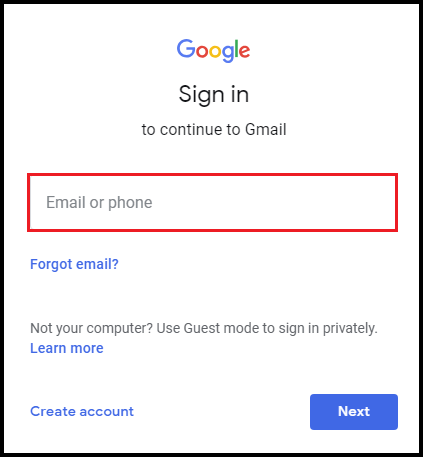
Step 1. Log in to your Gmail account with the credentials on your system.
Step 2. Open the emails that you want to send to WhatsApp.
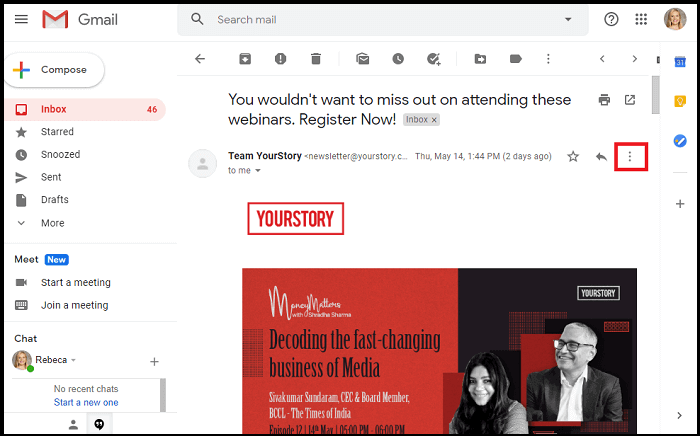
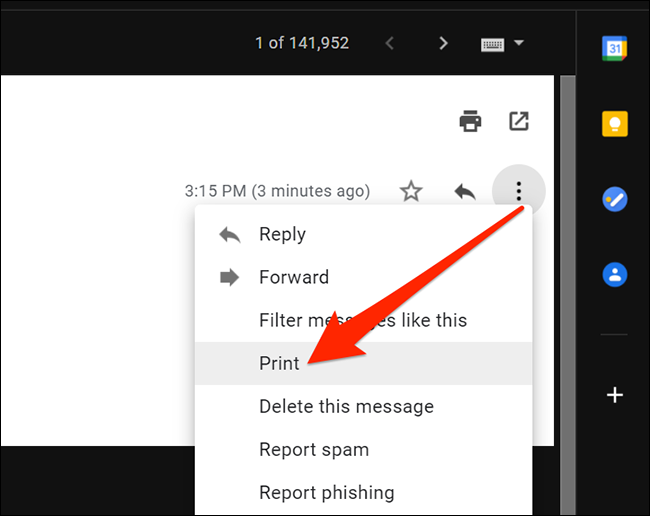
Step 3. Click on the More option and select Print.
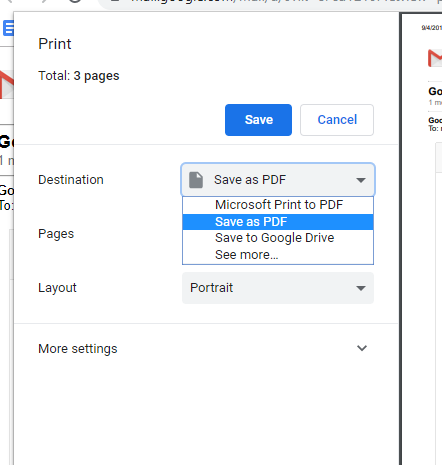
Step 4. Now, a new window will appear where Select Save as PDF to save Gmail email in a PDF format.
Step 5. Share this PDF file with your contact.
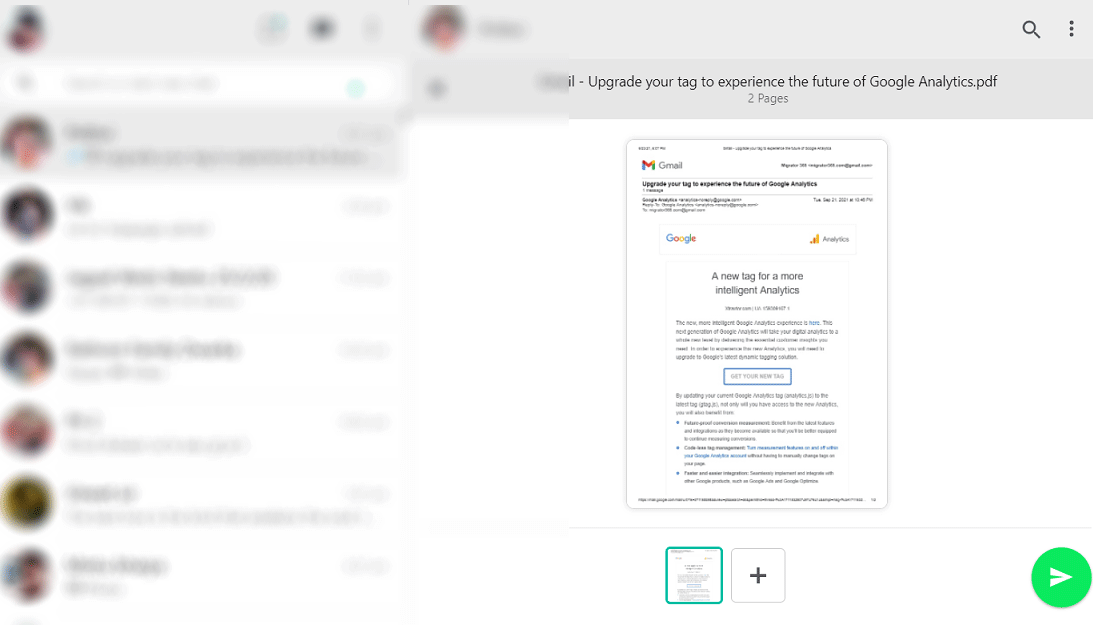
Hence, you can save Gmail emails as PDF and send Gmail email to WhatsApp.
Limitations of Manual Solution
- You can send only one email at a time.
- This method does not allow you to save Gmail emails in bulk.
- It does not save Gmail emails with attachments.
- It is so time-consuming to send multiple emails from Gmail to WhatsApp.
Method 2. How to Send Gmail to Whatsapp from Computer in Batch?
Try Xtraxtor Gmail Backup Tool to save multiple emails at once and transfer them to WhatsApp at the same time without any hassle. The software allows you to save selected Gmail emails and folders to PDF format. It maintains the folder hierarchy and email structure throughout the process. Using this tool, you can export Gmail emails to PDF in batch with complete accuracy. The simplified interface helps beginners to send email from Gmail to WhatsApp without any assistance.
You can download the free demo version to perform Gmail to WhatsApp migration process.


Steps to Send Email from Gmail to WhatsApp with Attachments
Step 1. Launch Xtraxtor Email Backup Tool on your Windows PC.
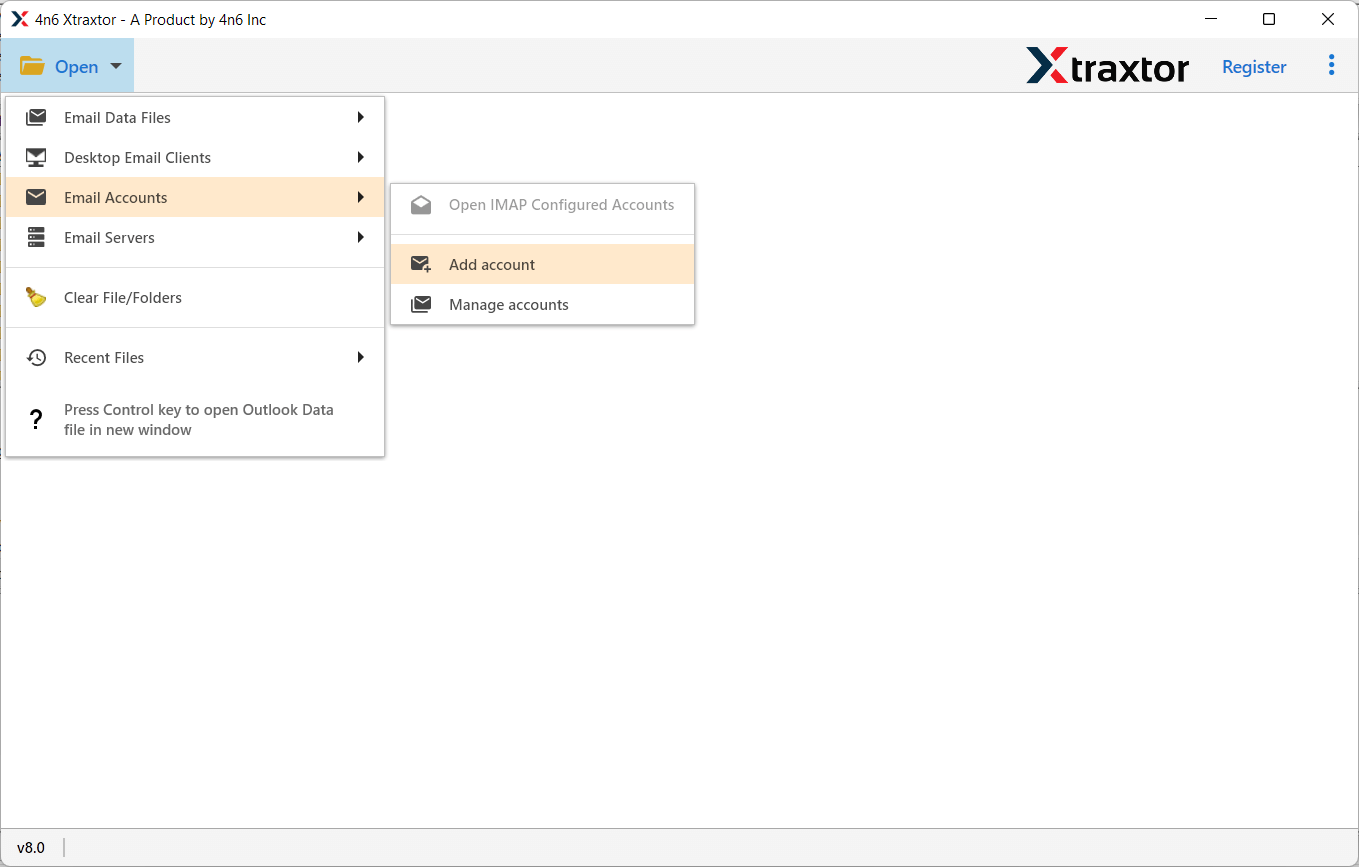
Step 2. Now, click on Open >> Email Accounts >> Add Account.
Step 3. Enter Gmail login details and then press the Add button.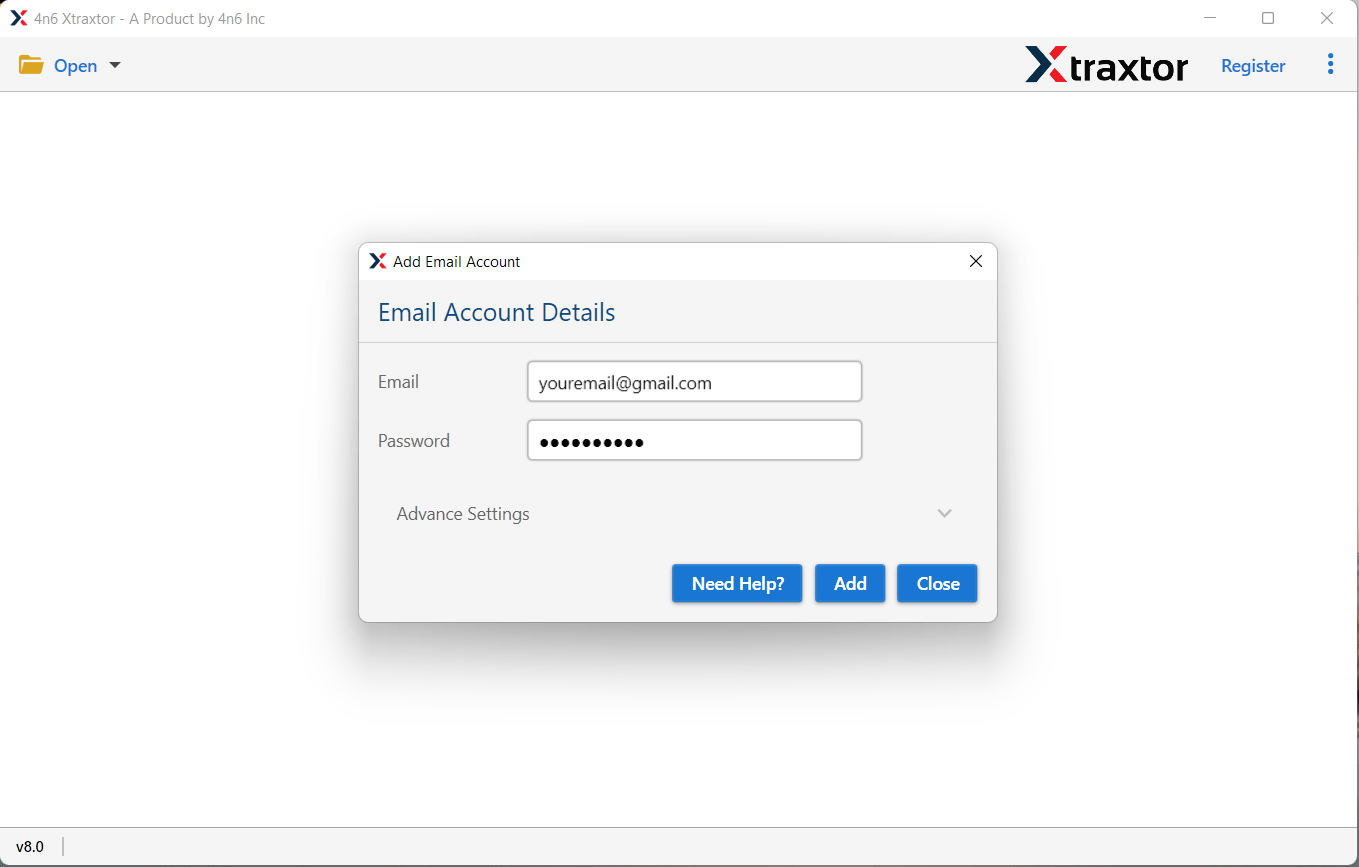
Step 4. Here, you can view Gmail emails before transferring them to WhatsApp.
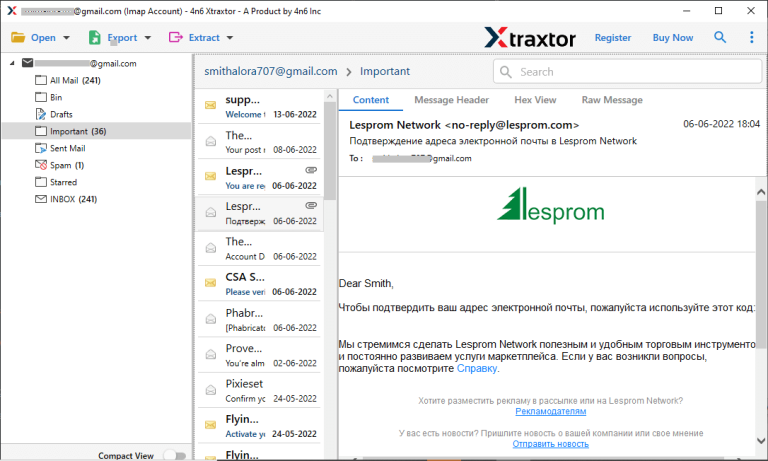
Step 5. After that, go to Export and select PDF format from the given options.
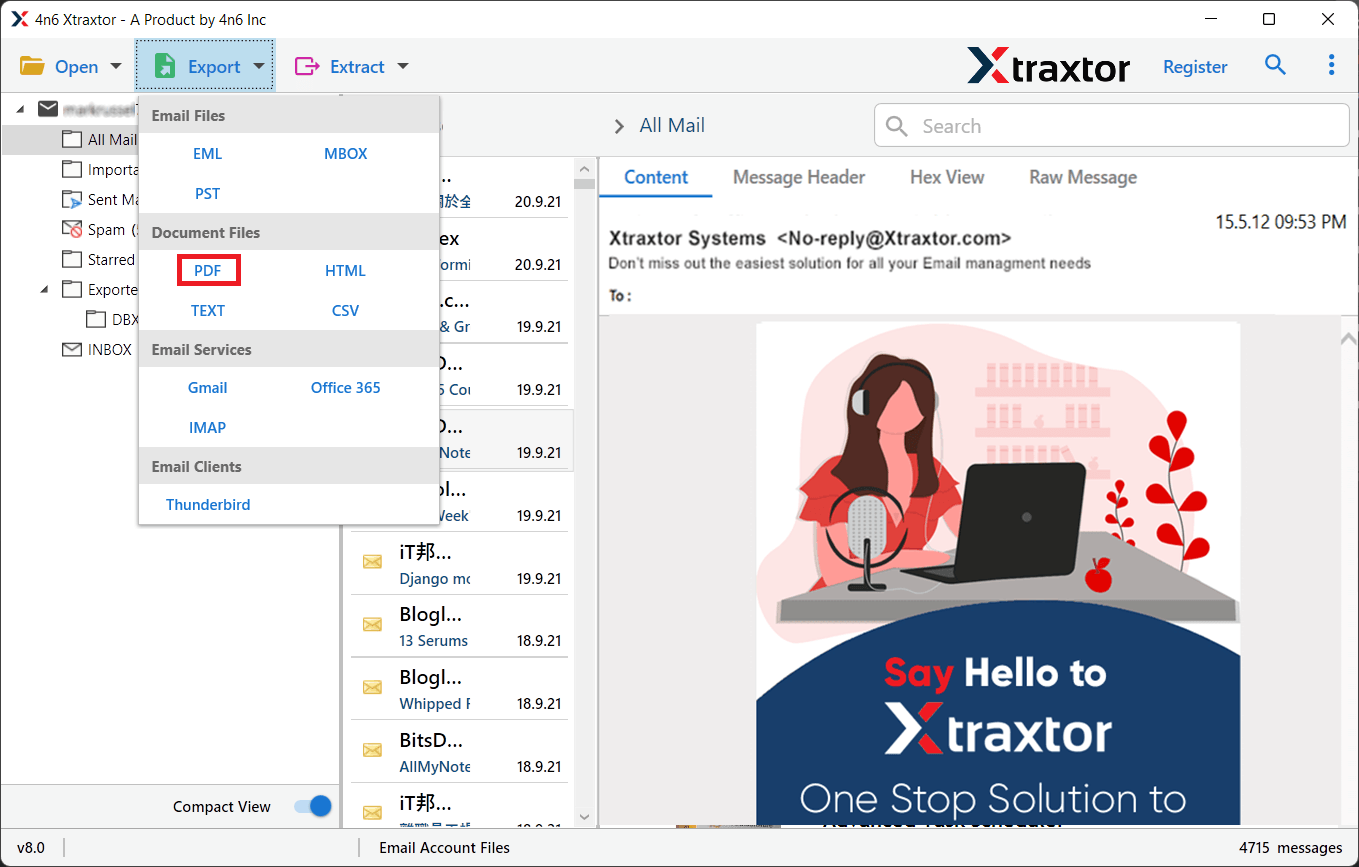
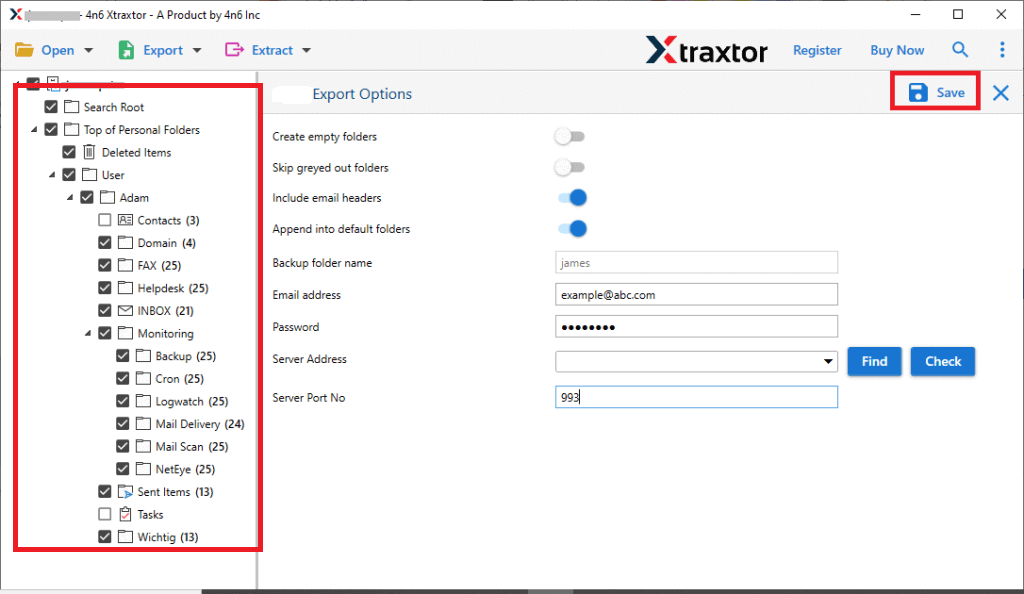
Step 6. Choose Gmail email folders that you want to send them to WhatsApp.
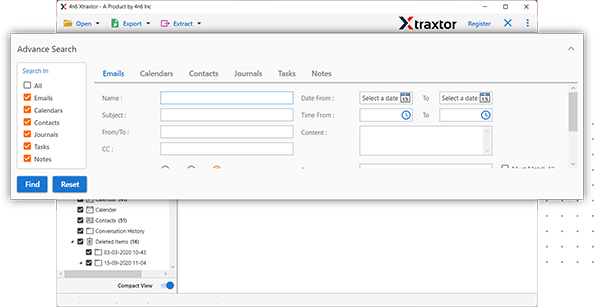
Step 7. Apply the Filters to send selected emails from Gmail to WhatsApp.
Step 8. Browse to the location to save the exported file and then press the Save button.
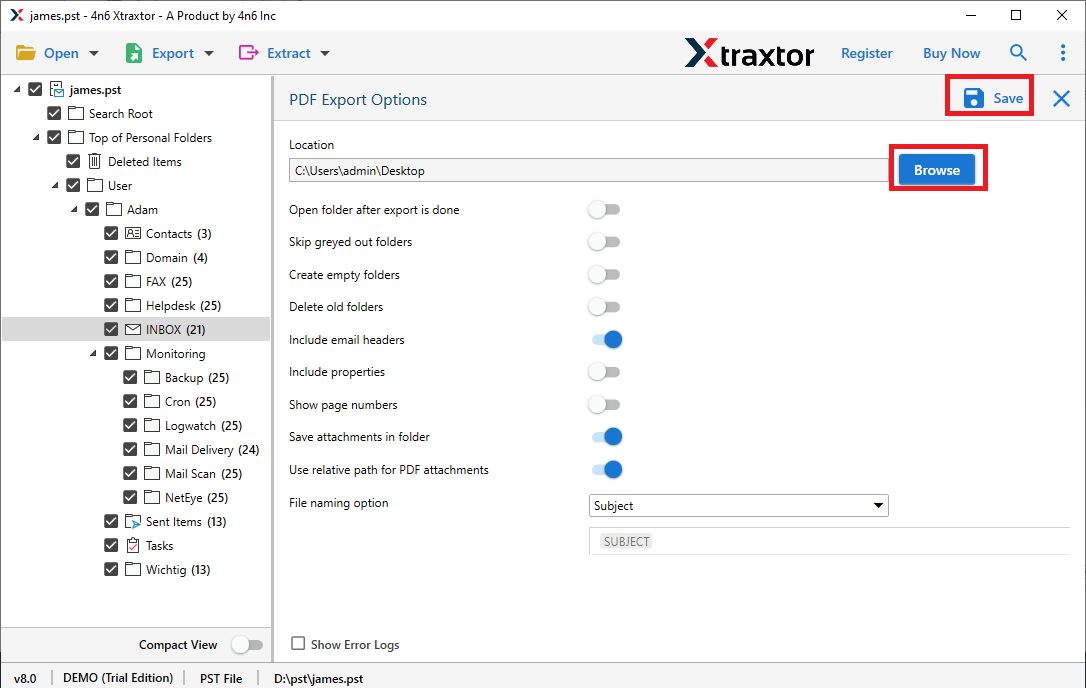
Now, you can save Gmail emails to PDF and send them using WhatsApp.
Why Choose Xtraxtor Software Over Manual Solution?
The software has many benefits that help to easily send email from Gmail to WhatsApp. Some of them are-
- Bulk Conversion: The tool can convert multiple Gmail emails to PDF at once without losing any single bit of data. Hence, you can send all emails to WhatsApp at the same time.
- Various Saving Options: There are multiple saving options to save Gmail emails. You can export Gmail email to MBOX, EML, PDF, TXT, PST, HTML, and many other file formats.
- Preserves 100% Data Integrity: It preserves complete data integrity during the process. It can save Gmail emails to PDF without losing any single bit of data.
- Retains Email Structure: The software is able to maintain the folder hierarchy and metadata properties during and after the process. It can send Gmail email to WhatsApp in their original format.
- Easy to Use: The interface of this utility is very simple and easy to use. Both technical or non-technical users can easily send email from Gmail to WhatsApp without in-depth technical knowledge.
- Vast Compatibility: There are no compatibility issues with this utility. It supports all latest and old versions of Windows Operating Systems.
Frequently Asked Questions
Q1. Can I save Gmail emails to TXT using this application?
Ans- Yes, you can export emails from Gmail to TXT, PDF, HTML, PST, EML, MBOX, etc.
Q2. Is it possible to send selected emails from Gmail to WhatsApp?
Ans- Yes, using filters you can send particular emails.
Q3. Can I run this utility on my Windows 11 PC.
Ans- Yes, it supports Win 11, 10, 8.1, 8, and all below editions.
Conclusion
In this post, we have discussed how to send email from Gmail to WhatsApp. Here, we have explained the manual as well as professional solutions to do it. You can manually transfer Gmail emails to WhatsApp easily, but if you want to move multiple Gmail emails to WhatsApp at once, then use an automated solution. However, the above-suggested tool is able to share all emails without any data loss.
