How to Backup Roundcube Emails to PC?

Backing up your emails is essential to avoid data loss due to server issues or accidental deletion. If you want to backup Roundcube emails and keep them safe on your computer, this guide will help you choose the right and secure method.
Let’s quickly understand the best ways to save Roundcube emails without any hassle.
Webmail outages, server issues, or accidental deletions can instantly block access to your important emails. If you rely on Roundcube for daily communication, losing mailbox access, even temporarily, can interrupt work and productivity. That’s why creating a local backup of Roundcube emails on your PC is essential; it’s not optional.
In this guide, you’ll learn simple and secure ways to backup Roundcube emails to your computer, including both native and advanced options, so you can choose what fits your needs.
How to Backup Roundcube Emails Manually?
Roundcube gives an option to download your mailbox data. However, it will only backup your emails into EML format.
Follow the instructions for that –
1. Sign in to your Roundcube account.
2. Select the emails you want to export.
3. Then, click on the More button in the top right corner and choose the Export option.
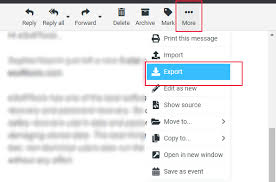
3. After that, all your selected emails will begin to download and save as EML files in your system.
Done! Here, you save your Roundcube emails to your PC. However, this method is suitable for users who have counted emails in their mailbox and need them in EML files. Moreover, it lacks the efficiency to backup multiple emails at once.
How to Download Emails from Roundcube in Bulk?
The Xtraxtor is an efficient way to export all emails from Roundcube on your system. With its advanced features, you can backup your emails without affecting your mailbox hierarchy and structure. Moreover, using this tool, you can download your Roundcube emails in different file formats like PST, PDF, MBOX, and many others. If you want to backup your important folders, then you can select them. Additionally, you can also apply the filters to backup emails from a specific person, date, time, etc.
Try out the software’s demo version and analyse how it works.


Steps to Backup Roundcube Emails to Computer
1. Run the software on your system.
2. Click on Open >> Emails Accounts >> Add Account.
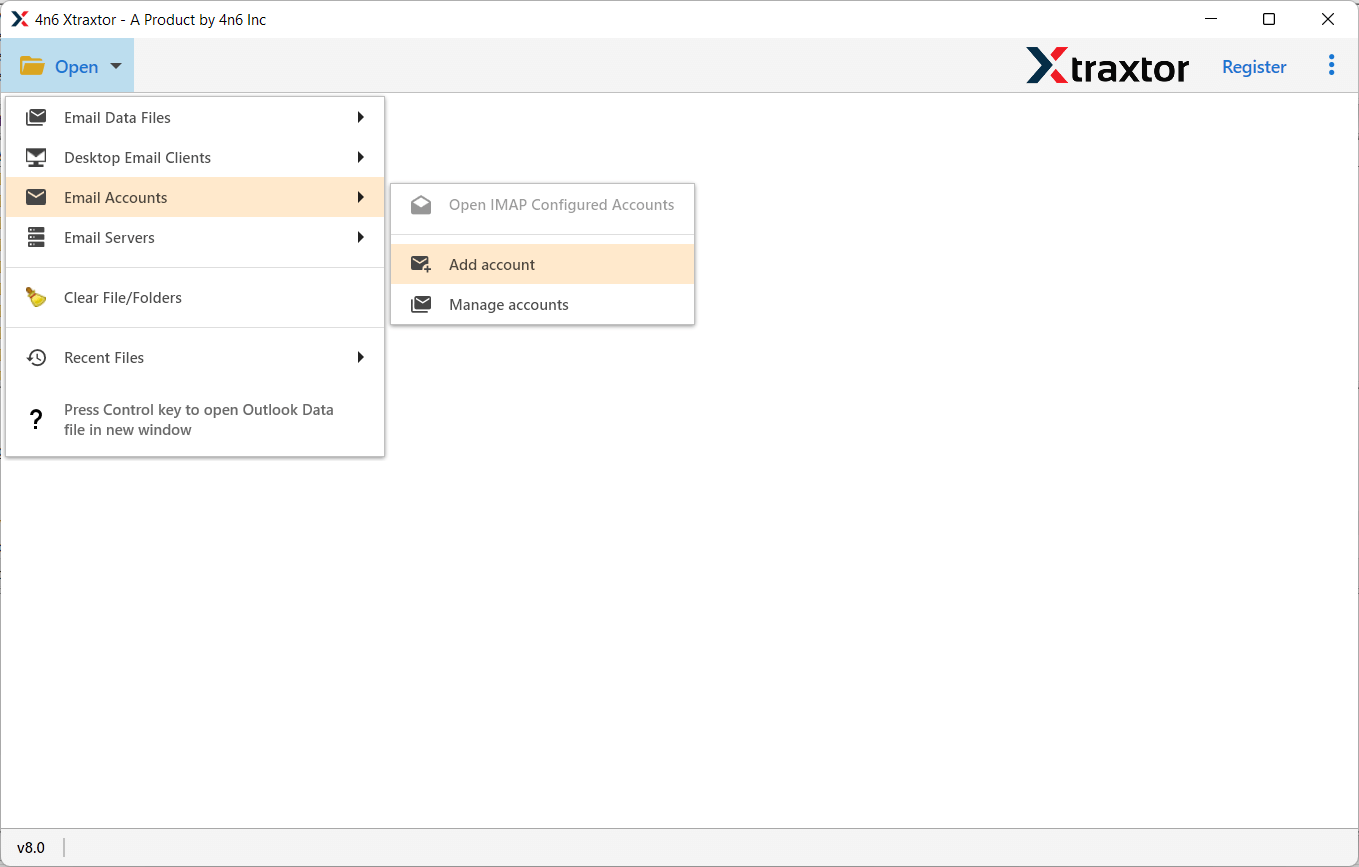
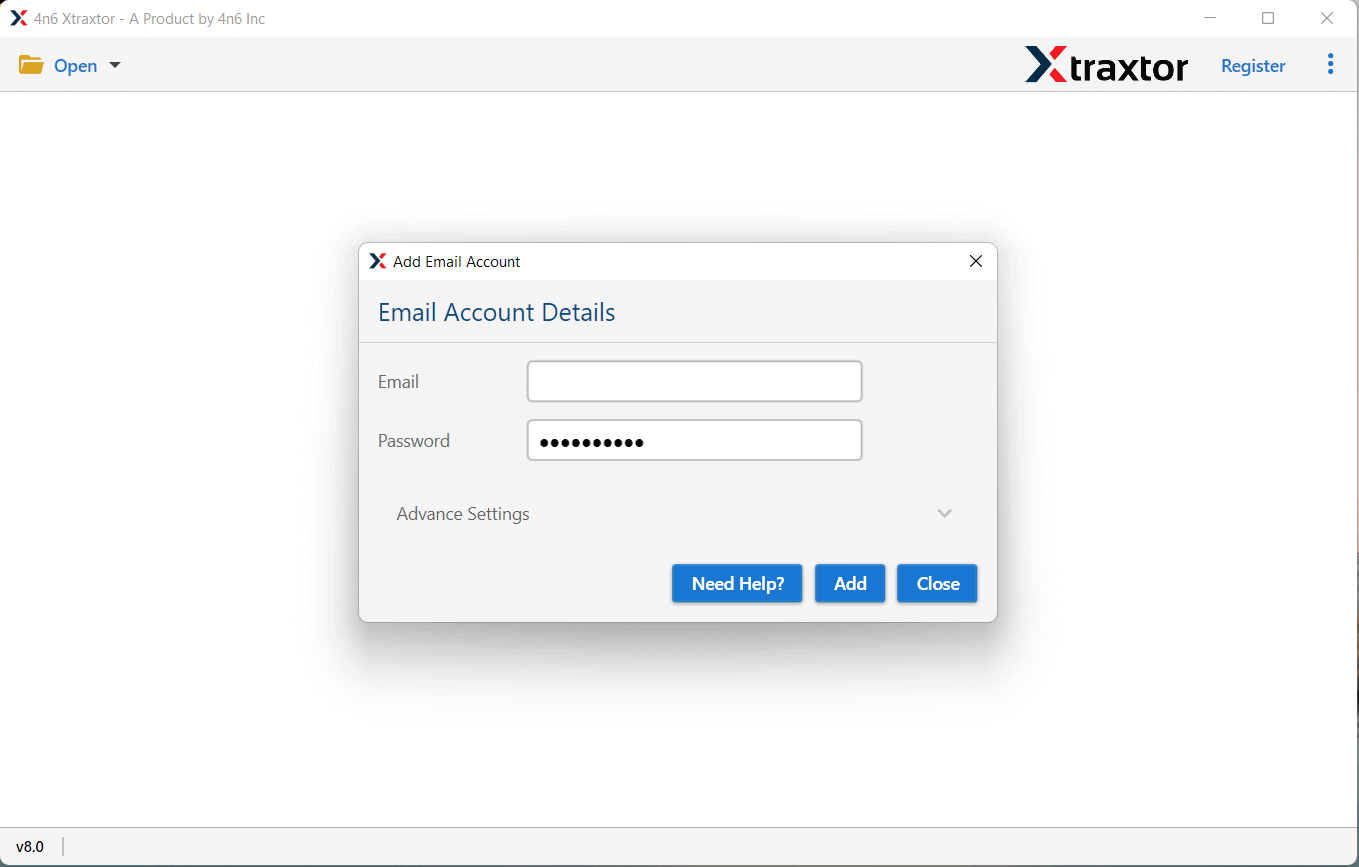
3. Enter your Roundcube login details and hit the Add button.
4. Click on Export and choose from the given saving options.
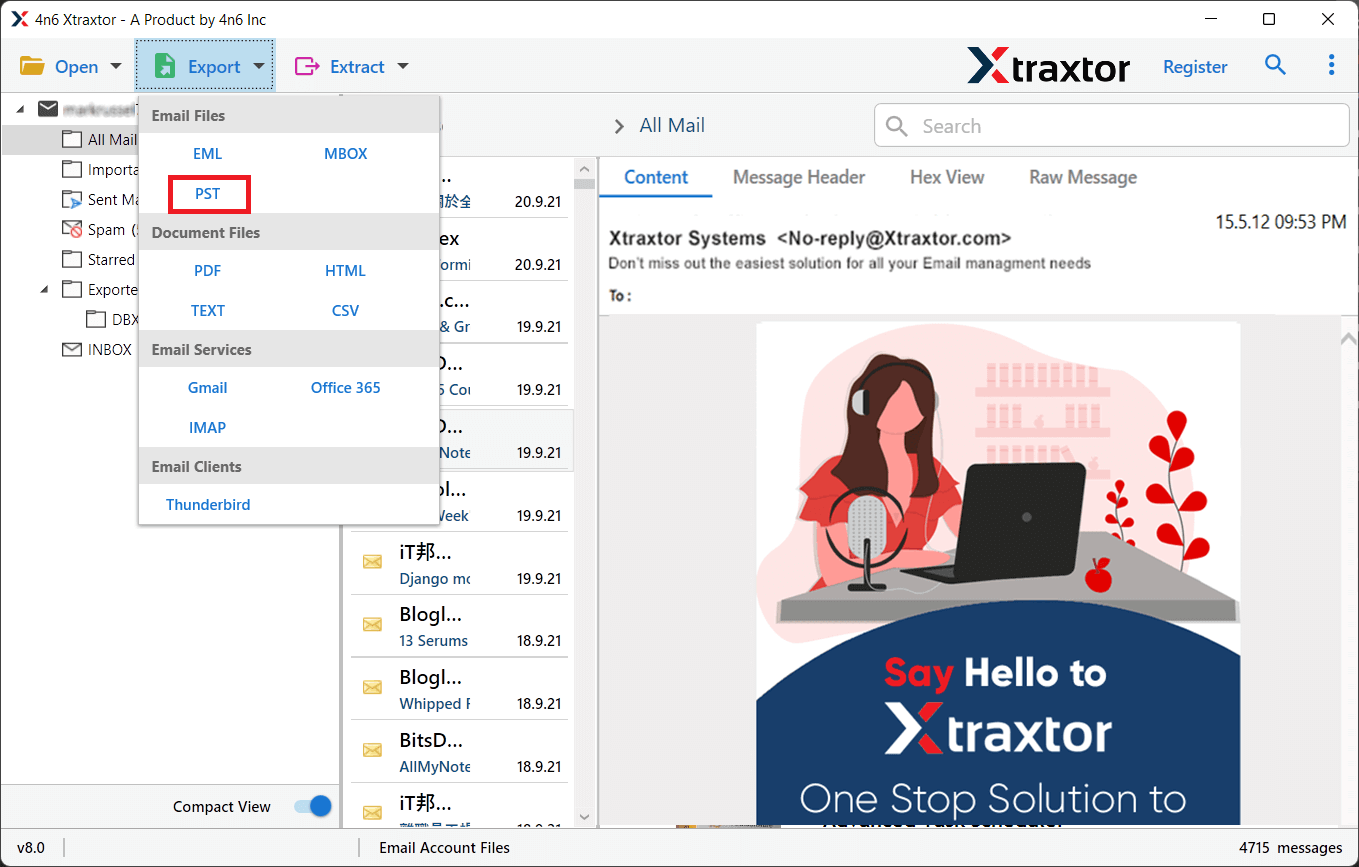
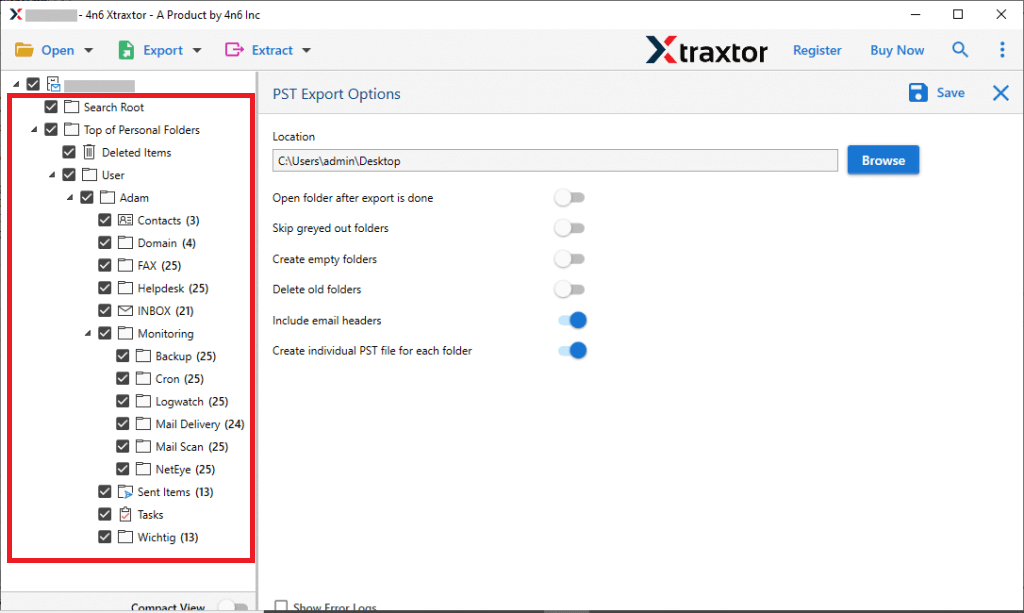
5. Select the email folder you want to backup.
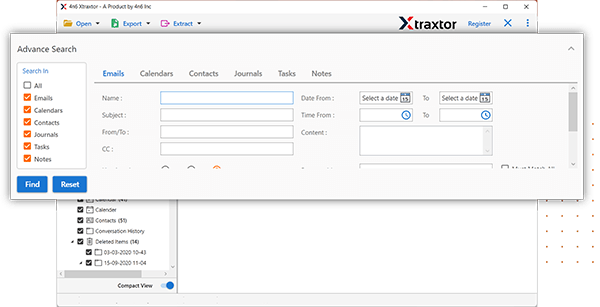
6. Click on the Search option and apply filters (if needed).
7. Browse the targeted location and hit the Save button.
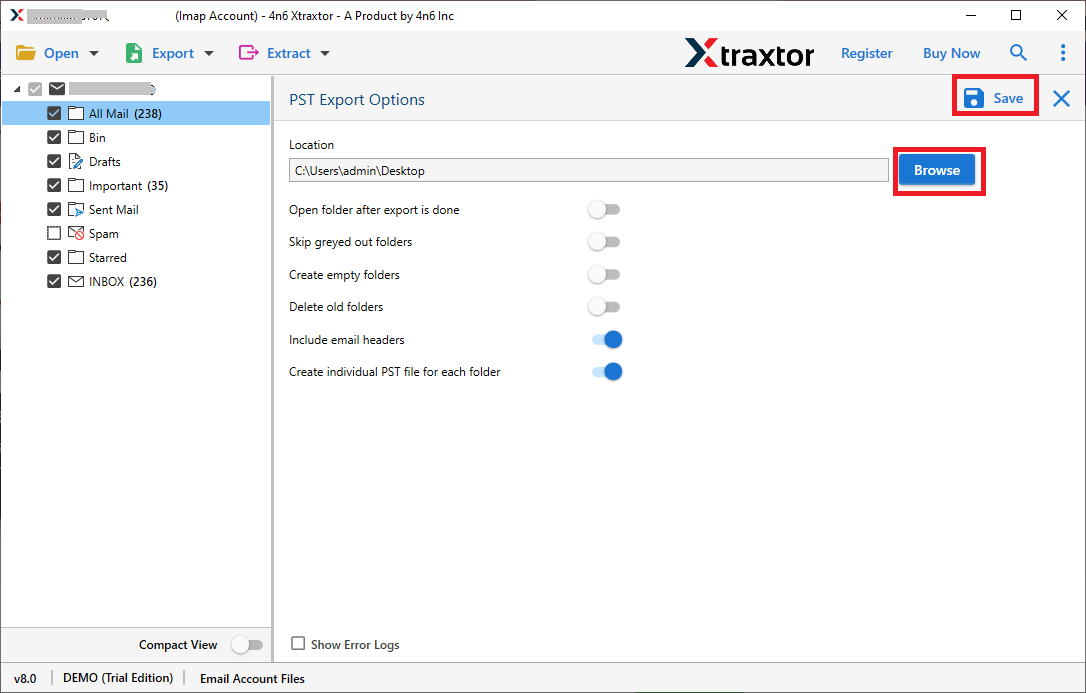
Done! Here, you backup all emails from Roundcube mailbox to your PC in a few simple clicks.
Why Use Xtraxtor to Save Roundcube Emails?
With this tool, there are various prominent features, some of which include –
- Download Roundcube emails to your PC in bulk without any data loss.
- Effortlessly backup all your Roundcube emails along with attachments.
- Offers advanced filter options to select specific emails for backup.
- Convert Roundcube mailboxes to various formats such as PST, MBOX, PDF, EML, TXT, etc.
- Preview your mailbox data before backing it up to your PC.
- Option to extract attachments from Roundcube emails in a simple text file.
- Retains the folder structure during the backup process.
- Directly imports Roundcube emails Office 365, Gmail, Yahoo Mail, etc.
- No other application is required to back up Roundcube emails to your PC.
- Fully compatible with all versions of the Windows Operating System.
- Download the demo version to explore the tool’s amazing features.
Conclusion
Backing up your Roundcube emails to your PC is essential for safeguarding your data and ensuring easy access. Whether you opt for a manual method or a third-party tool, each method offers its own advantages. Evaluate your needs and choose the method that suits you best. Don’t wait for a problem to arise; start backing up your emails today to protect your important data!
Frequently Asked Questions
Q1. Can I backup all my Roundcube folders at once?
Ans. Yes, using Xtraxtor, you can back up all your folders from Rouncube mailbox at once without any data loss.
Q2. What formats are supported by this tool for email backups?
Ans. Using this tool, you can download your Roundcube emails in different file formats, including PST, PDF, CSV, EML, MBOX, TXT, etc.
