
In this complete guide, we will guide you through how to view email header in Gmail and understand their significance. As you email headers contain various technical details of an email, such as sender information, routing path, authentication results, and more. These details are useful for troubleshooting, email tracking, and security analysis.
Read this blog till the end so that you will have a better understanding of complete methods and how to use them effectively and efficiently for easy email header analyses.
What is an Email Header in Gmail?
An email header is a part of an email that includes technical information about the message.
It contains details like:
- Sender and receiver information
- Email servers used during delivery
- Date and time stamps
- Authentication results
- IP addresses of sending servers
In simple words, the email header shows how the email traveled from sender to receiver.
How to View Email Header in Gmail Manually?
Here, we will manually open Gmail account and use an in-built feature to check email header in your Gmail account.
Steps to see the full email header in Gmail account;
Step 1. Visit your Gmail account login page and sign in here.
Step 2. Open the email for which you want to see the header.
Step 3. Click on the three dots (More options) next to the reply button.
Step 4. Select the “Show original” option from the list.
Step 5. A new window will open showing the full email header details.
Step 6. You can now view, copy, or download the email header.
Done! You can now easily view full email header in Gmail.
How to Get Email Header in Gmail Automatically?
If you want an easy way to view full email header in Gmail, the Xtraxtor can help you do it without any technical steps. This software allows you to log in to your Gmail account and preview all emails along with their complete header details such as sender information, IP address, routing path, and authentication results in one place.
It removes the need for manual navigation in Gmail and shows everything in a simple and readable format. Even better, you can use its free version to analyze and view email header without any cost. It is a quick and reliable solution for users who want to verify emails, detect spam or troubleshoot email issues easily and without paying extra money.
Click on the free download button and check its complete working process.

Steps to View Email Header in Gmail Account
Step 1. Download and install the software on your computer.
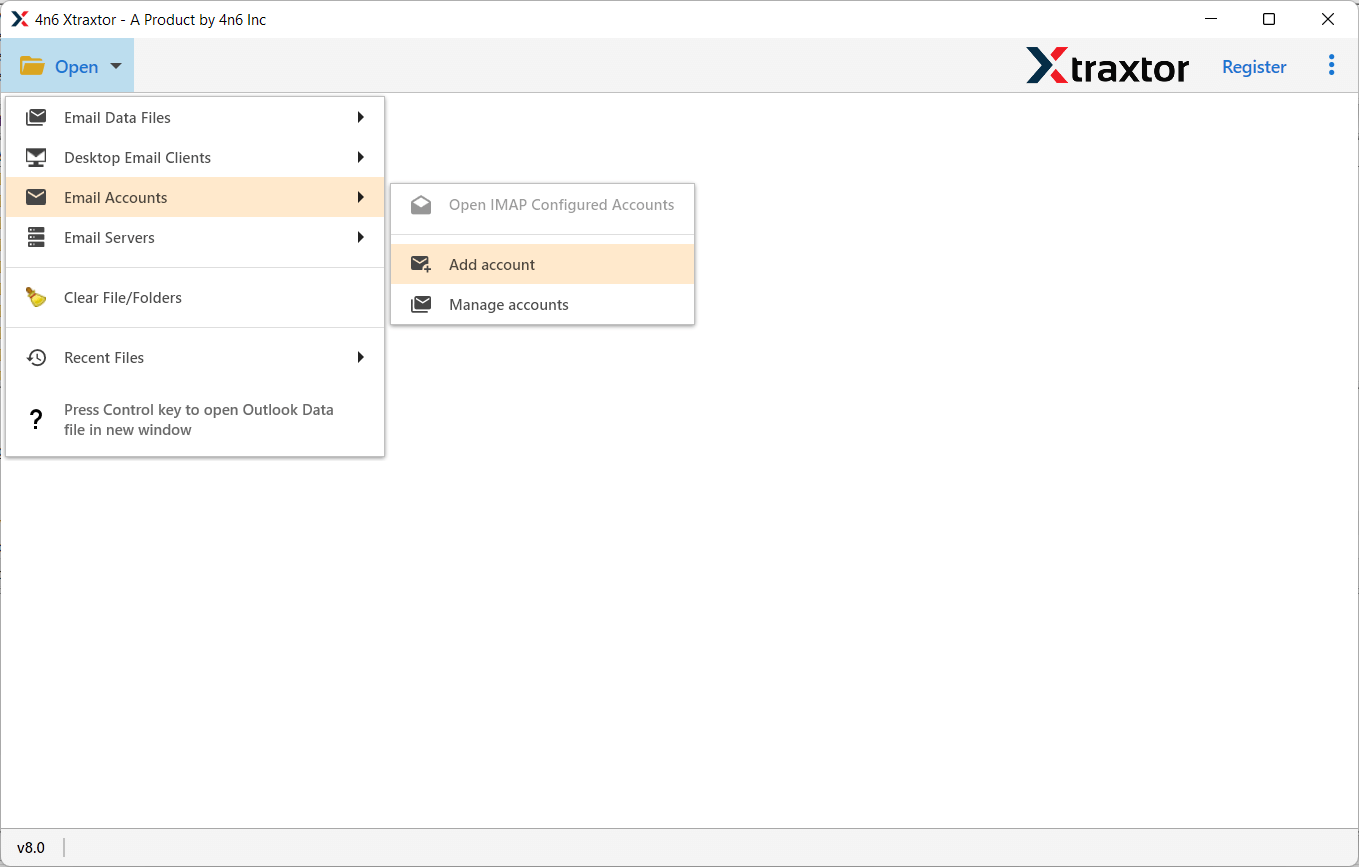
Step 2. Launch the software and click on Email Accounts >> Add Account.
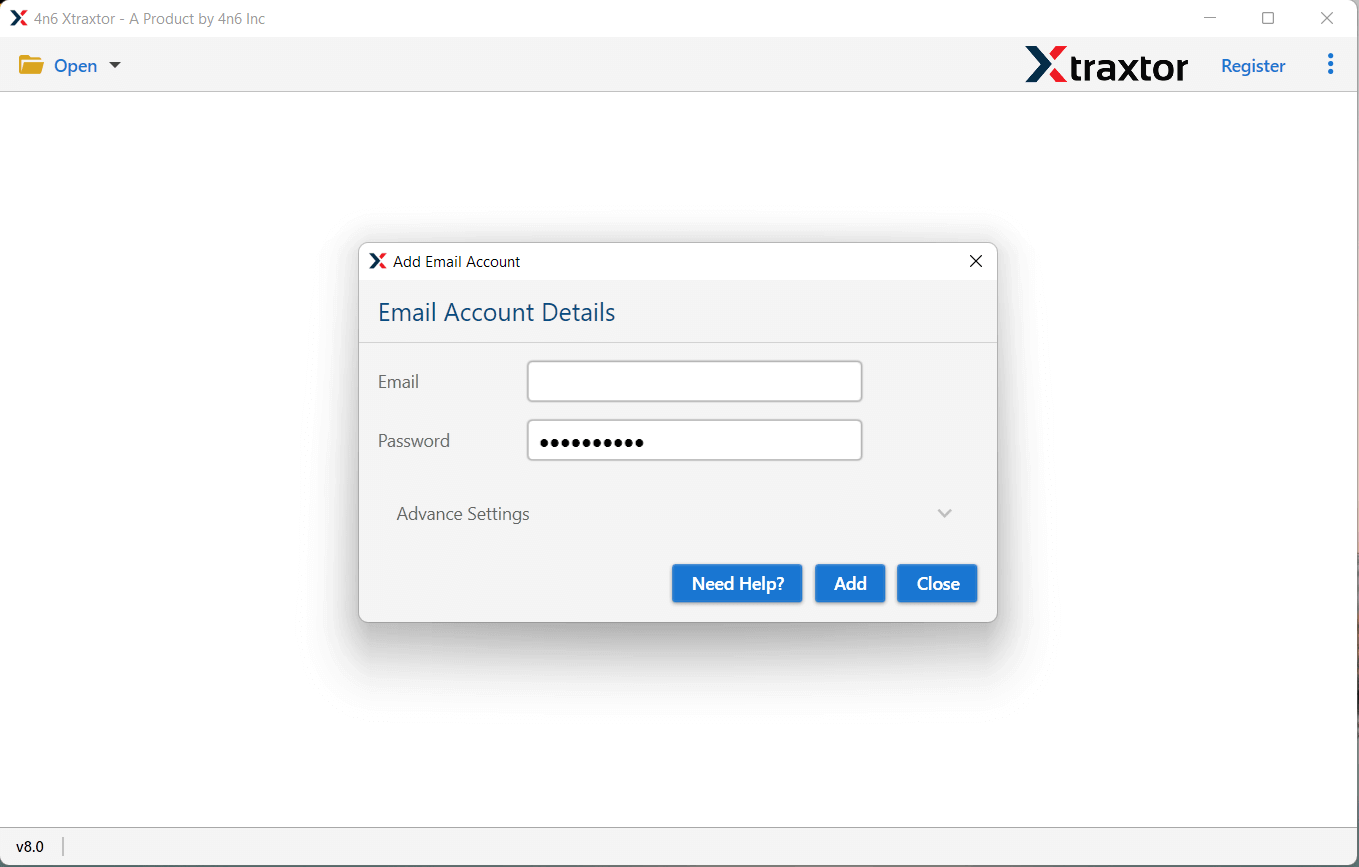
Step 3. Now, provide your Gmail account login credentials.
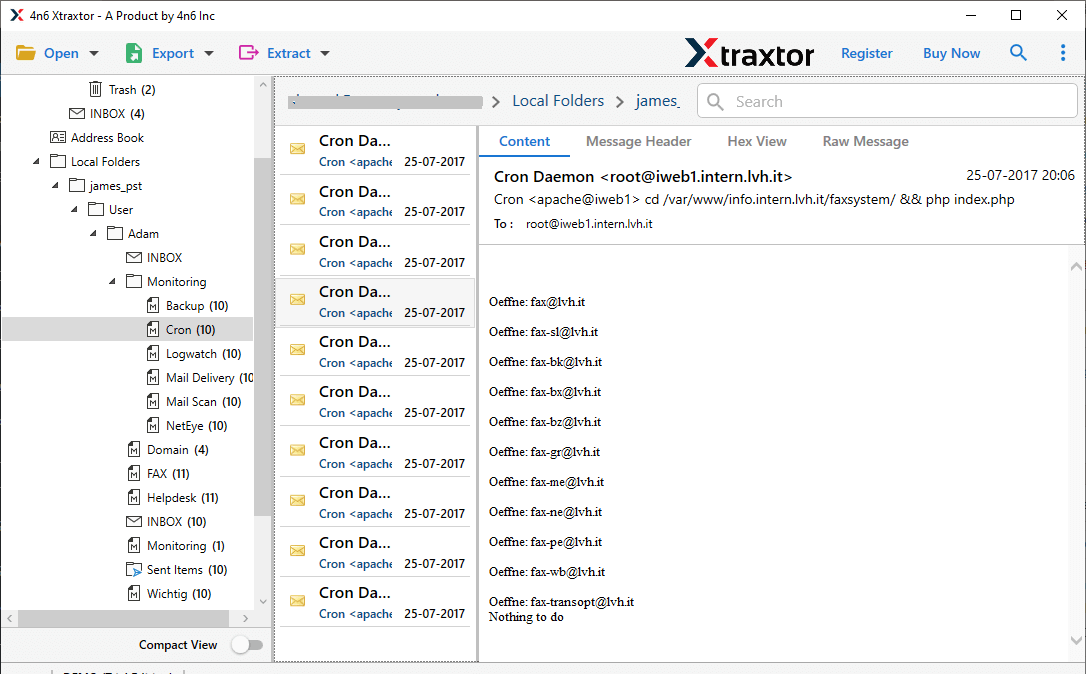
Step 4. Click on any email to preview its complete data.
Step 5. Now, switch to the Message Header view mode to see full email header details.
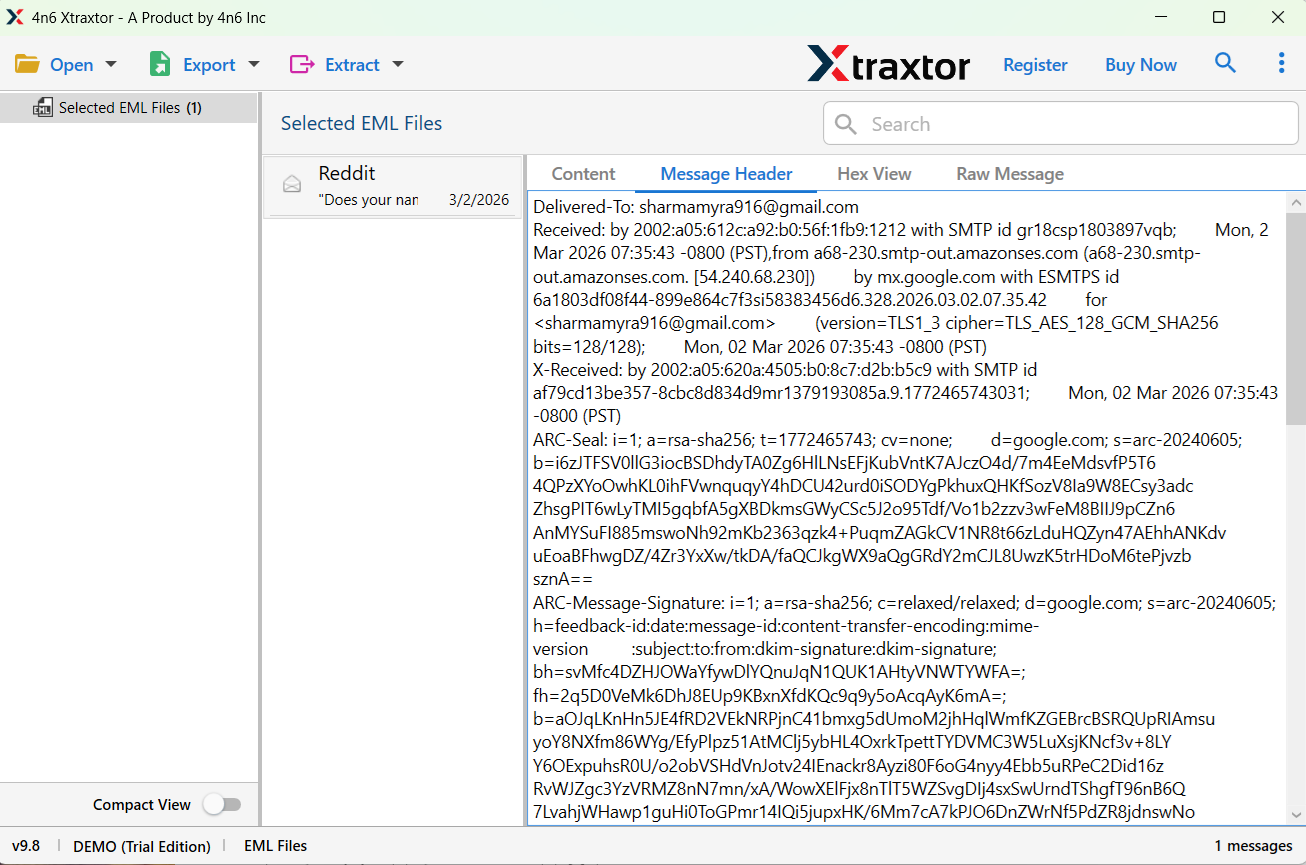
You can copy the header information and paste it into Notepad for further analysis if needed.
Done! You can instantly view and analyze complete email headers, including sender details, routing path, and technical metadata in a simple way.
Key Features of the Software
- View Full Email Headers Easily: The tool allows you to see complete email headers of any Gmail message in one click. No need to open “Show Original” again and again.
- Simple and User-Friendly Interface: It is designed for all users. Even beginners can easily check email header details without technical skills.
- Preview Emails with All Details: You can read emails along with attachments and header information in one place.
- No Data Risk: The software only reads your data. It does not modify or delete any email from your Gmail account.
- Quick Email Analysis: Instantly check sender details, IP address, and email route to identify spam or fake emails.
- Free to Use (Demo Version): You can use the free version to view and analyze email headers before going for the full version.
- Supports Multiple Email Accounts: Apart from Gmail, it also supports other email services, making it a complete email analysis solution.
Conclusion
Viewing email header in Gmail is useful to check the authenticity and source of emails. That’s why learning how to view email header in Gmail is important to manage your mailbox better and protect against various fraud and scams. You must have seen all the explained methods that will help you to check email header step-by-step.
Choose the method as per your needs and requirements, such as if you have a few emails, then you can manually check one by one. However, to view full email header in Gmail, using an automated tool is suggested.
