How to Transfer Outlook to Zimbra Server?

Summary: If you want to transfer Outlook to Zimbra server smoothly, this guide will help you through the complete process. In this article, we will explain how to migrate emails from Outlook to Zimbra using both manual methods and a professional tool.
In today’s digital world, moving email data from one platform to another is very common. Many users switch email platforms due to business needs, better features, or improved performance.
If you are planning to transfer emails from Microsoft Outlook to Zimbra, then this guide will make the process easy for you. Here, we will explain step-by-step methods to complete the migration without any confusion.
Why Transfer Outlook to Zimbra Server?
There are several reasons why users want to move from Outlook to Zimbra. Both platforms are widely used, but Zimbra offers some unique advantages:
- Zimbra provides a centralized email system that is ideal for businesses and organizations.
- It supports web-based access, so users can check emails from anywhere.
- Zimbra offers better collaboration features like shared calendars and contacts.
- It is cost-effective compared to Microsoft 365 subscriptions.
- Zimbra allows easy server management and data control for IT administrators.
How to Move Outlook Emails to Zimbra? (Free to Try)
If you want to manually migrate emails from Outlook to Zimbra server, you can do it by exporting emails and then importing them into Zimbra.
Follow the steps below:
- Open Microsoft Outlook on your system.
- Click on File and choose Open & Export.
- Select the Import/Export option.
- Choose Export to a file and click Next.
- Select Outlook Data File (.pst) and click Next.
- Choose the mailbox or folders you want to export.
- Select the destination location and click Finish to create a PST file.
- Now, log in to your Zimbra account.
- Go to Preferences > Import/Export.
- Choose the PST file and upload it to Zimbra.
Done! Your Outlook emails will be transferred to the Zimbra server.
How to Transfer Emails from Outlook to Zimbra Automatically?
If you have a large number of emails, the manual method may not be the best choice. In that case, using a professional tool is a better solution. Xtraxtor allows you to transfer Outlook emails to Zimbra quickly and safely. The software can export Outlook data into file format, which can be easily imported into Zimbra. This method helps you migrate emails in bulk along with attachments and other data without any loss.
Click on the free download button and check how it works.

Steps to Transfer Outlook to Zimbra Server
Step 1. Download, install, and run the Xtraxtor software on your Windows system.
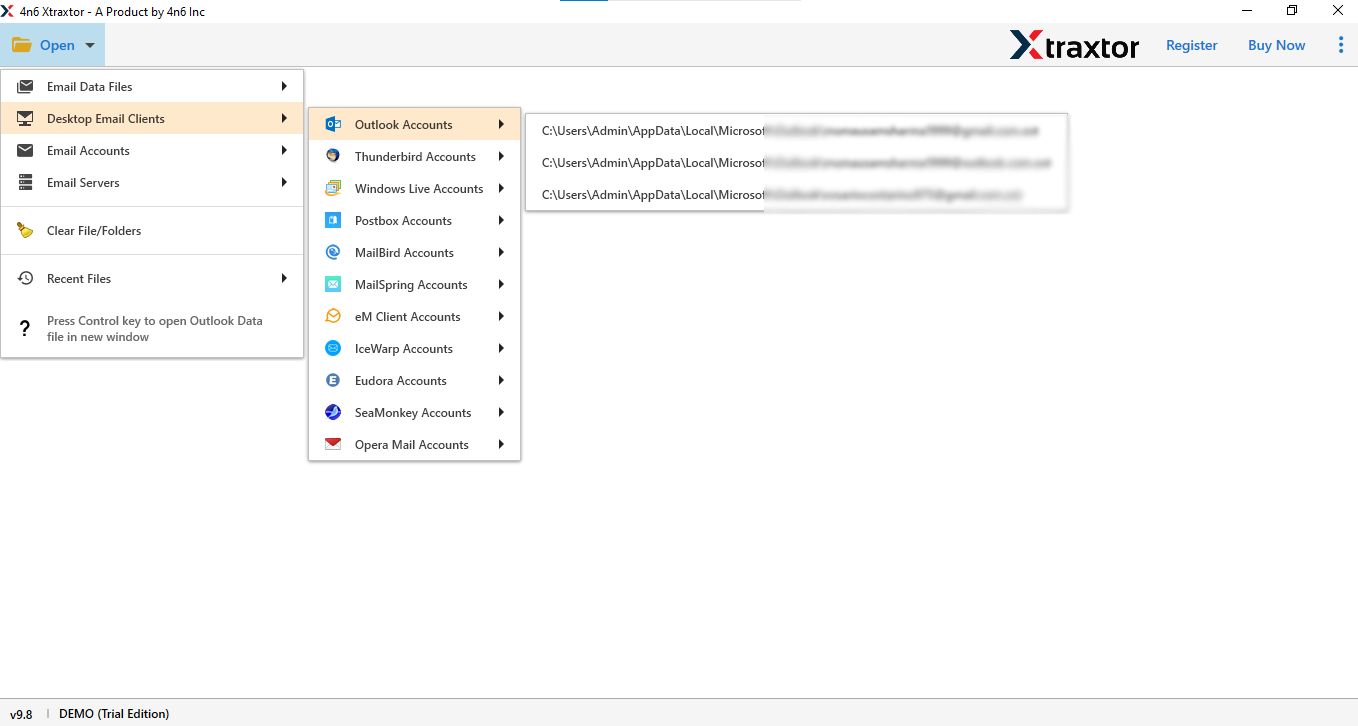
Step 2. Click on Open >> Desktop Email Clients >> Outlook Accounts.
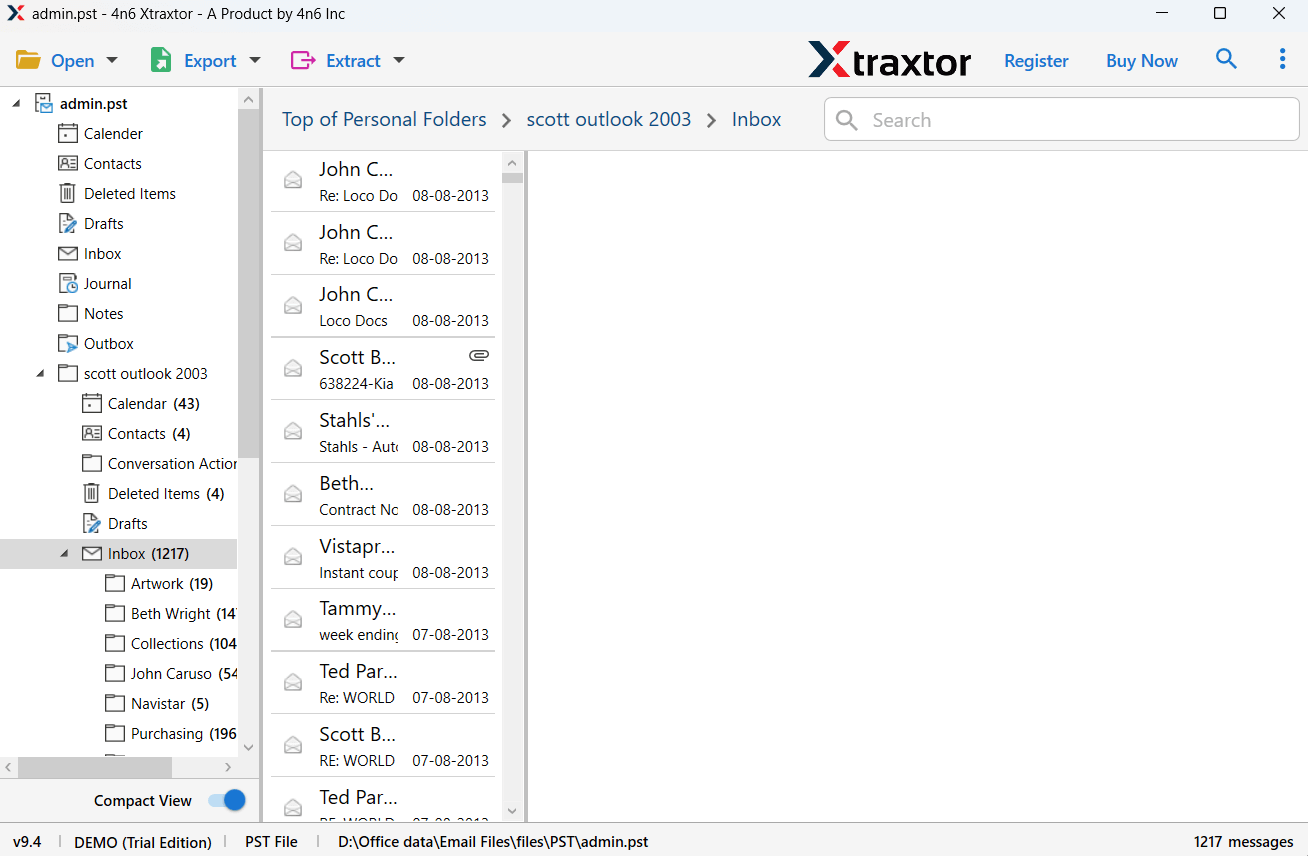
Step 3. The software will load and preview all your Outlook emails with attachments.
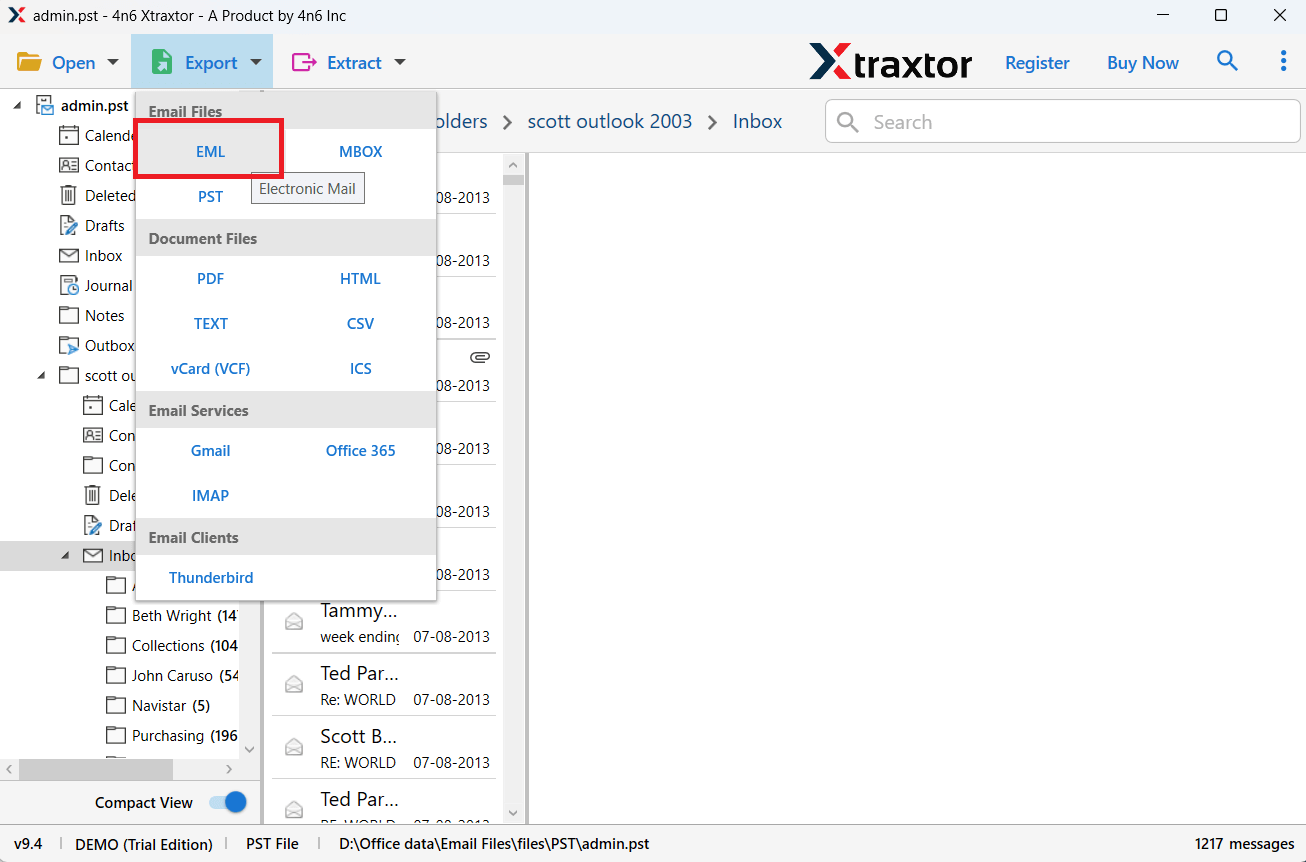
Step 4. Click on the Export option and choose EML as the saving format.
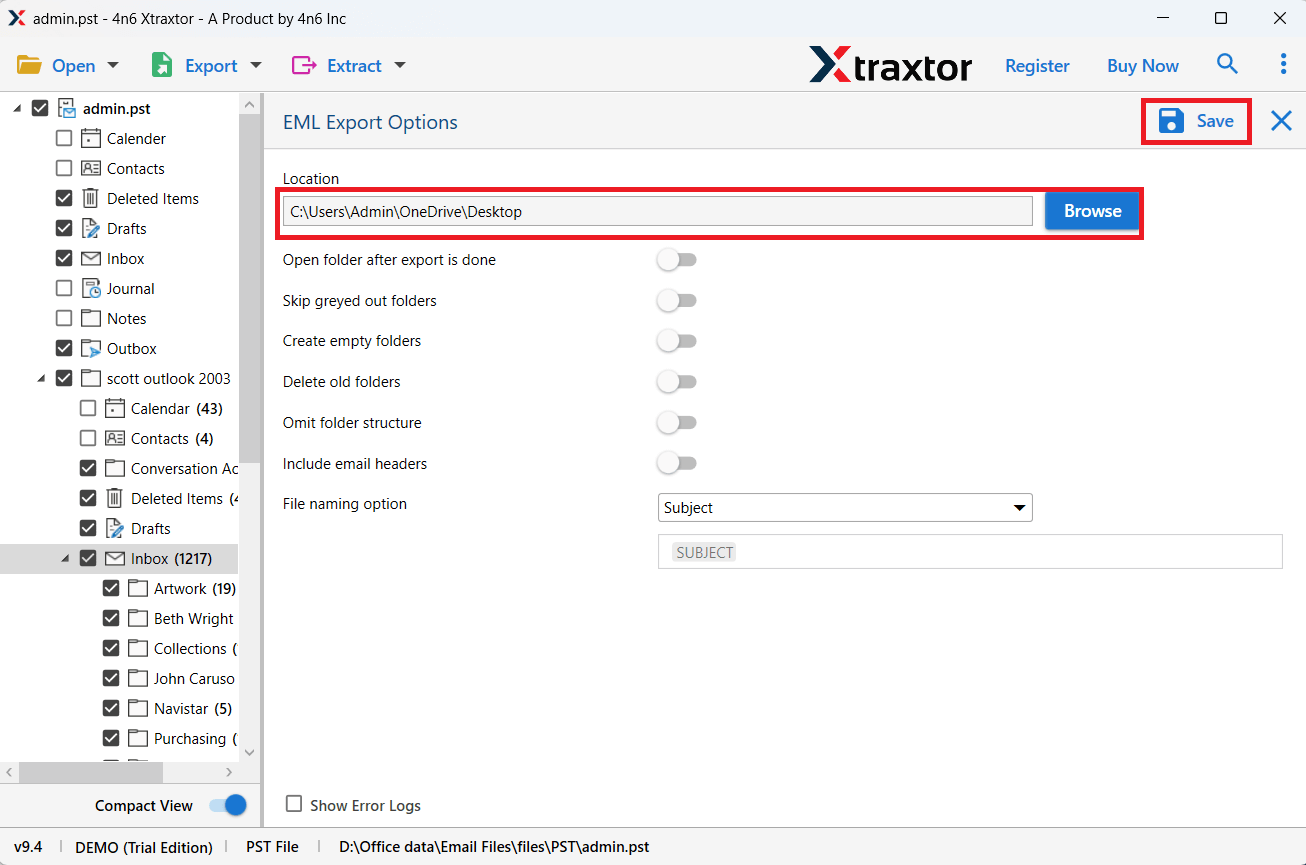
Step 6. Choose the destination location & click on the Save button to start.
Step 7. After conversion, log in to your Zimbra account.
Step 8. Go to Preferences > Import/Export and upload the generated EML file.
Step 9. Click Import to complete the process.
Done! Your Outlook emails are successfully transferred to the Zimbra server with all data and attachments intact.
Key Features of Xtraxtor Software
- Bulk email migration without any size limitation
- Export Outlook emails with attachments and full data
- Supports multiple formats like PST, PDF, EML, MBOX, HTML
- Direct migration to cloud accounts like Gmail, Office 365, Yahoo, etc.
- Maintains original folder hierarchy during conversion
- Advanced filters to export selective emails (date, subject, sender, etc.)
- Auto-detect Outlook data files from the system
- Preview emails before starting the conversion process
- Extract email addresses, attachments, and phone numbers
- Simple and user-friendly interface for all users
- Works without installing the Outlook application
- 100% safe and secure email migration process
Final Words
Many users look for a way to transfer Outlook to Zimbra, but the manual methods are indirect, time-consuming, and come with several limitations. They may not transfer complete data or can cause data loss if not done carefully.
That’s why using a professional tool like Xtraxtor is a better choice. It allows you to directly import Outlook emails to Zimbra with all attachments and folder structure intact. The process is simple, fast, and does not require technical knowledge.
You can also try the free demo version to check how the software works. Once satisfied, you can upgrade to the full version for complete and unlimited migration without any restrictions.
