How to Transfer MDaemon Emails to Gmail Account?

Are you looking for a way to transfer MDaemon emails to your Gmail account? If yes, then you are in the right place. Many users want to move their MDaemon mailbox to Gmail for better accessibility, storage, and advanced features.
MDaemon is a popular email server used by businesses. However, Gmail is more convenient because it provides easy access, strong security, and better email management. In this guide, we will explain simple methods to migrate MDaemon emails to Gmail safely and easily.
Why Transfer MDaemon Emails to Gmail?
There are several reasons why users prefer Gmail over MDaemon;
- Access emails from anywhere and any device
- Gmail provides better security and spam protection
- Easy email search and management
- Large storage space
- Simple and user-friendly interface
- Integration with Google Workspace services
How to Migrate Emails from MDaemon to Gmail Account?
You can manually transfer MDaemon emails using Gmail’s import feature.
Steps to Transfer MDaemon Emails to Gmail:
- Log in to your Gmail account.
- Click on the Gear icon and select See all settings.
- Go to the Accounts and Import tab.
- Click on Import mail and contacts.
- Enter your MDaemon email address and click Continue.
- Enter your MDaemon login password.
- Select import options (emails, contacts, etc.).
- Click Start Import.
Gmail will begin importing your MDaemon emails. This process may take some time, depending on the mailbox size.
Limitations of Manual Method
- Takes a long time for large mailboxes
- Requires correct server settings
- May not transfer all folders properly
- No advanced filter options
- Risk of incomplete migration
How to Move All Emails from Transfer MDaemon to Gmail Automatically
For a faster and more reliable solution, you can use a professional tool like Xtraxtor software. This tool allows you to directly migrate MDaemon emails to Gmail without any technical knowledge. It ensures complete and secure email transfer with attachments and folder structure.
It works with IMAP accounts, so you can easily add your MDaemon email account to the software and export emails directly to Gmail. The tool maintains all email properties such as To, From, Subject, Date, and attachments, during the migration process.
With its simple interface, you just need to log in to your MDaemon account, select Gmail as the export option, enter your Gmail credentials (App Password), and start the migration. The software supports bulk transfer, so you can move all mailbox folders at once without repeating the process. It also provides advanced filter options to migrate only selected emails if required. The entire process is safe, quick, and does not cause any data loss.
Click on Free Download and understand the full functionality of the tool.

Steps to Transfer MDaemon Emails to Gmail Account
Step 1. Download and install the software on your computer.
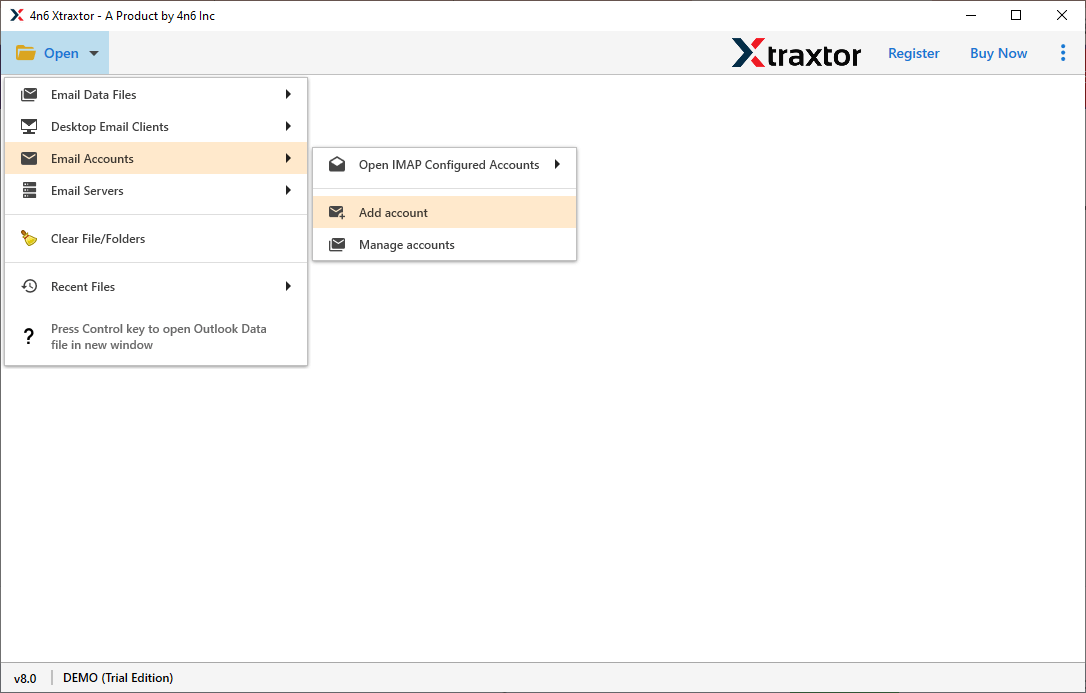
Step 2. Open the software and click on Open >> Email Accounts >> Add Account.
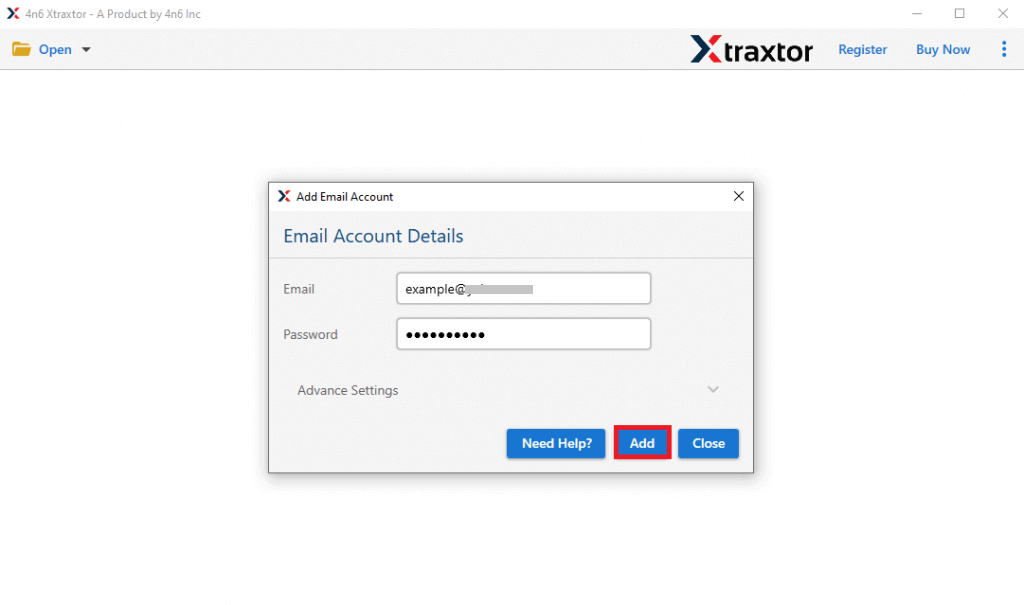
Step 3. Enter your MDaemon email login credentials and click Add.
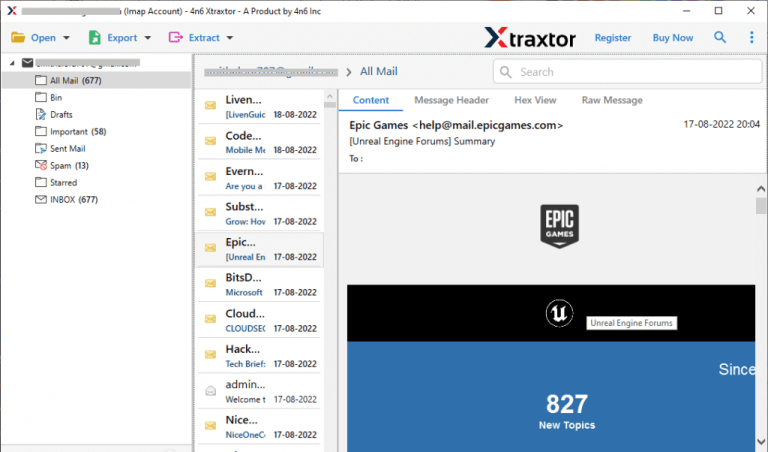
Step 4. The software will load and display all mailbox folders.
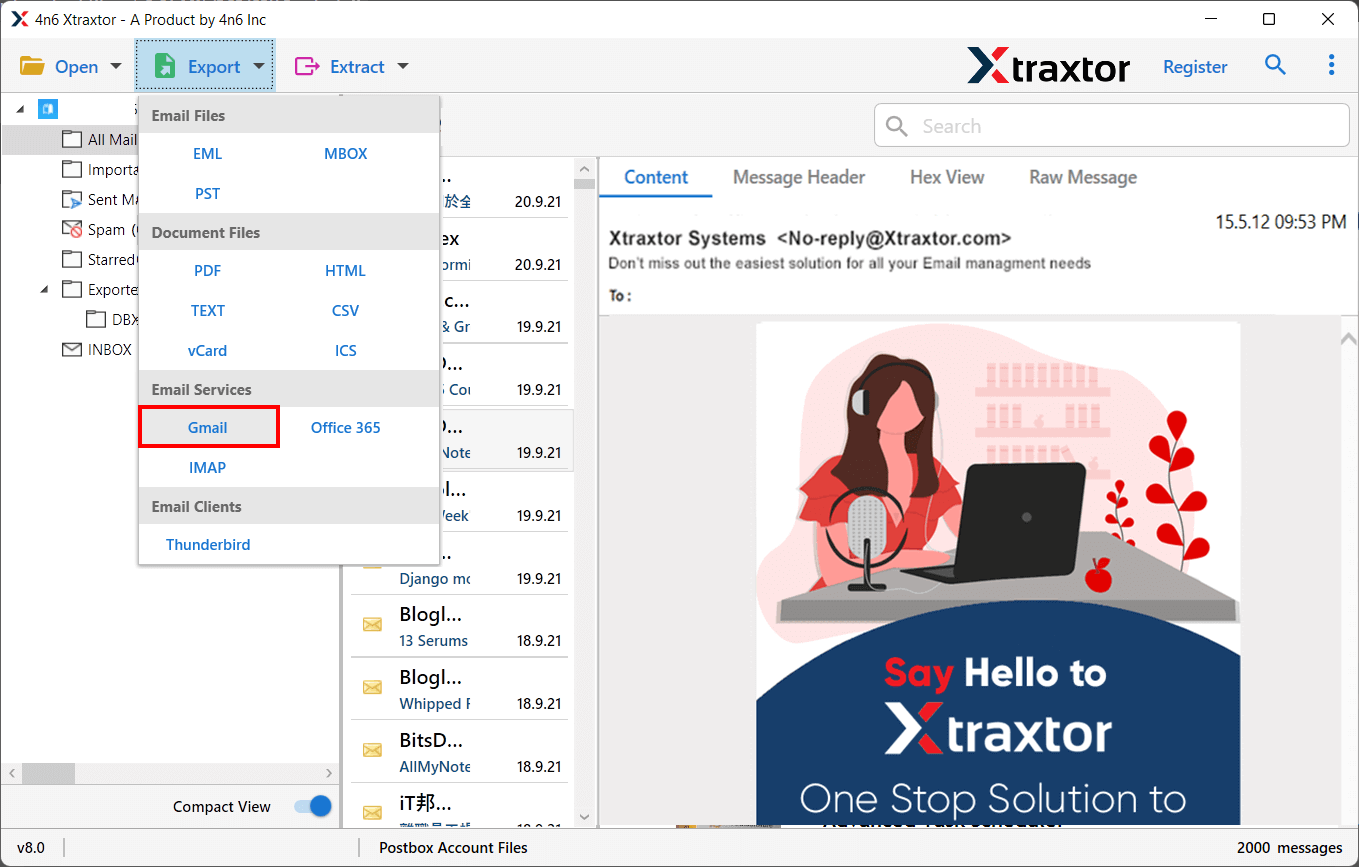
Step 5. Click on Export and select Gmail from the list.
Step 6. Select the email folders you want to transfer.
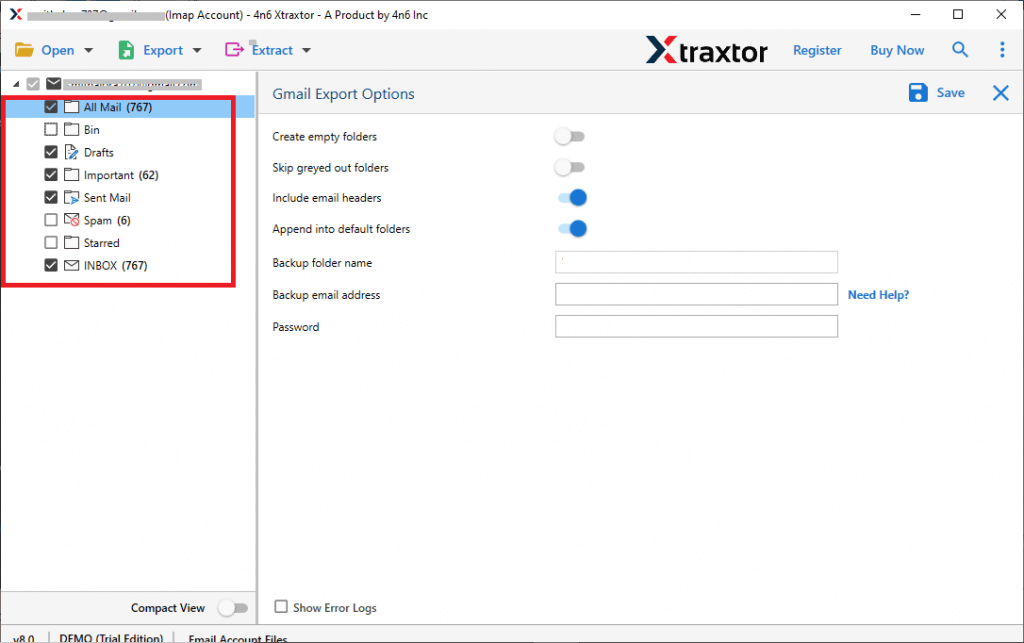
Step 7. Enter your Gmail email address, app password & click on Save.
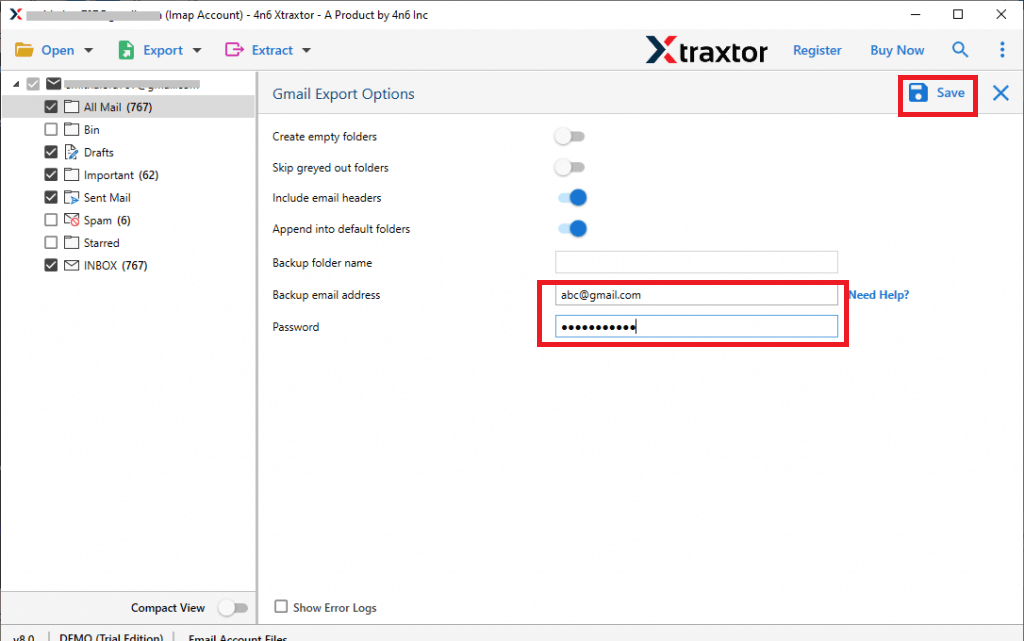
Within a few minutes, your MDaemon emails will be transferred to your Gmail account.
Exclusive Features of the Best MDaemon to Gmail Migration Tool
The professional migration tool comes with many useful features that make the transfer process simple and secure:
- Transfer complete MDaemon mailbox to Gmail in one go
- Migrate emails with attachments safely
- Maintain original folder structure
- Preserve email details like To, From, Date, Subject
- Support bulk email migration
- Advanced filters to transfer selected emails only
- Simple and user-friendly interface
- No need for technical knowledge
- 100% secure and accurate migration
- Works smoothly on all Windows versions
The software ensures that no data is lost during the migration process. It also saves time compared to manual methods.
Conclusion
Transferring MDaemon emails to Gmail is not difficult if you follow the correct method. In this guide, we explained both manual and automatic solutions. The manual method works for small mailboxes but can be slow and may not transfer all data properly. For large mailboxes and safe migration, using a professional tool is a better option.
The automated solution makes the process fast, secure, and hassle-free. It transfers all emails along with attachments and folder structure without any risk. With the right approach, you can easily move your MDaemon emails to Gmail account without any confusion or data loss.
