
To transfer Hotmail to Gmail, you need to create or use your Gmail account and then move your Hotmail emails into it. It is not possible to directly convert Hotmail to Gmail because both are different email services. However, you can easily copy or migrate your emails using manual or automated methods.
There are two ways to do this: automatically using a professional tool and manually using email client or Gmail import settings. The easiest and fastest way to migrate Hotmail to Gmail is by using an automated solution. Manual methods are available for free, but they come with limitations and require technical setup.
If you are planning to add Hotmail to Gmail, link Hotmail to Gmail, or wondering “should I switch from Hotmail to Gmail?”, this guide will help you understand everything step by step.
The following topics will be covered in this article:
- Option 1: Import Hotmail to Gmail Manually
- Option 2: Transfer Hotmail to Gmail Automatically
- Why Automated Method is Better
- Conclusion
Many users want to switch email services for better features, storage, and user experience. If you are also planning to transfer Hotmail to Gmail, it is important to choose the right method to avoid data loss.
Why Transfer Hotmail to Gmail Account?
Many users today prefer Gmail over Hotmail due to its better interface, higher storage, and seamless integration with other services. If you are planning to transfer Hotmail to Gmail, there can be several reasons behind it:
- Gmail offers better spam filtering and security features
- Easy integration with Google services like Drive, Docs, and Meet
- More storage space and better email management
- Simple and user-friendly interface
- Access emails from any device easily
If you are wondering “should I switch from Hotmail to Gmail?”, the answer depends on your needs. However, most users switch for better performance and convenience.
Now, let’s look at both the methods one by one so that you can choose the best as per your needs.
How to Import Hotmail to Gmail Manually?
If you want to add Hotmail to Gmail for free, you can use Gmail’s built-in import feature or an email client. These methods are useful for basic needs but may take time.
Method 1: Gmail Import Feature
- Log in to your Gmail account.
- Go to Settings >> See all settings >> Accounts and Import.
- Click on Import mail and contacts.
- Enter your Hotmail email address.
- Choose import options and start the process.
Method 2: Using Email Client
You can also migrate Hotmail to Gmail using email clients like Microsoft Outlook.
- Add both Hotmail and Gmail accounts in the email client.
- Sync both mailboxes.
- Drag and drop emails from Hotmail to Gmail.
Limitation: Manual methods are slow, require setup, and may not transfer all emails properly, especially for large data.
How to Transfer Emails from Hotmail to Gmail Automatically?
If you are looking for a fast, secure, and hassle-free way to transfer Hotmail to Gmail, then using Xtraxtor software is the best option. Manual methods often take time, require technical setup, and may not transfer all emails properly. This tool is specially designed to simplify the entire process and deliver accurate results without any data loss. The software directly connects to your Hotmail account and allows you to migrate emails to your Gmail account in a few simple steps. It ensures that all your email data, including attachments, formatting, and metadata such as to, from, Subject, Date etc. remains unchanged during the transfer.
Click on the free download button and check it’s complete working process;

Steps to Transfer Hotmail to Gmail Account
Step 1. First, download and install the software on your system.
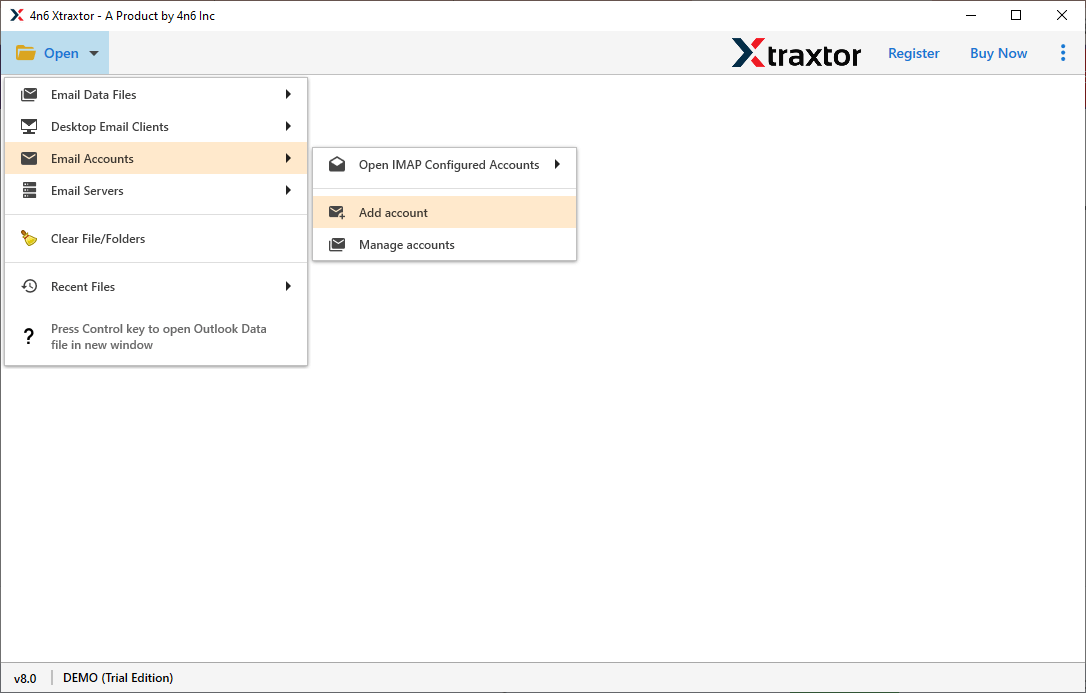
Step 2. Launch the tool and click on Open >> Email Accounts >> Add Account.
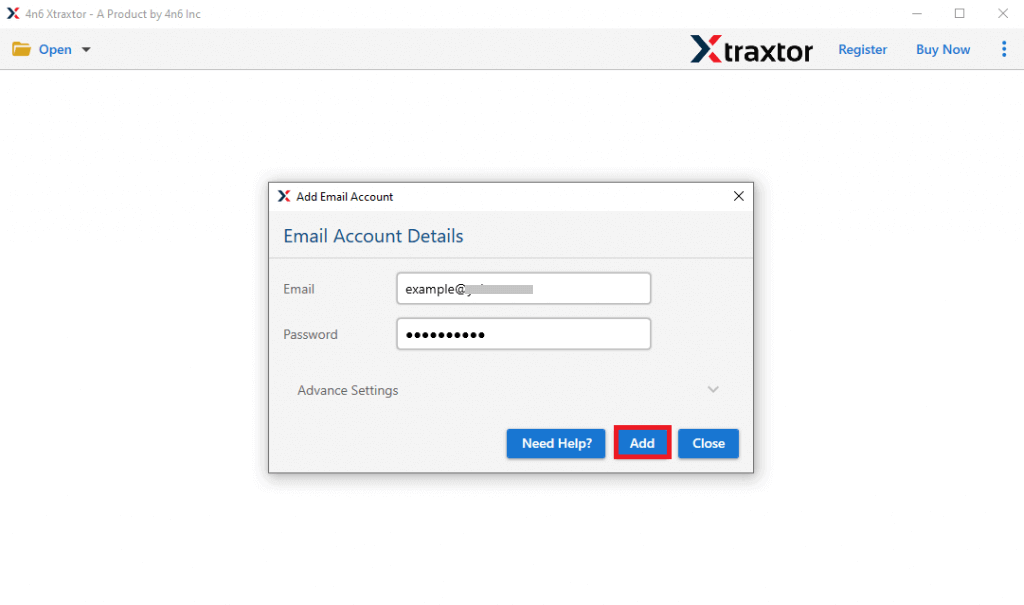
Step 3. Enter your Hotmail login details and load your mailbox.
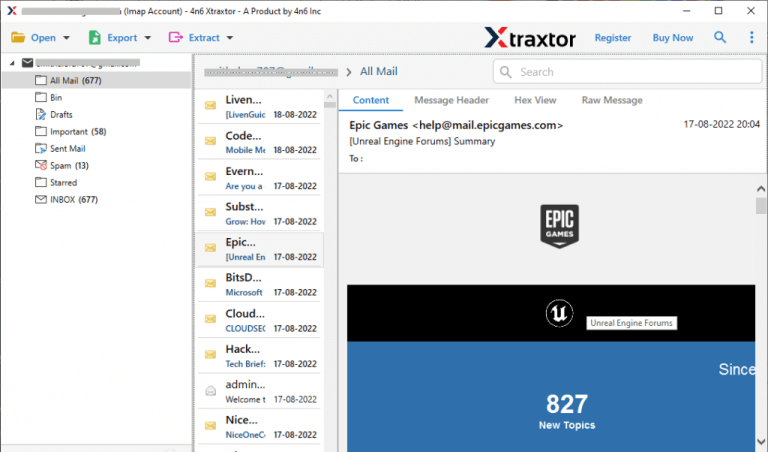
Step 4. Preview emails before starting the migration.
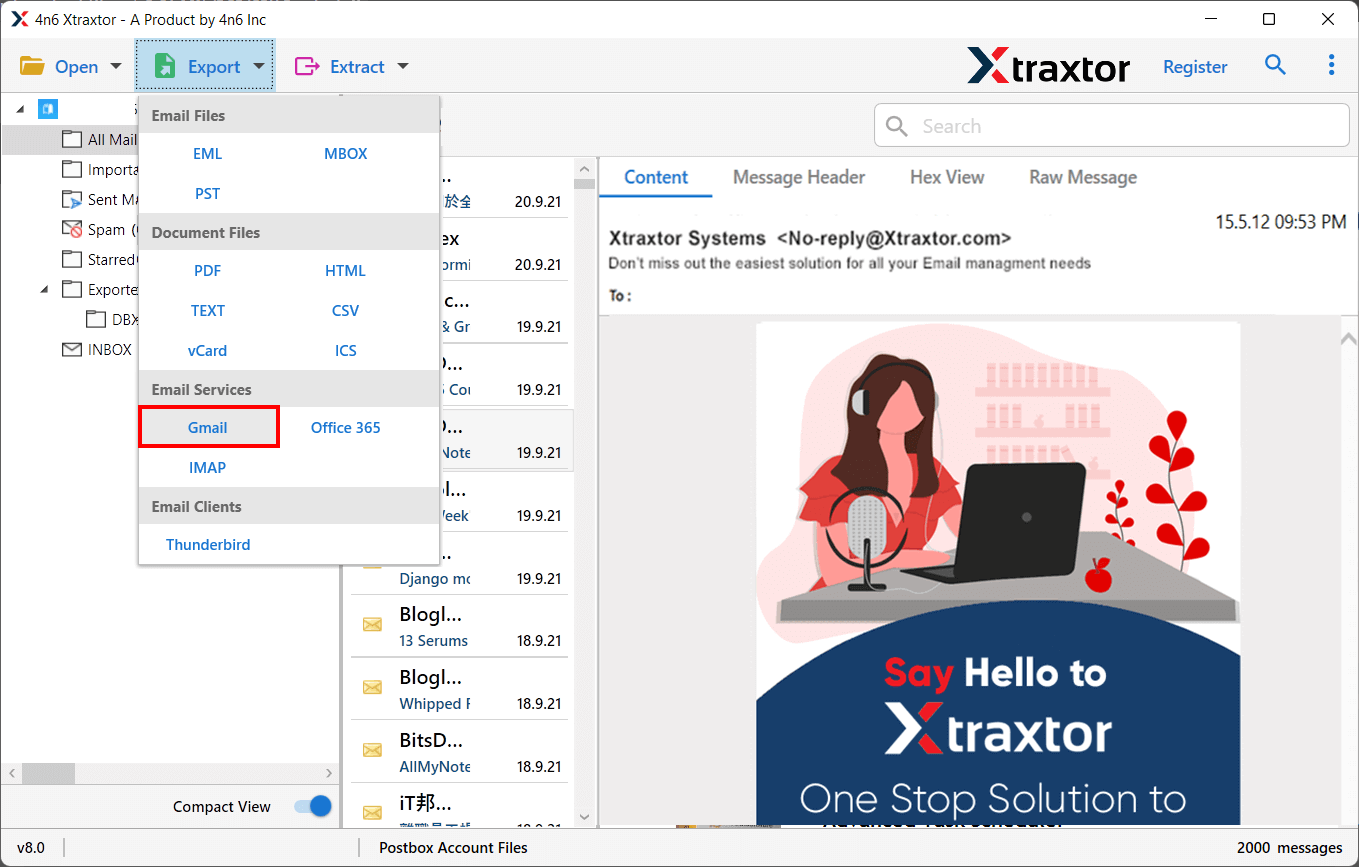
Step 5. Click on Export and choose Gmail as the destination.
Step 6. Select required email folders to transfer as per your choice.
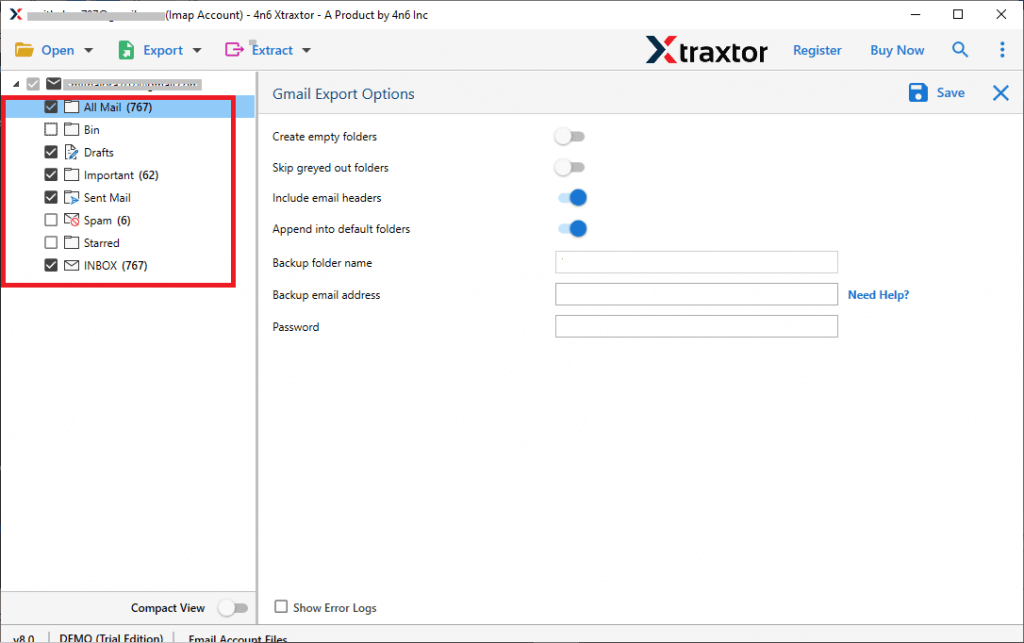
Step 7. Enter your Gmail account details & click on the Save button.
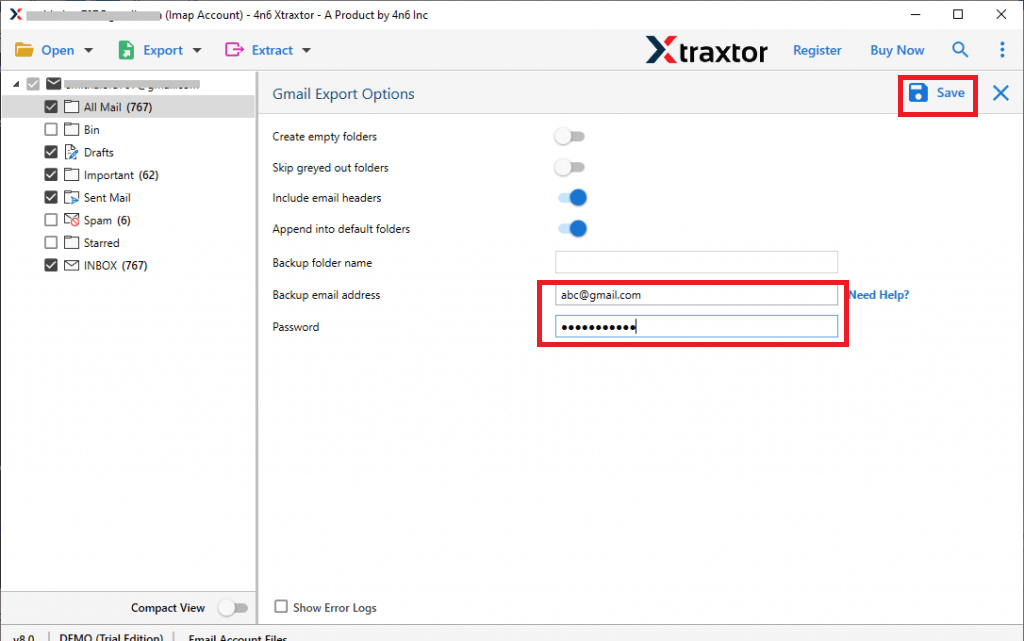
Once the process is completed, all your Hotmail emails will be transferred to Gmail safely and quickly.
Final Words
It’s time to wrap up this article, where we have explained the best ways to transfer Hotmail to Gmail. You can choose manual methods if you have limited data and time, but they may require effort and technical knowledge. For a quick, secure, and hassle-free experience, using an automated solution is the best choice. It helps you migrate all your emails without data loss and saves your time and effort.
