How to Transfer Emails from TalkTalk to Gmail?

If you plan to switch from TalkTalk to Gmail, you may need to migrate your TalkTalk emails to your Gmail account to avoid losing important messages and other data. This article explains the most widely used ways to transfer emails from TalkTalk to Gmail. One is an automatic way using a third-party tool, and the other is a manual transfer process.
We generally recommend using the automatic method because it takes much less time than manual methods. Also, it is beneficial for those who are not so tech-savvy. Still, depending on different users’ needs, we will explain both methods in detail step-by-step, so that you can choose as per your needs.
[box type=”shadow” align=”” class=”” width=””]Things to Know Before Migrating TalkTalk Emails
Before moving ahead with the methods, let’s know a few basic details that are needed to carry out this process: Enable IMAP settings in both TalkTalk & Gmail account.
- Keep TalkTalk and Gmail account credentials (App password)
- Check the mailbox size, as it may take a long time to transfer
- Create an email backup, as there is a risk of data loss if using the manual method
Follow these points to avoid any issues. [/box]
How to Add TalkTalk Email to Gmail Account?
You can use this manual method to move your TalkTalk emails to Gmail account. Follow these steps carefully:
- Log in to your Gmail account.
- Click the Gear icon and select See all settings.
- Go to the Accounts and Import tab.
- Then, click Check mail from other accounts, and click Add a mail account.
- Enter your TalkTalk email address and click Continue.
- Choose Import emails from my other account (POP3).
- Enter TalkTalk server details as required to carry out this process.
- Select import options (leave copy on server if needed).
- Click Add Account to start the process.
Gmail will now start fetching emails from TalkTalk.
Note: You have to wait for some time as this process can take hours or even days, depending on the mailbox size.
How to Migrate TalkTalk Emails to Gmail Automatically?
So, if you are not satisfied with the first manual method, then you can try professional software. Xtraxtor is one such tool that can let you transfer emails from TalkTalk to Gmail account. This tool can be very helpful if you have multiple TalkTalk emails that you want to move into your Gmail account. Also, it will transfer all TalkTalk emails to Gmail with attachments and folders.
If you want to move selective TalkTalk emails to Gmail, it is also possible with this software.
Just hit the download button and try it for free to check if it works for you.

Steps to Transfer Emails from TalkTalk to Gmail
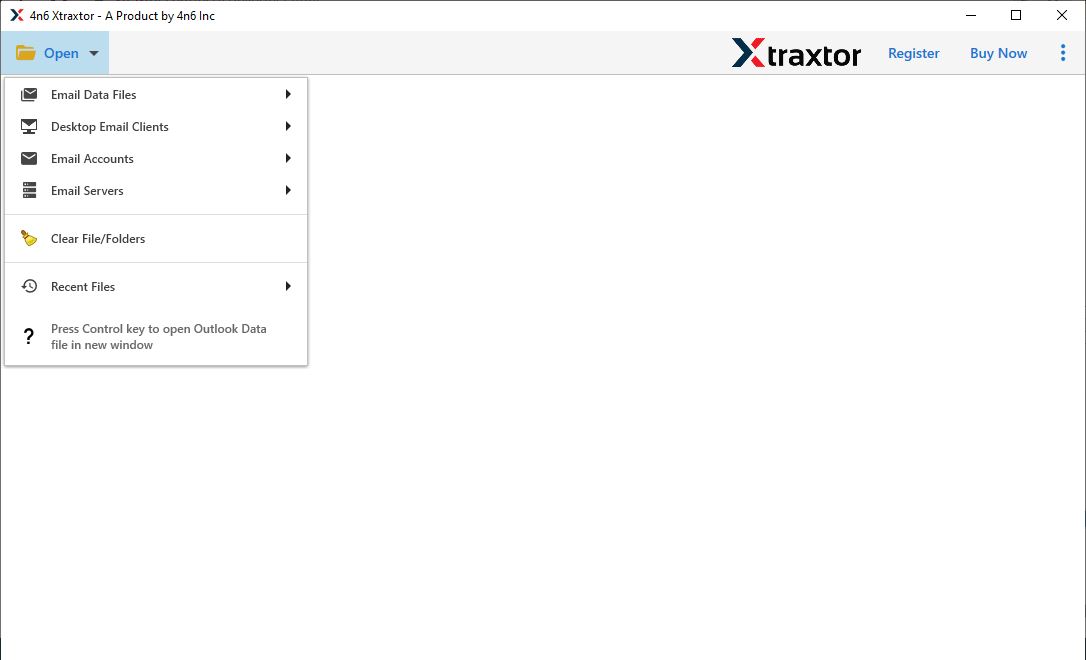
Step 1. Run the software and click the Open tab as shown in the screen.
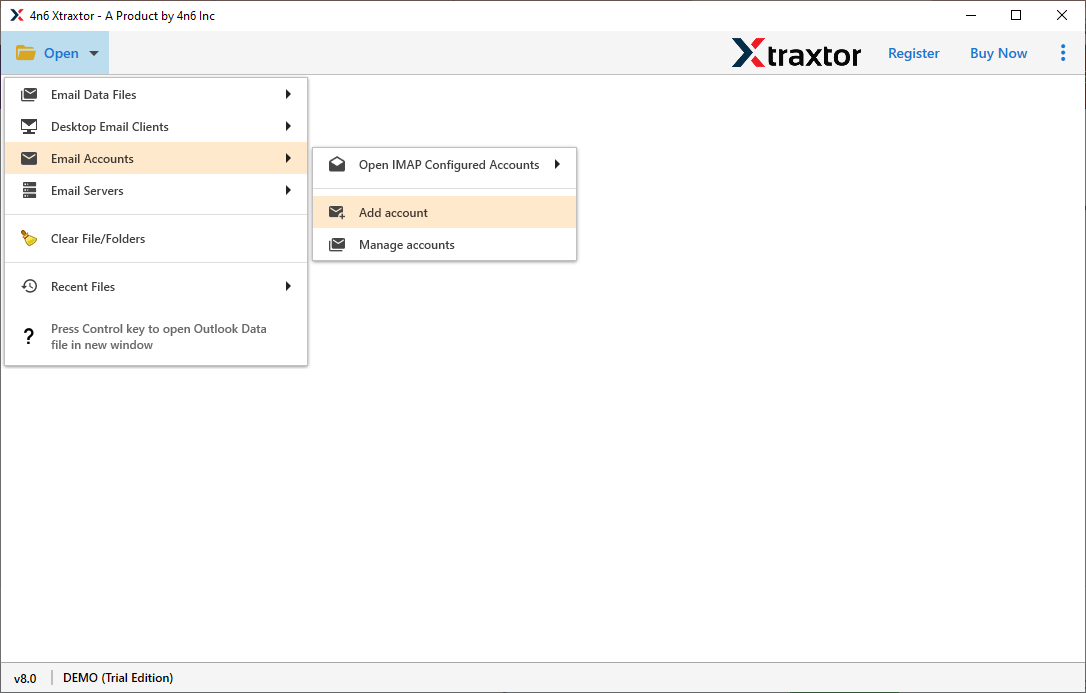
Step 2. Now, click Email Accounts >> Add Account option.
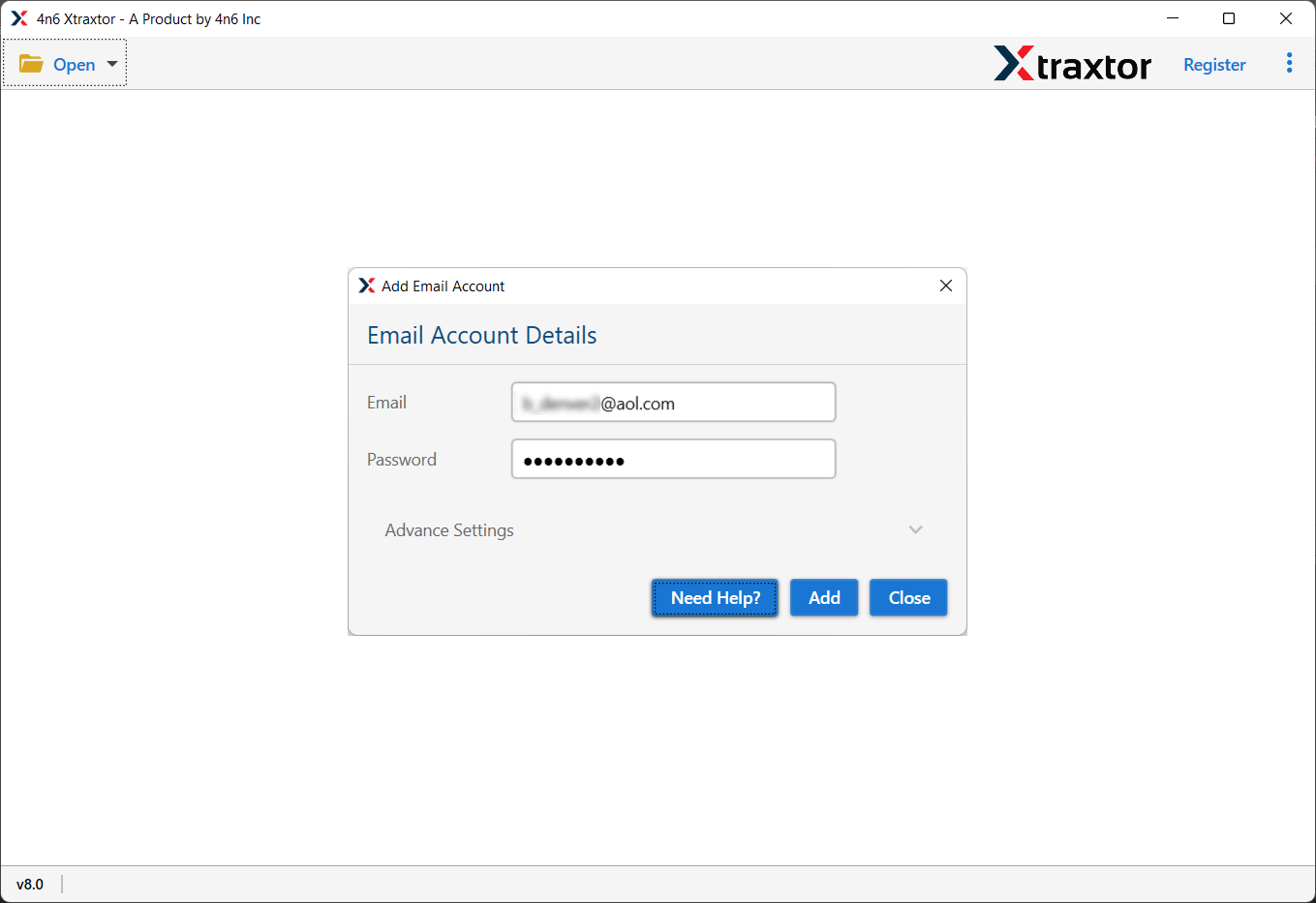
Step 3. Provide your TalkTalk email account credentials and tap the Add button.
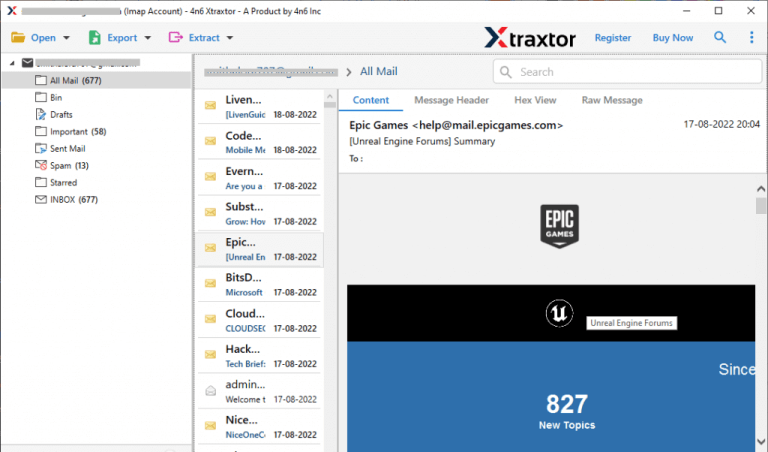
Step 4. The software will now show a preview of your TalkTalk mailbox.
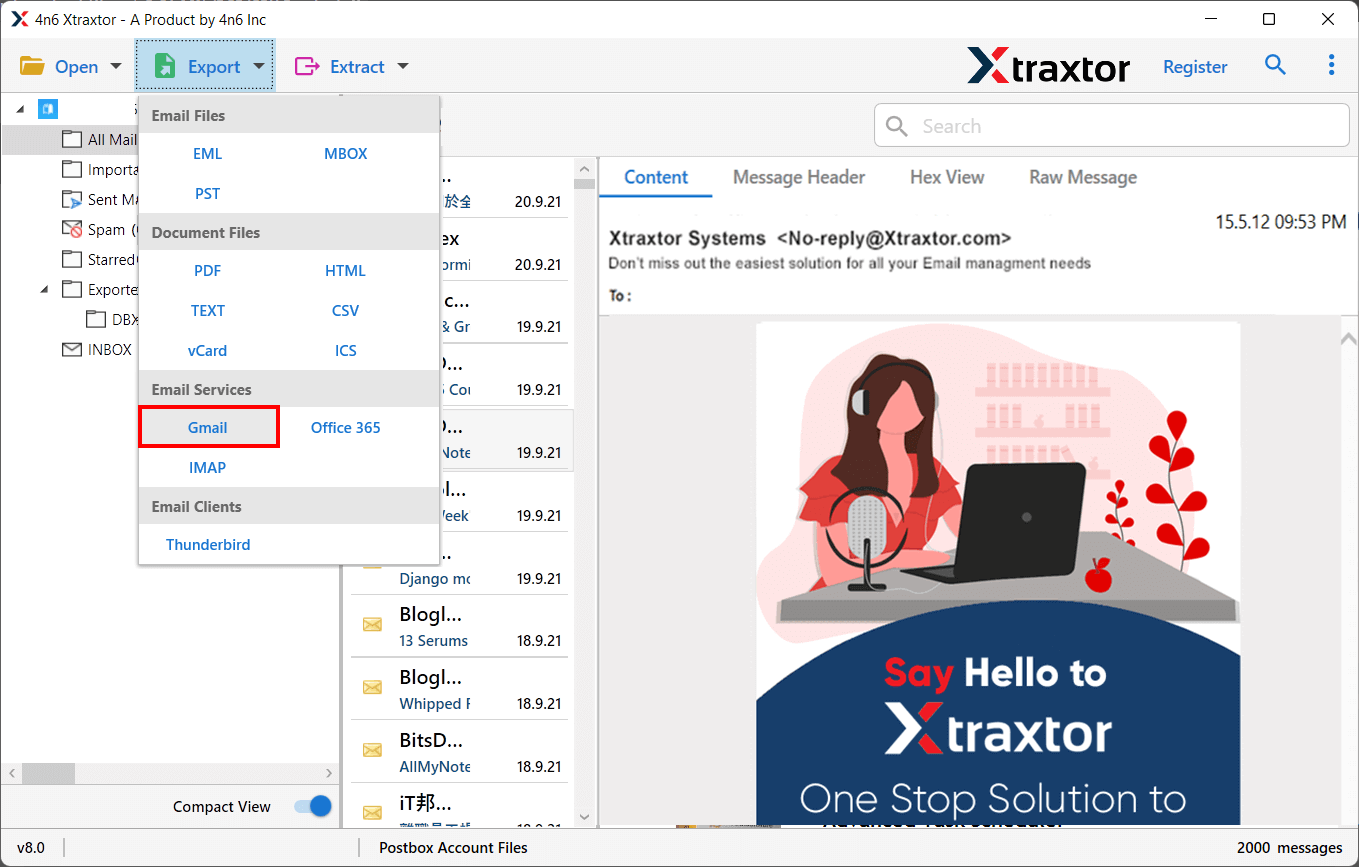
Step 5. Next, click on the Export and choose Gmail from the options.
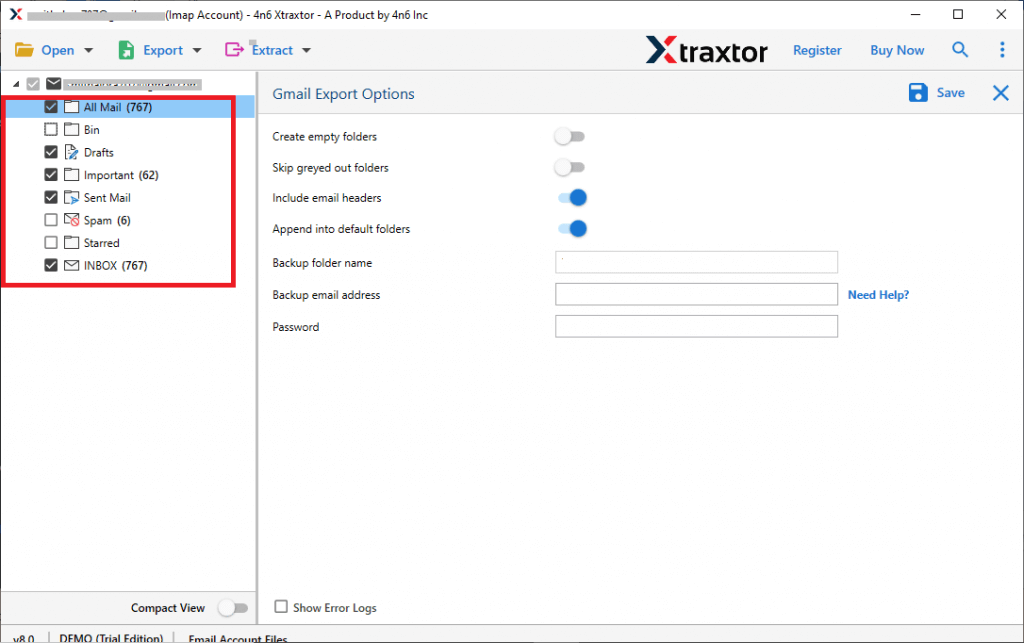
Step 6. Select the required email folders from the preview.
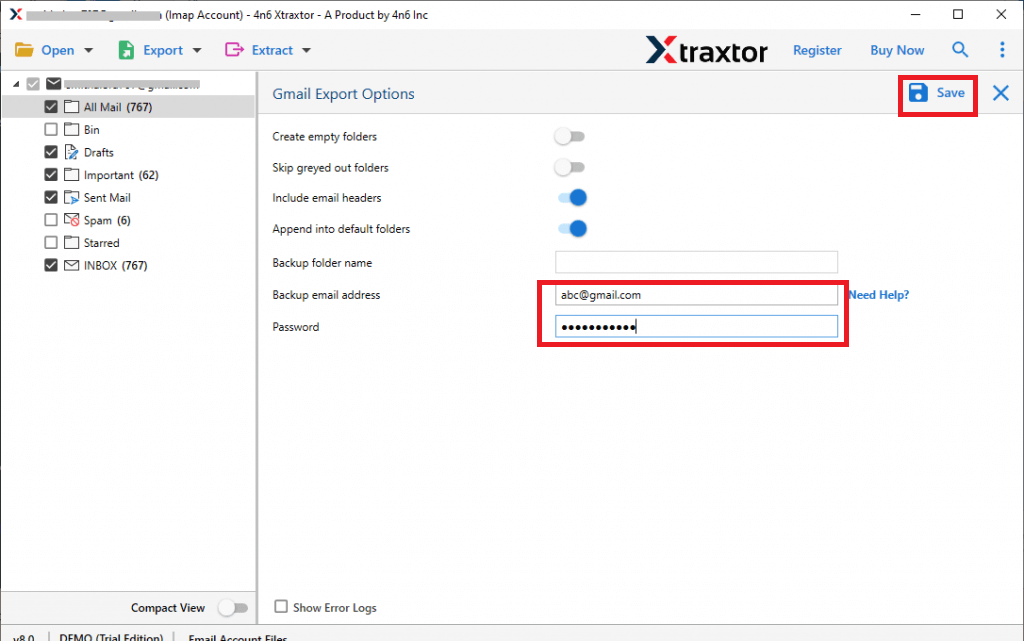
Step 7. Enter your Gmail account details and click on the Save button to start.
Done!! Within a few minutes, you will get confirmation that all your TalkTalk emails have been transferred to your Gmail account.
Final Recommendation: Which Method Should You Choose?
If you have a few emails in your TalkTalk mailbox, the manual method can be a good choice. It is free and works well when you have a limited number of emails. However, it may take time and does not always move complete folders correctly.
If you have multiple TalkTalk email accounts, large mailboxes or contains important emails, using a professional tool is a safer option. The professional tool is designed to transfer emails from TalkTalk to Gmail account in bulk.
If your emails are important to you, it is better not to take chances. Choosing the right method will help you transfer emails safely and quickly.
