
Opening DBX file on Windows 11/10 is not as simple as opening a normal document. DBX files are used by old email clients and are not supported by modern systems. But don’t worry! In this guide, you will learn what a DBX file is, how to open DBX files in Windows 11/10 using manual and professional methods, and which method is best for you.
A DBX file is an email storage file created by Outlook Express. It stores emails, attachments, and mailbox folders like Inbox, Sent Items, etc. Since Outlook Express is discontinued and not available in Windows 11 or 10, you cannot open DBX files directly.
Many users still have old DBX files as backups or archives and want to access important emails stored in them. However, due to compatibility issues, they often face problems while trying to open these files on modern systems. That’s why it becomes important to use the right method, either a manual workaround or a professional tool, to safely read DBX files without losing any data.
How to Open DBX Files in Windows 11/10 for Free?
If you have access to both Outlook Express and Microsoft Outlook, you can open DBX files by importing them into Outlook.
Follow these steps:
- Open Microsoft Outlook on your system.
- Click on File and choose Open & Export.
- Select Import/Export to launch the Import Wizard.
- Choose Import Internet Mail and Addresses and click Next.
- Select Outlook Express and enable the Import Mail option.
- Click Next, then Finish to complete the process.
After completing these steps, all your DBX emails will be successfully imported into Outlook. Now, you can easily access and manage them in a more modern email environment.
Limitations of the Manual Method
- Requires outdated Outlook Express, which is not available on modern systems
- Time-consuming and lengthy process
- Needs technical knowledge to perform steps correctly
- Risk of data loss or missing emails
- No option for selective data import
- May face compatibility issues with newer Microsoft Outlook versions
How to Read DBX Files in Windows 11/10? (Quick Solution)
If you want a quick and hassle-free way to read DBX files, using a professional tool is the best option. Xtraxtor software fits best in this requirement and the needs of the users. It allows users to convert DBX file into any Windows-compatible format to open and read it without any issues. Since DBX files are not supported in modern systems, this method helps you open and view all your emails without needing old applications.
With this solution, you can easily access your emails, attachments, and folder structure in just a few clicks. It does not require any technical knowledge, so even beginners can use it without difficulty. The tool scans your DBX files and displays all the data in a readable format on Windows 11/10.
Click Free Download to test how the tool works on your data.

Steps to Open DBX Files in Windows 11/10
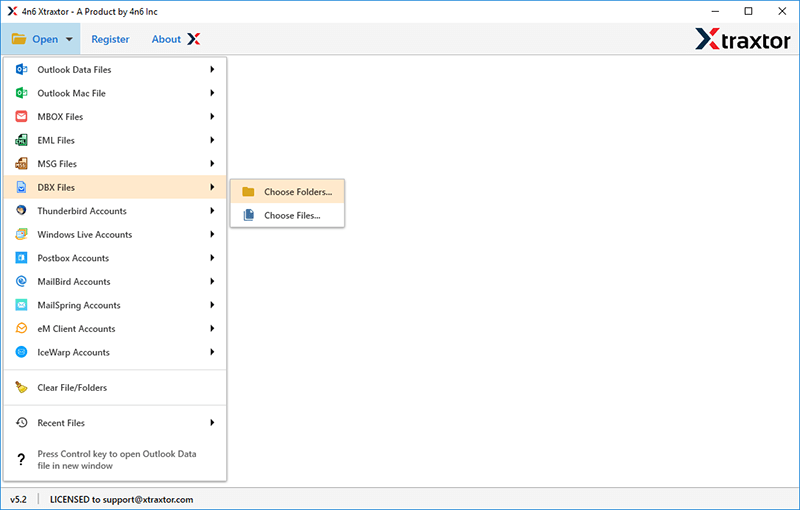
Step 1. Run the Xtraxtor software on your computer and click on the Open button.
Step 2. Choose Email Data Files >> DBX Files and select your DBX files or folders.
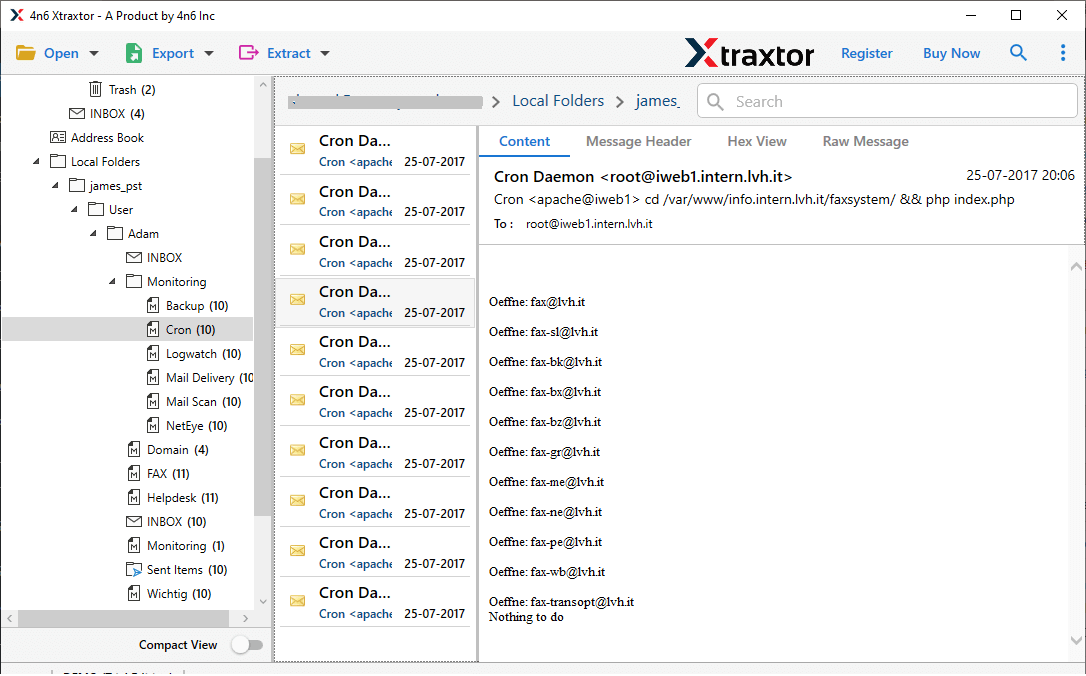
Step 3. See a preview of the complete email folders of your uploaded DBX files.
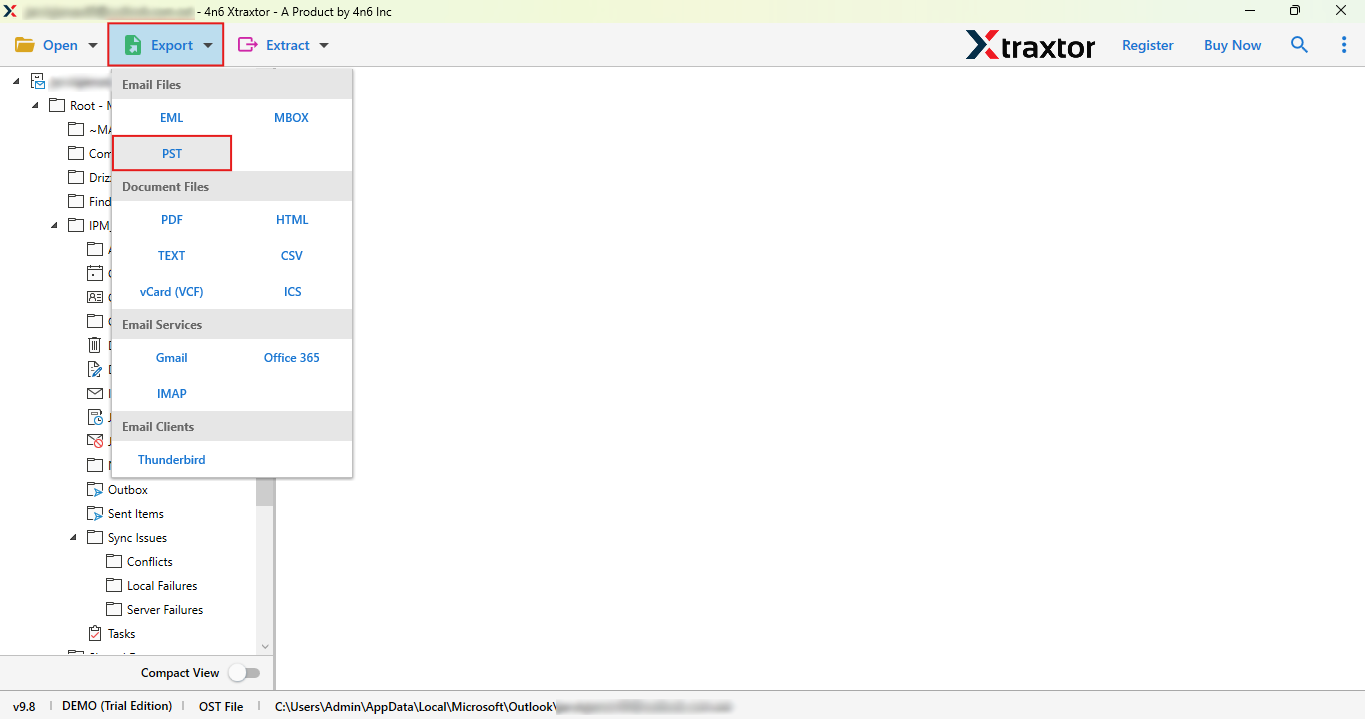
Step 4. Once the files are loaded, click on the Export option & select the desired saving format.
Step 5. Choose the required email folders that you want to access.
Step 7. Browse the destination location & click on the Save button to start.
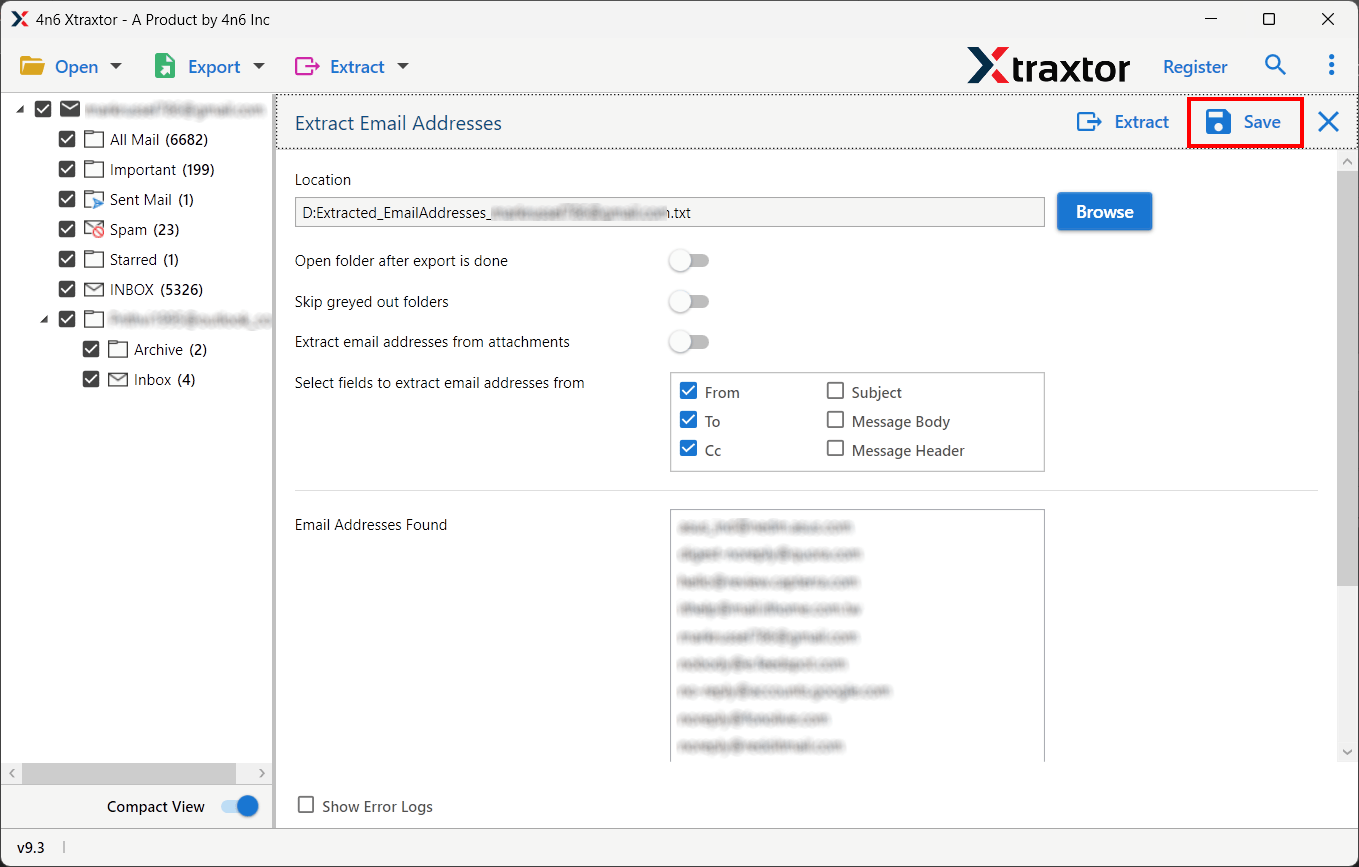
After the process is complete, you can access your DBX emails in the selected format on Windows 11/10 without any compatibility issues.
Here are some useful features of this software that help you easily open and convert DBX files in Windows.
- Convert DBX to PST, PDF, EML, MSG, HTML, and many other formats as per your need.
- Add and convert multiple DBX files or folders at once without any limitation.
- You don’t need to install Outlook Express or any other email application.
- Keeps original email properties like To, From, Subject, Date, and attachments unchanged.
- View all emails and their data before converting, including attachments.
- Easily handles large DBX files without slowing down or crashing.
- Export only selected emails using date range, subject, or folder filters.
- Easy to use for beginners as well as professionals.
- Converts DBX files quickly without data loss.
- 100% safe tool that does not alter or damage your original data.
- Test the software features before purchasing.
Final Words
In this blog, we explained how to open DBX files in Windows 11 and 10 using both manual and automated methods. The manual method is free but complex and risky. On the other hand, a professional tool provides a quick, safe, and reliable way to access DBX files without data loss.
If you have important DBX files, using an automated solution is the best choice.
