How to Migrate Gmail to Roundcube Account?

So you want to migrate Gmail to Roundcube, but don’t know where to start? Don’t worry, many users face the same issue while switching from Gmail to Roundcube webmail. I’ve seen multiple cases like this, and here I’ll explain every possible method so you can choose the best one based on your needs.
There are both manual and automated solutions available. Before we begin, let’s first do a one-on-one comparison of the two email platforms. It will help you understand why users migrate from Gmail to Roundcube.
Is Roundcube a Better Email Service than Gmail?
Simple Interface: Roundcube offers a clean and lightweight webmail interface.
Self-Hosted: It is hosted on your own server (like cPanel), giving more control.
Better Privacy: No tracking by big companies; it depends on your hosting provider.
No Ads: Roundcube does not show any advertisements.
Customizable: You can customize it as per your needs.
Limited Features: Compared to Gmail, it has fewer advanced features.
Storage Limit: Storage depends on your hosting plan, while Gmail offers 15 GB free.
How to Migrate Gmail to Roundcube Manually?
Since Roundcube works on IMAP servers, we can use an email client to transfer emails. Follow the steps below to transfer emails from Gmail to Roundcube email account;
Step 1. Enable IMAP in your Gmail account settings.
Step 2. Configure your Gmail account in an email client like Mozilla Thunderbird.
Step 3. Add your Roundcube email account using IMAP settings in the same client.
Step 4. Wait until both accounts are fully synced.
Step 5. Drag and drop emails from Gmail folders to Roundcube folders.
You can also forward emails from Gmail to your Roundcube account manually. However, this method is not suitable for large data.
Limitations of the Manual Method
- Time-consuming for large mailboxes
- High chances of data loss
- No bulk migration support
- Attachments may not transfer properly
- Requires technical knowledge
- Risk of duplicate emails
How to Transfer Emails from Gmail to Roundcube Mailbox Professionally?
Download Xtraxtor and easily migrate your Gmail emails to Roundcube without any hassle. The software allows you to directly transfer emails from your Gmail account to Roundcube via IMAP, ensuring a smooth and secure migration process. It preserves all email properties such as attachments, subject, date, and folder structure, so your data remains intact. You can also select specific folders or apply advanced filters like date, sender, or subject to migrate only important emails. The tool supports bulk migration without any file size limitations and provides a simple interface that is suitable for both beginners and professionals.
Additionally, the demo version helps users understand the complete process before performing the full migration.

Steps to Migrate Gmail to Roundcube Email Account
Step 1. Download and install the Xtraxtor software on your Windows PC.
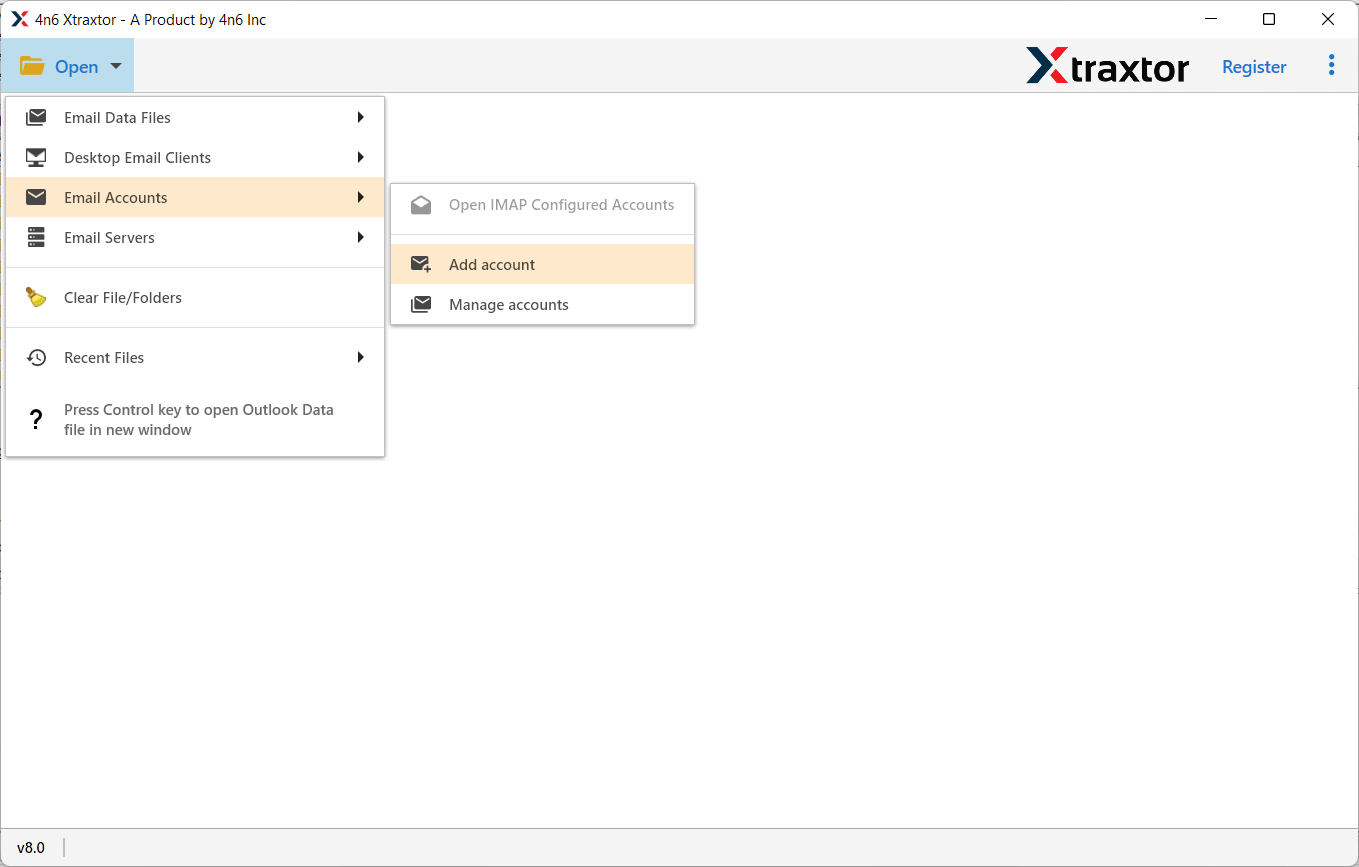
Step 2. Open the tool and click on Open >> Email Accounts >> Add Account.
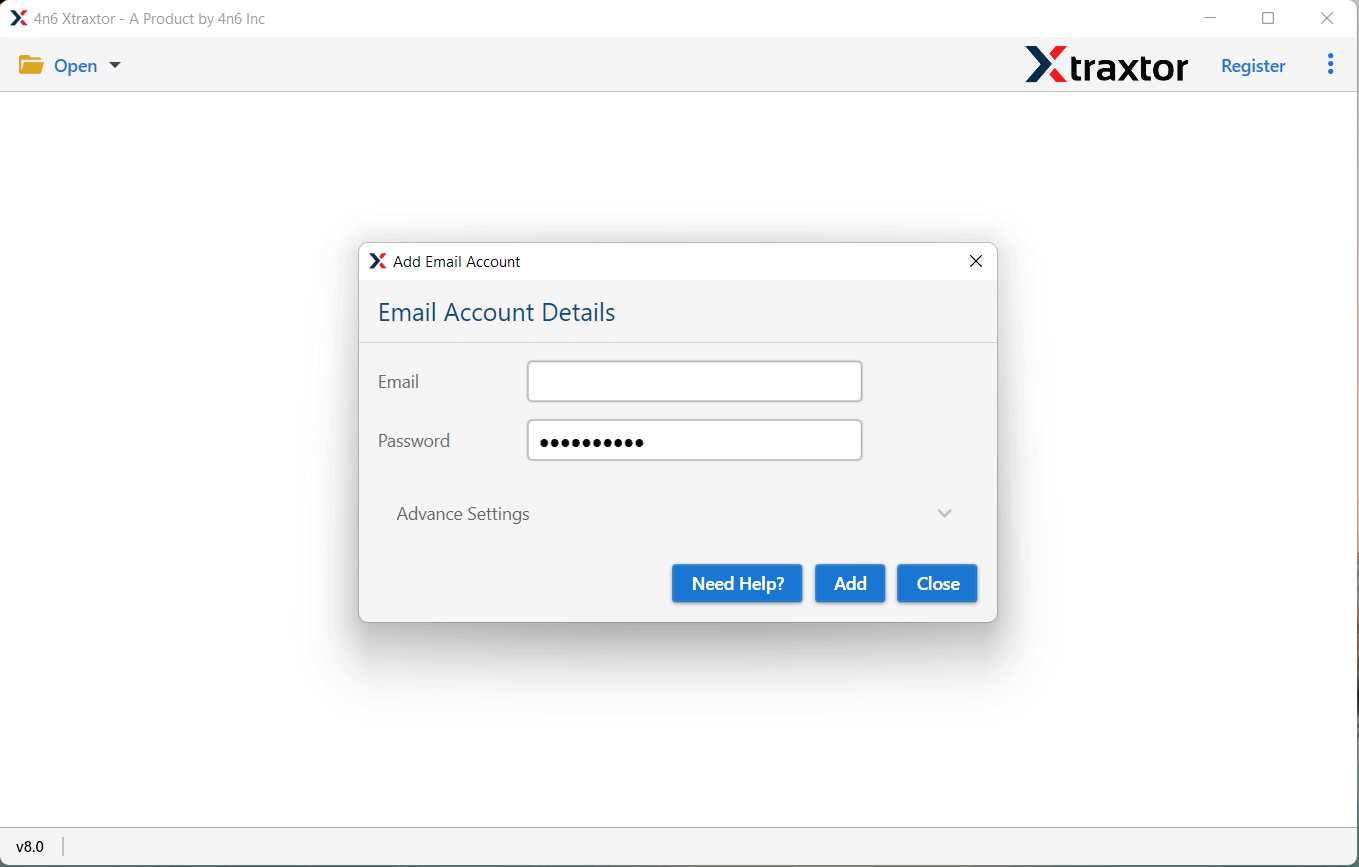
Step 3. Enter your Gmail login details and click on the Add button to load your mailbox.
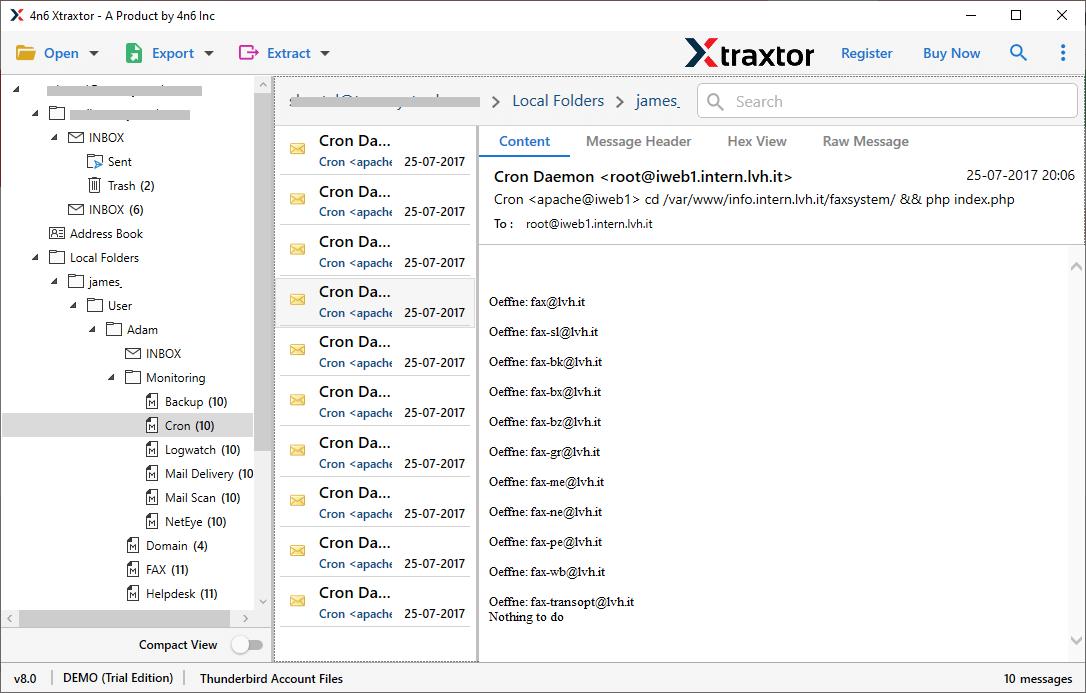
Step 4. Now, preview all your Gmail data to transfer it into Roundcube.
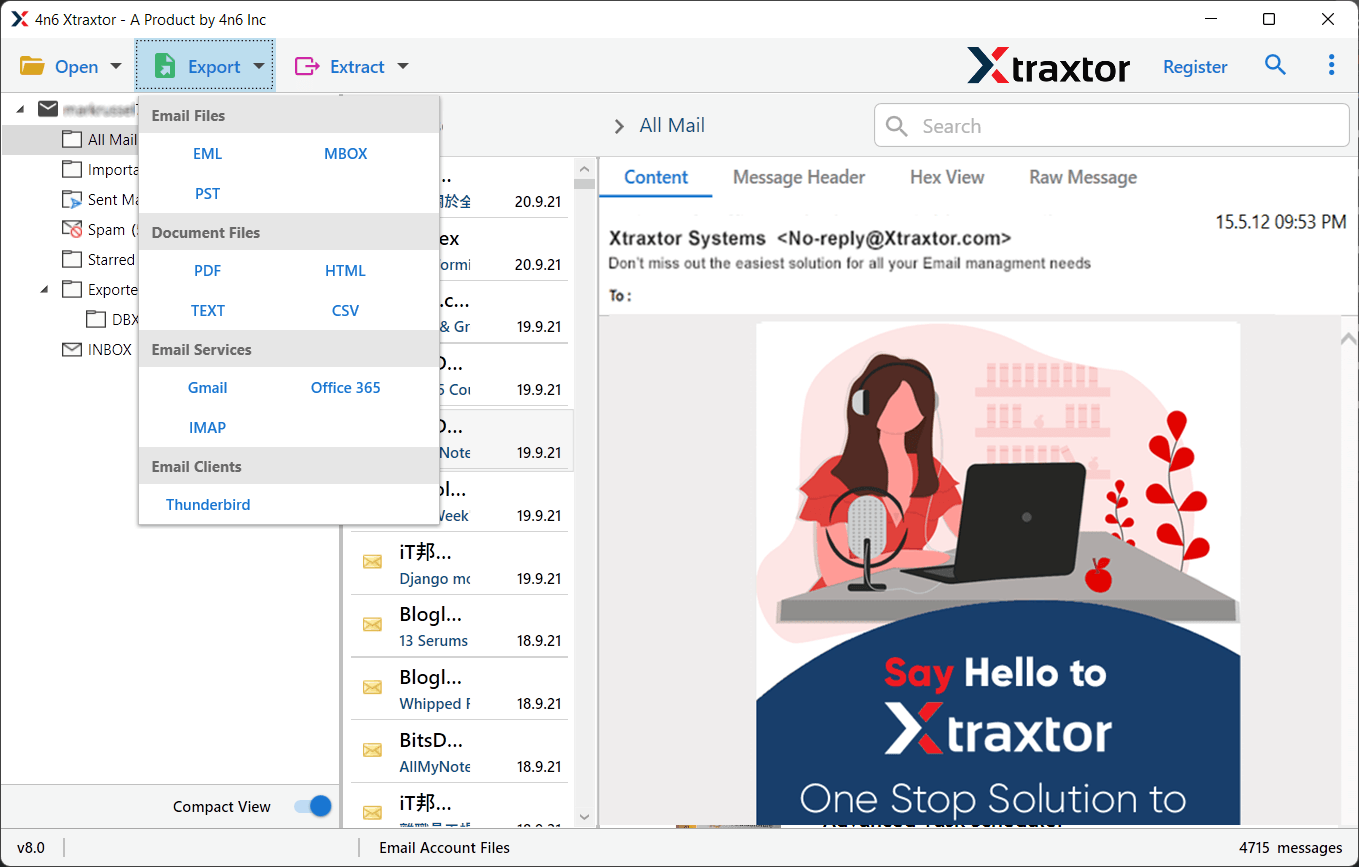
Step 5. After loading emails, click on Export >> IMAP option.
Step 6. Select the email folders that you want to migrate to Roundcube.
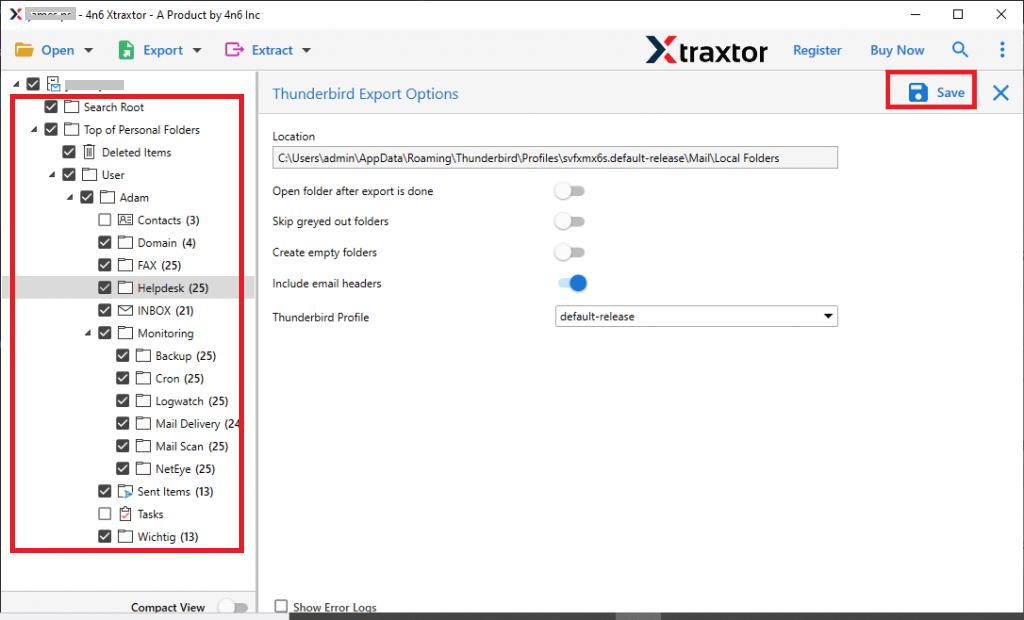
Step 7. Enter your Roundcube IMAP login details & click on the Save button to begin the migration process.
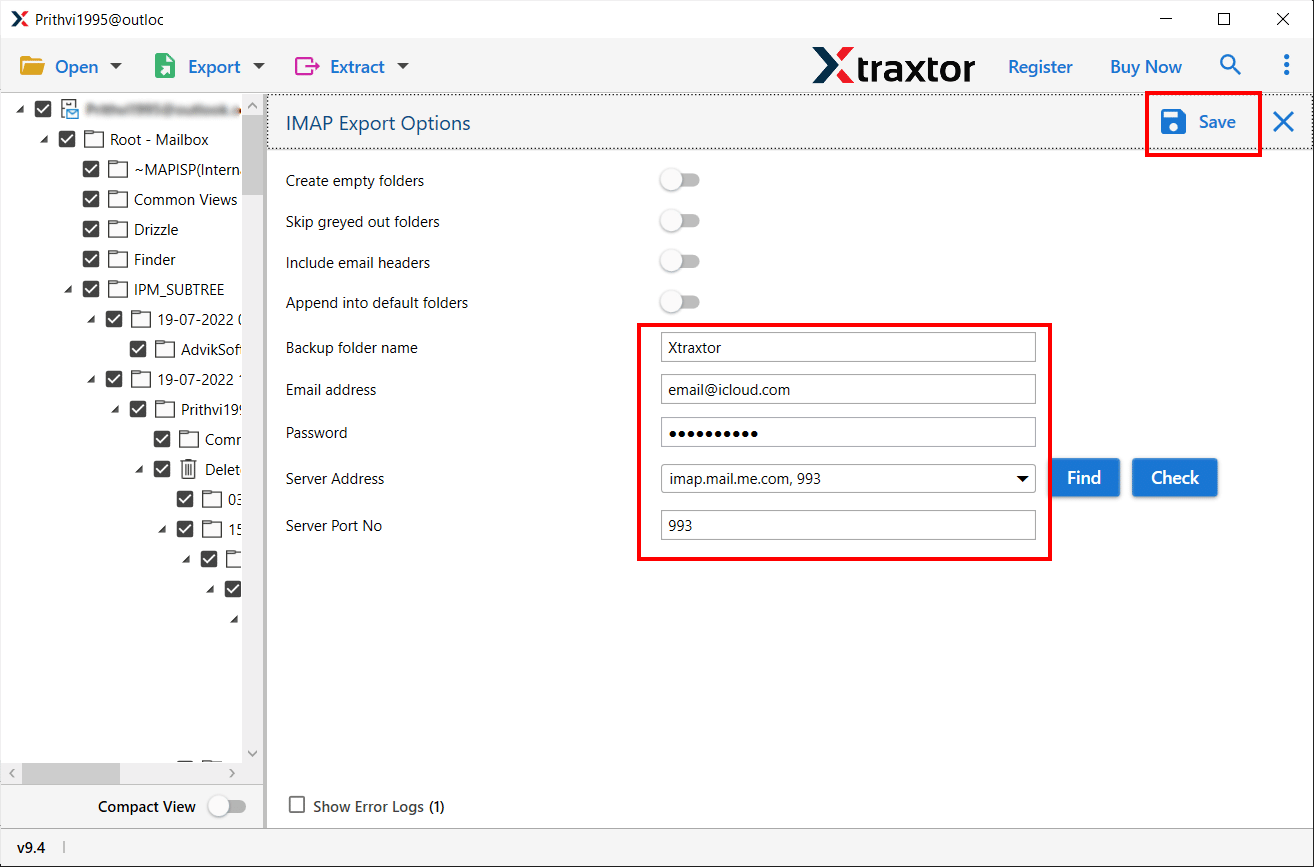
Wait until the process is completed, and your Gmail emails will be successfully migrated to Roundcube.
What Makes this Software Better than Others?
Some of the benefits this tool provides for secure migration are:
- Directly migrate Gmail to Roundcube in minutes
- Supports bulk email transfer without size limitations
- Allows selective migration using date filters
- Also, transfer Gmail to iCloud, Zoho Mail, Office 365, Yahoo Mail etc.
- Maintains folder hierarchy and email formatting
- Prevents duplicate emails with advanced options
- No need for third-party applications
- Secure login and safe migration process
Final Words
For any email migration, users always prefer a safe and reliable method. Gmail is widely used, but many users switch to Roundcube for better control and hosting flexibility.
In this article, we explained both manual and automated ways to migrate Gmail to Roundcube. While the manual method works for small data, it is not reliable for large-scale migration. Therefore, using a professional tool is the best choice to ensure secure and complete data transfer.
