How to Import PST to Mailbird Email Client?

Many users want to import PST to Mailbird when switching from Microsoft Outlook to a simpler email client. Mailbird is a popular desktop email application known for its clean interface, fast performance, and support for multiple email accounts.
However, there is one important limitation: Mailbird does not support direct PST file import. PST files are Outlook data files, so they cannot be opened directly in Mailbird without using a workaround.
If you have Outlook emails stored in a PST file and want to access them in Mailbird, this guide will help you. In this article, we will explain:
- Whether Mailbird supports PST files
- A manual workaround to access PST emails
- A faster professional solution
- Limitations of manual migration
By the end of this guide, you will understand the best way to open PST emails in Mailbird client without losing attachments or email data.
Can Mailbird Import PST Files Directly?
No. Mailbird does not provide a built-in option to import PST files directly.
To access PST emails in Mailbird, you must first move the data through an email account (IMAP) or convert it into a compatible format.
The manual workaround involves using Microsoft Outlook as a bridge. In this process, you first load the PST file in Outlook and then synchronize the emails with an IMAP email account that is also configured in Mailbird.
Follow these steps carefully.
- Open Outlook on your PC.
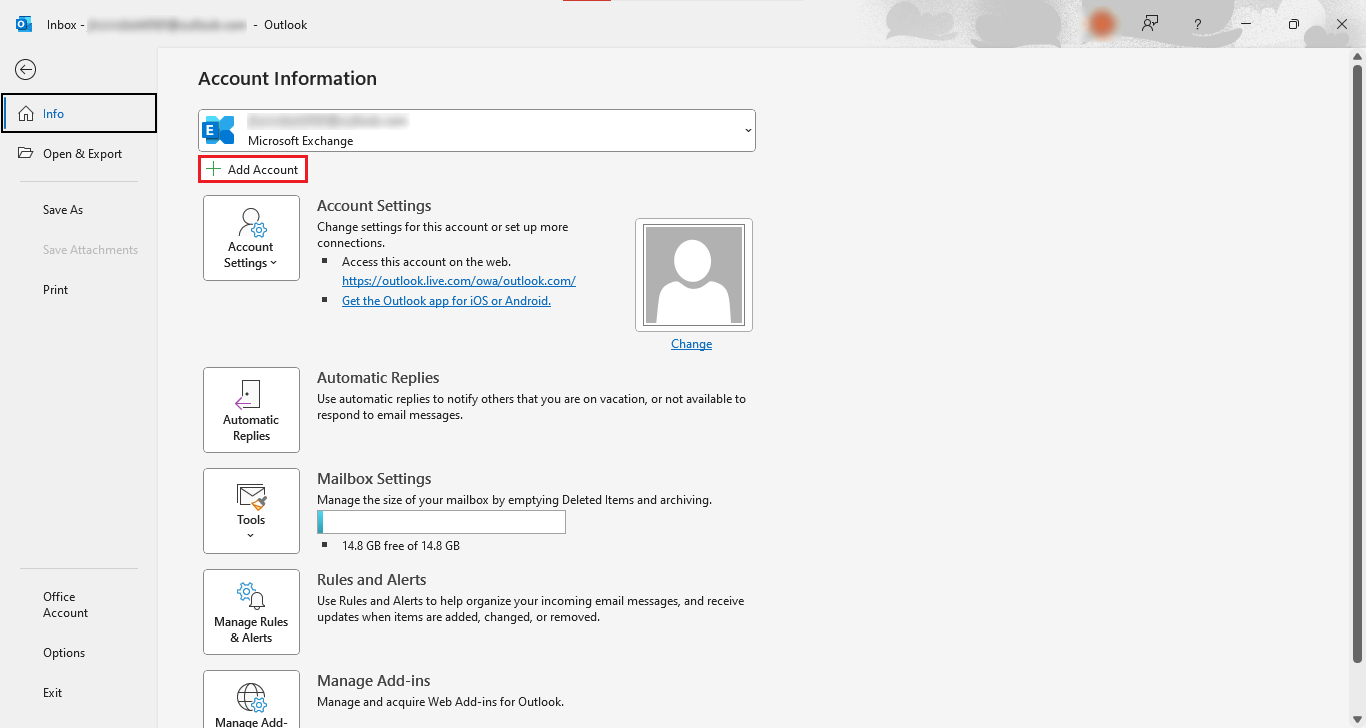
- Go to the File option and click on the “add account” button.
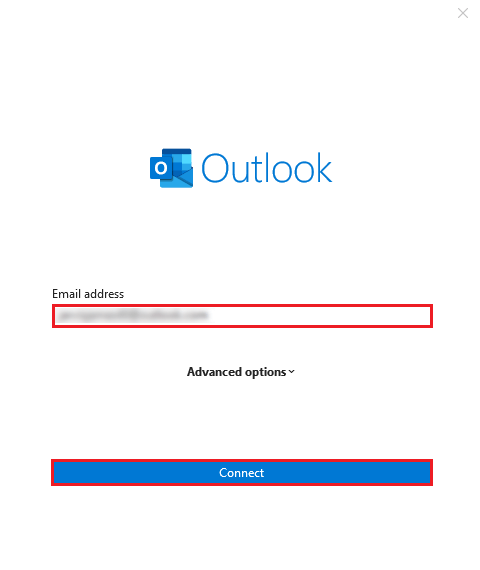
- “Enter” your login user ID and Password to configure your account on Outlook first.
- Then restart Outlook to fully configure your account.
- After that, again go to the “File” option.
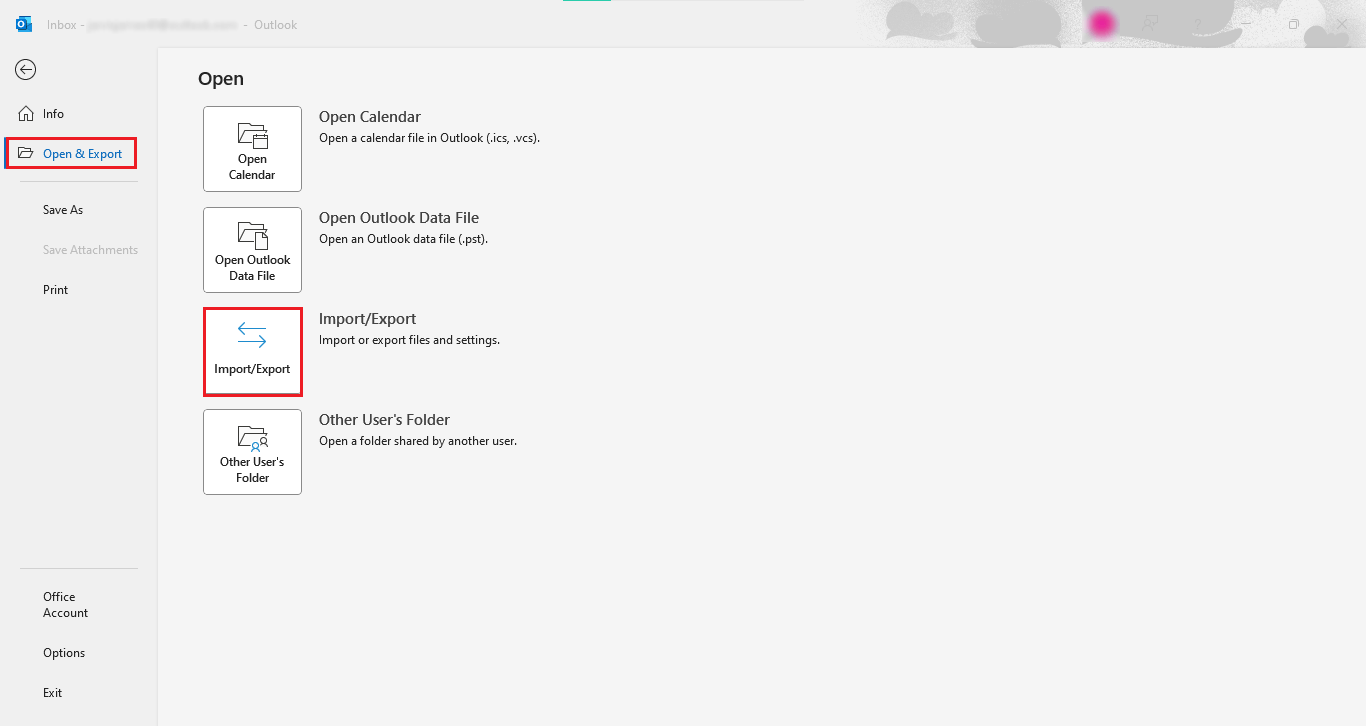
- Now, click on the “Open & Export” option, and select the “Import/Export” button.
- Select the option “Import from another program or file” and click “Next“.
- Here, select the option “Outlook Data File (.pst)” and click “Next“.
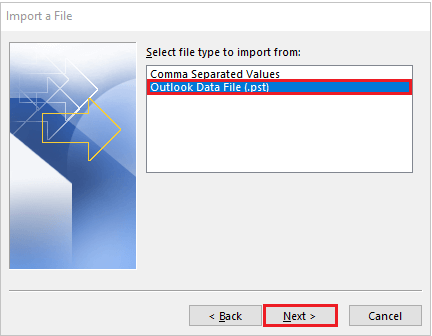
- Browse the “File location” where your PST files are saved and click “Next“.
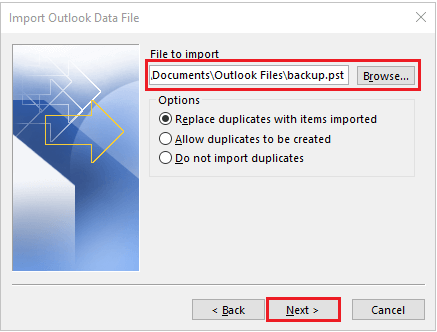
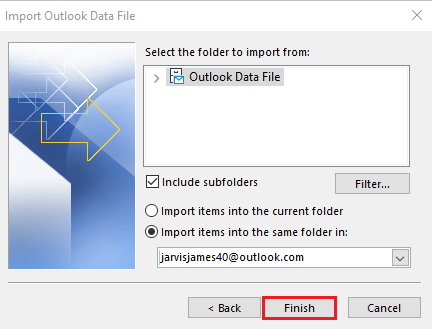
- Click on the “Finish” button to complete this process.
- Now, open the Mailbird application on your home screen.
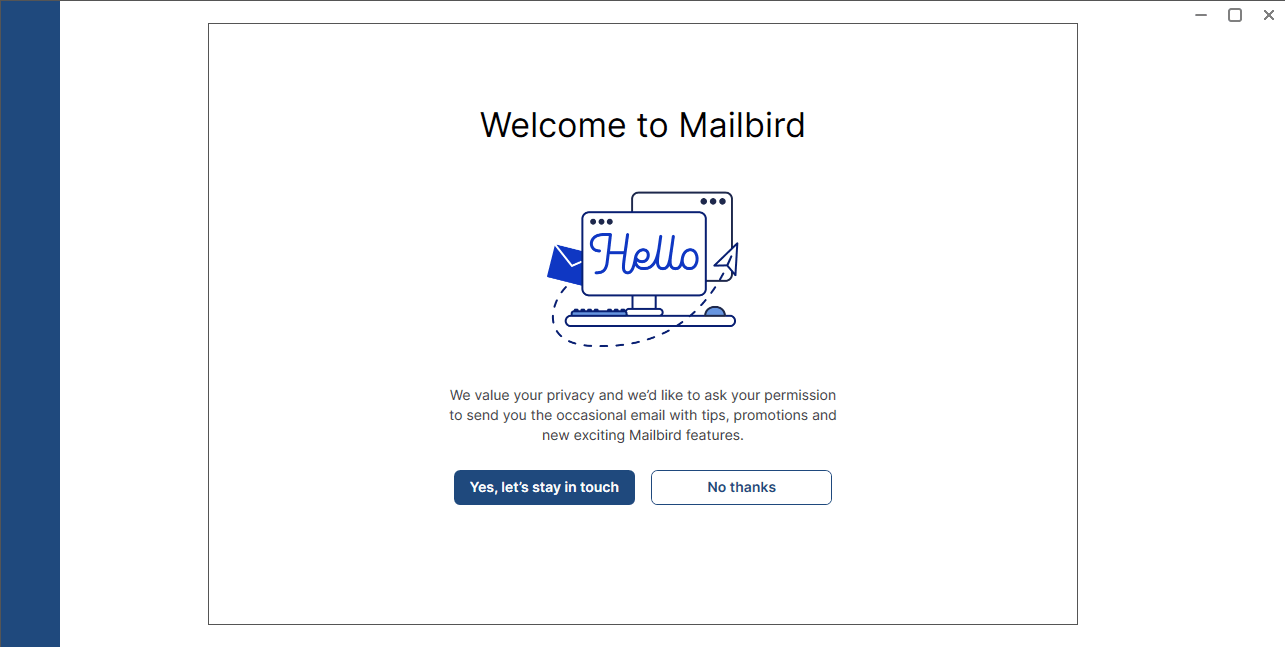
- Enter your email account details and click “continue“.
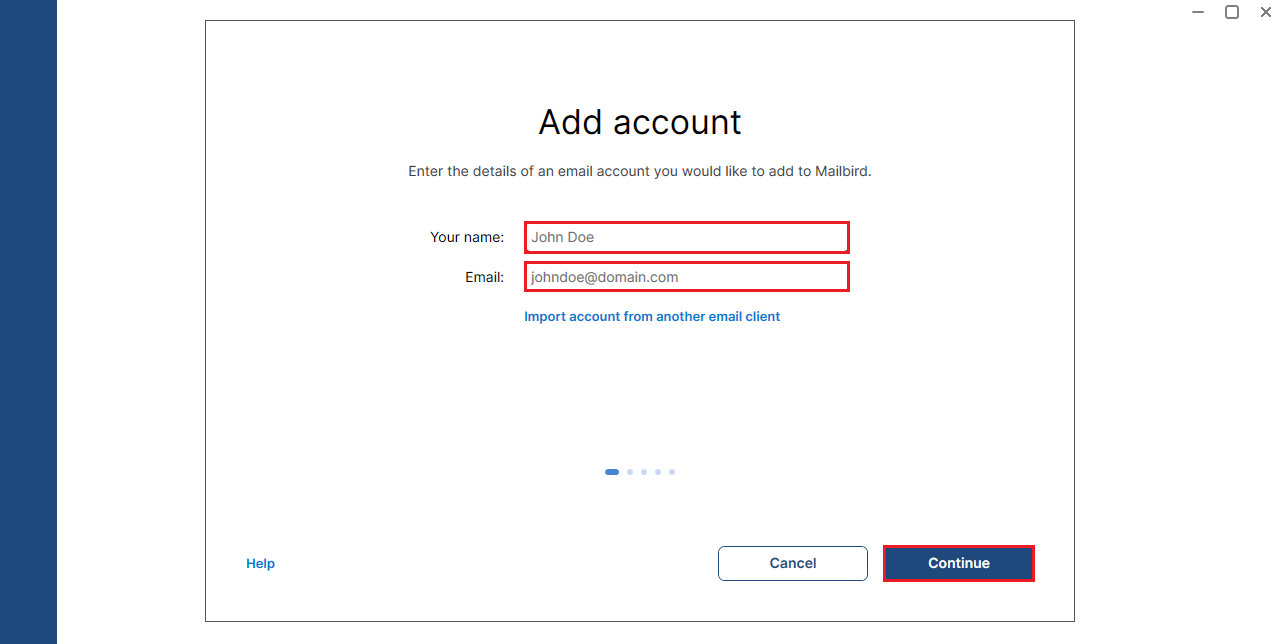
- Now, configure your account in Mailbird.
- Afterwards, your PST emails are available in your Mailbird client.

Done! By following the above-mentioned steps, you can easily import PST to Mailbird.
Limitations:
- This method is time-consuming, and the process is lengthy.
- Users need to install two different programs to open .pst files in Mailbird.
- You can lose email attachments.
- It can be difficult for non-tech users.
These were the limitations of the solution mentioned above. In this case, you can try to open PST to Mailbird easily using the method below.
How to Transfer PST Files to Mailbird App Professionally?
If the above method does not work, you can try transferring the PST file to Mailbird using Xtraxtor. This tool easily imports .pst files to Mailbird client within a few clicks. Just run the program and click on open, select the PST file option, choose a file from your computer, and transfer it into Mailbird. It saves you time and gives immediate results without losing the email attachment.
Download and try the Free demo version of this software and check its working.

Steps to Import PST to Mailbird Client
- Run the application on your desktop.
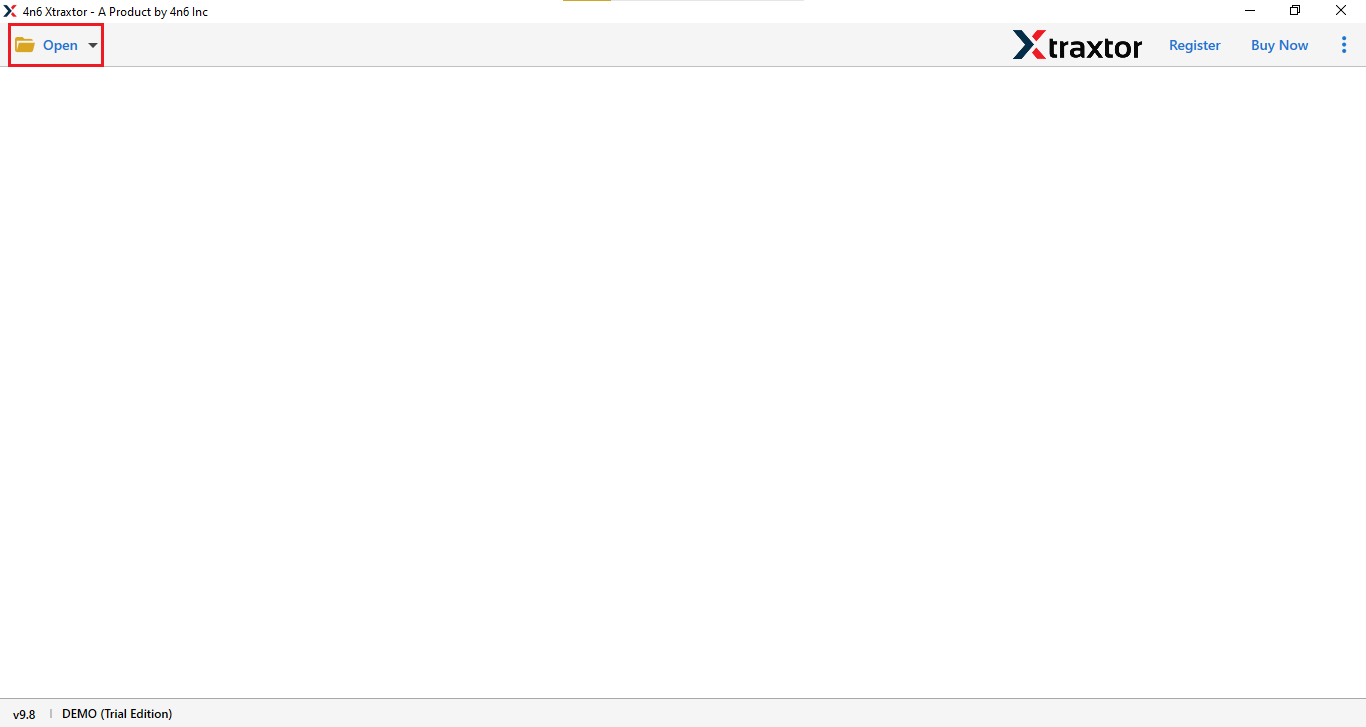
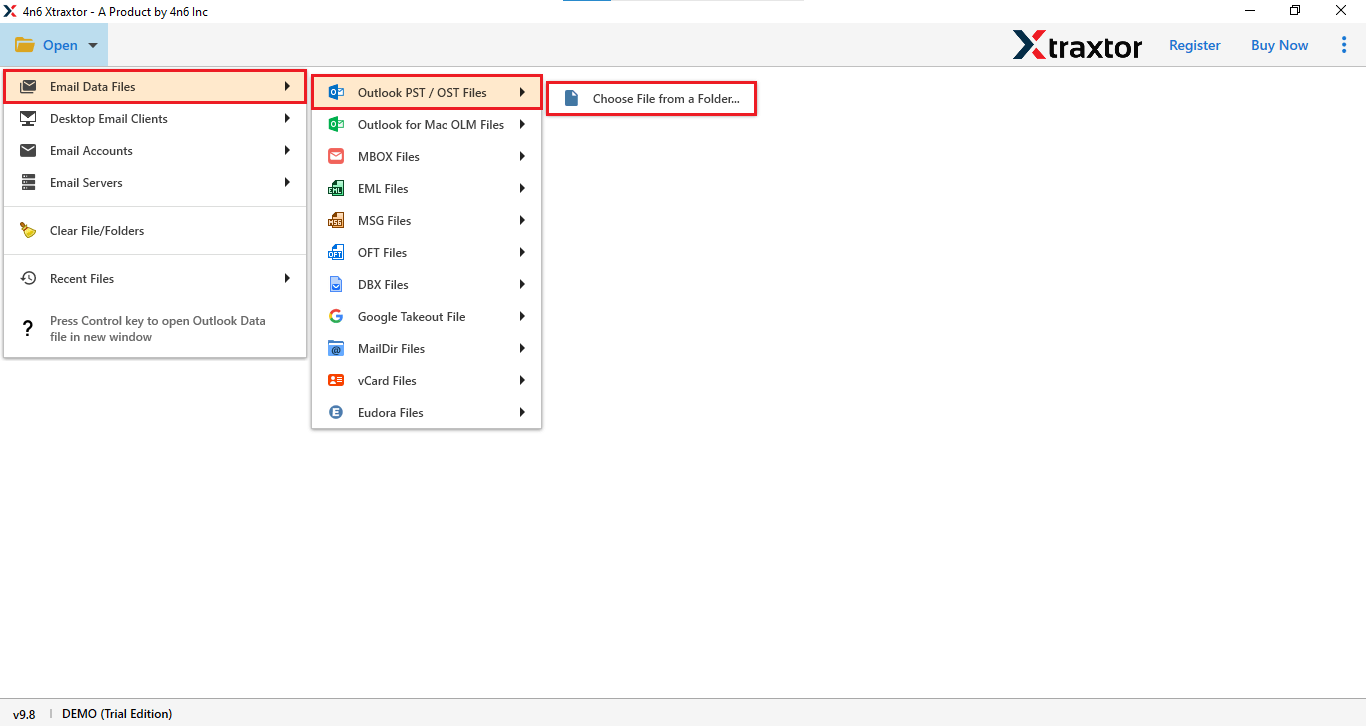
- Go to the option “Email Data Files” and choose “Outlook PST/OST Files“, then click on “Choose File” option.
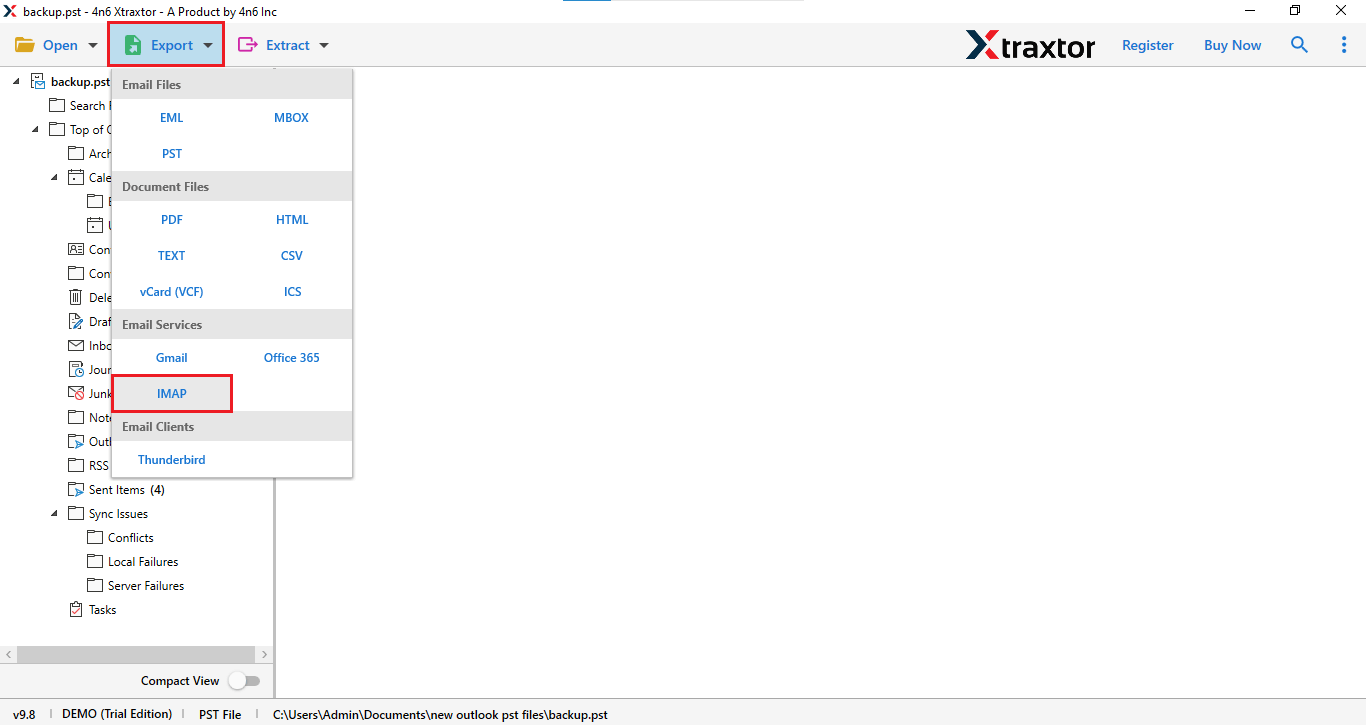
- Click on the Export button and select the IMAP option.
- Choose the “Required Mail Folders“, enter your “login ID” and “server” details, and click “Save“.
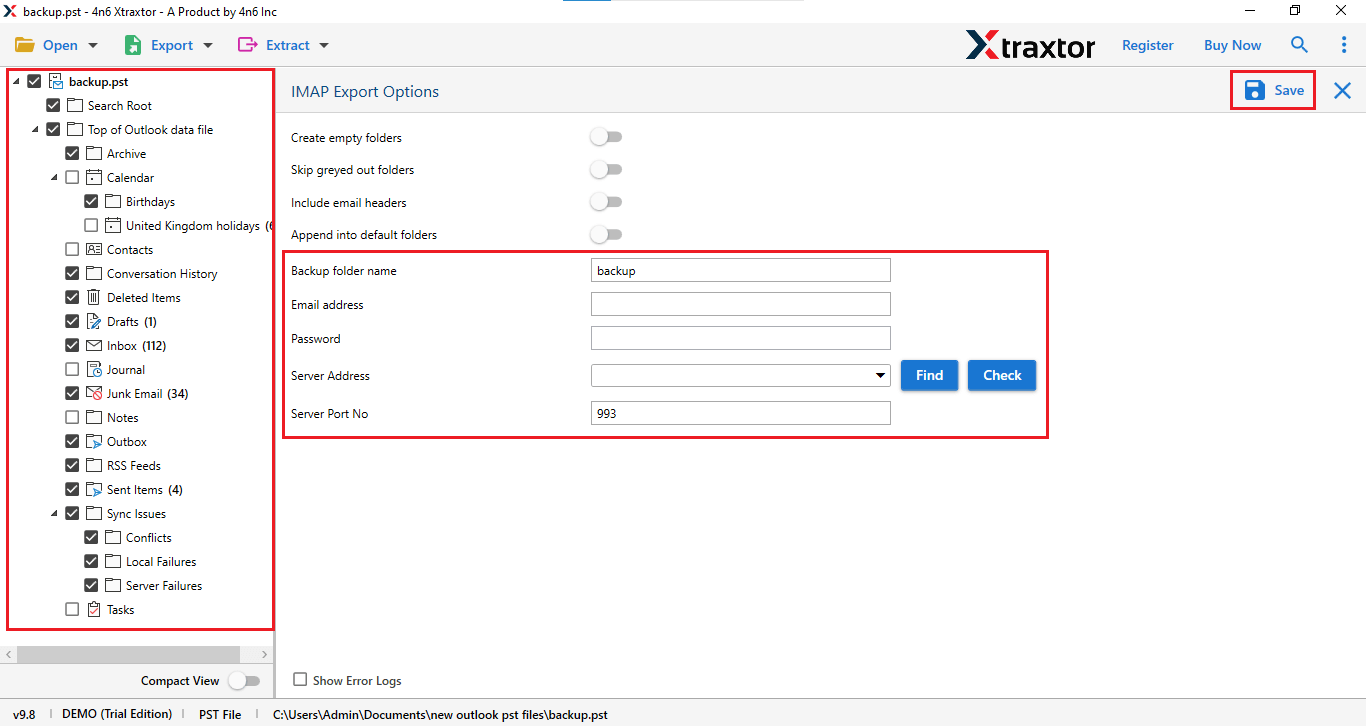
And that’s it, your PST file has been successfully imported.
Features of Professional Software
- Export to any file format, such as PST, PDF, HTML, and CSV, etc.
- You can use this tool to open .mbox to Mailbird.
- Can save the extracted email addresses in a text file.
- This software can do bulk export at one time.
- The software allows users to perform IMAP to IMAP transfer easily.
- It works on all Windows OS like Windows 11, 10, 8, 8.1, and 7.
- Software’s user interface makes it easy to use for tech and non-tech users.
- This tool offers a free trial version that allows you to explore its features.
Final Thoughts
Mailbird is a powerful and lightweight email client, but it does not support direct PST file import. To access PST emails in Mailbird, users must use Outlook synchronization or a professional migration tool.
In this guide, we discussed both manual and automated solutions for importing PST to Mailbird. While the manual method works, it is time-consuming and complicated. A professional tool provides a faster and safer way to migrate PST emails without losing attachments or folder structure.
Using the recommended solution, you can transfer PST emails to Mailbird quickly and manage all your emails in one place.
