How to Import PST to Lotus Notes?

Summary: If you are searching for a reliable way to import PST to Lotus Notes, this guide will help you understand the complete process. In this blog, we will explain both manual and automated methods to transfer Outlook PST emails to Lotus Notes without losing data.
Many users switch from Microsoft Outlook to IBM Lotus Notes for business or organizational requirements. However, moving Outlook data stored in PST files to Lotus Notes NSF format is not always easy. Outlook uses PST files to store emails, contacts, calendars, and attachments, while Lotus Notes uses the NSF format. Because of this difference, users need a proper solution to complete the migration.
In this article, we will discuss simple ways to convert PST to Lotus Notes and access Outlook emails in Lotus Notes easily.
Why Import PST to Lotus Notes?
There can be several reasons why users want to migrate PST files to Lotus Notes:
- Organizations shifting from Outlook environment to Lotus Notes.
- Need to access Outlook emails in Lotus Notes platform.
- Company policy requiring Lotus Notes as the primary email client.
- To manage emails, contacts, and calendars in Lotus Notes database format.
- Consolidating data into a single Lotus Notes account.
No matter the reason, the main goal is to safely transfer PST data to Lotus Notes without losing any important information.
How to Move PST Files to Lotus Notes Manually?
There is no direct manual option to import PST files into Lotus Notes. However, users can use an indirect method with the help of Microsoft Outlook and IBM Lotus Notes installed on the same system.
Follow the steps below:
- First, make sure Microsoft Outlook is installed on your system and the PST file is added to the Outlook profile.
- Open Outlook and go to: File >> Open & Export >> Import/Export
- Choose Export to a file and select the PST file containing your emails.
- Install and configure IBM Lotus Notes on your computer with the required user account.
- Use the Lotus Notes connector or IMAP configuration to connect Outlook and Lotus Notes.
- Now manually copy or move emails from Outlook folders to the Lotus Notes mailbox.
Limitations of the Manual Method
Although the manual process works, it has several limitations:
- Requires both Outlook and Lotus Notes to be installed
- Very time-consuming for large PST files
- Difficult to transfer complete mailbox data
- Possibility of data loss or formatting issues
- Not suitable for bulk PST migration
How to Transfer PST Files to Lotus Notes Professionally?
If you are looking for a professional way to move PST files into Lotus Notes, you can use the Xtraxtor software. This advanced tool is specially designed to transfer Outlook PST files into Lotus Notes account quickly and safely. It allows users to migrate complete PST mailbox data, including emails, attachments, contacts, and other email properties, without losing any information.
The software provides an easy interface so that both technical and non-technical users can transfer PST files to Lotus Notes without any difficulty. It maintains the original folder structure, email formatting, and metadata during the conversion process. With the help of this tool, users can also preview PST mailbox data before starting the migration, ensuring that the correct data is selected.
Download the demo version to understand the full working process.

Steps to Import PST to Lotus Notes
Follow these simple steps to migrate PST files to Lotus Notes:
Step 1. Download and launch the software on your system.
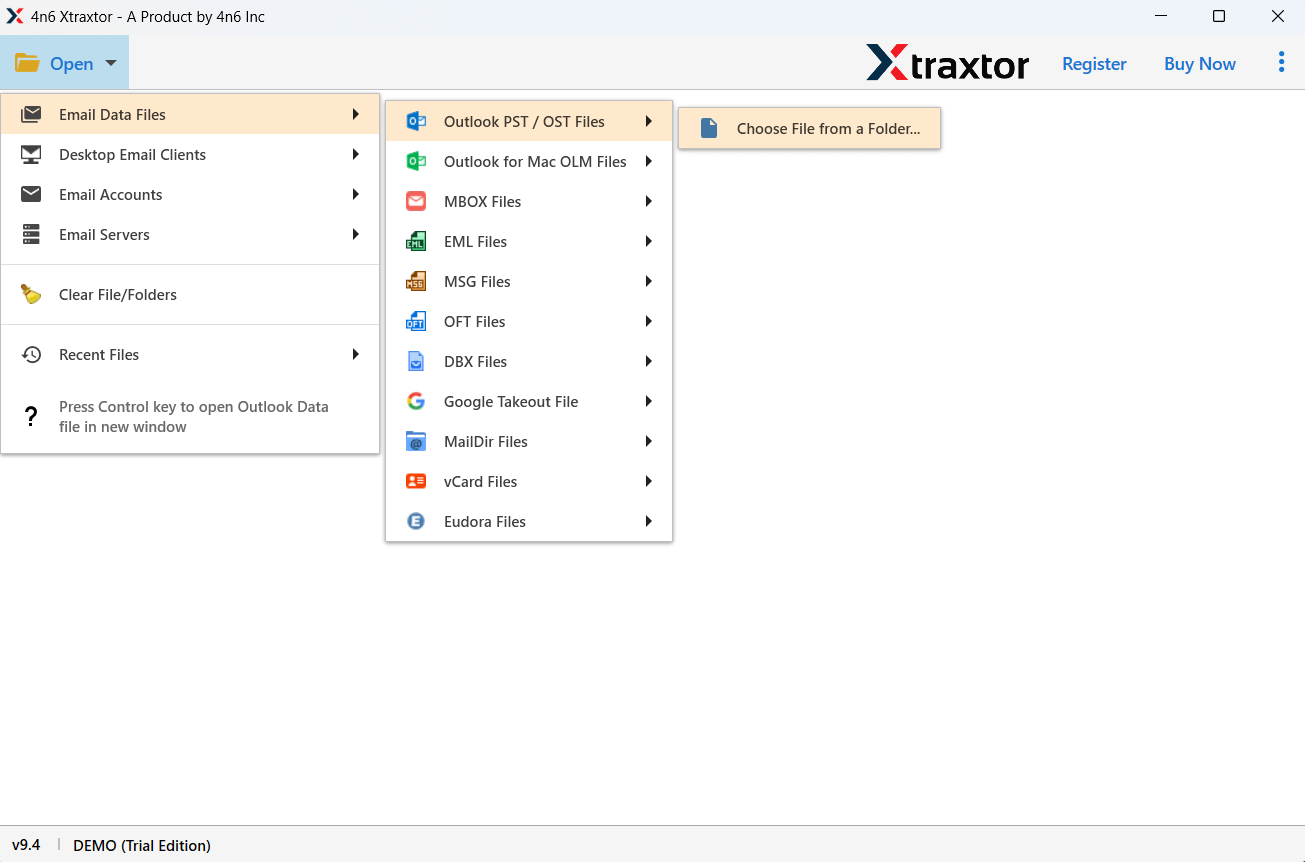
Step 2. Click on Open >> Email Data Files >> PST Files and select the PST file from your computer.
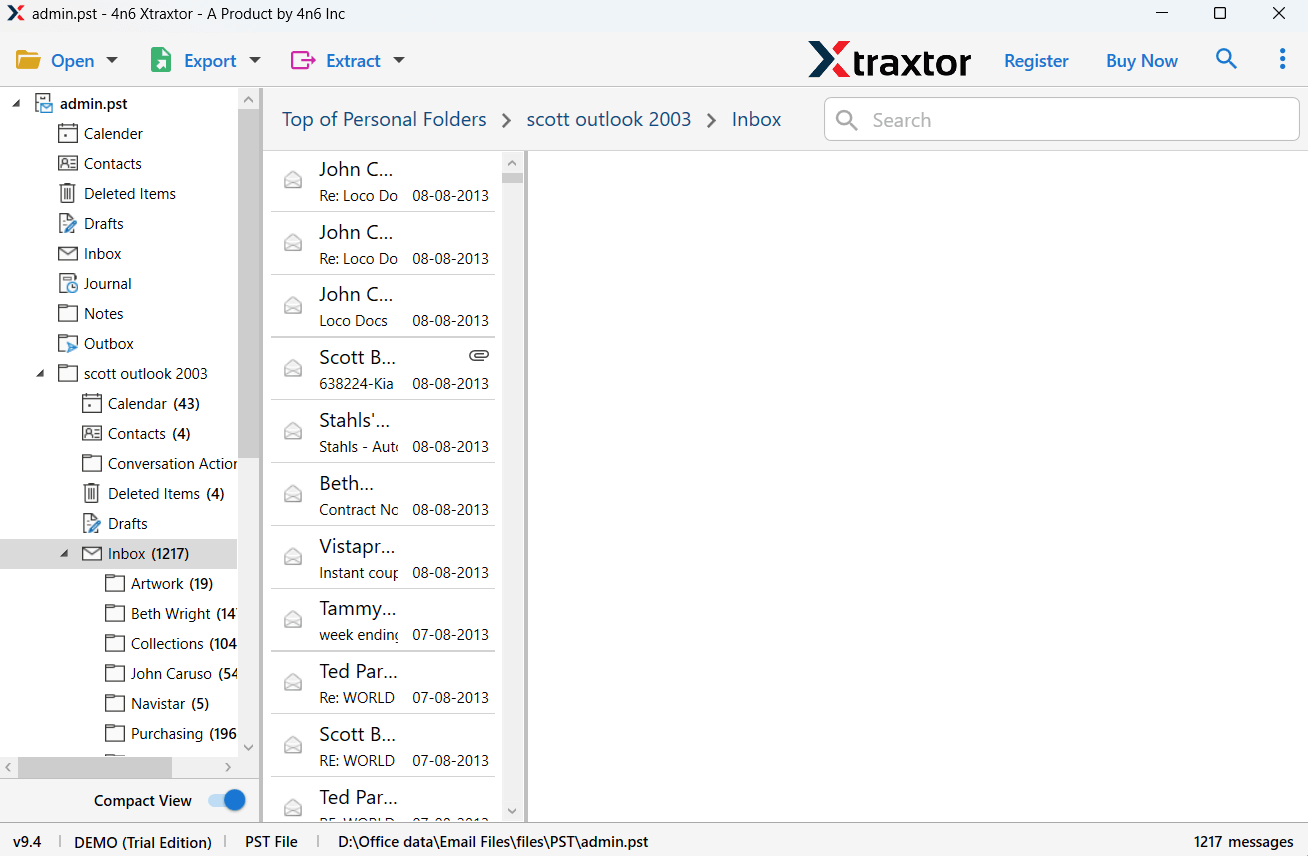
Step 3. The software will load all mailbox folders and allow you to preview emails before conversion.
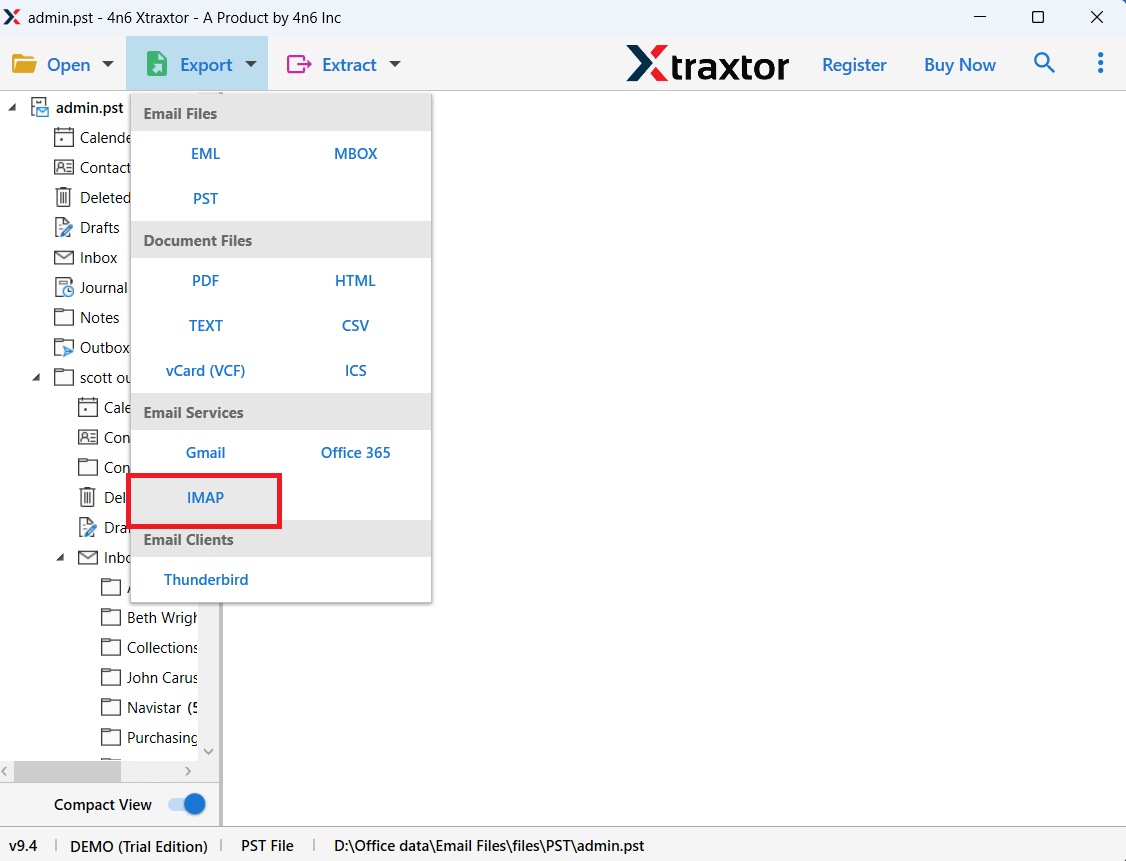
Step 4. Click on Export and choose IMAP from the saving options.
Step 5. Select the folders you want to migrate from the PST file.
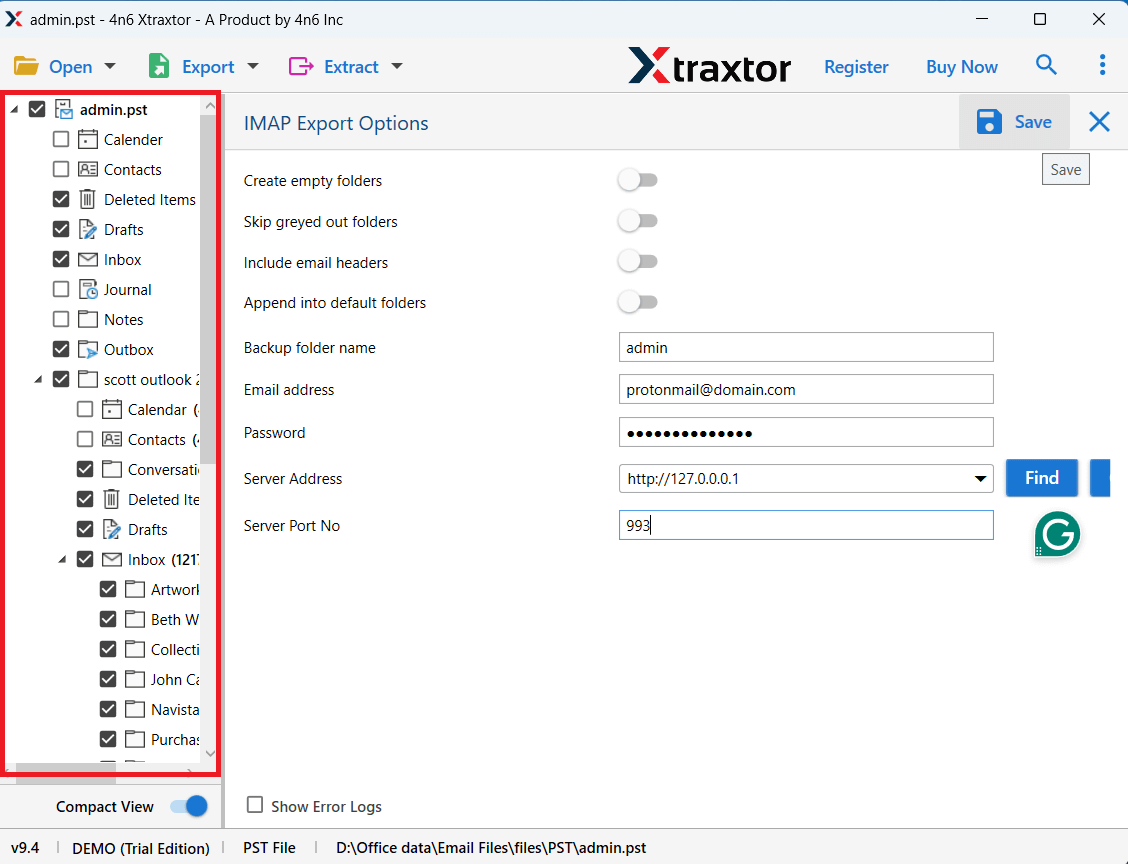
Step 6. Click on the Save button to start the PST to Lotus Notes conversion process.
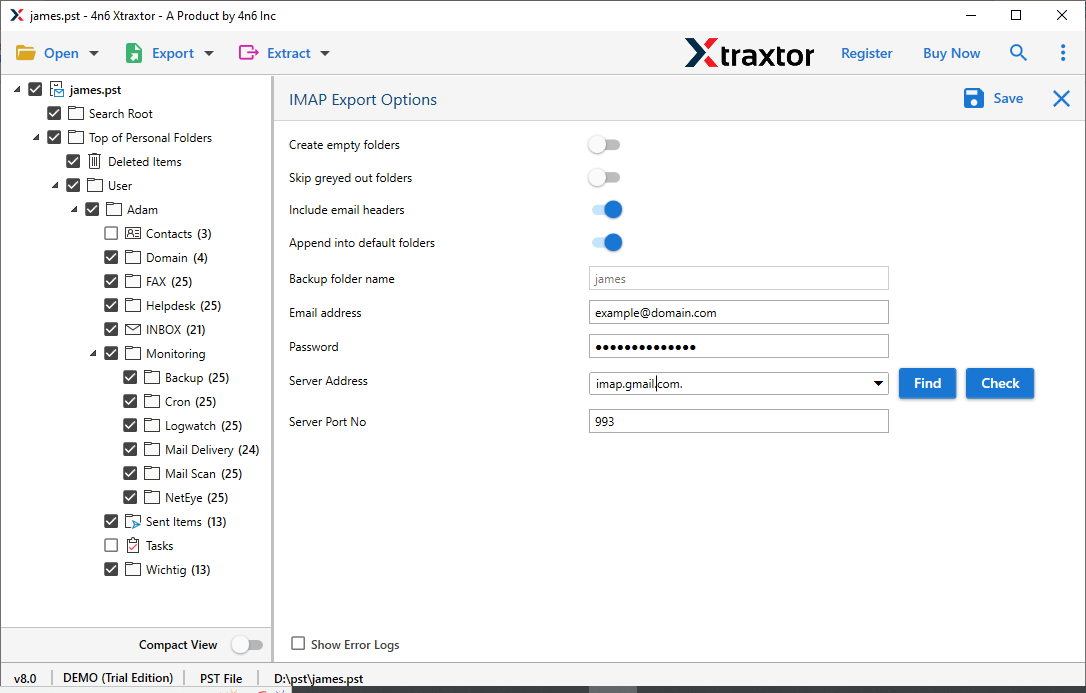
After the process is completed, all PST emails will be successfully imported into Lotus Notes NSF format.
- Convert PST to Lotus Notes NSF format
- Maintains original folder hierarchy
- Supports bulk PST file conversion
- Preserves email formatting and attachments
- Provides advanced email filters
- Simple interface for both technical and non-technical users
Conclusion
In this blog, we discussed different methods to import PST to Lotus Notes. The manual method can work for small migrations, but it requires multiple applications and can take a lot of time. For a faster and more secure solution, using a professional tool is a better choice. The automated solution allows users to migrate PST data to Lotus Notes quickly while maintaining complete data integrity.
