How to Transfer Emails from Sky Mail to Gmail?

Many users store years of important emails in their Sky Mail account. But when Sky broadband issues start, or when users want a more stable and secure email service, Gmail becomes the first choice. If you are also planning to move your emails from Sky Mail to Gmail, this guide will help you choose the right method.
In this blog, you will learn why users switch from Sky Mail to Gmail, what options are available, and which method is safest based on real user needs.
[box type=”shadow” align=”” class=”” width=””]What You Should Know Before Migrating Sky Mail Emails
Before starting the migration, it is important to understand that email transfer is not always simple. Some methods only move Inbox emails, while others fail to migrate folders like Sent, Drafts, or custom folders. If your emails are important, relying on a method that does not support full mailbox migration can lead to data loss. That is why choosing the right approach matters.[/box]
There are two common ways to move Sky Mail emails to Gmail. One is manual and free, while the other is automated and more reliable.
How do I Add my Sky Email to Gmail Manually? (Limited Method)
Gmail provides a built-in option to import emails from other accounts. This method works only for basic needs.
Step 1. First of all, log in to your Gmail account and go to Settings.
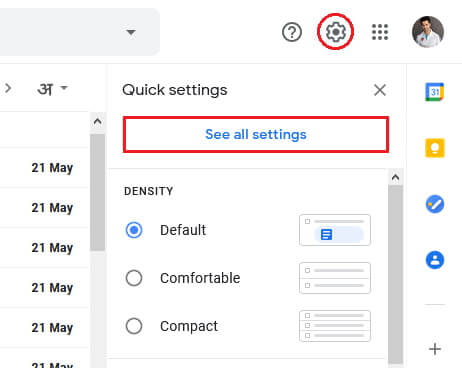
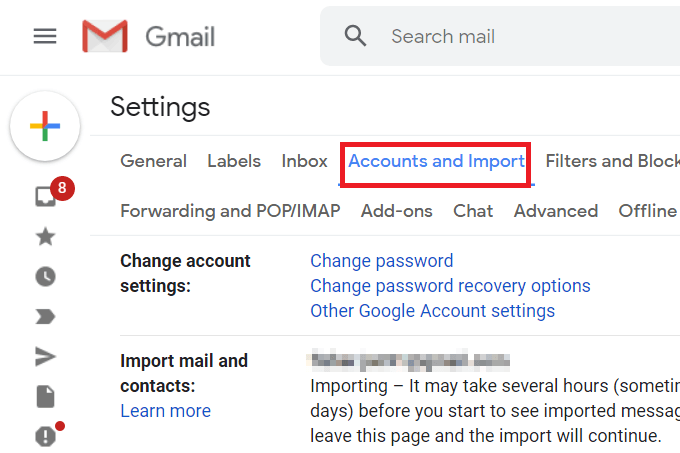
Step 2. Now, click on the Accounts and Import tab in the middle of the settings page.
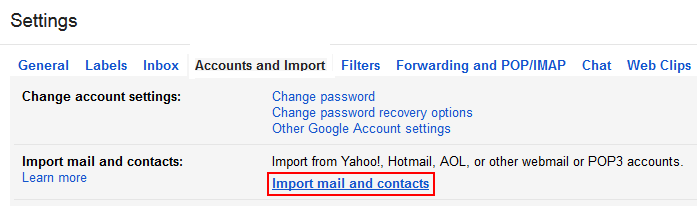
Step 3. Then, scroll down and click on the Import Mail and Contacts section.
Step 4. A pop-up window will appear, enter Sky Mail ID and press the Continue button.
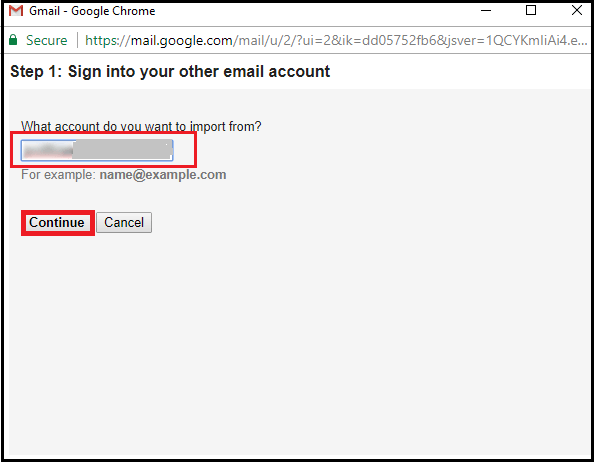
Note: Click on Agree to confirm the migration request by email.
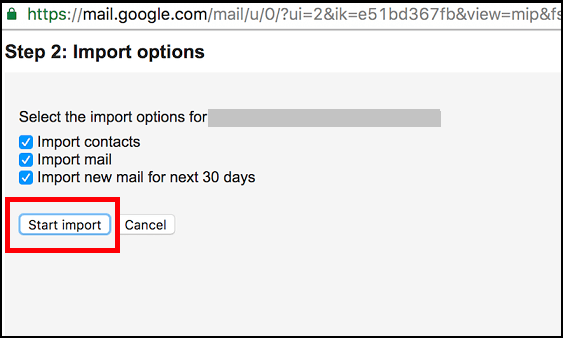
Step 5. Select the items to migrate and click Start Import to begin.
Why is this method not ideal?
- Only imports Inbox emails
- No option to migrate Sent or custom folders
- No filters for selective migration
- Any interruption can stop the process
- Not suitable for large mailboxes
This method is only recommended for users with very few emails and no folder structure.
How to Move Sky Mailbox Folders to Gmail Account Instantly?
If the manual solution fails to transfer emails from Sky Mail to Gmail then you can use Xtraxtor Email Migration Tool. This tool will give you a hassle-free Sky Mail to Gmail migration. With this utility, you can migrate complete mailbox data in a single go. It preserves 100% data integrity and export Sky Mail emails with all key attributes like attachments, hyperlinks, images, and other data items.
Note: A demo version is available to test performance before purchasing.

Steps to Move Sky Emails to Gmail with Attachments
Step 1. Launch Xtraxtor software on your Windows system.
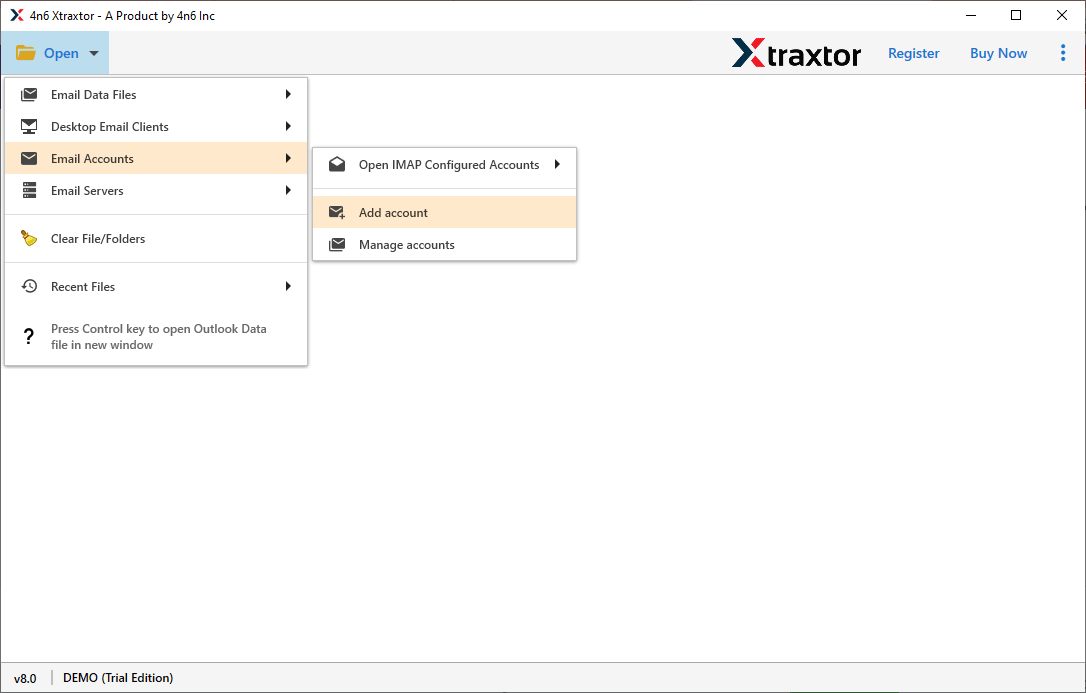
Step 2. Click Open, go to Email Accounts, and select Add Account.
Step 3. Enter your Sky Mail email and password, then click Add.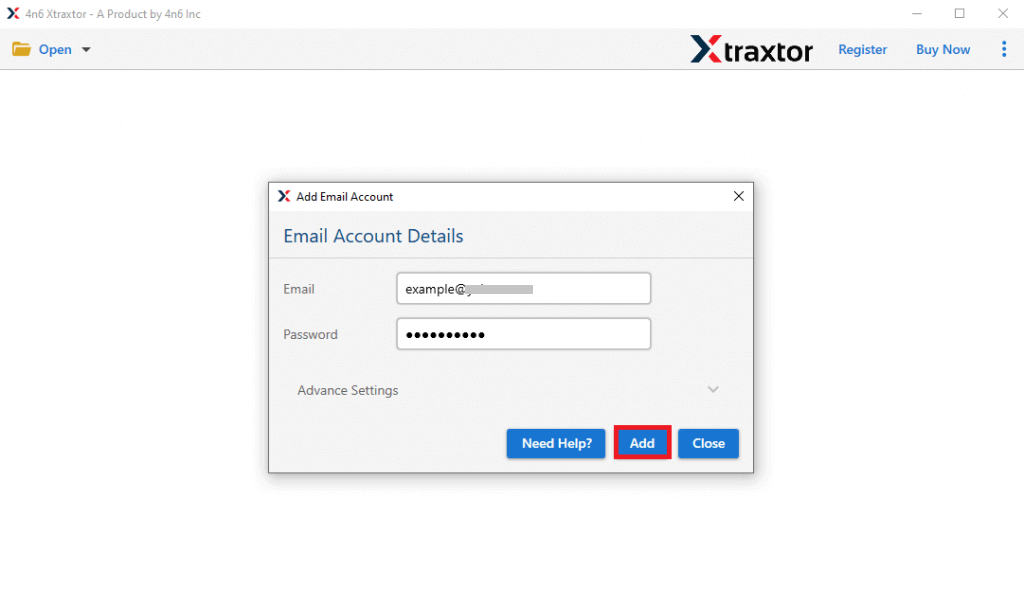
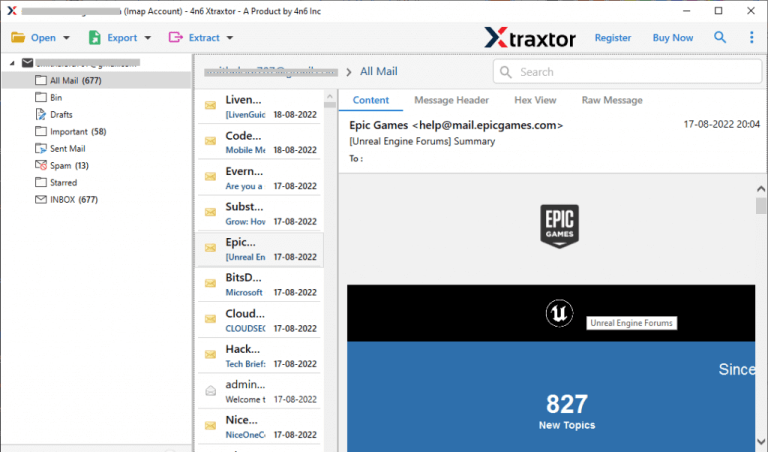
Step 4. Software fetches all mailbox data from Sky Mail to view emails before migrating them.
Step 5. After that, click on Export and choose Gmail from the given options.
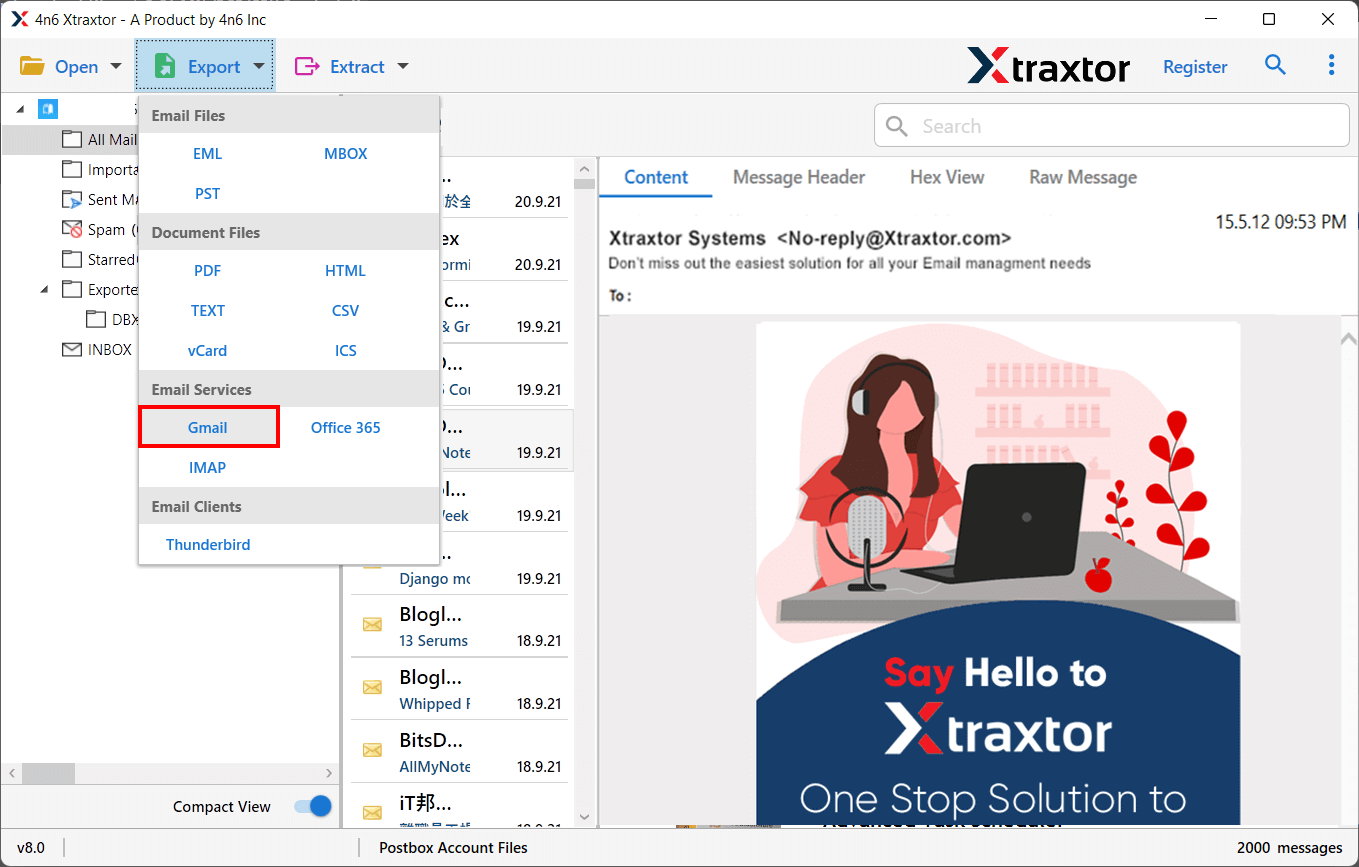
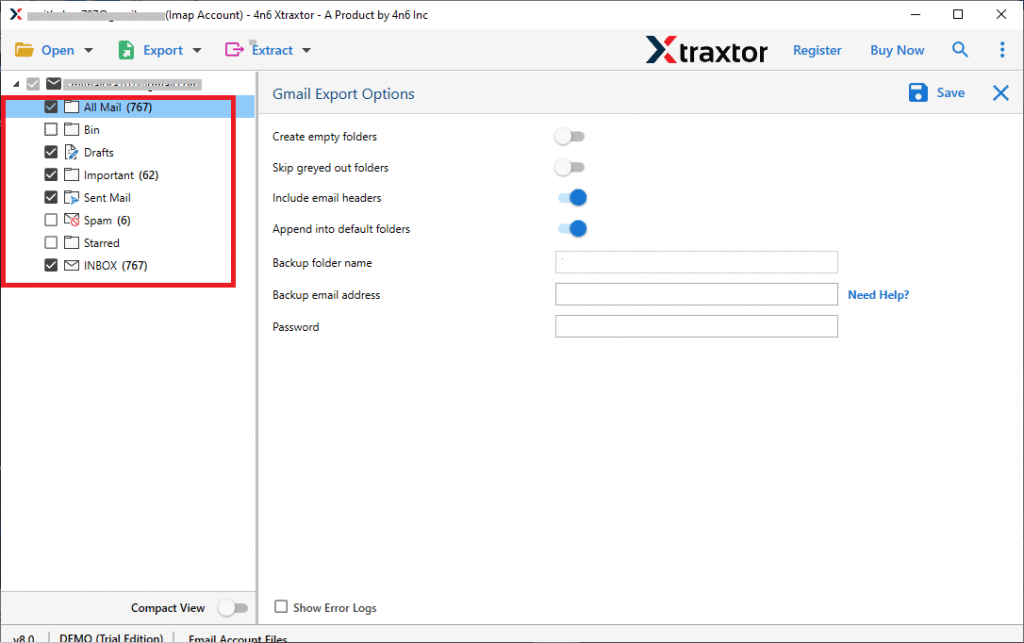
Step 6. Select the email folders and subfolders that you want to transfer.
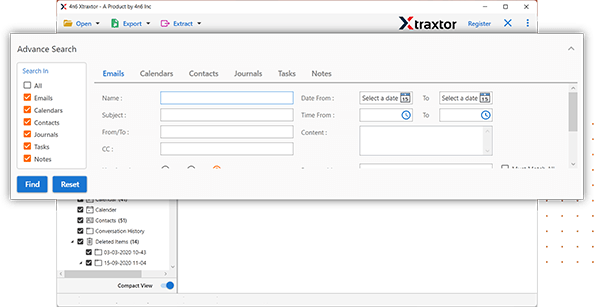
Step 7. If you want to migrate particular emails, then apply the filter options.
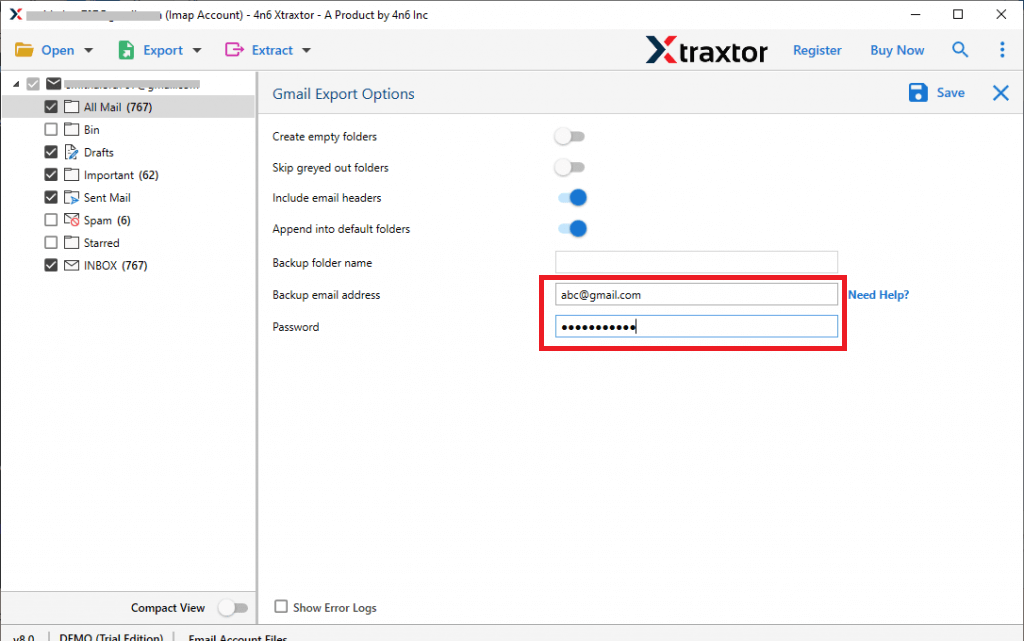
Step 8. Enter the Gmail login details in the respective field.
Step 9. At last, click on the save button to start Sky Mail to Gmail migration process.
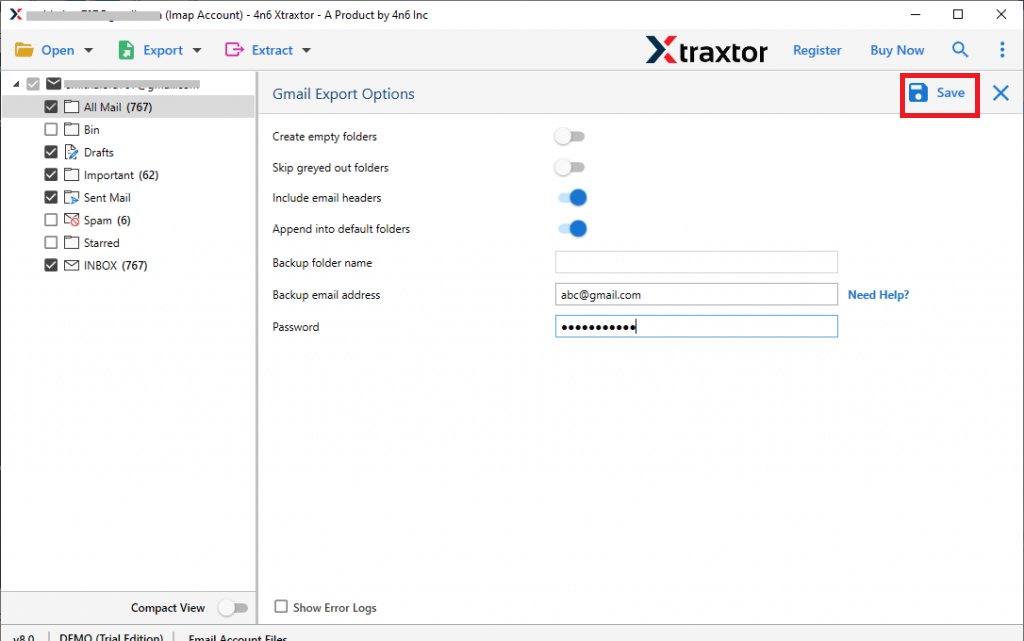
The process is done. Hence, you can migrate emails from Sky Mail to Gmail in a few simple steps.
Main Benefits of Using an Automated Migration Tool
- Xtraxtor Email Migrator can directly export Sky Mail emails to Gmail with complete accuracy.
- It supports the batch migration process to transfer multiple emails from Sky Mail to Gmail at once.
- The software provides many filter options to migrate selectively emails from Sky Mail to Gmail.
- It also provides a preview option to view and select the emails before the migration process.
- There are various options to export Sky Mail emails such as PST, EML, MBOX, PDF, HTML, etc.
- It is a straightforward solution to transfer data from any email account to another email service provider.
- In this application, emails and folders remain in their original format during Sky Mail to Gmail migration.
- Simplified interface helps beginners to migrate emails from Sky Mail to Gmail without any technical training.
- You can run this utility on Win 11, 10, 8.1, 8, and all the below versions without any compatibility issues.
- The dedicated customer support team is available 24*7 to answer users’ doubts related to the product.
Frequently Asked Question
Q1. Does this software transfer emails from Sky Mail to Gmail with attachments?
A- Yes, this application will permit you to import complete data with email attachments.
Q2. Does this application maintain all email properties during Sky Mail to Gmail Migration?
A- Yes, it maintains all email components and attributes during the migration process.
Q3. What are the limitations of the trial version of this Email Migration tool?
A- The demo version allows you to move the first 25 items per folder from Sky Mail to Gmail account.
Conclusion
Now, you know both methods to migrate emails from Sky Mail to Gmail account. The manual method sometimes fails to import Sky Mail email into Gmail. Then you must have the option to use an automated solution and complete the Sky Mail to Gmail migration process without any hassle. The above-suggested tool is able to transfer unlimited emails from Sky Mail to Gmail without losing a single bit of data.
