How to Migrate Emails from cPanel to cPanel Account?

If you want to transfer cPanel to another cPanel, you need to arrange everything first. So that you don’t lose access to your valuable data when you transfer a cPanel account to a new account. But why do people need to migrate emails from cPanel to cPanel in the first place?
Emails are an important part of daily communication, especially for businesses. They are used for client discussions, internal coordination, order details, and customer support. Many important records and conversations are stored in email mailboxes, so it is very crucial for anyone using an email service.
cPanel email accounts are widely used with web hosting services. They allow users to manage domain-based emails easily through webmail and email clients. Over time, these mailboxes store valuable business and personal data.
However, situations like changing hosting providers, upgrading servers, or managing multiple domains often require users to transfer emails from one cPanel account to another. In such cases, migrating cPanel to cPanel becomes necessary to move all emails, folders, and attachments safely without disrupting email access.
How to Migrate Emails from cPanel to cPanel Manually?
You can manually transfer emails from one cPanel to another cPanel by exporting your data and then simply importing it into another cPanel account.
Follow the given instructions –
Step 1: Export Emails from the Source cPanel Account
- Log in to the cPanel account from which you want to migrate emails.
- Open File Manager to access all files and folders.
- Find the Mail folder, right-click on it, and select Compress to create a ZIP file containing all emails.
- Download the ZIP file to your system.
Step 2: Import Emails to the Destination cPanel Account
- Log in to the cPanel account where you want to transfer emails.
- Open File Manager and click on the Upload option.
- Select and upload the ZIP file downloaded in Step 1.
- Once uploaded, right-click on the ZIP file and select Extract to unpack the emails into the home directory.
Hence, you can manually migrate emails from cPanel to cPanel. However, there are a few limitations with this manual migration process, some common ones are –
- If you have many emails, compressing them can take a long time.
- There is a higher risk of losing data during the migration.
- Non-technical users may find it difficult to transfer emails from one cPanel to another.
How to Transfer cPanel Account to Another cPanel Automatically?
Download and run Xtraxtor on your Windows and complete the cPanel to another cPanel migration. Most importantly, while migrating emails, there will be no data loss. It is a completely safe and secure solution that does not save the personal details of your account. All you need to do is enter your credentials and choose IMAP as an export option. After that, you need to enter your other cPanel login details and start the process.
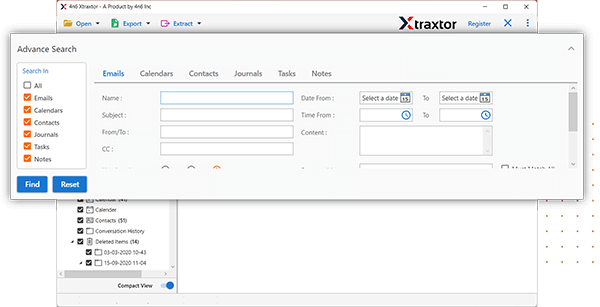
In addition, the tool has various filters like to, from, cc, bcc, name, date, time, etc., to migrate selective emails. It will also maintain your mailbox hierarchy while migrating your emails.
Try out the demo version of the software and analyse its working process.


Steps to Migrate Emails from cPanel to cPanel Account
- Launch the Xtraxtor software on your system.
- Now, click on Open >> Email Accounts >> Add Account.
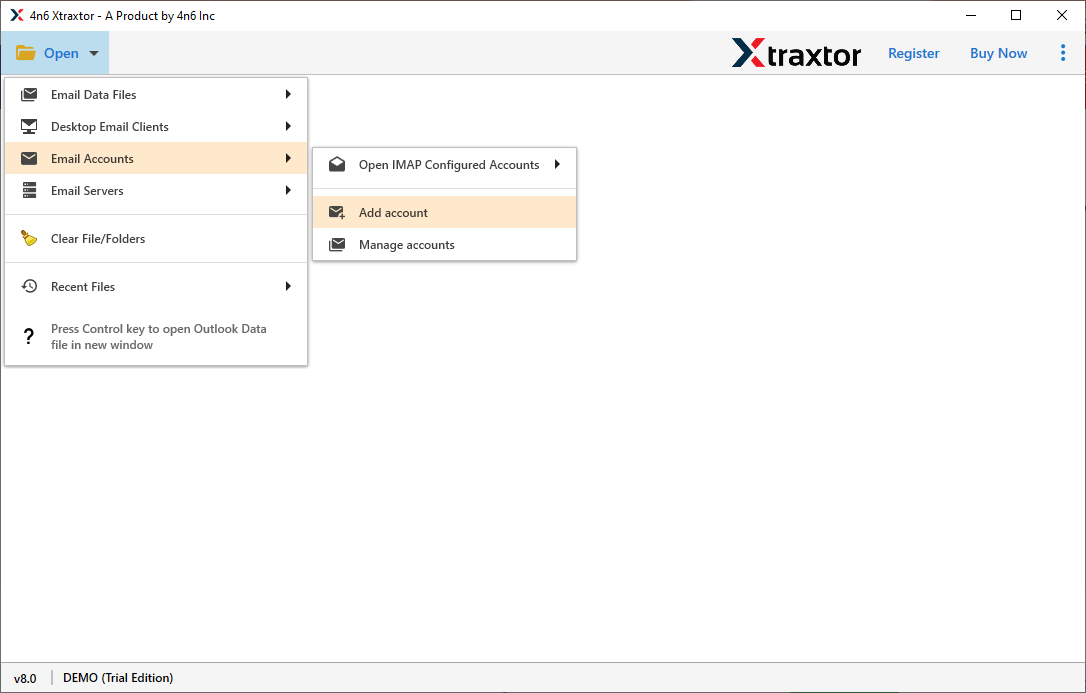
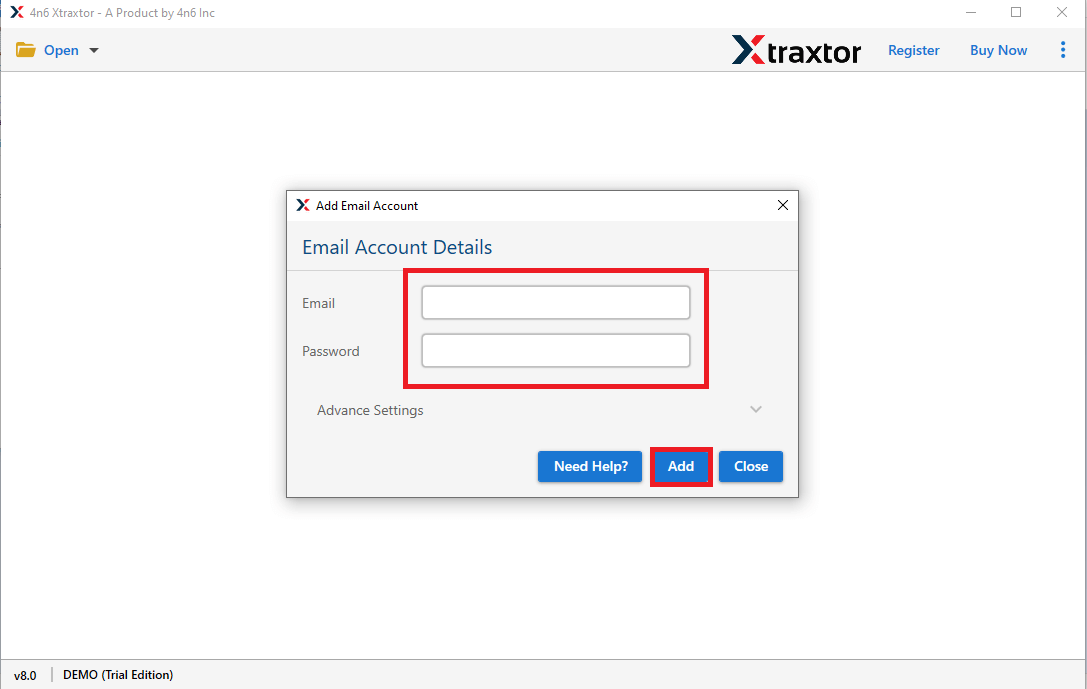
- Enter the login details of source cPanel account and then press Add button.
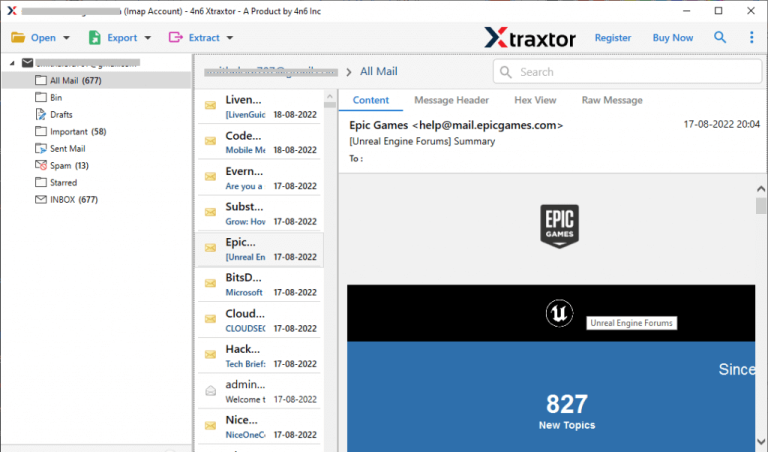
- Here, you can view all emails before moving them to another cPanel account.
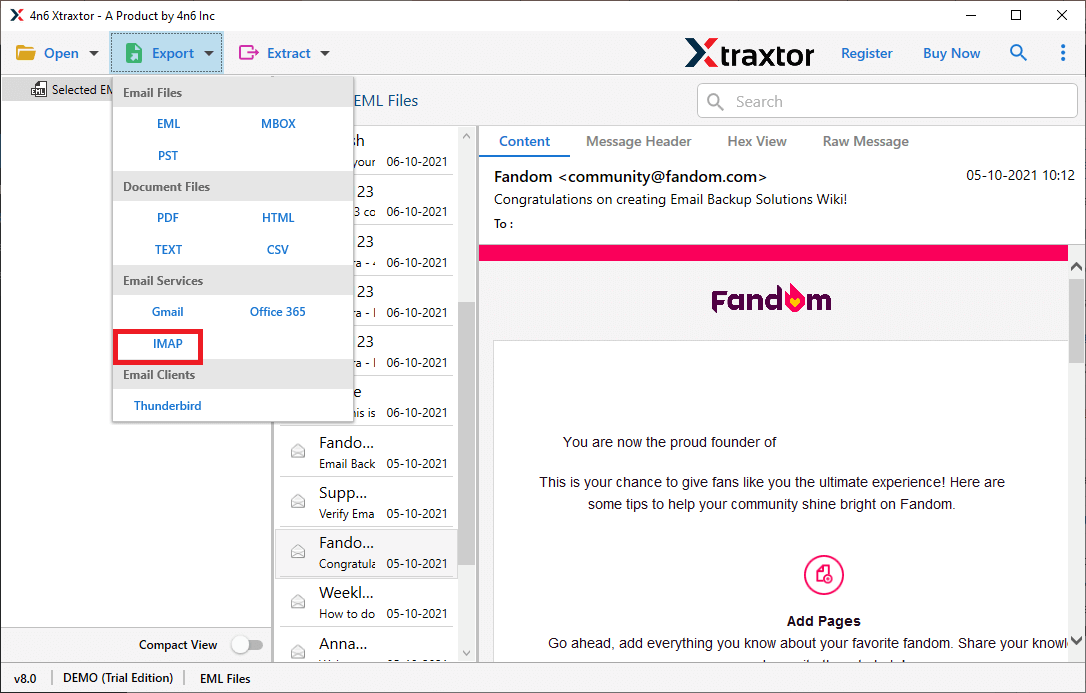
- After that, Go to Export and select IMAP option from the given list.
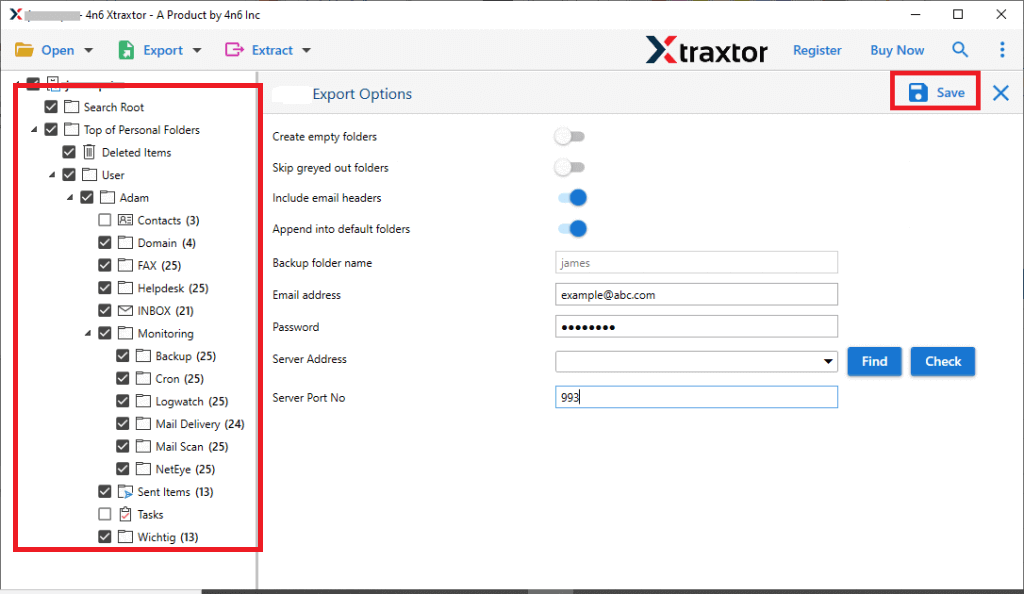
- Choose the email folders that you want to migrate from cPanel to cPanel.
- If you want to export specific emails then apply the filters.
- Finally, enter the login details of destination cPanel account and then hit the Save button.
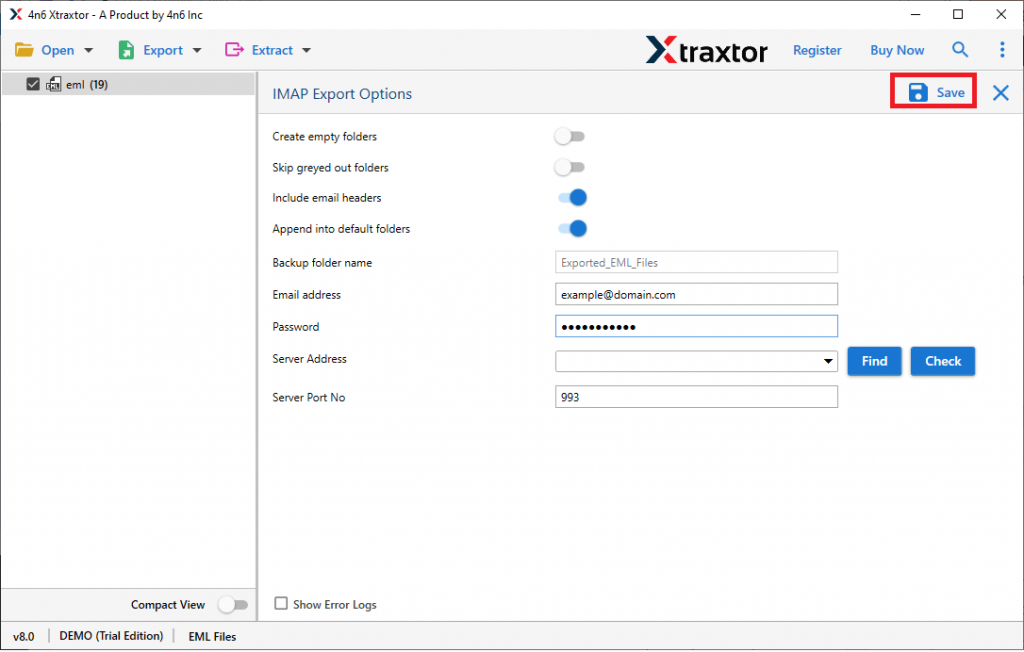
The process is complete! Hence, you can easily migrate emails from cPanel to cPanel in a few seconds.
Why Automated Migration Is Better Than Manual Transfer
There are many reasons to choose this software because it provides many advanced features which are given below-
- Direct Migration: In this application, you do not need to install any external application for cPanel to cPanel migration. Just enter the login credentials of source email account and go to export to choose the destination account.
- Bulk Importing: The software can import cPanel email to cPanel in bulk. There are no limitations on number of emails. It can export unlimited emails in single go without any data loss.
- Cloud Migration: The tool can also migrate cPanel email to Gmail, and many other email accounts.
- Selective Email Migration: The tool provides various advanced filter options such as to, from, date, time, cc, bcc, etc. If you do not want to migrate all emails then filters help you. Using these filters you can migrate emails based on Date Range, Sender, Recipient, etc.
- Preserves Email Elements: During cPanel to cPanel migration, the tool preserves all email attributes. It preserves metadata properties, as well as attachments, inline images, hyperlinks, and even the original folder structure.
- Export cPanel Email to Multiple File Formats: The tool enables you to save cPanel emails to various file formats such as you can export cPanel email to PST, EML, MBOX, PDF, and many other document and email file formats.
- Migrate cPanel Emails with Attachments: In addition to moving cPanel emails to cPanel, the software allows for the seamless transfer associated with attachments. It also includes the separate option to extract attachments.
- Vast compatibility: There is no compatibility issue with this utility. You can run this application on any Windows based system including Win 11, 10, and all below editions.
Frequently Asked Questions
Q1. Can I migrate complete mailbox folders at once with this utility?
Ans- Yes, you can easily transfer the mailb0x folder in a single click.
Q2. What are the trial limitations of the demo version?
Ans- You can migrate the first 25 emails per folder from cPanel to cPanel.
Q3. Can I run this software on my Mac system?
Ans- No, it is only a Windows-supported utility.
Q4. Can I migrate emails from cPanel to another email service like Gmail or Office 365?
Ans. Yes, the software also transfers emails from cPanel to Office 365, Yahoo Mail, Yandex, and many other webmail accounts.
Wrapping Up
It can be difficult to Migrate emails from cPanel to cPanel can seem difficult, but following the right steps makes it easier. We have shared both manual and automated methods to help you choose the best option. The manual method works well for small email accounts but can be time-consuming for larger ones. If you have a large number of emails, using an automated tool is the best way to transfer them quickly and without errors.
Make sure your domain settings and email setup stay the same to avoid problems with email access after migration. If you have any issues, reach out to your hosting provider for help
