How to Export Rackspace Emails to PDF Files?

If you use Rackspace Email for business or personal communication, managing long-term email data can become challenging. Many users want to export Rackspace emails to PDF files so they can access them offline, free up mailbox storage, or keep records for compliance and documentation.
Since Rackspace does not provide a built-in option to export emails directly to PDF, users often look for a safe and bulk solution. This guide explains why exporting Rackspace emails to PDF is useful and shows the most reliable way to do it without data loss.
When Should You Export Rackspace Emails to PDF?
Users usually convert Rackspace emails to PDF in these situations:
- Your Rackspace mailbox storage is almost full
- You need offline access to important emails
- Emails must be stored for legal, audit, or compliance reasons
- You want a long-term, readable backup
- Emails need to be shared without exposing login credentials
PDF files are easy to open, hard to modify, and widely accepted, making them ideal for email preservation.
To export Rackspace emails efficiently, using a professional solution is the safest option.
How to Convert Rackspace Emails to PDF File Format?
Use Xtraxtor Email Backup Tool on your Windows system to export emails from Rackspace to PDF Files. The software can directly save Rackspace emails in PDF format in a few simple clicks. Using this utility, you can export Rackspace email to PDF in bulk. There are various email filter options to export selected emails to PDF file. The tool preserves 100% data integrity and export emails in their original format.
You can download its free demo version to check its work efficiency and accuracy.


How to Export Rackspace Emails to PDF Files
- Launch this software on your Windows PC.
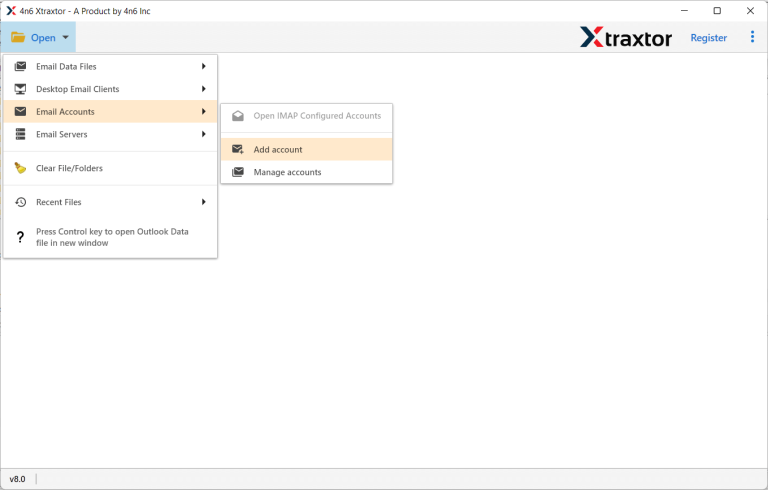
- After that, Navigate to Open >> Email Accounts >> Add Account.
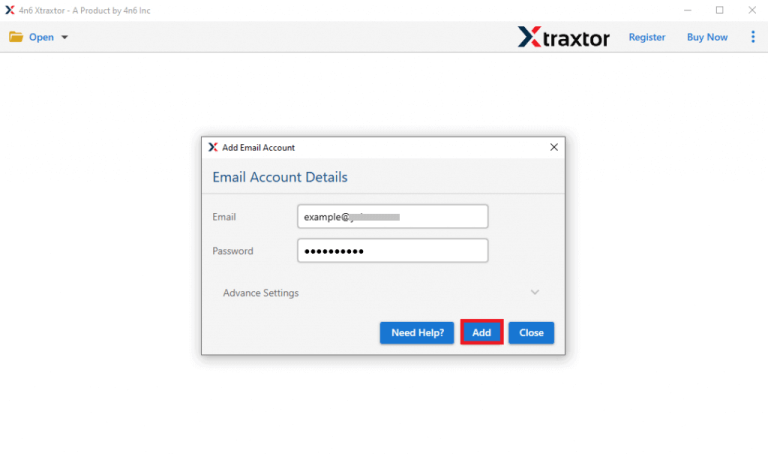
- Enter Rackspace Email Address and Password and then press the Add button.
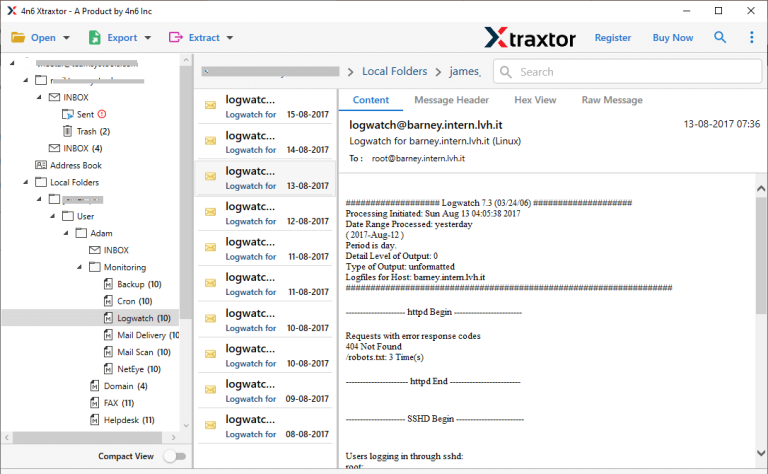
- Here, you can view Rackspace emails before exporting them to PDF.
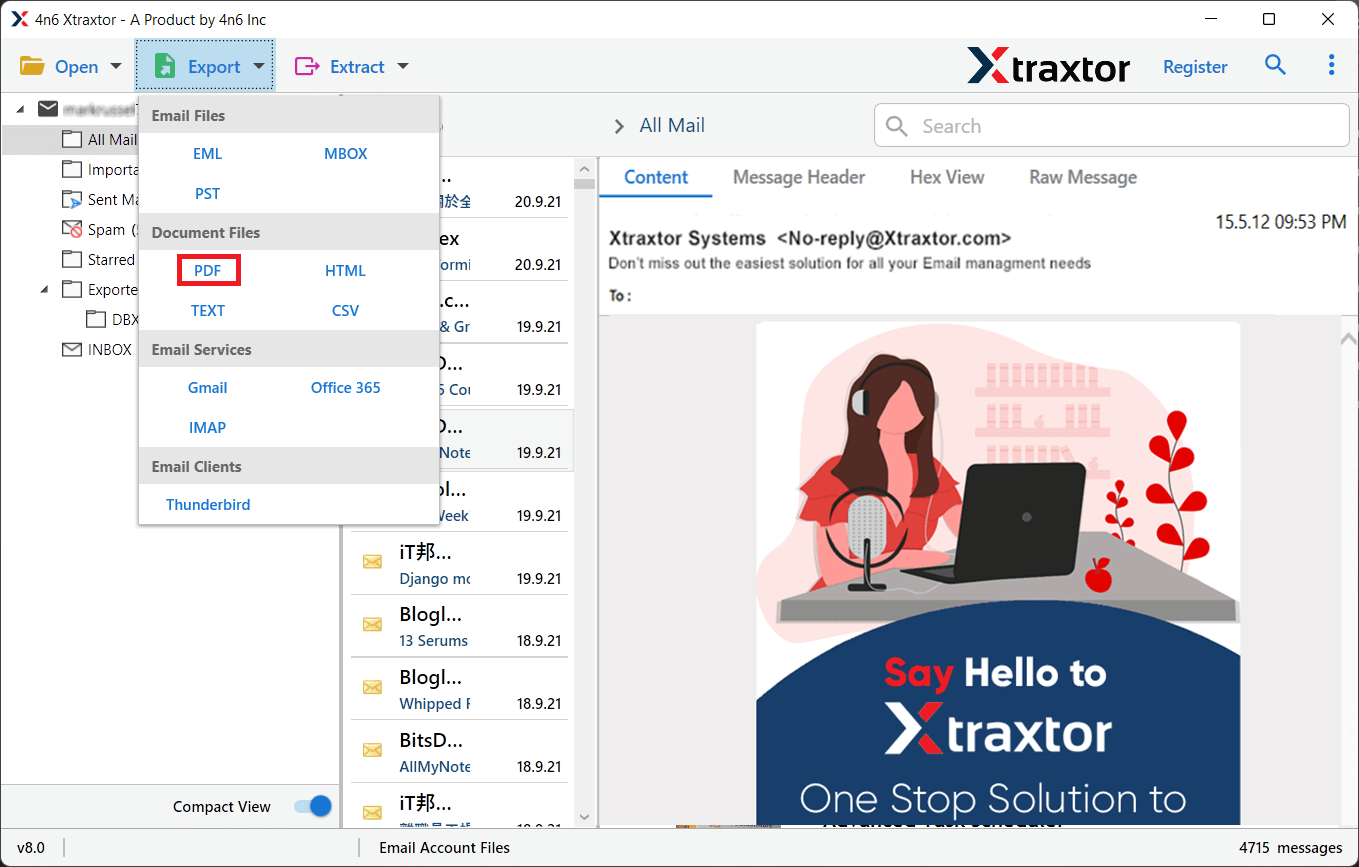
- After that, Click on Export and Select PDF from the given options.
- Choose Rackspace Email folders and subfolders that you want to save in PDF file format.
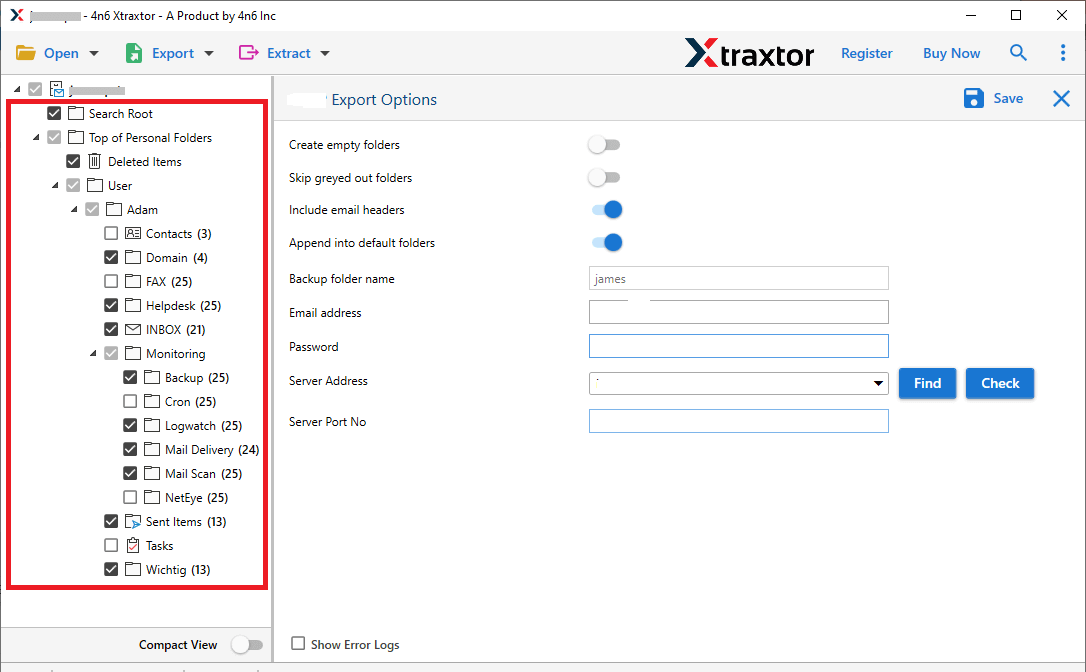
- Apply the Filters to convert selected emails from Rackspace to PDF.

- Click on Browse to set the Destination location and then press the Save button to start exporting process.
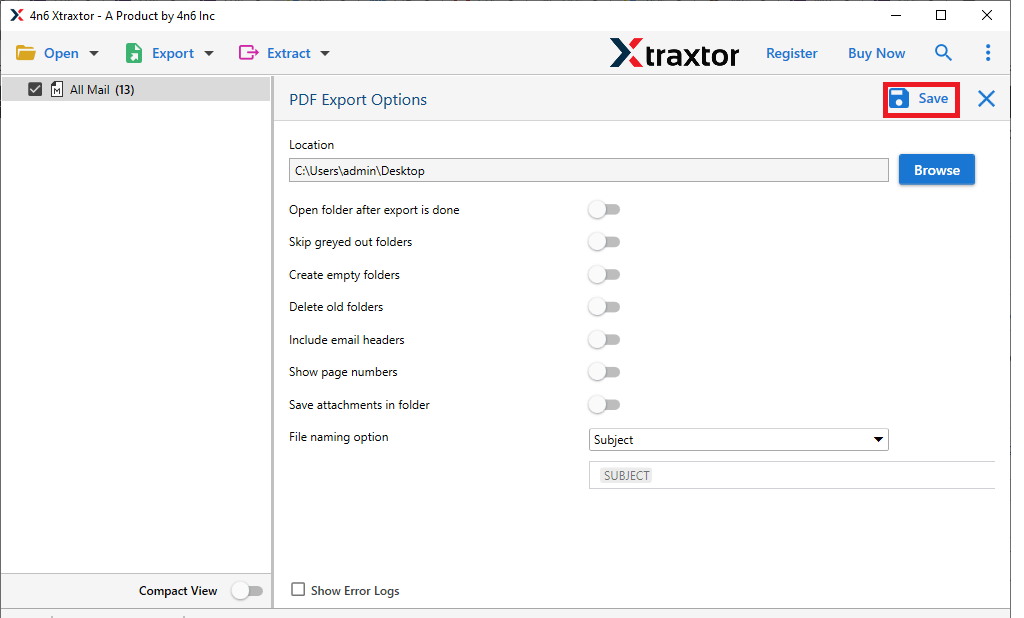
The process is complete. Hence, you can easily export emails from Rackspace to PDF files in a few simple clicks.
Read More: How to Backup Rackspace Email Account?
Highlighted Features of Xtraxtor Rackspace to PDF Converter Tool
The software has many benefits which help users to save Rackspace emails in PDF format in a simple manner. Some of them are-
- The tool can directly convert emails from Rackspace to PDF file format without installing any external applications.
- It preserves 100% data integrity and export emails with all metadata properties and key attributes.
- It maintains the folder hierarchy and structure of emails during and after the process.
- Using this tool, you can export emails from Rackspace to MBOX, PST, PDF, EML, HTML, etc.
- It also provides a preview option to view Rackspace emails before exporting them.
- The tool can transfer emails from Rackspace to Office 365, Yahoo Mail, Gmail, Hotmail, etc.
- The software can export Rackspace email to PDF with attachments.
- With this application, you can export emails from Rackspace to PDF files according to data, time, to, from, etc.
- Any novice user can easily convert Rackspace email to PDF without in-depth technical knowledge.
- It is compatible with all latest and old versions of the Windows Operating System.
- A free demo version is available to save the first 25 emails per folder free of cost.
- The dedicated customer support team is available 24*7 to solve user’s doubts related to the product.
FAQs- Xtraxtor Rackspace to PDF Converter Tool
Q1. Can I export Rackspace email to TXT format with this utility?
Ans- Yes, The tool can export Rackspace to TXT, PST, PDF, MBOX, EML, and 10+ file formats.
Q2. Is it possible to convert Rackspace emails to PDF from Jan 2020 to Dec 2022?
Ans- Yes, the software can easily save emails between Jan 2020- Dec 2022 using date filters.
Q3. Can I run this application on my Windows 11 device?
Ans- Yes, the tool is fully compatible with all versions of Win OS including Windows 11.
Summing Up
In this post, we have discussed how to export emails from Rackspace to PDF files. Here, we have mentioned an easy and secure solution to complete the process in a simple manner. The software can directly convert Rackspace emails to PDF files with attachments. It can save emails in their original format without losing a single bit of data.
Try the free demo version to complete the Rackspace to PDF conversion process without any restrictions.
