How to Extract Email Header from EML File?

In this blog, you will discover how you can simply extract email header from EML file. There are plenty of users who were asking this same query and looking for the best solution get email header from EML files in bulk.
An EML file is a single email message file that stores complete email data including subject, sender, receiver, date, attachments, and full message header. The email header contains important technical details like sender IP, routing path, and authentication results.
Sometimes, users only need header information and not the entire email content. But extracting headers manually from multiple EML files can be difficult and time-consuming.
Why Extract Email Header from EML File?
There are many reasons why users want to view or extract email headers:
- Verify sender identity: Check whether the email is coming from a real sender or a fake address
- Detect spam or phishing emails: Identify suspicious emails that may try to steal your data
- Track email delivery path: See how the email traveled from sender to receiver through different servers
- Troubleshoot email issues: Find out why an email was delayed, failed, or not delivered
- Analyze email security details: Check authentication results like SPF, DKIM, and DMARC
- Investigate email fraud or scams: Useful in cybercrime or legal investigations
- Find sender IP address: Helps identify the original source of the email
- Check email authenticity in business communication: Important for official and client emails
- Understand technical email data: Helpful for IT admins and support teams
- Monitor email server performance: Analyze delays or routing problems
How to Get Email Header from EML File Automatically?
Just download and try Xtraxtor software to extract email header from EML file. You can use this software without any issues, as it is very simple and easy to use. This software helps you open and read EML files without needing any email app. Once you upload your EML files, the tool quickly scans them and shows complete email details, including the full message header.
You can easily view information like sender, receiver, IP address, routing path, and other technical details in one place. It also allows you to process multiple EML files at once. The best part is that it keeps all original data unchanged and provides accurate results without any complexity. So, it will be useful for both beginners and professionals.
Get started with the free version to understand its functionality.

Steps to Extract Email Header from EML File
Follow these simple steps:
Step 1. Download and install the software on your computer.
Step 2. Launch the tool and click on Open >> Email Data Files >> EML Files.
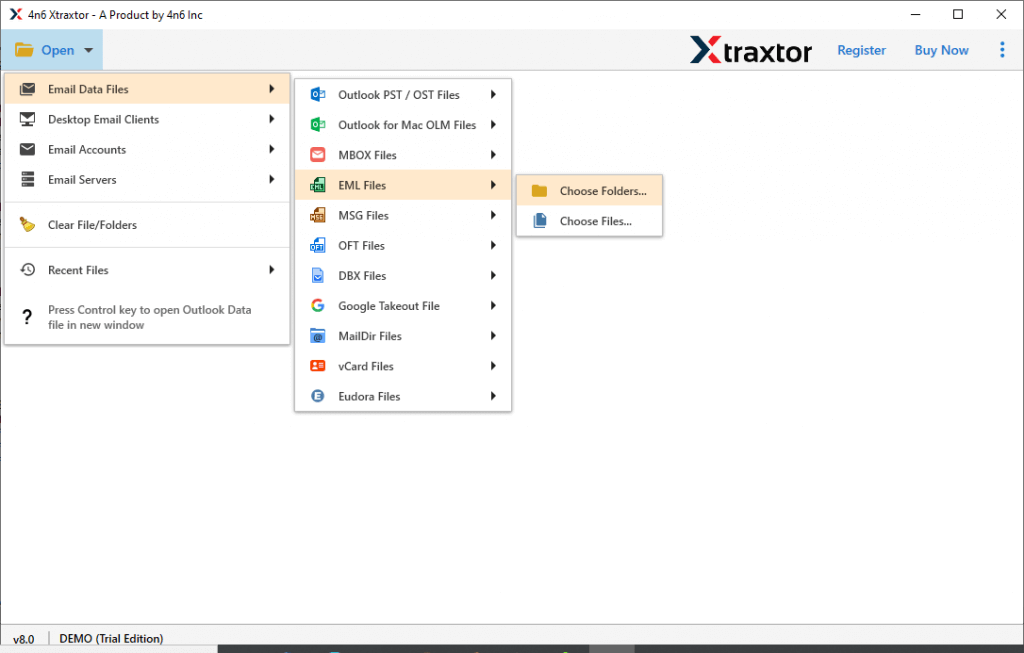
Step 3. Browse and select your EML files or folder.
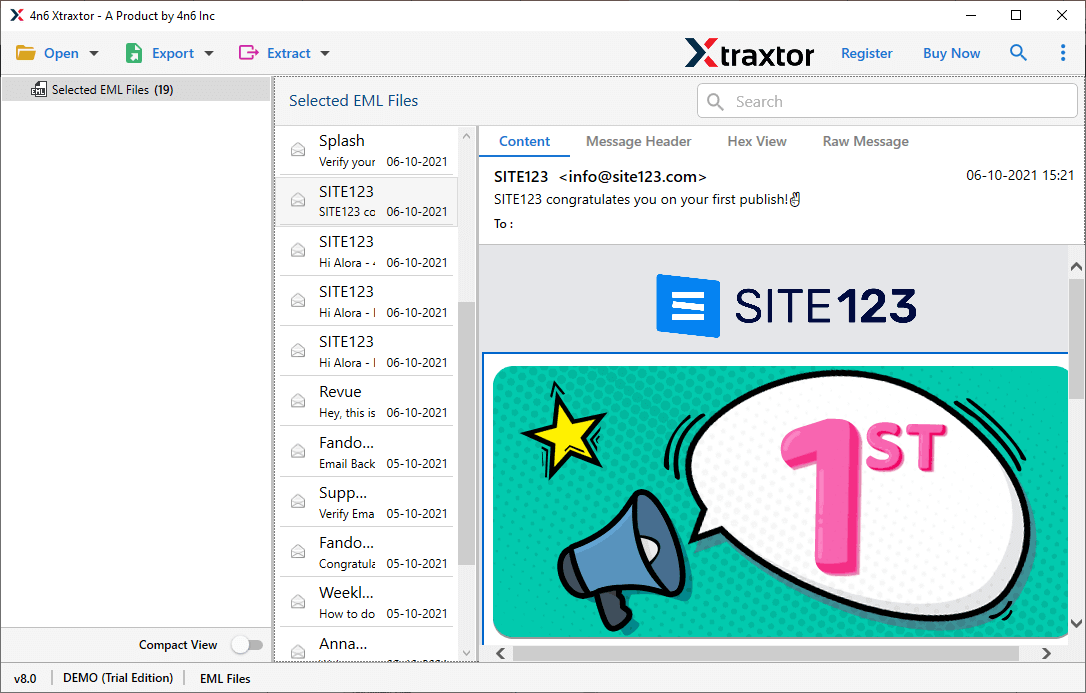
Step 4. Click on any file to preview its content.
Step 5. Choose the Message Header view option to see full header details.
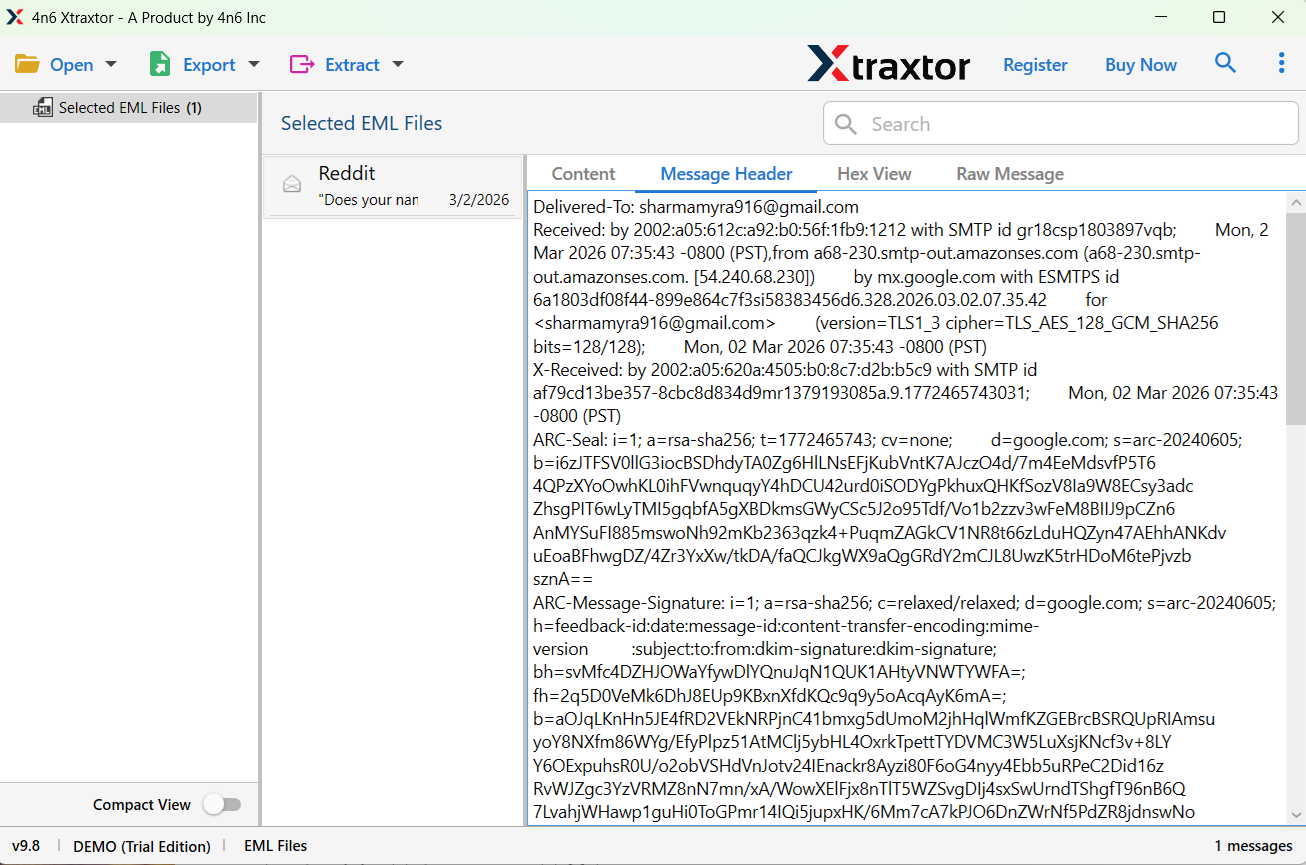
Step 6. Copy the header data and save it into Notepad or any text file if needed.
Done! You can now easily view and extract email headers from EML files.
Here are some useful features of this tool:
- You can extract headers from multiple EML files at once without any limitation.
- The software shows complete header information including sender, routing path, IP address, and more.
- You don’t need to install any email application like Outlook or Thunderbird.
- The tool can handle large EML files and folders without any issues.
- All header information remains original and unchanged during the process.
- The tool is easy to use, even for beginners.
- You can try the software for free before purchasing.
- The software supports all major Windows versions including Windows 11, 10, 8, and 7.
- The software keeps the original folder hierarchy intact while processing EML files.
The Last Lines
Extracting email header from EML files becomes easy when you use the right solution. Manual methods are slow and not suitable for multiple files. With the help of a professional tool, you can quickly view and extract complete email header details without any hassle. Try the free version and see how easily you can manage your EML files.
