How to Export Yahoo Mail to PDF (Complete Guide)

Many Yahoo Mail users want to save their important emails as PDF files. PDF format is easy to open, share, and store safely on any device. It also helps users keep a permanent copy of emails for future use. People usually export Yahoo Mail to PDF for reasons such as email backup, legal or business records, and offline access when the internet is not available. PDF files also keep the email layout and content unchanged.
Why Export Yahoo Mail to PDF Documents? Explore Benefits!
There are many reasons why users prefer saving Yahoo emails as PDF files:
- Secure Email Backup: PDF files help keep a safe copy of important emails.
- Offline Access: You can read emails anytime without an internet connection.
- Legal and Business Records: PDF files are widely accepted for legal and official use.
- Easy Sharing: PDFs can be shared easily with others.
- Preserve Formatting: Email layout, images, and text remain the same.
Talking about the methods, Yahoo Mail does not provide a direct way to export emails into PDF format. However, users can manually save a single email one by one using the Ctrl + P (Print) option. This method is not suitable for exporting multiple emails.
To make this process easier, we will also introduce an easy-to-use solution. It helps users export Yahoo emails to PDF format quickly without losing any data or formatting.
So, let’s get started.
How to Save Yahoo Email as PDFs Manually?
Yahoo Mail provides a basic option to save individual emails as PDFs using the print feature.
- Log in to your Yahoo Mail account.
- Open the email you want to save.
- Click the Print option.
- Choose Save as PDF.
- Select a location and save the file.
Points to Remember:
- You can save only one email at a time
- No option to export emails in bulk
- Attachments are not saved separately
- Time-consuming for large mailboxes
Because of these limitations, users prefer an automated solution.
How to Convert Yahoo Emails to PDF Files in Bulk?
Now, try Xtraxtor Yahoo Backup Tool to save multiple Yahoo emails as PDF files. This software helps you to export Yahoo emails to PDF while keeping the original email format and other data. You don’t need any technical skills or manual work. Simply log in, choose the folders you want, select PDF as the output format, and start the conversion.
The tool helps users who want:
- A secure backup of important Yahoo emails
- Offline access to emails anytime
- Legal or business records saved in PDF format
- A way to export multiple emails at once
Click Free Download to evaluate the complete working process.

Steps to Export Yahoo Mail to PDF with Attachments
Step 1. Run the Xtraxtor software on your Windows system.
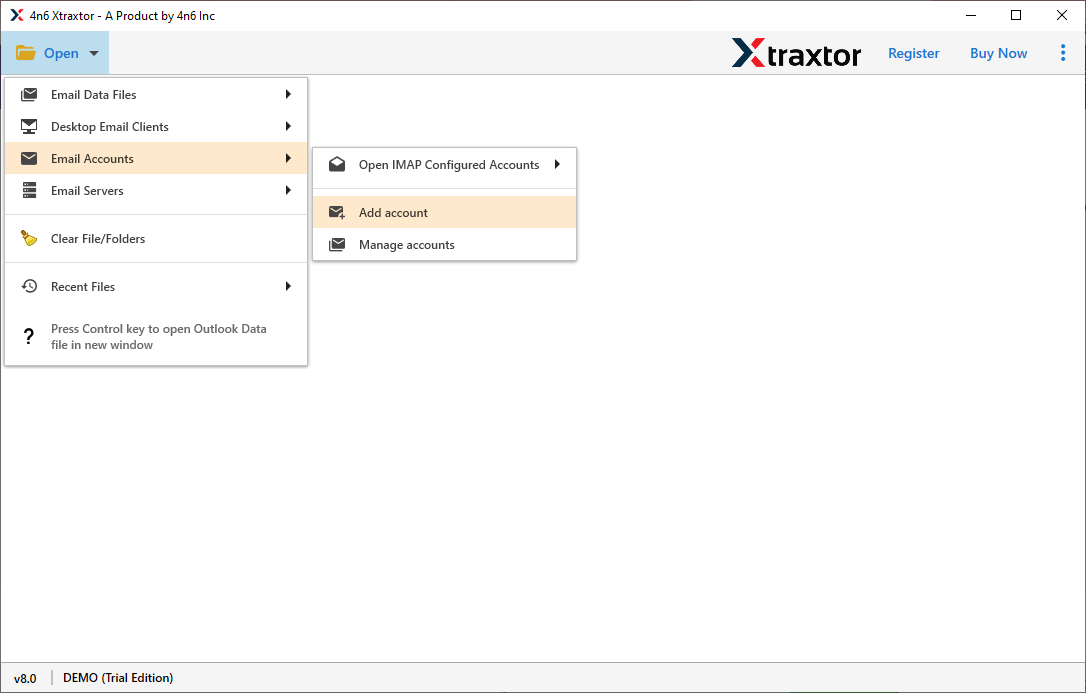
Step 2. Click Open >> Email Accounts >> Add Account option.
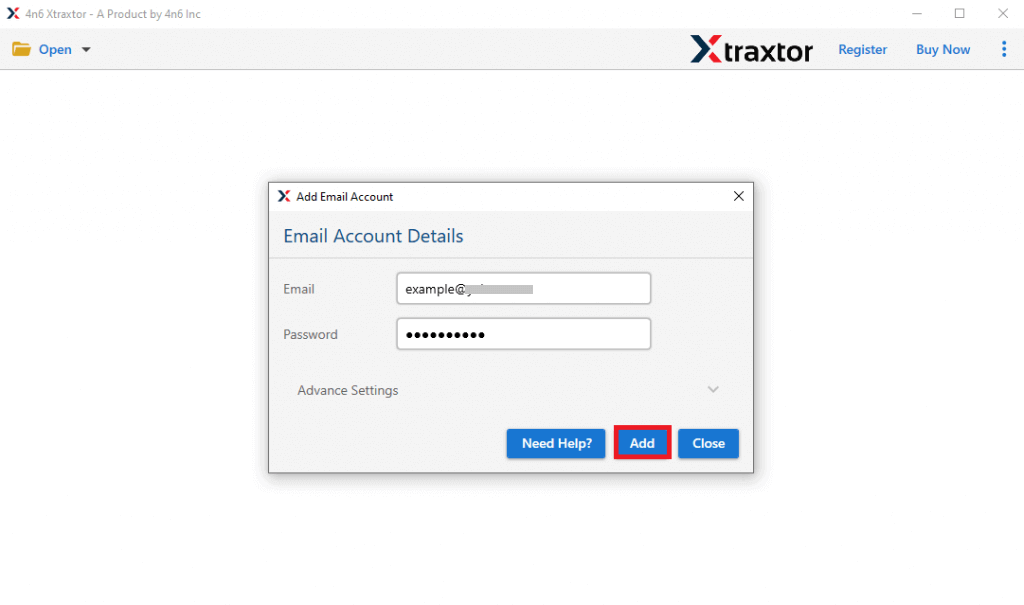
Step 3. Now, provide your Yahoo Mail account login details & click Add.
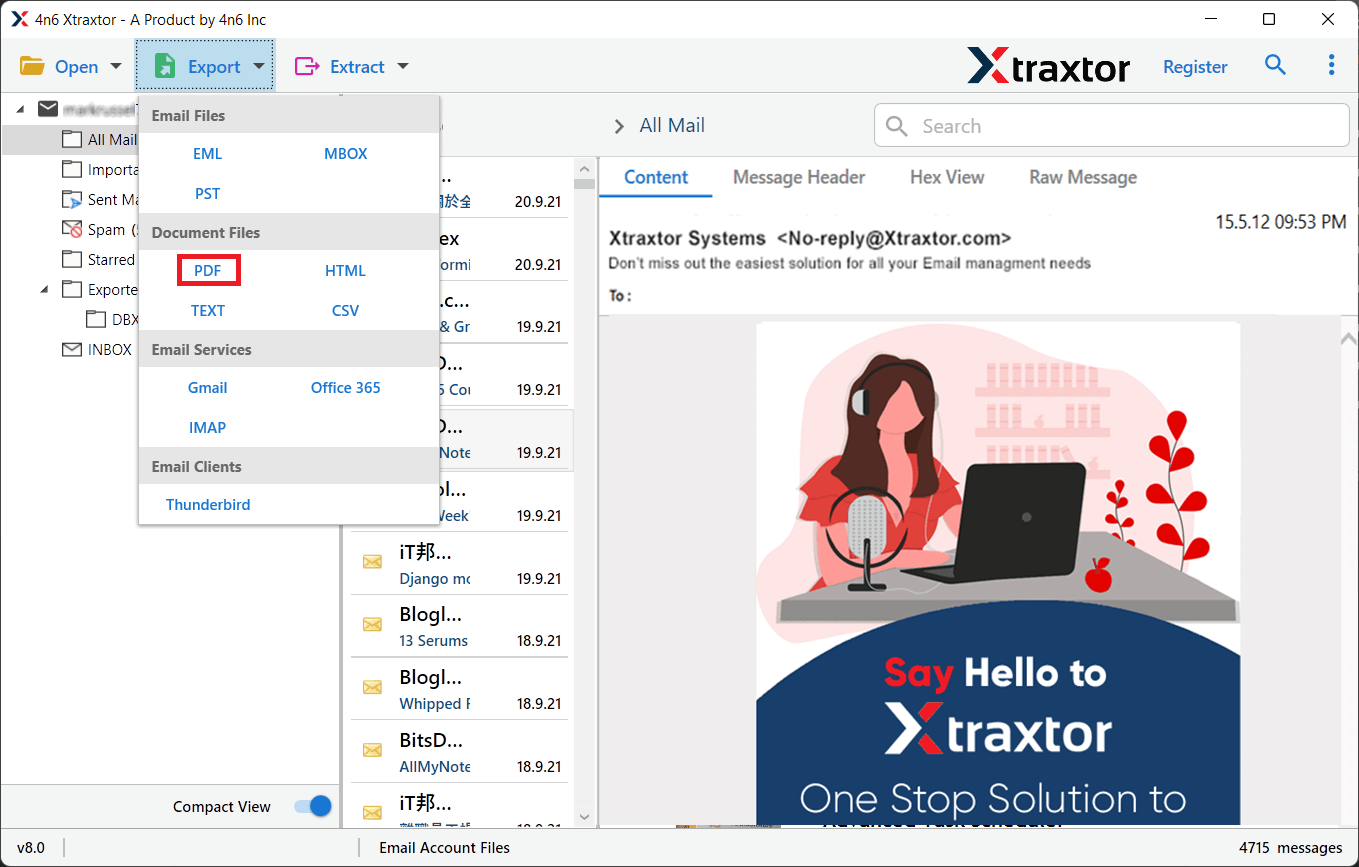
Step 4. Navigate to the Export button and choose a PDF file.
Step 5. Choose the required email folders you want to export.
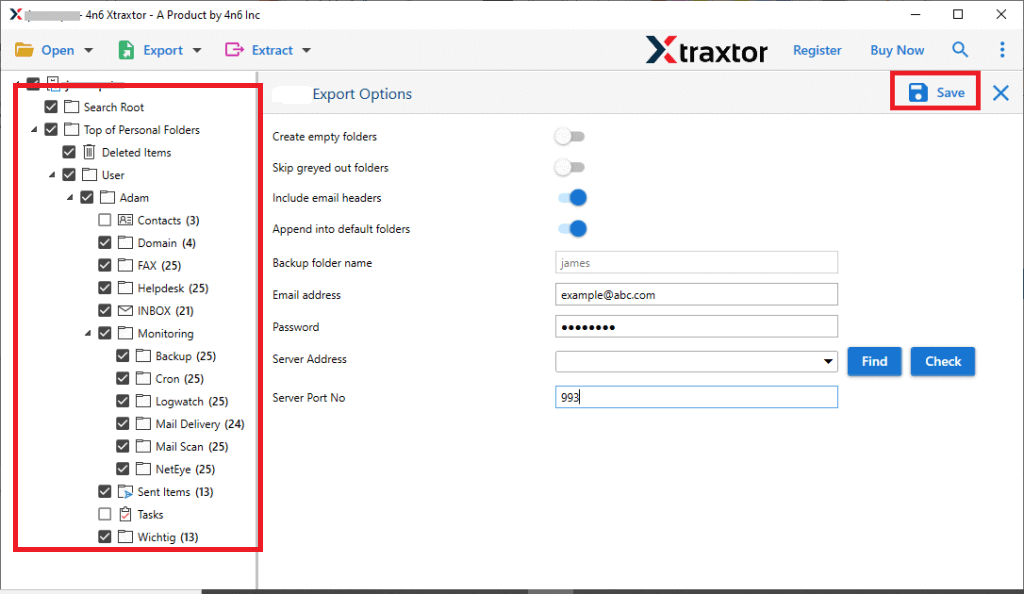
Step 6. Select the needed destination path and click the Save button.
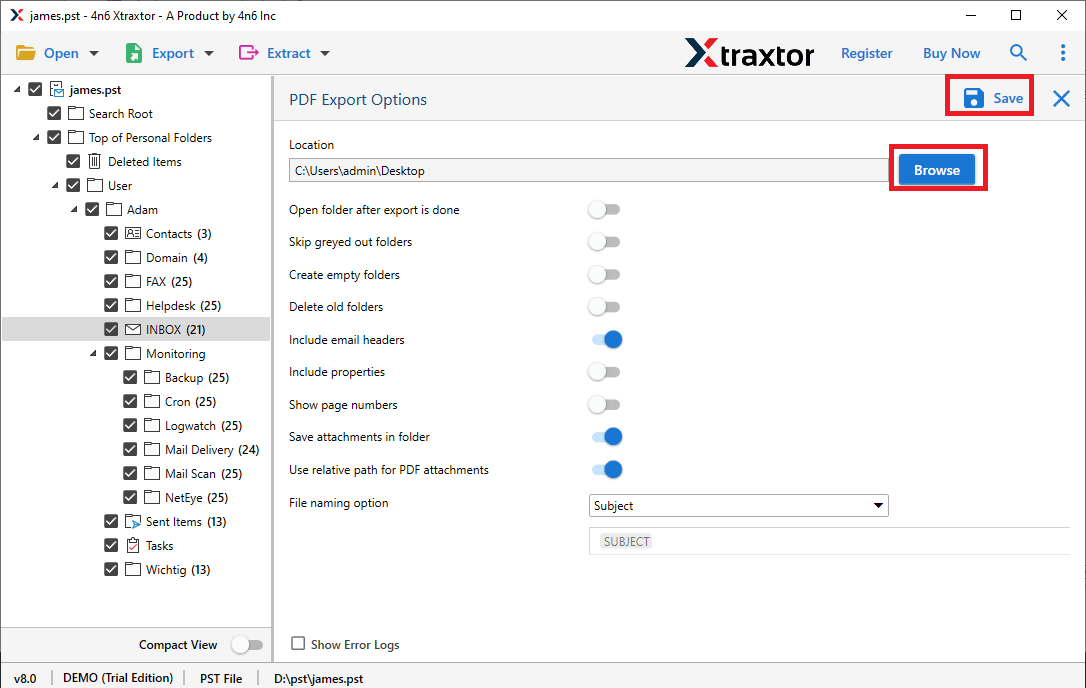
The tool quickly exports Yahoo emails to PDF while keeping all data intact.
Benefits of an Automated Solution
- Export Yahoo Mail emails to PDF in bulk
- Maintains original email formatting
- Saves attachments with or inside PDF files
- Also, export Yahoo Mail to PST, EML, MBOX, etc.
- Supports selective email conversion
- Simple and user-friendly interface
- Compatible with the Windows operating system
Conclusion
Exporting Yahoo Mail emails to PDF is a smart way to keep your important messages safe and accessible. PDF files are easy to open, share, and store on any device. They also help you keep a permanent backup of emails for legal, business, or personal use.
Although Yahoo Mail allows you to save emails as PDF manually, this method works only for single emails and takes a lot of time. If you need to export multiple emails without losing formatting or attachments, using a professional tool is the better choice.
A professional software makes the entire process simple and fast. It helps you export Yahoo Mail to PDF in just a few clicks while keeping the original layout and data intact. Whether you want offline access, secure backup, or easy sharing, this tool offers a reliable solution.
By converting Yahoo Mail emails to PDF, you can manage your important emails better and keep them safe for future use.
