How to Export Roundcube to MBOX File?

Many users are looking for simple solutions to export Roundcube to MBOX file, but don’t know how to do it. This blog guides you step-by-step through the export process and helps you understand how to convert Roundcube to MBOX format.
Let’s start with a quick, short introduction!
Roundcube is a free and open-source web email client for managing email. Sometimes users need to access their emails in different email clients and then look for a solution to convert Roundcube to MBOX format.
MBOX files are a widely used format compatible with many email clients, such as Thunderbird, Windows Live Mail, and Apple Mail.
Is it possible to Export Roundcube to MBOX Manually?
According to the official Roundcube website, users can only download one message at a time. In this case, exporting multiple Roundcube emails at a time has become hard. For this reason, users cannot manually or directly export emails to the .mbox file format. In this case, using an alternative solution is the only way to convert to MBOX, for example, using an MBOX-compatible desktop email client or professional software.
Take a look at the next section and follow the step-by-step process to export multiple files in MBOX format.
How to Convert Roundcube Emails to MBOX Professionally
Since there is no manual soltution is avaiable to export roundcube to mbox file. So, we recommend to use a professional software i.e., Xtraxtor Email Backup Wizard. This solution can convert roundcube emails into mbox files easily. It also preserve email properties while conversion.
Now, click the “FREE Download” button and see how it works.

Steps to Export Roundcube to MBOX
Note: Before you can use this, you need to create your app password in your account.
- Open the Xtraxtor program on your windows home screen.
- Click the “Open” button to select the account option.

- Choose Email Account and select Add Account Option.
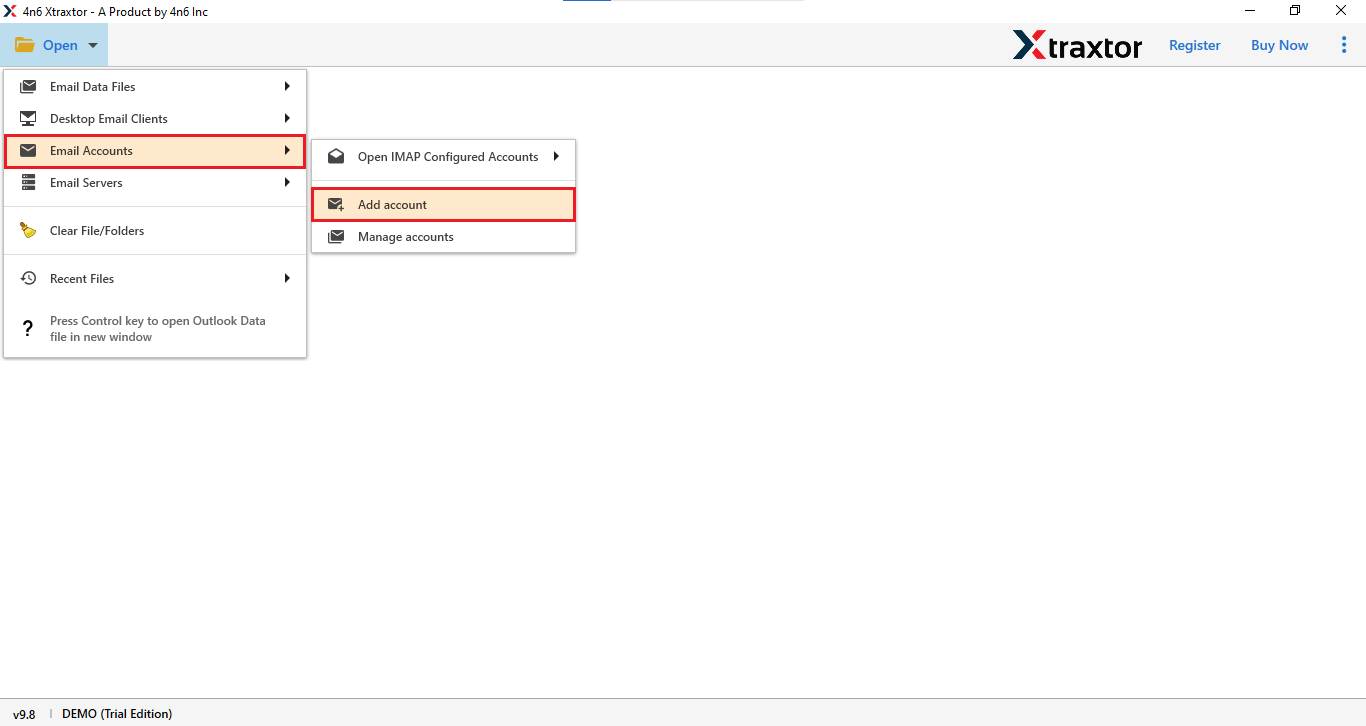
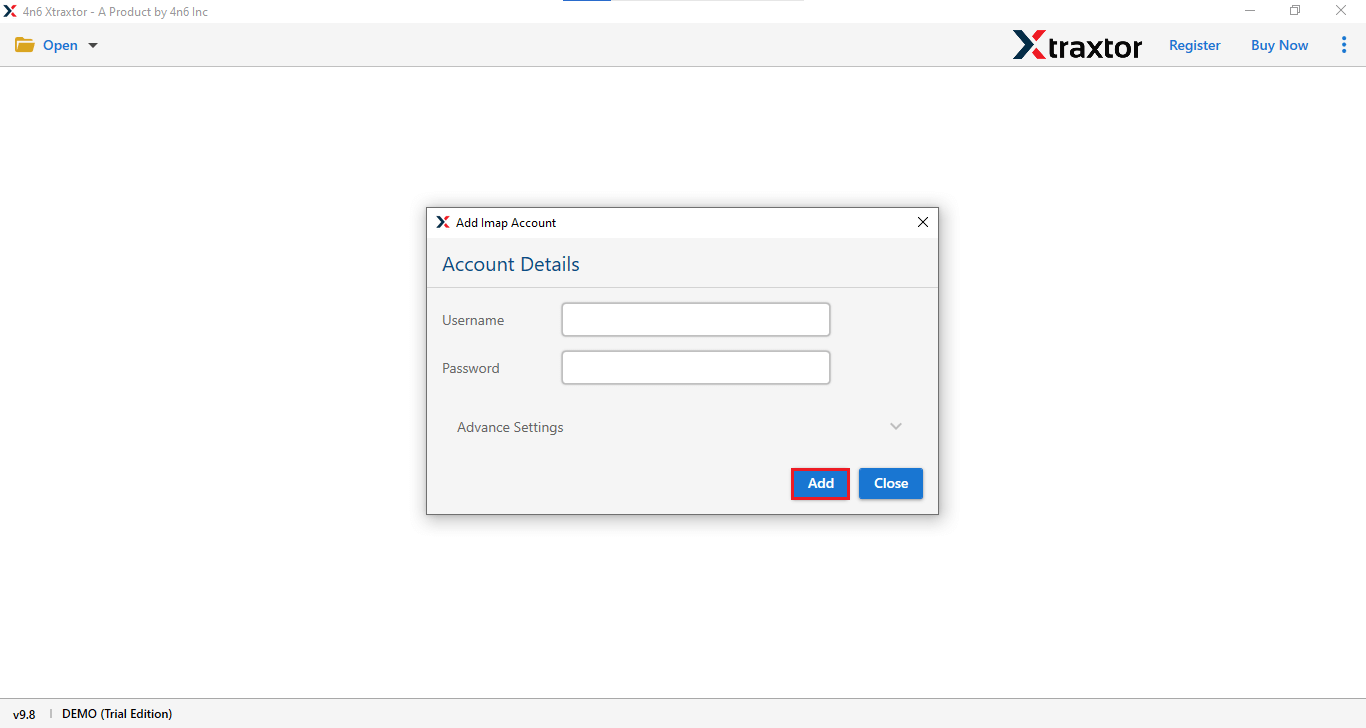
- Enter your user ID and password and click the “Add” button to add your account.
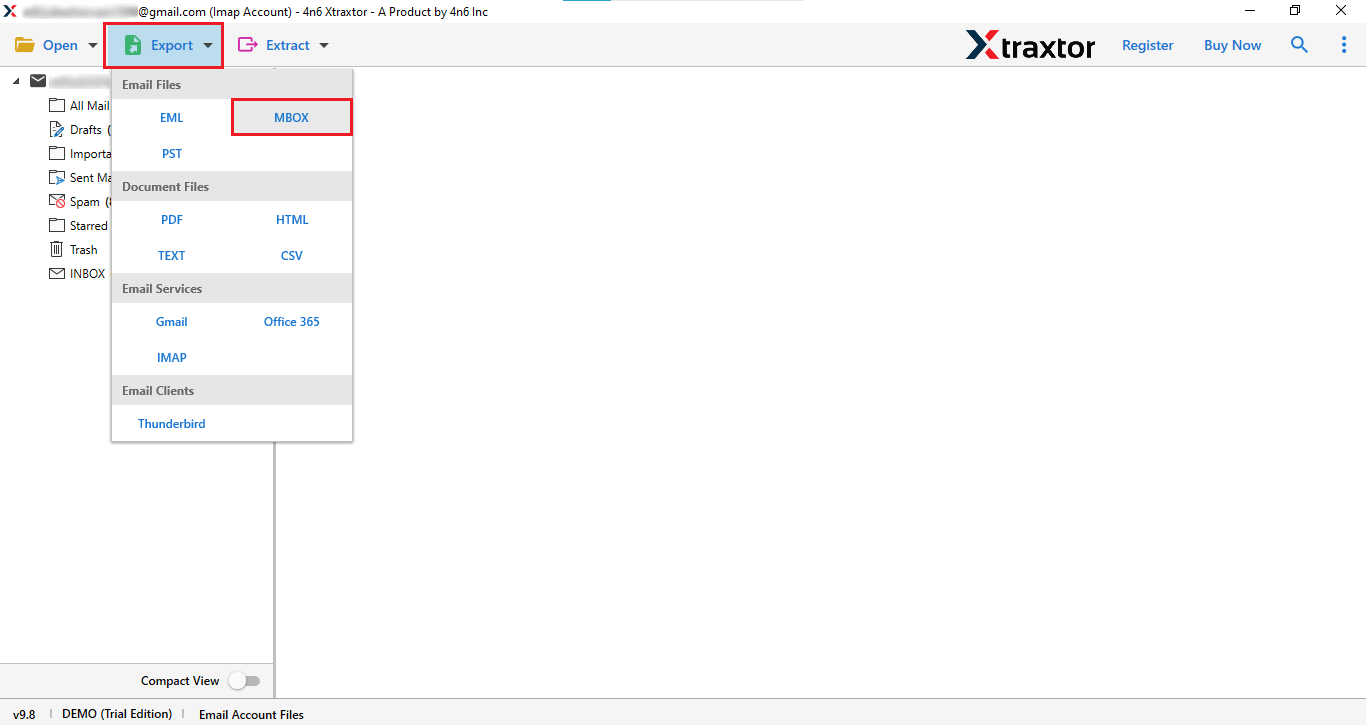
- Here you will see the folders of your email account.

- Next click on Export button and choose MBOX.
- Now select the location for the file and click the “Save” button to save your MBOX files.

Done! Your Roundcube emails will be exported in a few minutes.
Advantages of Professional Software
- Supports over 200+ webmail accounts.
- This tool comes with a free trial version.
- Compatible with Windows 11, 10, 8, 8.1, 7 and XP.
- This is an all-in-one solution for backing up emails.
- It provides an option to choose specific folders for backup.
- Allow users to select any email folder from their accounts for backup.
Final Thoughts
In this blog, we dissuced the difficulties of converting Roundcube emails to MBOX manually. As we know their is no manual method is available to export roundcube to MBOX, so we are suggesting a professional conversion tool to solve your issue.
First read the complete method metioned in this article, then try the free trail version of this tool, if you satisfied with trail version then buy a licence of this tool.
