How to Export Roundcube to PDF Files?

Sometimes you need to save important emails for offline sharing or storing them as a backup copy. What could be the best file format other than PDF file? So, if you are also using Roundcube email service and want to export it into PDF files, we can help you. In this guide, you will learn the best methods to export Roundcube emails to PDF files, including manual and bulk methods, their limitations, and how to choose the best solution based on your needs.
Roundcube is a popular web-based email client used by most hosting providers through cPanel. It allows users to send, receive, and manage emails directly from a browser without installing software.
Common Reasons to Export Roundcube Emails to PDF
There are several reasons why you should export your Roundcube emails into PDF files, including;
- Offline access: When you convert Roundcube emails to PDF, you can open and read them anytime without an internet connection. This is helpful for users who travel often or work in areas with limited internet access.
- Easy sharing: PDF is a widely accepted file format that looks the same on all devices. After exporting Roundcube emails to PDF, you can easily share them through email or upload them to various platforms.
- Easy referencing: Saving Roundcube emails as PDF makes it easier to search and find important information. Instead of opening your webmail and scrolling through multiple emails, you can simply search inside the PDF and jump to the required message.
Thus, PDF files are widely accepted, easy to open, and preserve the email content in a readable format. That’s why exporting Roundcube emails into PDF files is beneficial.
How to Export Roundcube Emails to PDF Manually
This method is suitable if you only need to save a few emails.
Follow the steps below to save Roundcube emails as PDF files.
- Log in to your cPanel and open Roundcube Webmail.
- Open the email you want to save.
- Click on More >> Print option.
- In the print window tab, select Save as PDF.
- Browse a location and save the file.
Repeat these steps for each email.
Why the Manual Method Is Not Ideal for Large Mailboxes
- Exporting emails one by one can take hours
- Inbox, Sent, and custom folders must be handled separately
- High risk of missing important emails
- Need to download attachments separately
This is where a professional email export tool becomes useful.
How to Convert Roundcube Mailbox into PDF Files in Bulk?
So, you have tried the manual method and are still not able to bulk export Roundcube emails into PDF files? Don’t worry, try Xtraxtor software to convert your Roundcube mailbox into PDF documents. No matter how large your mailbox is, you can easily convert it into PDFs without any issues. Also, it will export complete emails with attachments embedded in them. Just provide your required email account credentials, choose the PDF saving option, and let the software handle the rest.
Click on the free download button and give it a free try now.

Steps to Export Roundcube Emails to PDF Files
Step 1. Run the suggested software on your computer.
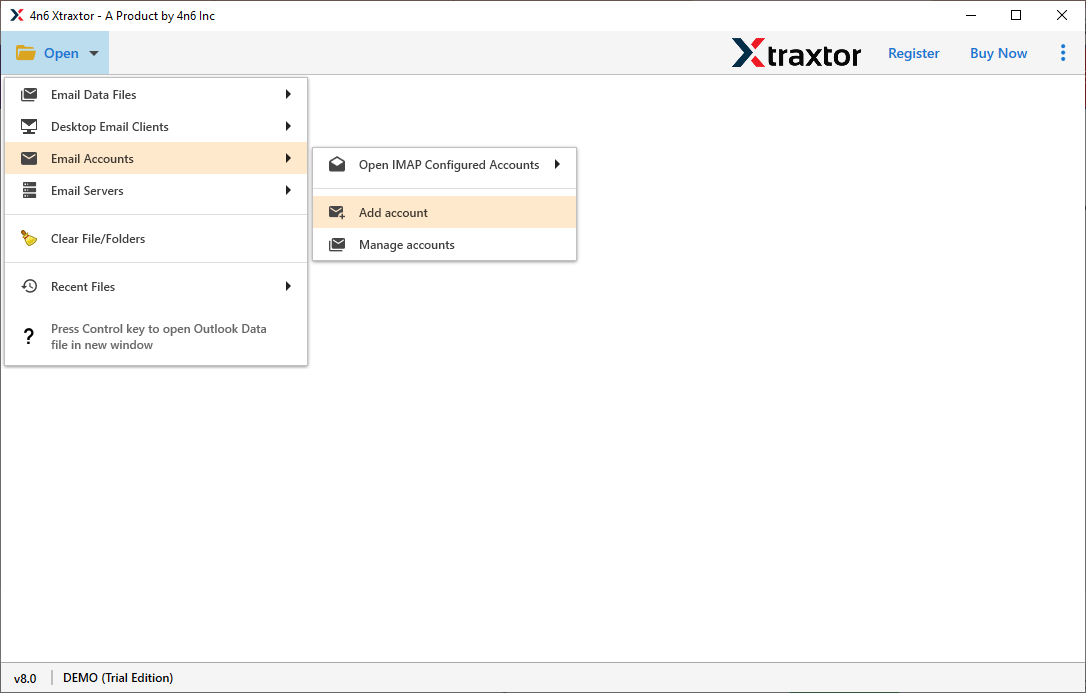
Step 2. Now, tap on Open tab >> Email Accounts >> Add Account.
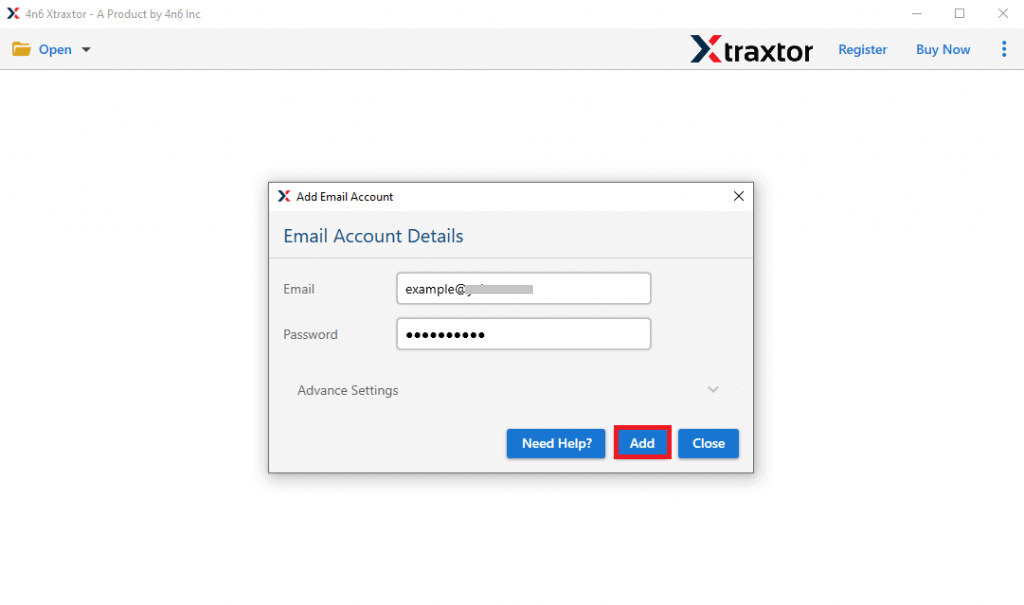
Step 3. Provide your Roundcube login details and click the Add button.
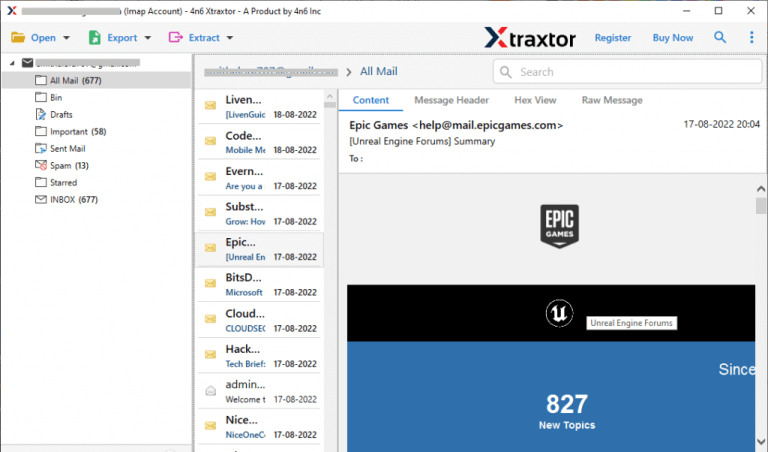
Step 4. Next, see a preview of your Roundcube mailbox folders.
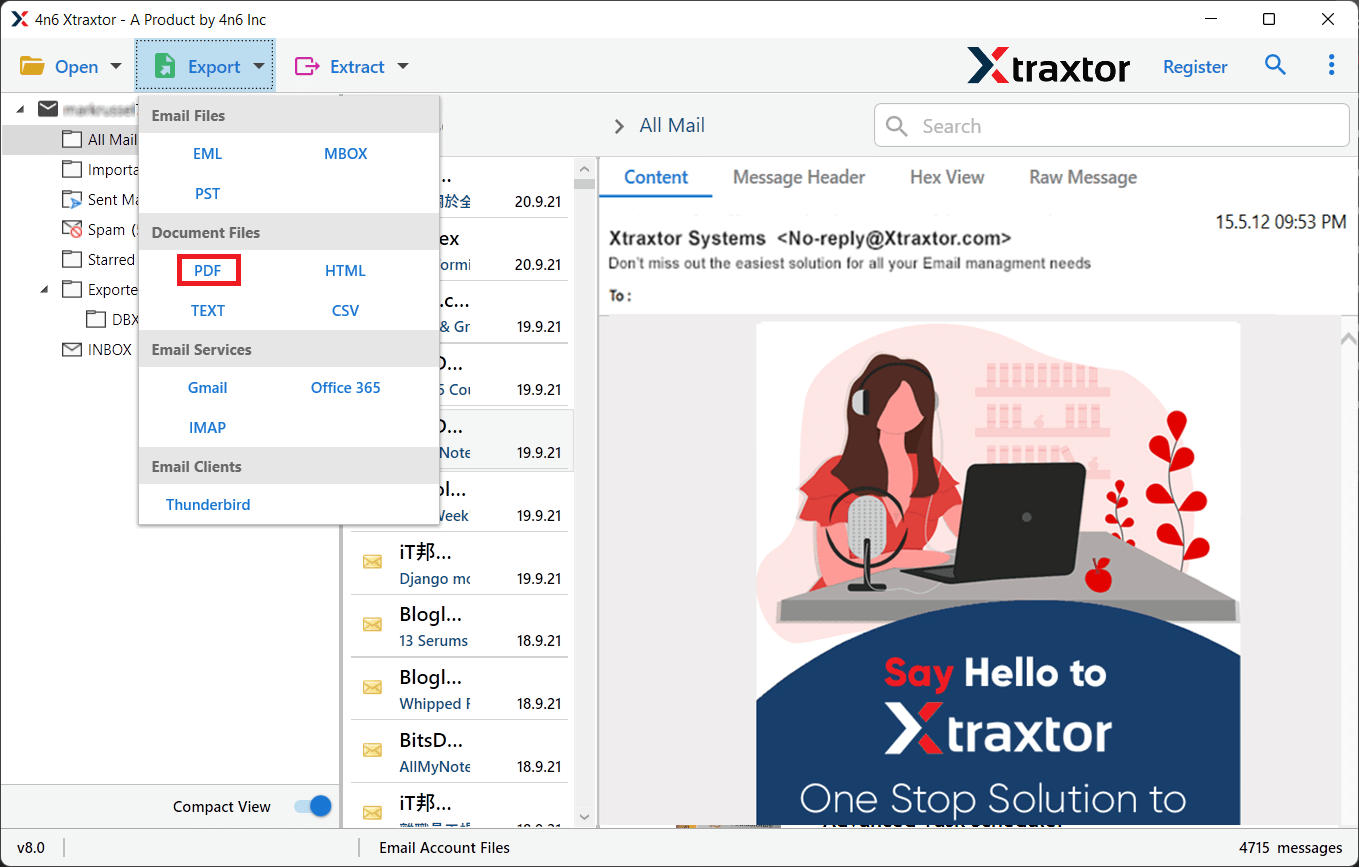
Step 5. After that, click on the Export and choose PDF as a saving option.
Step 6. Then, select the required folders of your choice.
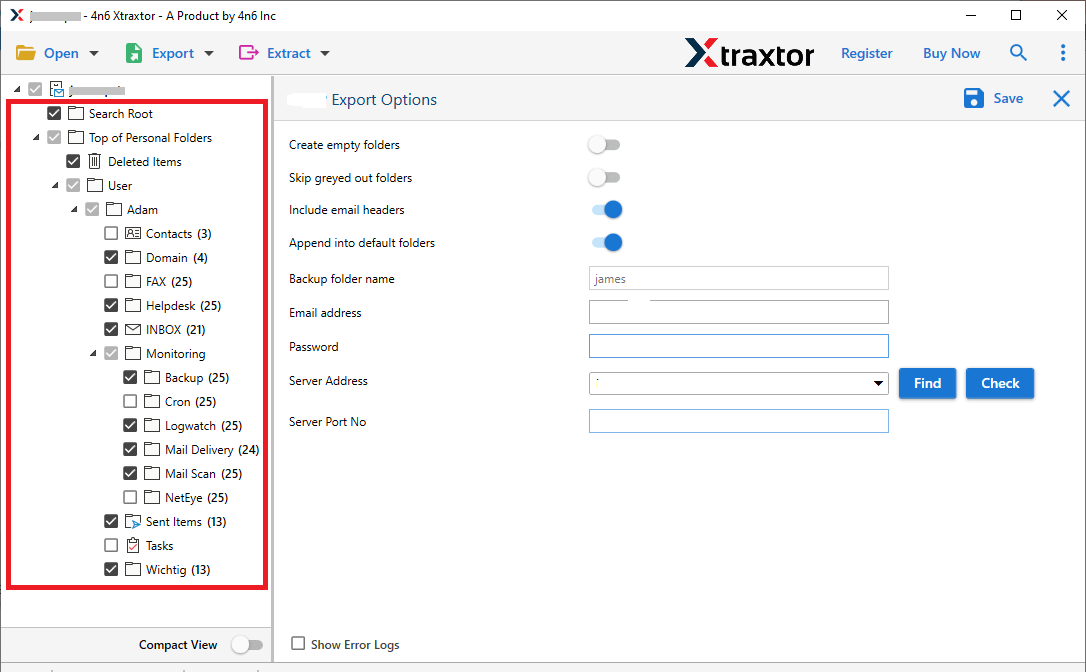
Step 7. Browse a location and click the save button to start.
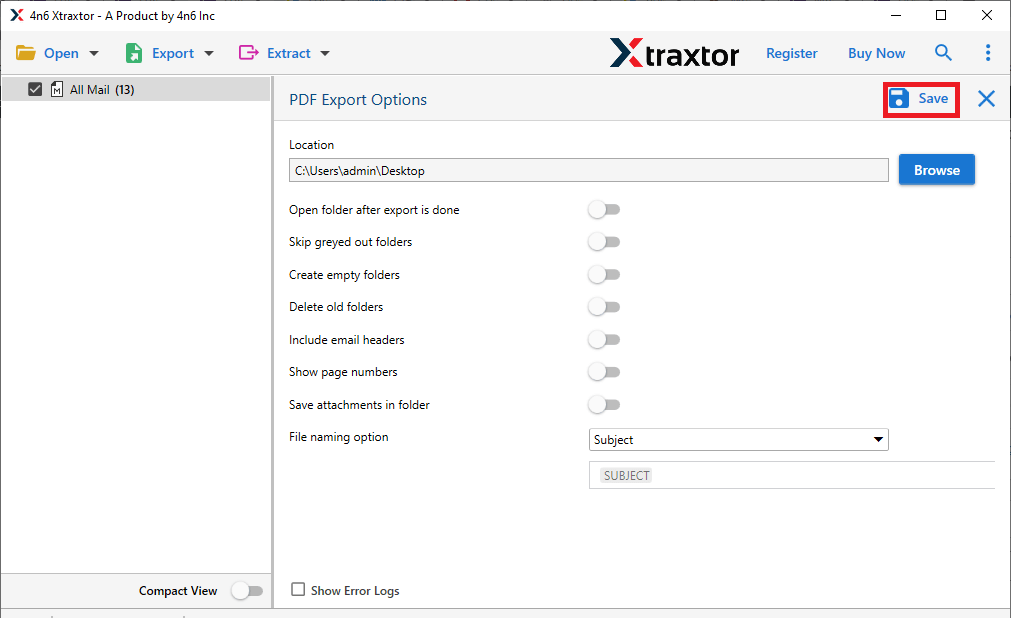
Once completed, you will get a log report confirming that all your selected emails will be saved in PDF files.
Conclusion – Which Method Should You Choose?
If you only need to export a few emails, the manual print method is sufficient. However, if you are dealing with large mailboxes, multiple folders, or business-critical data, a professional bulk export method is the safest and most efficient option.
Choosing the right approach depends on various factors such as the number of emails, the availability of resources, and your choice, etc. By understanding both methods, you can export Roundcube emails to PDF files without confusion or data loss.
