How to Export Roundcube Emails to HTML Format?

Are you looking to export Roundcube emails to HTML format? You are not alone. No matter for which purpose you are looking to download your Roundcube emails in HTML files, this blog will help you with complete procedure. We have tried our best to find reliable methods for this query, so read this article till the end and get a solution as per your needs and requirements.
Before moving ahead, let’s understand a few basic things about the HTML file format.
Emails stored in Roundcube are accessible only through a web browser. This becomes a problem when you want to save emails locally, share them easily, or open them without logging in. In such cases, exporting Roundcube emails to HTML format is a smart choice.
HTML is a web-based file format. When emails are saved as HTML:
- They look the same as the original email
- Images and links remain clickable
- Files open in any browser, like Chrome or Edge
- No email client is required
This makes HTML ideal for backups, records, and legal documentation.
Can Roundcube Export Emails to HTML Directly?
No. Roundcube does not provide a direct option to export emails in HTML format. You can only view emails online. To export them, you must either use a manual workaround or a professional software solution.
How to Convert Roundcube Emails to HTML Files Automatically?
If you want to export multiple emails at once, the manual method is not practical. It takes a lot of time and may lead to missing emails or attachments. In such cases, using a professional tool is the best option.
A reliable solution like Xtraxtor Email Backup Wizard allows you to export Roundcube emails directly into HTML format. With this tool, users can convert the entire Roundcube mailbox at once in just a few clicks. It also provides useful filters such as date range, excluding folders, sender, recipient, subject, or specific keywords to export only selected emails.
The software offers a free demo version so users can check how it works before buying the full version. Download the tool now and export emails easily without any hassle.

Steps to Export Roundcube Emails to HTML File Format
Step 1. Run this software on your Windows system.
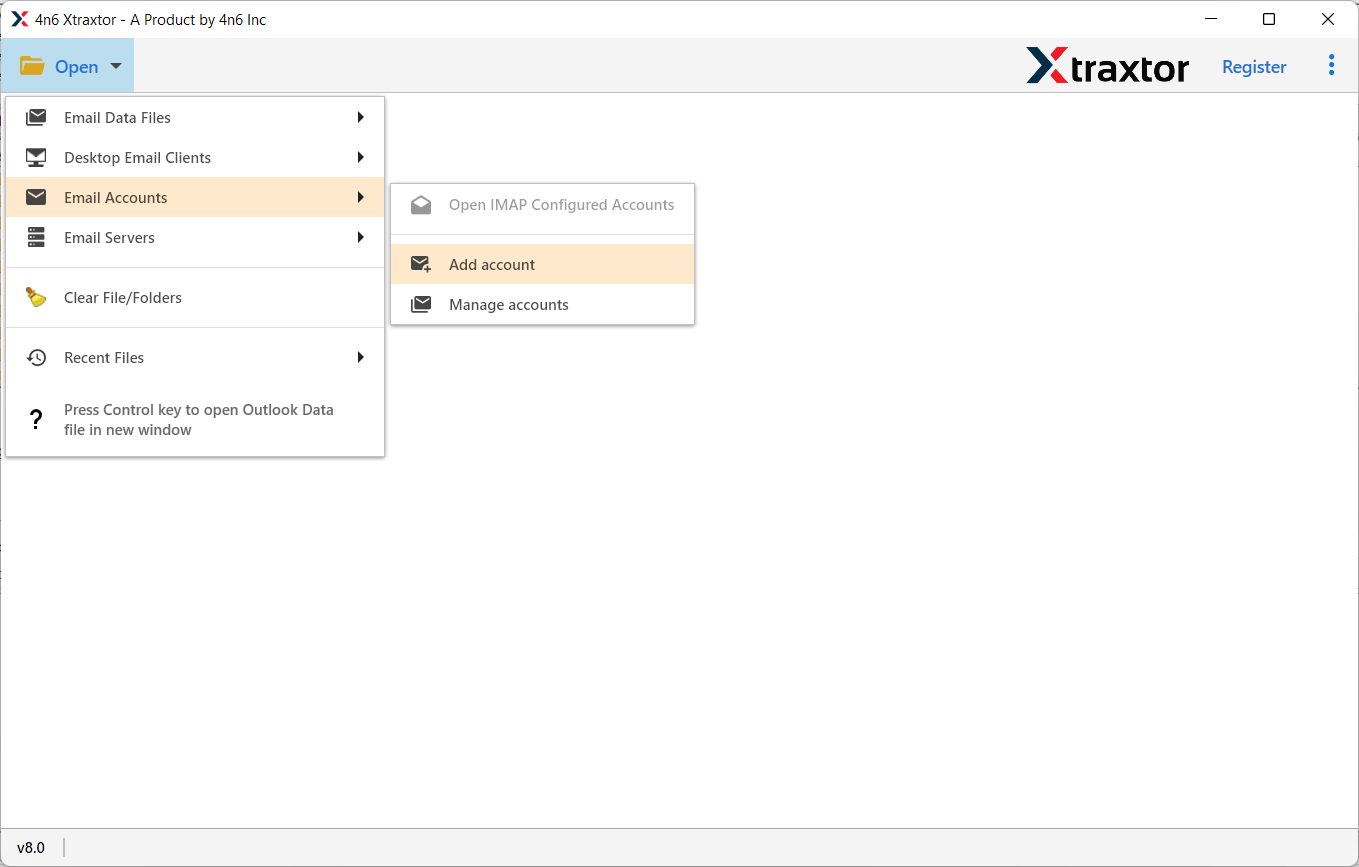
Step 2. Then, click on the open tab in the menu and choose the option to add a new account.
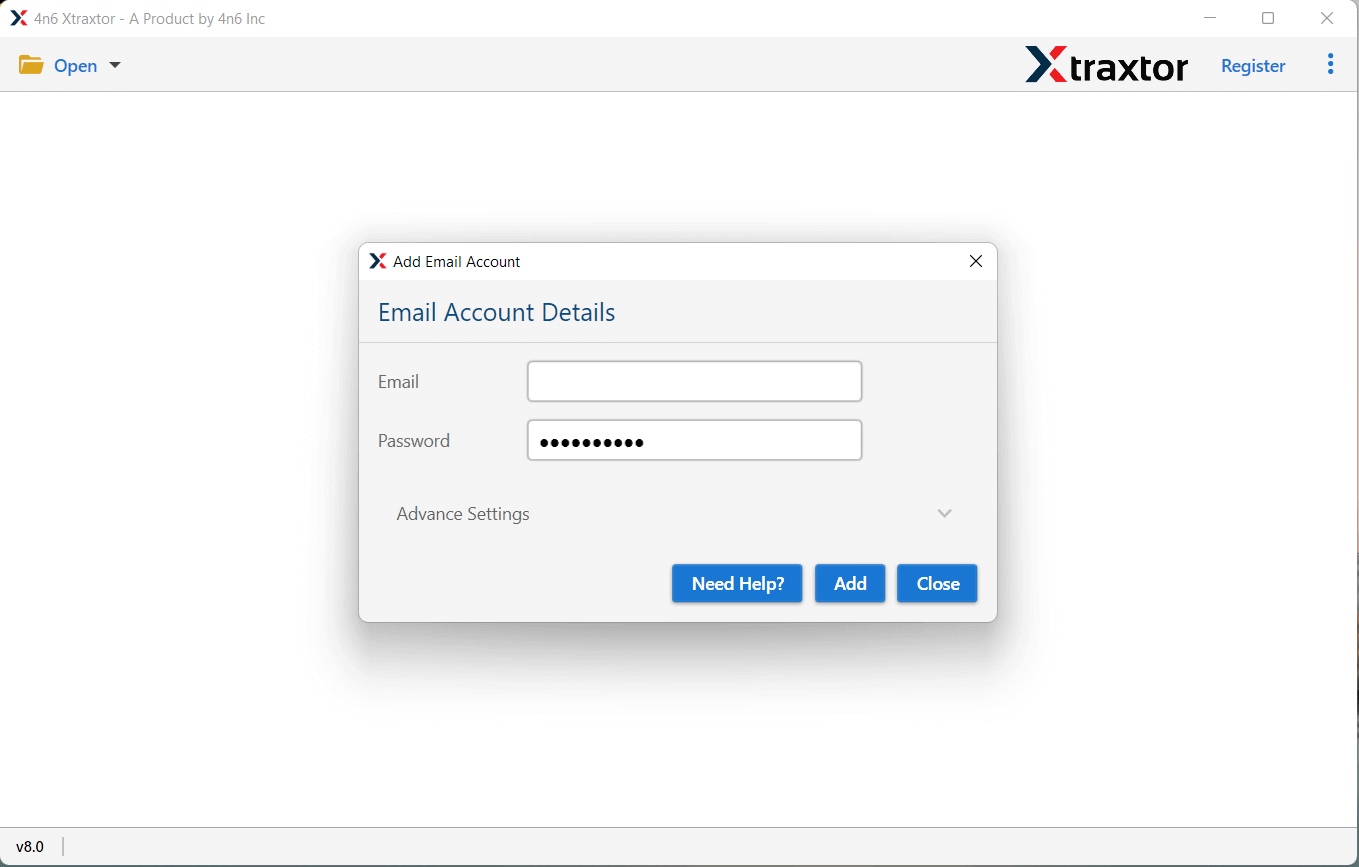
Step 3. Enter your Roundcube email ID and password to connect to the mailbox.
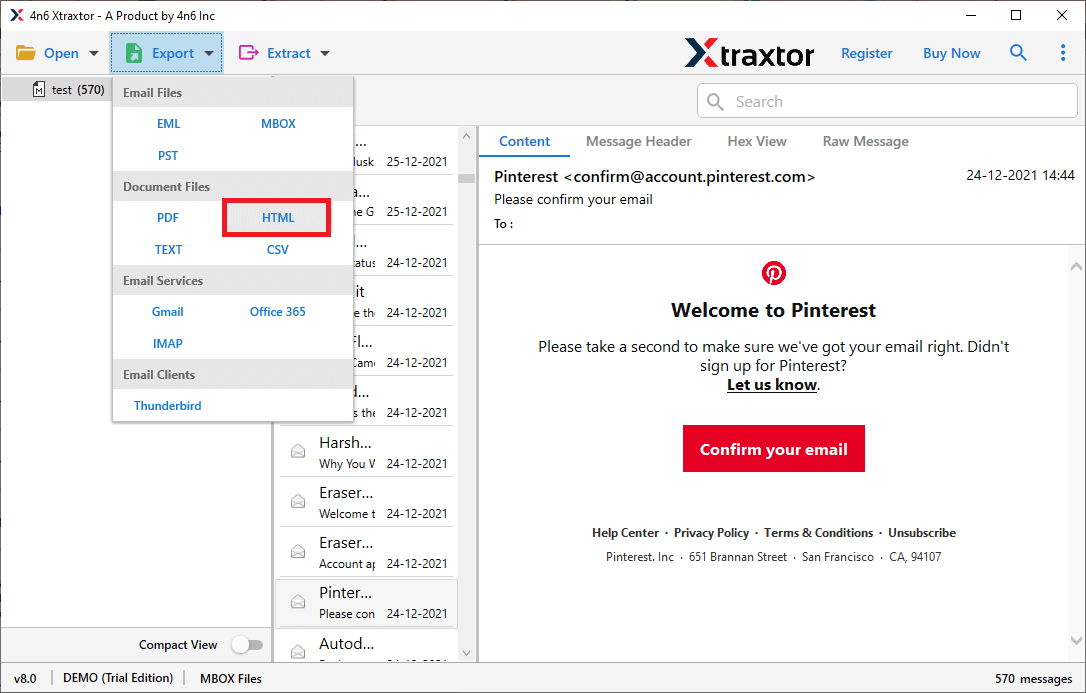
Step 4. Once all folders are loaded, select the export option as HTML from the menu.
Step 5. Select the required email folders that you want to export.
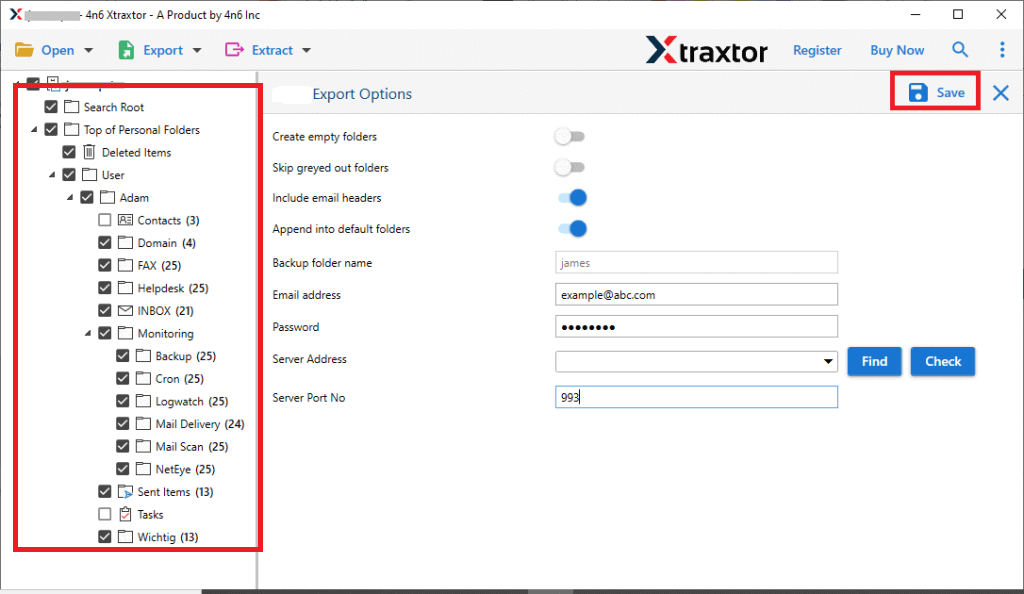
Step 6. Click on the browse option to select a folder on your computer to save the files.
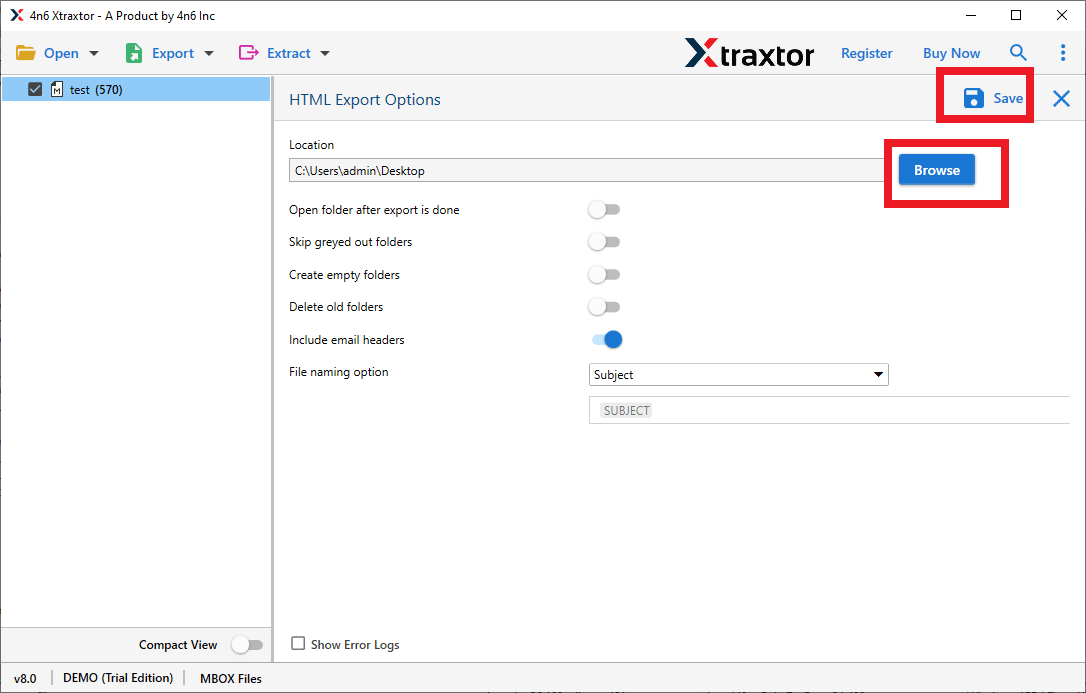
Finally, start the export process and wait until all emails are saved as HTML files.
Helpful Features of Using Xtraxtor Software
- Supports multiple email platforms: Works with various webmail and email services using IMAP access.
- Advanced email filtering options: Let you export only selected emails using filters like date, subject, sender, or keywords.
- No file size limitation: Handles large mailboxes without any restrictions.
- Multiple Saving Options: It also export Roundcube emails to PST, EML, PDF, MBOX, and many more.
- Secure login process: Protects your email data during the export process.
- Preview emails before export: Allows you to check emails before starting the export.
- Selective folder export: Gives the option to export only required folders instead of the entire mailbox.
- Free demo version available: Helps users test features before purchasing the full version.
- Compatible with Windows OS: Runs smoothly on all major Windows versions.
Final Thoughts
We are hoping that we have provided you with the complete methods to export Roundcube emails to HTML format. Due to the unavailability of any manual method, we are left with using an automated solution only. We have researched well and then we are providing the best automated solution to convert your Roundcube emails into HTML file format. First, download the software for free and check it’s complete working process. Once you are satisfied with its trial version, you may proceed to upgrade to its licensed version.
