How to Export Hotmail Emails to PST File?

Do you want a reliable way to export Hotmail emails to PST file? You may have searched for many solutions, but still feel confused about which method actually works. If yes, you are in the right place. This blog explains how to export Hotmail to PST safely and step by step.
Hotmail (now Outlook.com) is still used by many users to send and receive important emails. However, when users want offline access, email backup, or plan to move data to Microsoft Outlook, exporting Hotmail emails to PST format becomes necessary. Since Outlook works with PST files, users often look for an easy way to transfer their Hotmail mailbox into Outlook.
Keep reading this blog to learn manual and professional methods to export Hotmail emails to PST without losing emails or attachments. We will also introduce an automated solution to make the process faster and hassle-free.
How to Export Hotmail Emails to PST Using Outlook?
If you already have Microsoft Outlook installed, you can manually export Hotmail to PST by adding your Hotmail account to Outlook.
Follow the steps and export Hotmail to PST file manually.
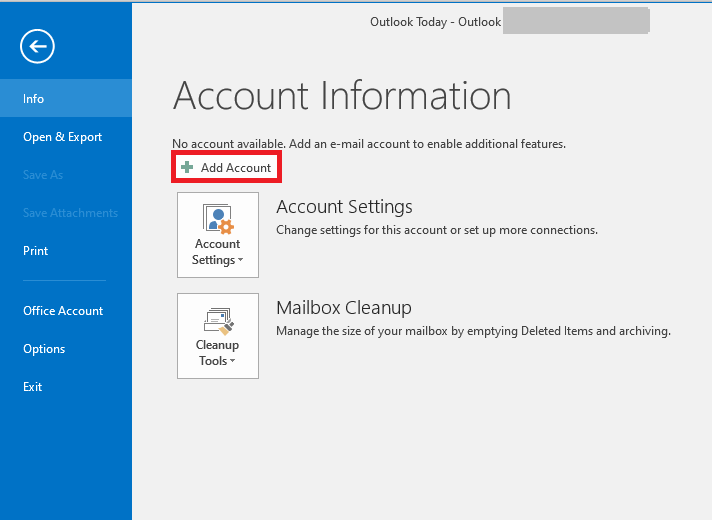
1. Open MS Outlook on your computer and navigate to the File tab.
2. Click on Add Account to set up your Hotmail account.
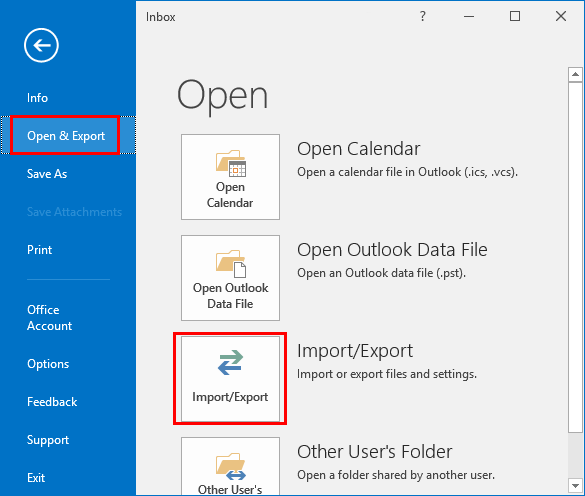
3. Once the account is set up, go to the main menu and click on Import/Export.
4. Choose the option Export to a file and click Next.
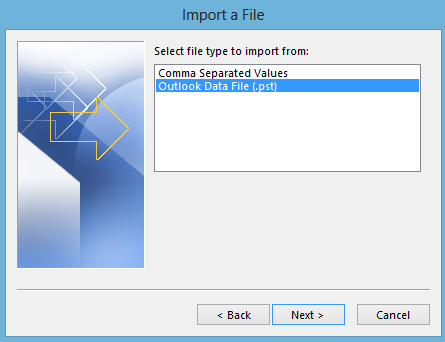
5. Select Outlook Data File (.pst) and hit Next.
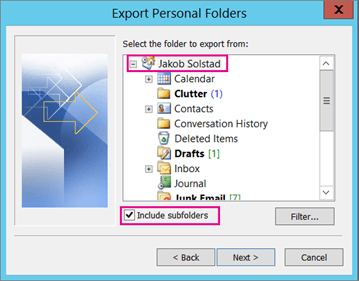
6. Select the Hotmail mailbox folders you want to export and click Next.
7. Choose a destination folder and click Finish.
That’s it. You have successfully exported Hotmail emails to PST using Outlook.
Limitations of the manual method:
- Outlook must be installed
- Not suitable for large mailboxes
- No advanced filters
- Time-consuming process
If you want a faster and simpler solution, check the next method.
How to Export Hotmail Emails to PST Without Outlook?
If you don’t want to install Outlook or deal with manual steps, an automated tool is the better option.
Xtraxtor software allows you to export Hotmail to PST directly from your account in just a few clicks.
This tool safely exports emails along with attachments and keeps the original folder structure intact. It is ideal for users who want a hassle-free and error-free solution.
You can also analyse the export process by using the demo version of the software.


Steps to Export Hotmail to PST with Attachments
1. Run this tool on your Windows machines.
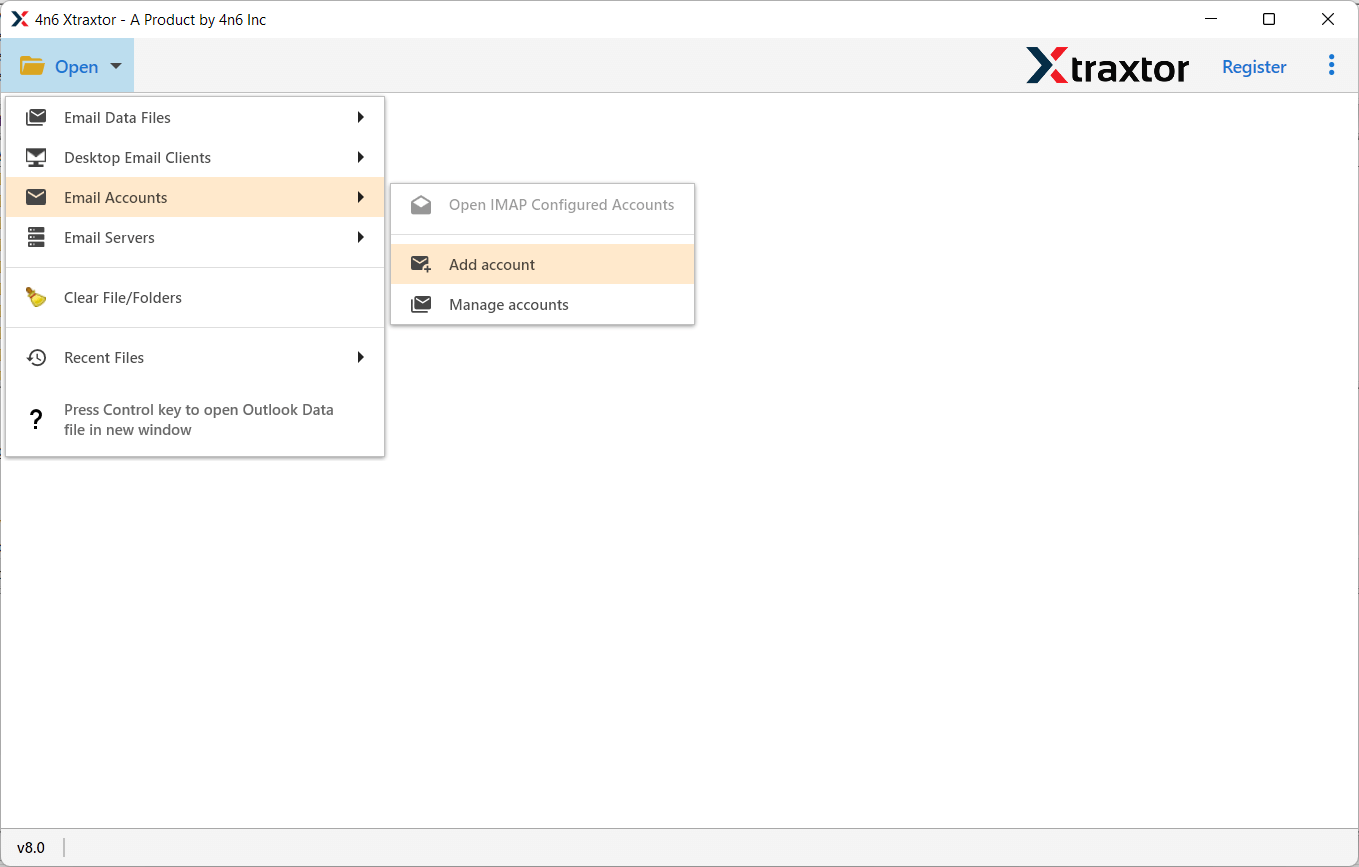
2. Then, click on Open >> Email Accounts >> Add Account.
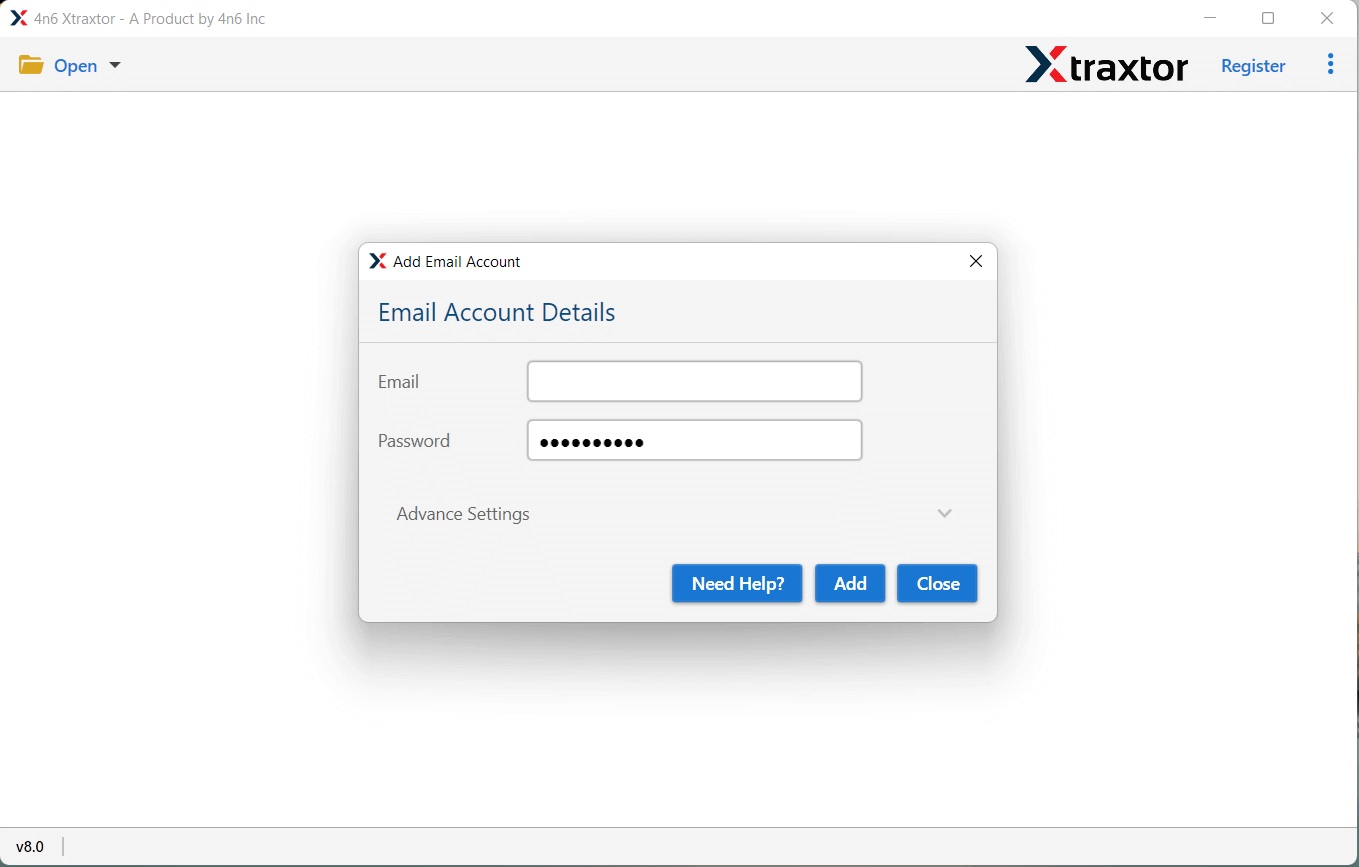
3. Enter your Hotmail login details and hit the Add button.
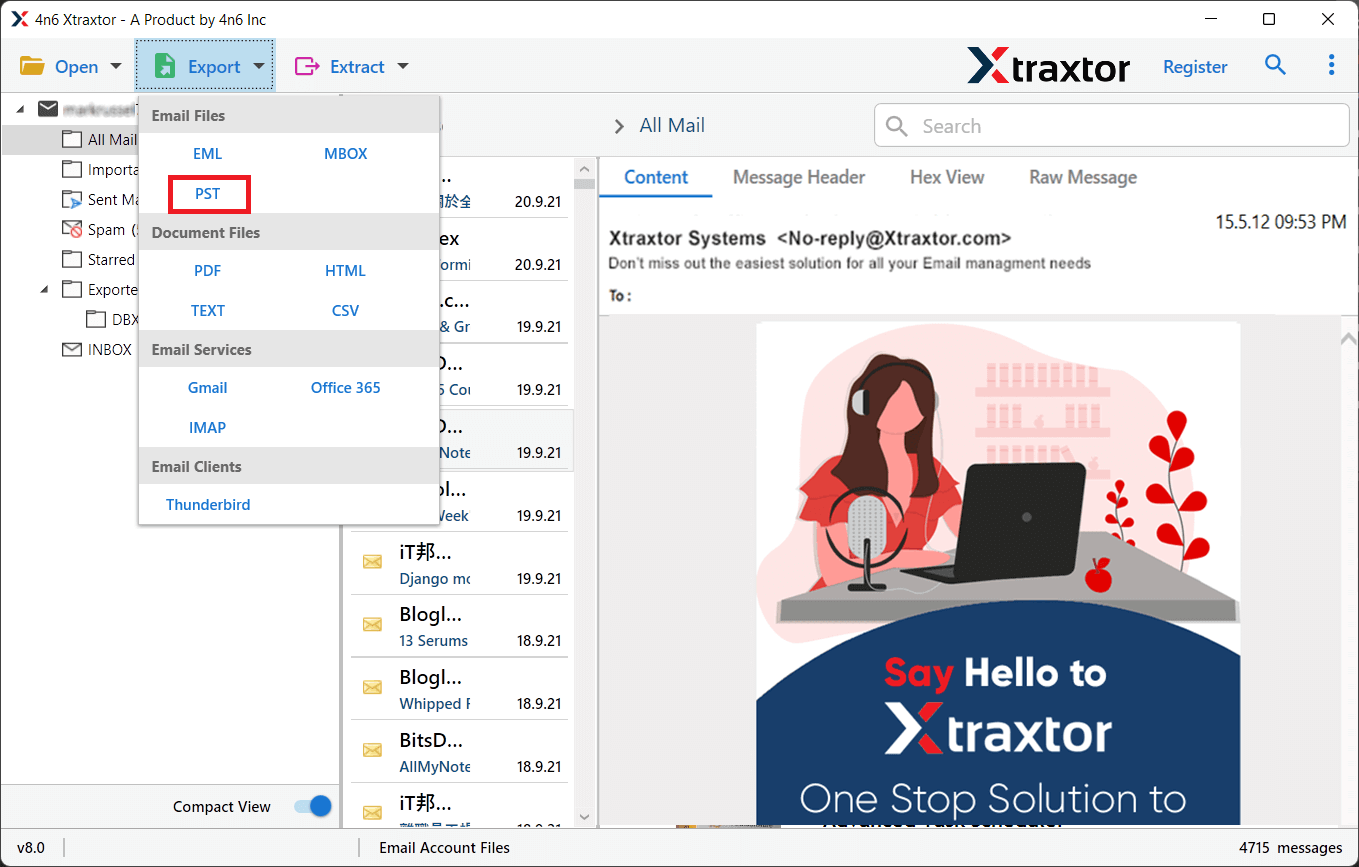
4. Click on Export and choose PST format.
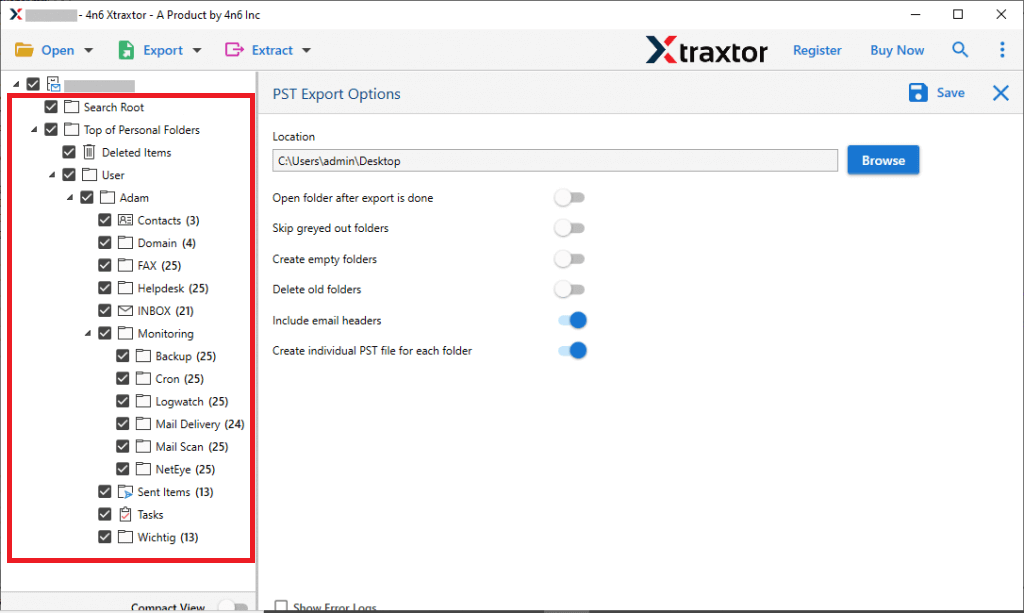
5. Select the email folders you want to export.
6. If you want to apply filters, then click on the search option and choose.
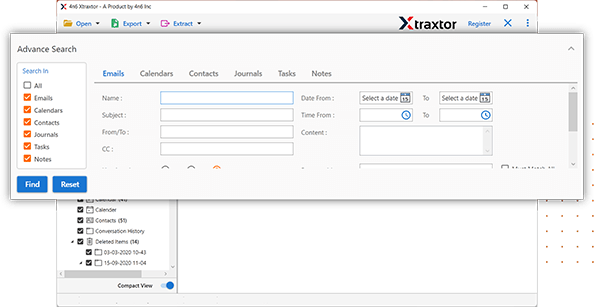
7. Browse the targeted location and hit the Save button.

Within minutes, your Hotmail emails will be exported to a PST file.
Key Benefits of Using the Tool
- Selective Email Conversion: Allows filtering emails based on criteria like date, time, subject, email address, etc. You can also choose specific mailbox folders for conversion.
- Separate PST File per User: Lets you create a separate PST file for each user in a Hotmail email account, and optionally combine them for different users.
- Desired Destination Path: Gives you the option to select the location where the converted data will be saved, ensuring it’s stored in a safe place.
- Maintain Folder Hierarchy: Keeps the original folder structure intact during the conversion process, ensuring data integrity.
- Simple Graphical User Interface: A user-friendly interface that makes the tool easy to use without any technical difficulties
Conclusion
Exporting Hotmail emails to PST is the best way to keep your emails safe and accessible in Outlook. You can use Outlook’s manual method if you have a small mailbox. However, for large data and a smooth experience, an automated solution is the smarter choice.
By following the methods explained in this guide, you can easily export Hotmail to PST and secure your email data without any hassle.
