How to Export cPanel Emails to PDF Files?

Summary: When it comes to managing your cPanel emails individually, what comes better than PDF file format? It is a universal file format that can be easily shared and accessed by anyone. The best way to export cPanel emails to PDF file is so that you can access all your emails in a single file. So, if you are also looking for this query, then do check out this blog for complete info.
Many users manage their emails on cPanel hosting accounts. Later, they need to open those emails in offline mode or save them for backup, legal, or business use. At this point, they realize that cPanel does not provide a direct option to export emails as PDF files.
This creates confusion, data risk, and wasted time.
In this guide, you will learn how to export cPanel to PDF format, what is possible manually, what is not possible, and which method works best when you have a large number of emails.
Let’s begin step by step.
[box type=”shadow” align=”” class=”” width=””]Can You Save cPanel Emails as PDF Files Manually?
This is an important question. cPanel does not provide any built-in option to export emails directly into PDF format. There is no “Download as PDF” feature available inside cPanel Webmail.
Some users try manual workarounds using email clients or browsers, but these methods are not practical for bulk emails and often lead to incomplete results.
[/box]
How to Export cPanel Emails to PDF File Format?
The manual method uses Microsoft Outlook as an intermediate step. This method works only when you have a small number of emails and already have Outlook installed on your system.
Step 1. Open Microsoft Outlook on your computer.
Step 2. Go to File and click Add Account.
Step 3. Enter your cPanel email address and choose IMAP as the account type.
Step 4. Enter the incoming and outgoing mail server details provided by your hosting provider.
Step 5. Complete the account setup and wait for Outlook to sync all emails.
Step 6. Open the email you want to export as a PDF file.
Step 7. Click on File > Print.
Step 8. Select Microsoft Print to PDF as the printer.
Step 9. Click Print, choose a location, and save the email as a PDF file.
Step 10. Repeat the same steps for each email you want to convert.
Limitations of the Manual Method
While the manual method may work in some cases, it has many limitations:
- Emails must be saved one by one
- No option to export emails in bulk
- High risk of missing emails or attachments
- Time-consuming for large mailboxes
- Requires Outlook to be installed
- Not suitable for business or legal use
Because of these issues, most users prefer an automated solution.
How to Convert cPanel Emails to PDF Files Professionally?
As you can see, using the above manual method doesn’t guarantee you the desired results. Also, you can’t export your cPanel emails into .pdf files in bulk. So, to overcome these types of issues, you can try Xtraxtor Email Backup Wizard. It’s a simple and reliable application to convert multiple emails from your cPanel account to PDF file format. You can choose as many emails as you want to convert in a single attempt. Also, it preserves your email properties throughout the process.
So, download this software for free and evaluate its performance at no cost.

Steps to Export cPanel Emails to PDF Files with Attachments
Step 1. Launch Xtraxtor software on your Windows PC.
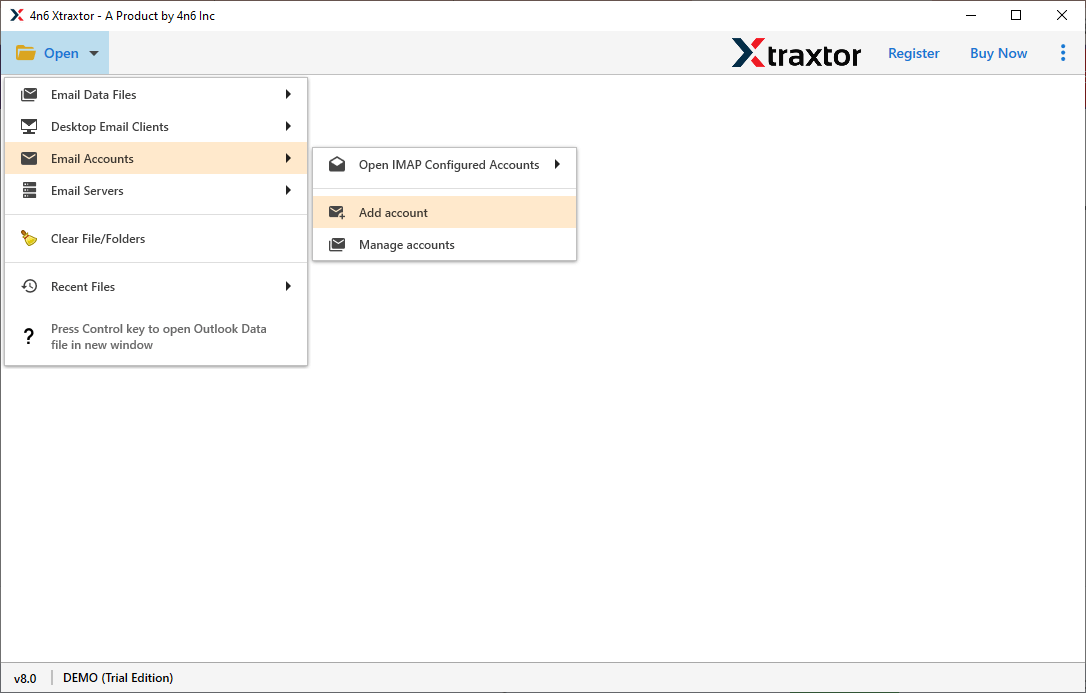
Step 2. Now, click on the Open tab >> Email Accounts >> Add Account.
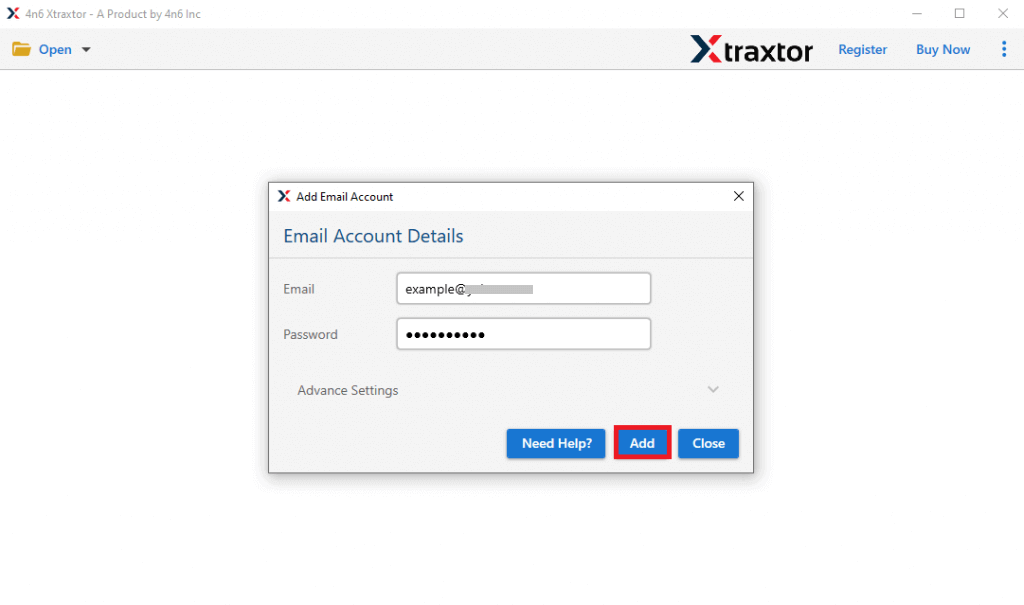
Step 3. Provide your cPanel login details and click the Add button.
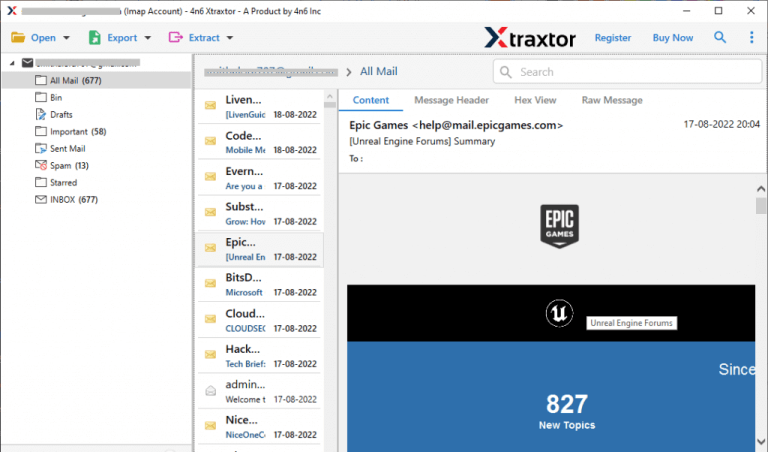
Step 4. Now, you can view your cPanel emails before exporting them.
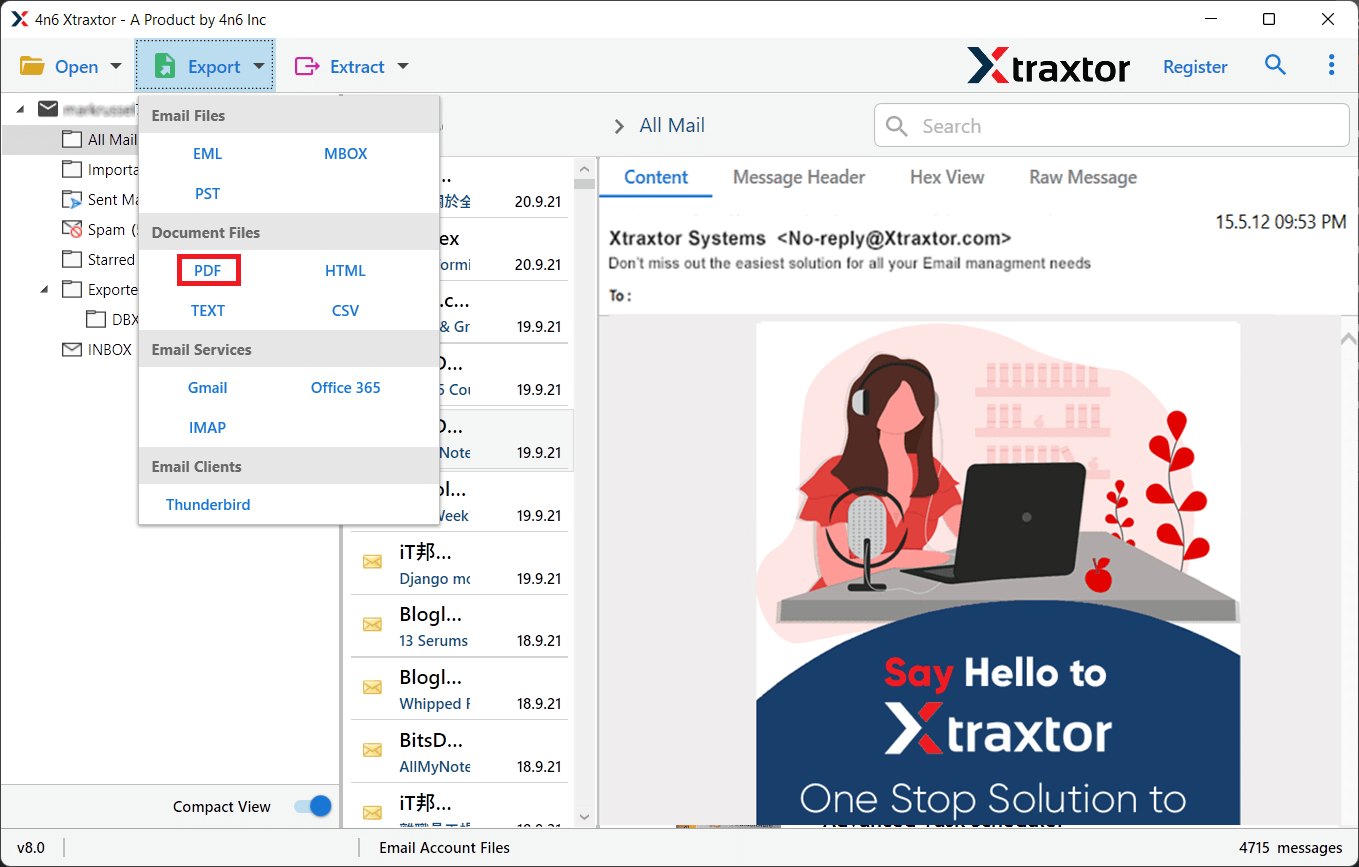
Step 5. After that, click on the Export and choose the PDF option.
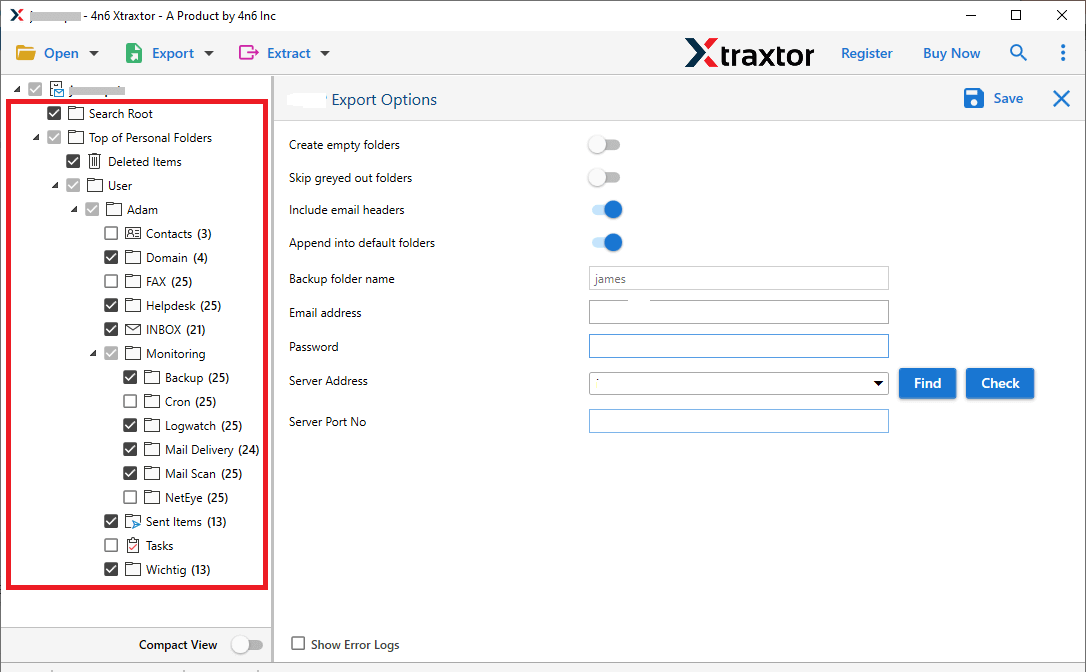
Step 6. Next, select the required email folders of your choice.
Step 7. Choose your location & click the save button to start.
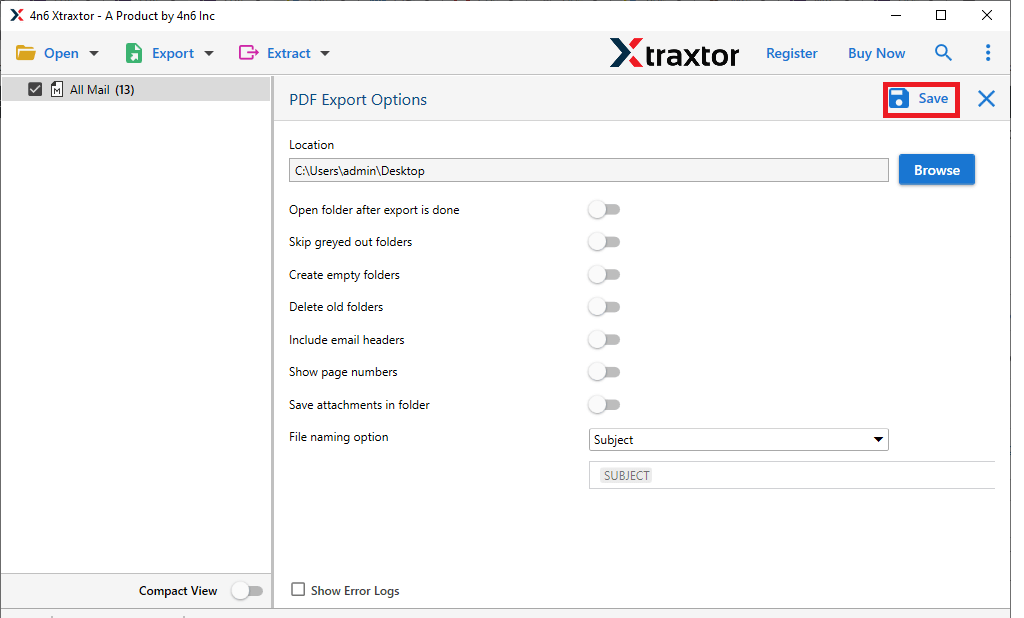
Once the process is finished, all your cPanel emails will be saved as PDF files with proper formatting.
Final Recommendation
Now you clearly understand how to export cPanel emails to PDF file with attachments. If you have only a few emails and basic needs, manual methods may help slightly, but they are limited and unreliable. If you have many emails or need a proper procedure, a professional solution is the safest and most effective choice.
