How to Export cPanel Emails to MBOX File (Complete Guide)

Exporting cPanel emails to MBOX format is not a straightforward process. cPanel does not provide a direct option, which often confuses both personal and business users. If the wrong method is used, emails may be lost, the folder structure can break, and large mailboxes may export only partially.
This guide solves that problem by explaining how to export cPanel emails to MBOX using safe and proven methods. Each solution is explained in clear steps so that you can understand better. We also explain how a professional solution can help you complete the entire process quickly and safely.
By the end, you will be able to export your cPanel emails as MBOX file.
Understanding How cPanel Stores Emails
Before exporting emails, it is important to understand how cPanel stores data.
cPanel uses the Maildir format. Each email is saved as a separate file. Folders like Inbox, Sent, and Spam exist as directories.
MBOX, on the other hand, stores all emails in a single file per folder. Most email clients use MBOX. Examples include Thunderbird and Apple Mail.
Because cPanel uses Maildir, conversion is required. That is why exporting to MBOX is not a one-click task.
How to Export Emails from cPanel to MBOX File Directly?
Download and install Xtraxtor Email Backup Wizard on your system. This is the most recommended solution when it comes to exporting multiple cPanel emails into MBOX file format. It easily export cPanel large mailboxes in a few minutes. Also, you will get all your email folders in their original structure even after exporting all emails. It’s most suitable for all types of users who are looking for easy and minimal steps to follow. Just follow the instructions, look at the screenshots, and get your work done easily.
No technical skills are required. The process is fast and secure.
Click on the free download button and check its working process.

Steps to Export cPanel Emails to MBOX File
Step 1. Run this software, i.e., Xtraxtor, on your Windows PC.
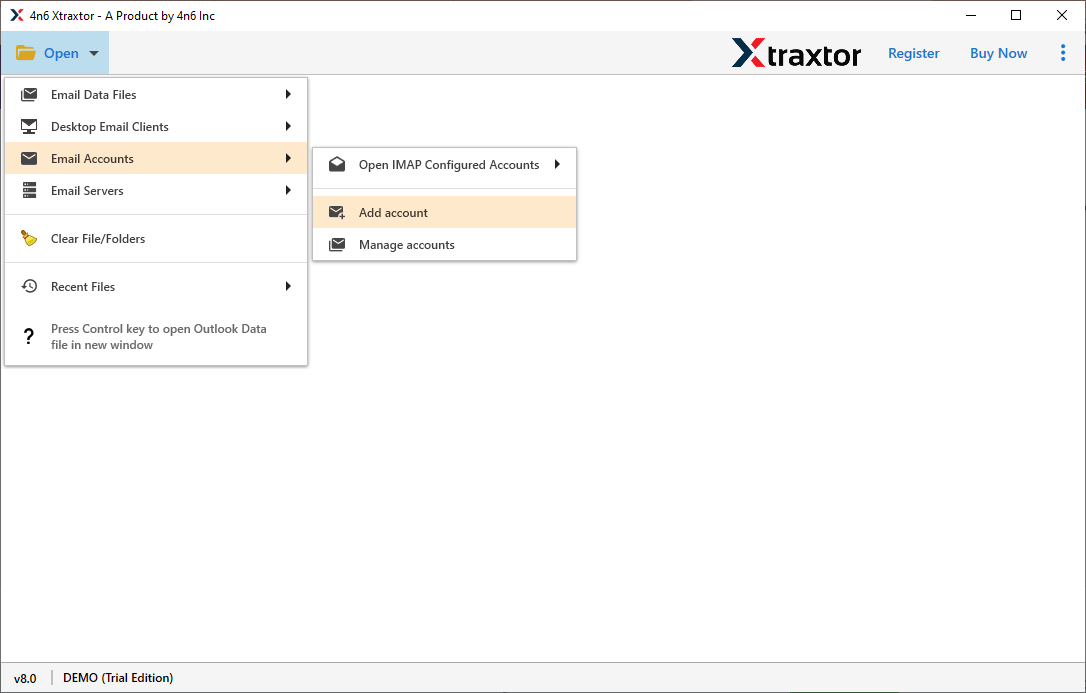
Step 2. Click on the open tab and choose Email Accounts >> Add Account.
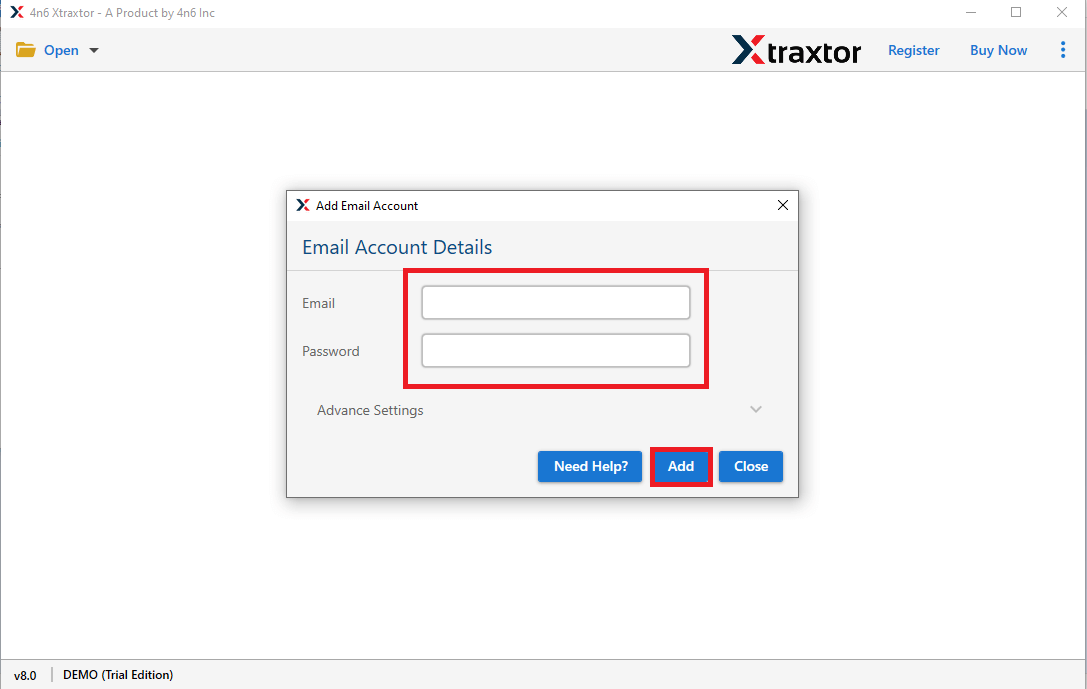
Step 3. Provide your cPanel email account details and click the Add button.
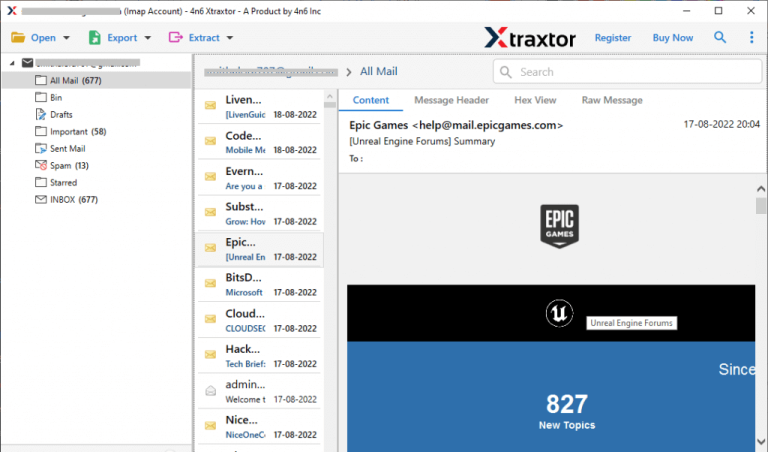
Step 4. Now, view all your emails before exporting them into MBOX file.
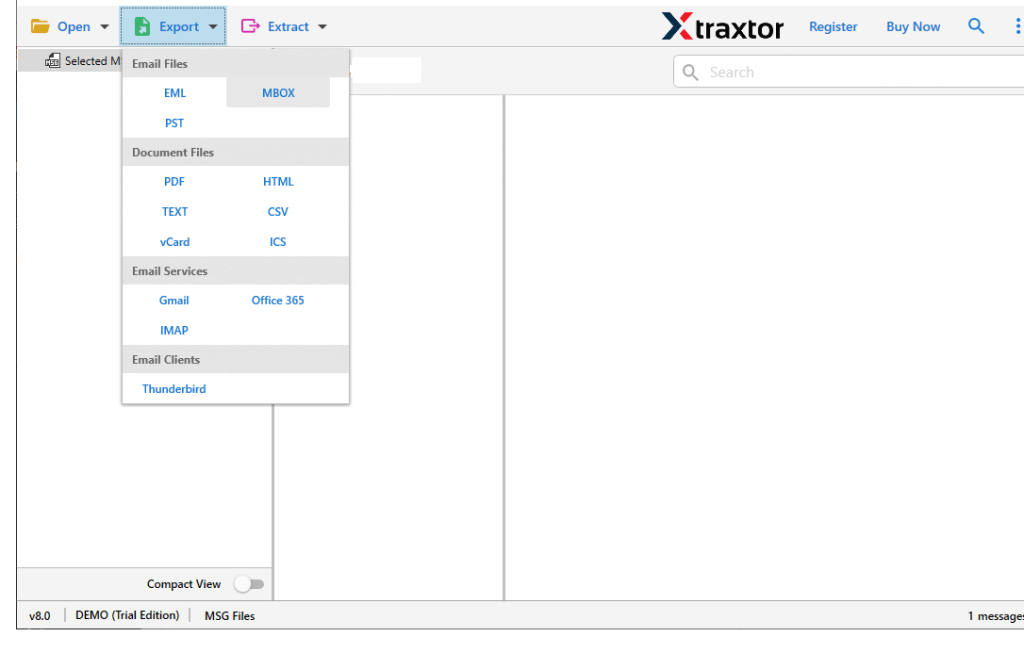
Step 5. After that, tap on the Export button and choose the MBOX option.
Step 6. Next, select the required cPanel mailbox folders to export.
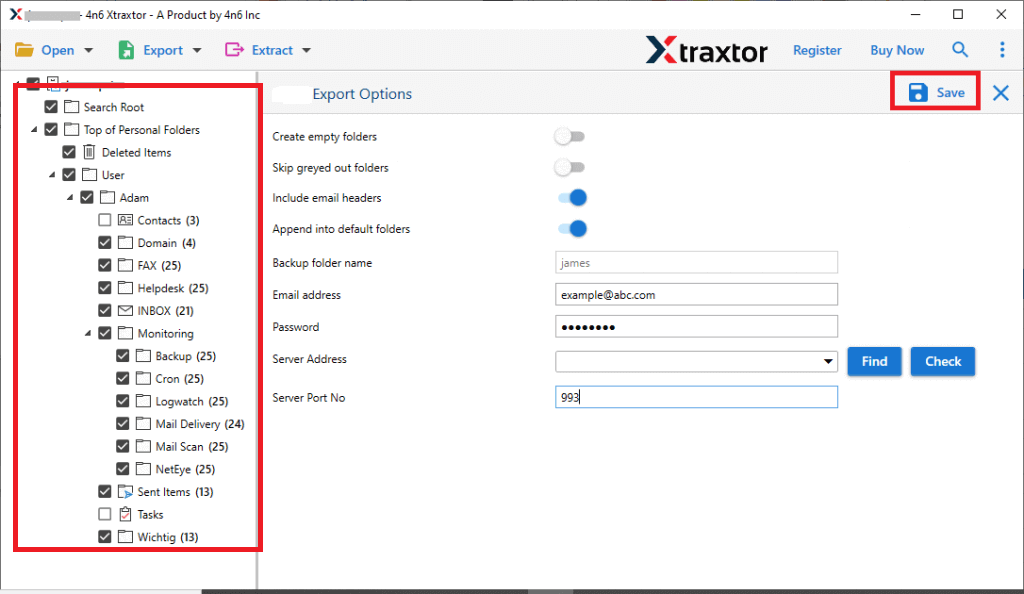
Step 7. Browse the destination and click on the save button to start.
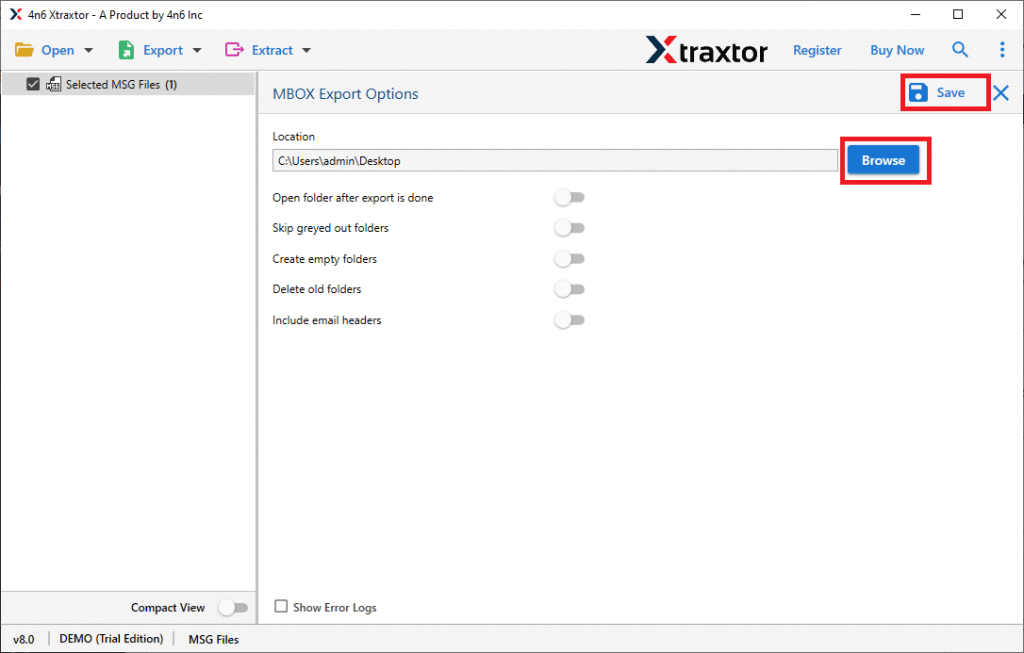
Wait for a while, all your selected cPanel emails will be exported in MBOX file format.
Why is using a professional tool recommended?
Manual methods work, but they have limits. If you are handling large mailboxes, multiple accounts, or business data, a professional tool makes the process easier, faster, and safer.
Here are the key features that add real value.
- Easy-to-Use Interface: The tool comes with a simple and user-friendly interface. You do not need technical knowledge or server expertise. All options are clearly visible. Even first-time users can export cPanel emails to MBOX without confusion.
- Fully Automated Export Process: The entire export process is completely automated. Once the account is added, the tool handles everything. It automatically loads all mailboxes. Folder hierarchy remains the same as the original account.
- Export Emails to Offline Formats: The tool allows you to export emails to offline formats.
This adds an extra layer of data security. You can export cPanel emails to PST, MBOX, EML, PDF, MSG, and many more. Offline backups help recover data in case of accidental deletion or server failure. - Bulk Export of Multiple Mailboxes: The tool supports batch export. You can export multiple mailboxes in one go. There are no limits on the number of folders, number of emails, mailbox size, etc. This feature is ideal for administrators and business users.
- Selective Email Export: Not all data needs to be exported. The tool allows you to select specific folders, exclude unwanted mailboxes, and also you can export only required emails. This gives you full control over the export process.
Final Thoughts
So, now you have seen that exporting cPanel emails to MBOX is easy if you have a professional method. It’s so because cPanel doesn’t offer any solution to export its emails into MBOX file format. Also, if you use any indirect manual approaches, you will end up losing your important data and will only use it for a few emails.
So, if you have large mailboxes, important data in your account, and want an error-free and quick process, using a professional solution is recommended. Also, this tool comes with a free trial version that you can try to check if it works for you.
