How to Export cPanel Emails to HTML File Format?

This article will guide you with a complete step-by-step guide on how to export cPanel emails to HTML file format. If you are also looking for the same, we can help you to get the best method to convert emails from cPanel to HTML files.
So, let’s continue reading till the end to understand the complete methods precisely.
HTML files are useful because they store emails in a browser-readable format. Once saved, you can open emails in any web browser without logging into cPanel.
The following are some of the advantages of exporting Roundcube emails into cPanel;
- Access emails offline
- Preserve original email formatting
- To share emails easily
- Archive important conversations
- To store emails outside the hosting server
HTML files keep email content structured and readable.
How to Export cPanel Emails to HTML File? (Free to Try)
This method works best if you only want to save a small number of emails.
Steps to Export cPanel Emails as HTML Files;
- Log in to your cPanel account, and you will be automatically redirected to your mailbox.
- Open the email you want to export as an HTML file format.
- Then, press the Ctrl + S button, and a new tab will appear on your screen.
- Select Save as type as Web page HTML only and click the Save button.
Done! Now, repeat the same steps for each email.
Problems you may face with this method;
- No bulk export support
- Time-consuming for multiple emails
For users with large mailboxes, this method is not practical.
How to Convert cPanel Mailboxes into HTML Files in Bulk?
If you have a large number of emails stored in your cPanel mailbox, exporting them one by one is not practical. cPanel webmail does not provide any option to export emails in bulk. This is why many users face problems when they want to save all their emails in HTML format.
Using Xtraxtor Email Backup Software, you can convert complete cPanel mailboxes into HTML files in one process. The software connects securely to your cPanel email account using IMAP and allows you to export all emails at once. It keeps the original folder structure and saves each email as an HTML file so that you can open your cPanel emails in any web browser.
Click the free download button to explore all working steps.

Steps to Export cPanel Emails to HTML Format
Follow these simple steps to export cPanel emails to HTML using Xtraxtor:
Step 1. Download and install Xtraxtor software on your Windows system.
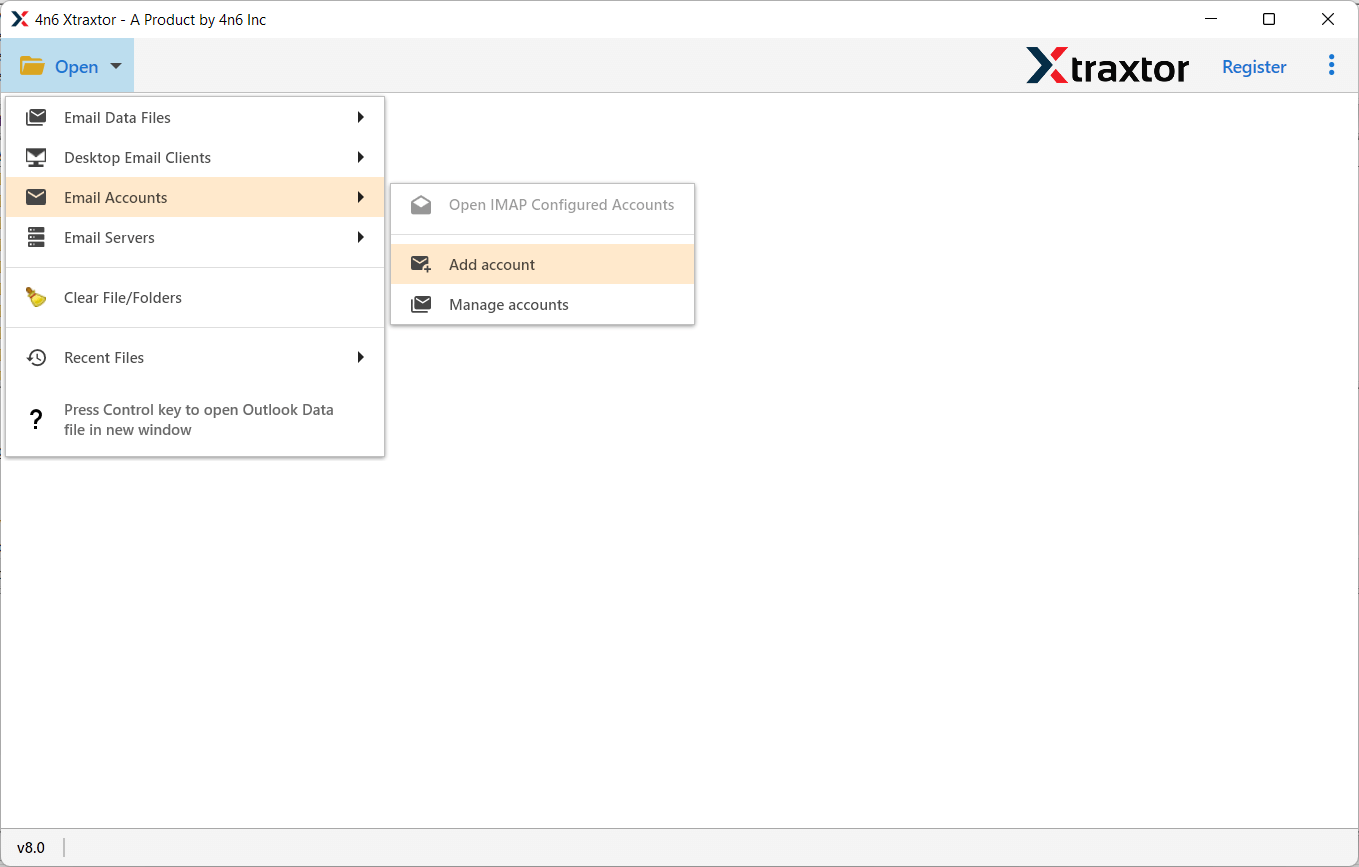
Step 2. Launch the software and click on Open >> Email Accounts and select Add Account.
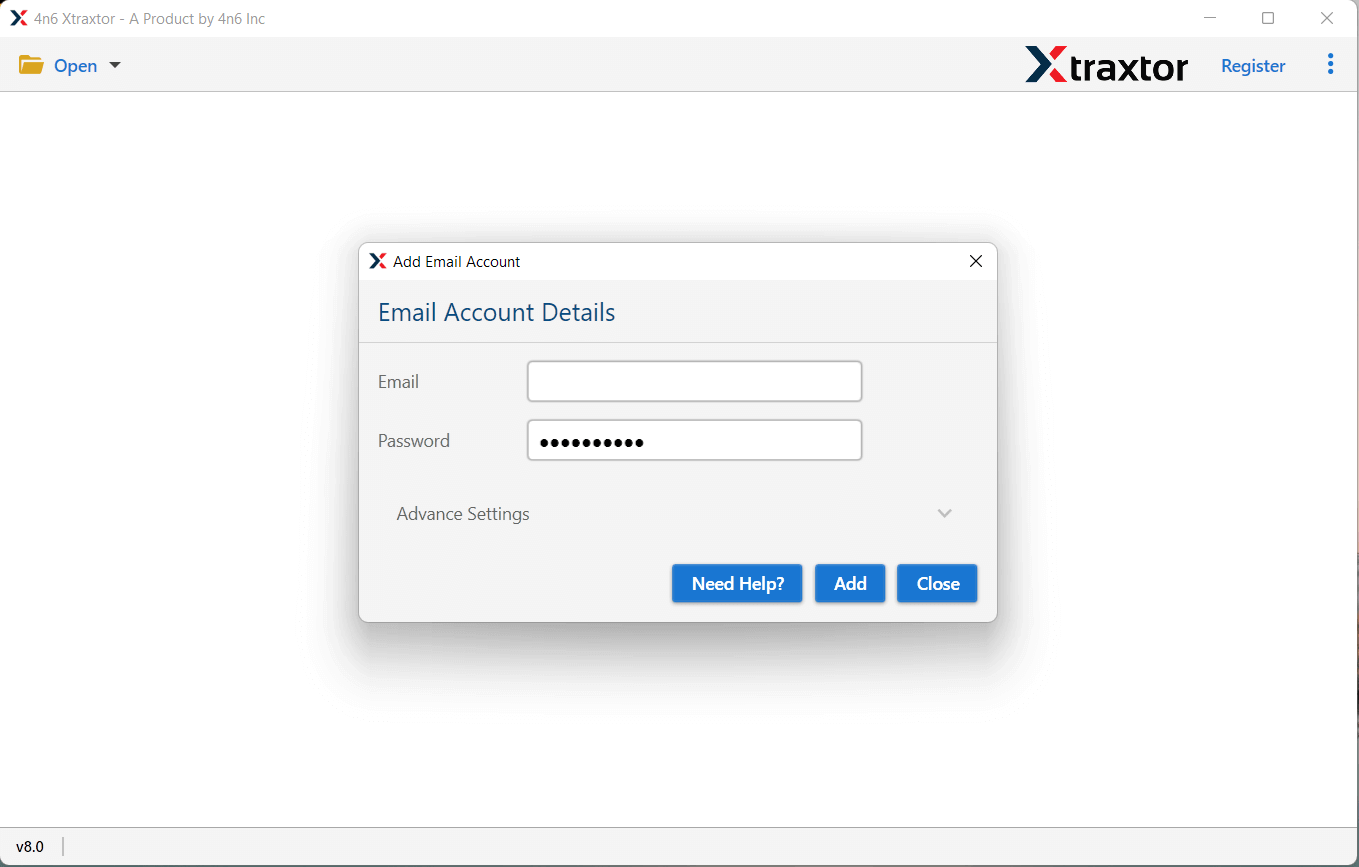
Step 3. Enter your cPanel email address and password, then click Add.
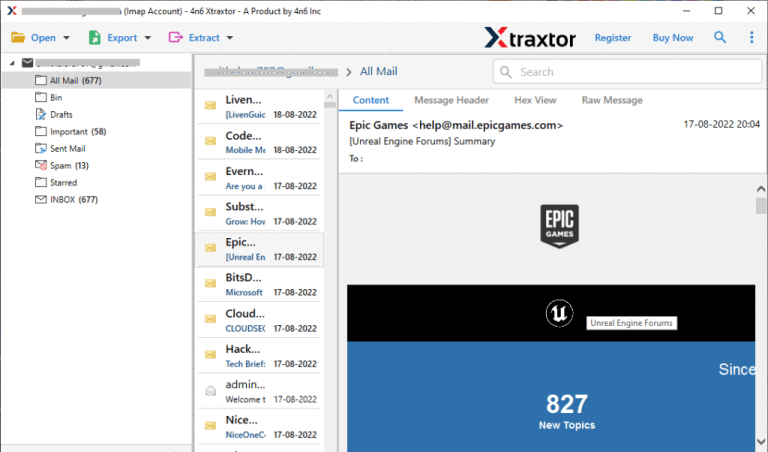
Step 4. The software will fetch all mailbox folders and emails for preview.
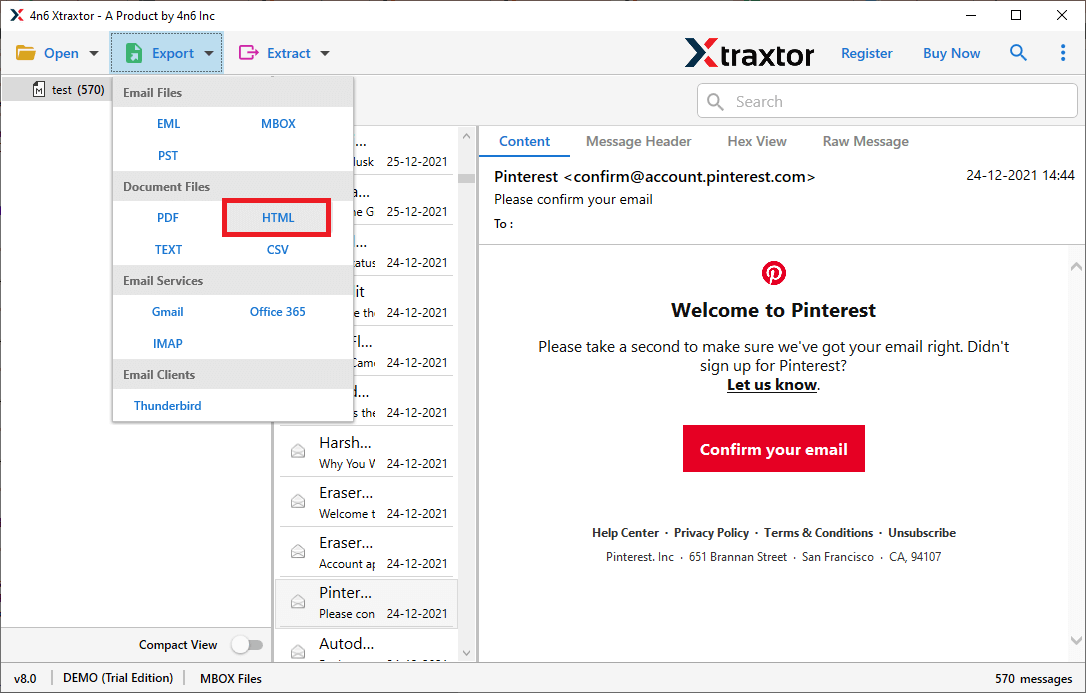
Step 5. Click on Export and choose HTML as the saving format.
Step 6. Select the email folders you want to export.
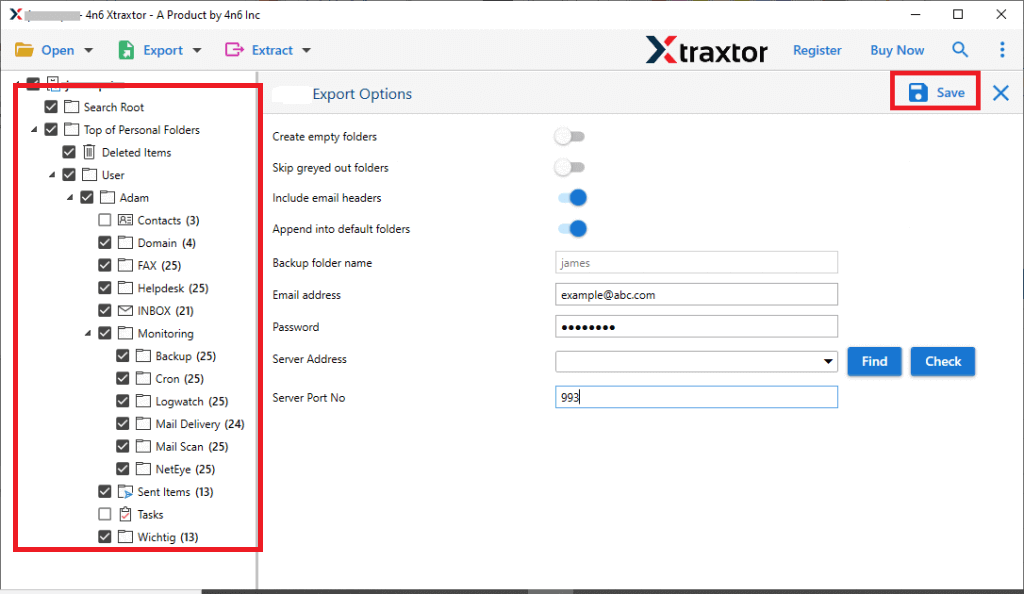
Step 7. Choose a destination location & click Save to start.
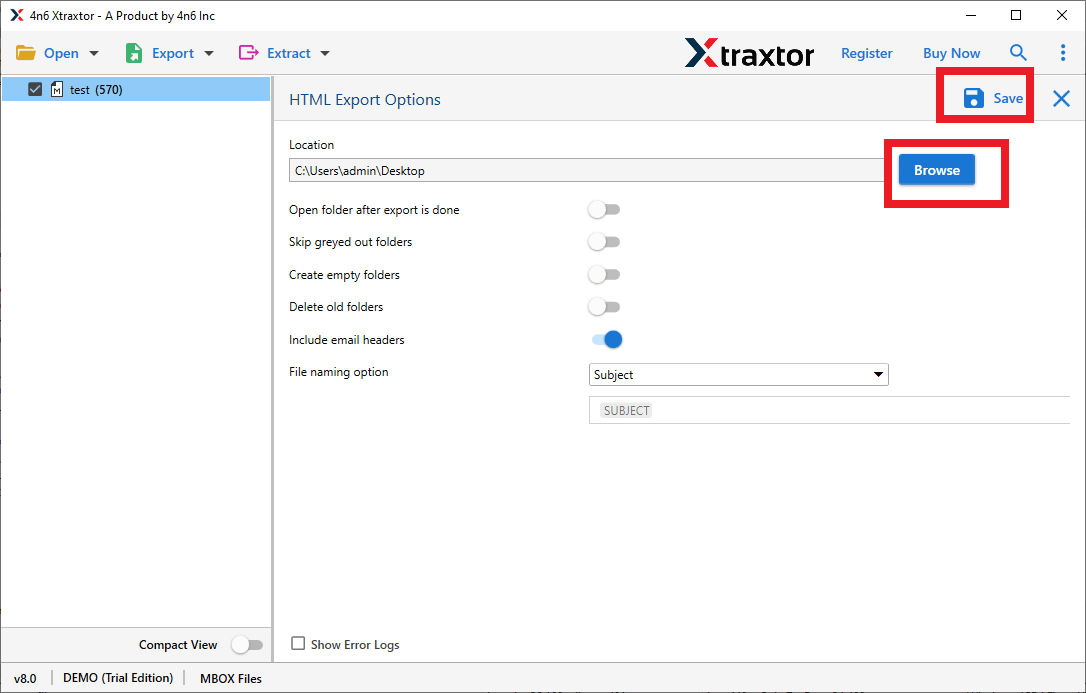
Once the process is complete, all selected cPanel emails will be saved as HTML files with their original content and attachments.
Key Features of Using Automated Software over Manual Methods
Xtraxtor software is designed to make it easy to export cPanel emails to HTML file format without errors or data loss. The software offers useful features that help users convert emails easily, even if they are not technical.
Below are the main features;
- It allows you to export cPanel emails using filters such as date range, sender email address, etc.
- It supports all cPanel-based email accounts, including Roundcube webmail.
- There is no need to install any email client to export cPanel emails to HTML format.
- Also, export cPanel emails to PDF, EML, MBOX, PST, and many more.
- Users can export single or multiple email folders to HTML at the same time.
- The software supports large mailboxes without size or email count limitations.
- Xtraxtor works smoothly on all the latest Windows operating systems.
- Emails are exported with their original formatting and attachments.
- The software shows a live progress report during the export process so users can track the conversion status.
- Xtraxtor ensures safe and accurate export of cPanel emails to HTML files.
Final Words
In the above blog post, we have discussed the most tried and tested ways to export cPanel emails to HTML format. You can first try and check both methods as per your convenience. And once you are satisfied with any of these methods, you may proceed with that one.
However, for our suggestion, we would like to recommend choosing a method as per your needs and requirements only. First, understand your needs: whether you need to export a few emails or large mailboxes, whether you can use software or not, whether you want to avoid data loss, or whether you want to safely convert your data or not. Once you understand it, choose the method as per your requirement.
