How to Export BlueMail to PST?

Do you want to export BlueMail emails to PST file? If you are planning to move your emails to Outlook or want to keep a backup of your important messages, this guide will help you. In this blog, we will explain simple methods that help you export BlueMail emails to PST format safely and easily.
BlueMail is a popular email client that allows users to manage multiple email accounts in one place. Many people use it to access emails from services like Gmail, Outlook, Yahoo, and others. On the other hand, PST (Personal Storage Table) is a file format used by Microsoft Outlook to store emails, contacts, calendars, and other mailbox data on a local system.
Exporting BlueMail emails to PST is useful for many reasons such as email backup, migration to Outlook, or offline access. By saving your emails in PST format, you can easily open and manage them in Outlook whenever needed.
In this blog, we will explain two effective methods to export BlueMail emails to PST format. You will also understand the advantages and limitations of each method so you can choose the best solution for your needs.
How to Export BlueMail Emails to PST Manually?
There is no direct option in BlueMail to export emails to PST format. However, you can use Microsoft Outlook as an intermediate solution.
Follow these steps carefully:
- Open Microsoft Outlook on your computer.
- Go to File > Add Account.
- Enter your email account credentials that you use in BlueMail.
- Configure the account using IMAP settings.
- Wait for Outlook to sync all emails from the mailbox.
- Now go to File > Open & Export > Import/Export.
- Select Export to a file and click Next.
- Choose Outlook Data File (.PST).
- Select the email account or folders you want to export.
- Choose a location on your computer to save the PST file.
- Click Finish to start the export process.
Once the process is complete, you will get a PST file containing all your emails.
How to Export Emails from BlueMail to PST File Format Automatically?
Now, try Xtraxtor software to easily export emails from BlueMail account to PST format quickly and securely. The tool connects directly with your email account and downloads all mailbox data into PST format. It also keeps the original folder structure, email formatting, and attachments during the process.
With its simple interface, both technical and non-technical users can easily export BlueMail emails to PST without any difficulty.
Get the free trial and learn the complete working procedure.

Steps to Export BlueMail Emails to PST File
Step 1. Download and run the software on your Windows computer.
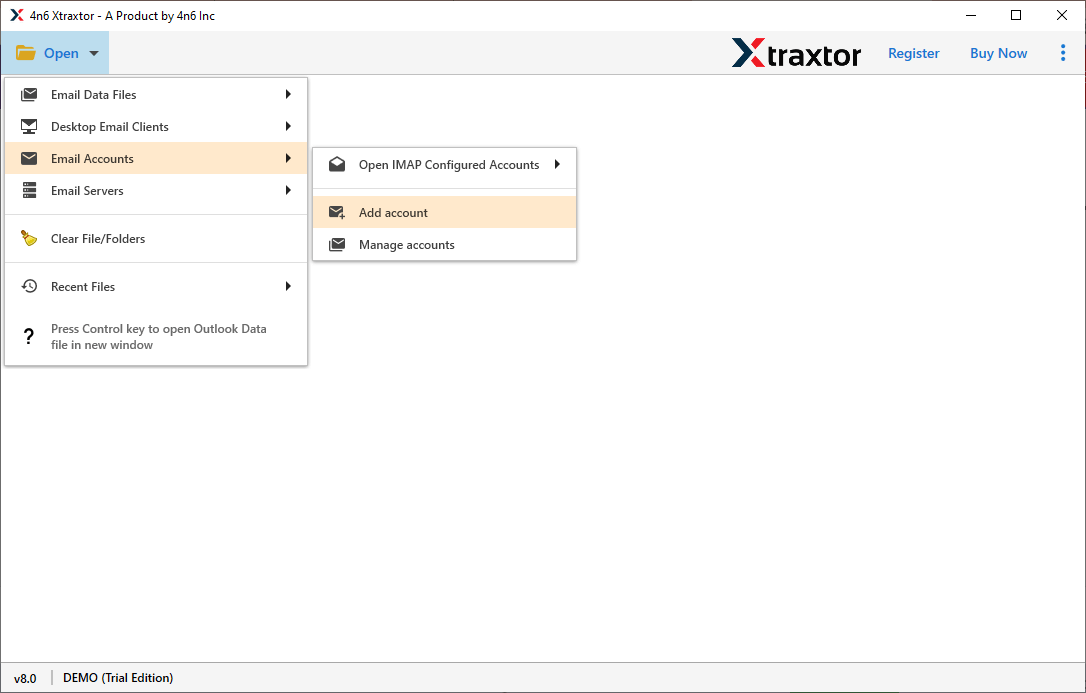
Step 2. Click on Open >> Email Accounts >> Add Account.
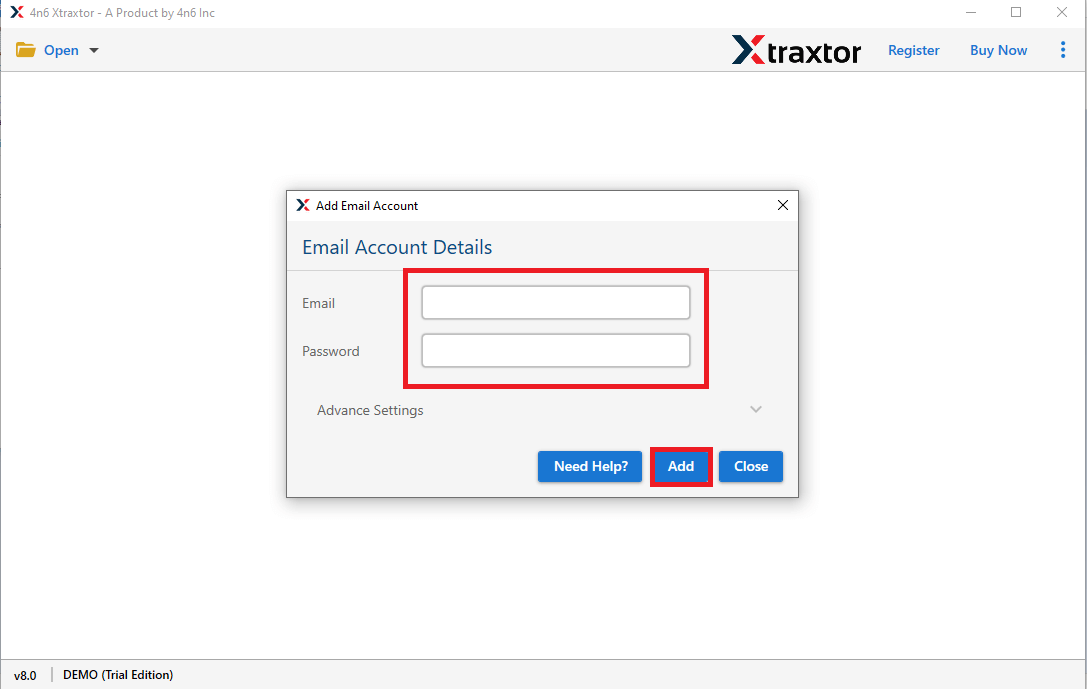
Step 3. Enter the email account credentials that you use in BlueMail and click on the Add button.
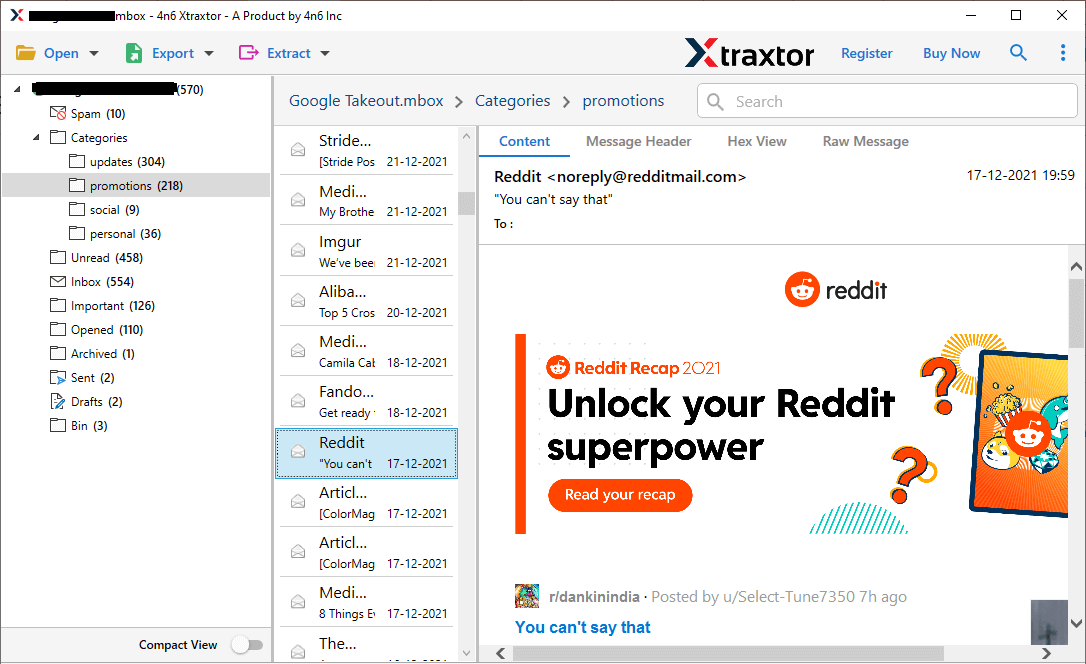
Step 4. The software provides previews to view cPanel mailbox data before exporting it.
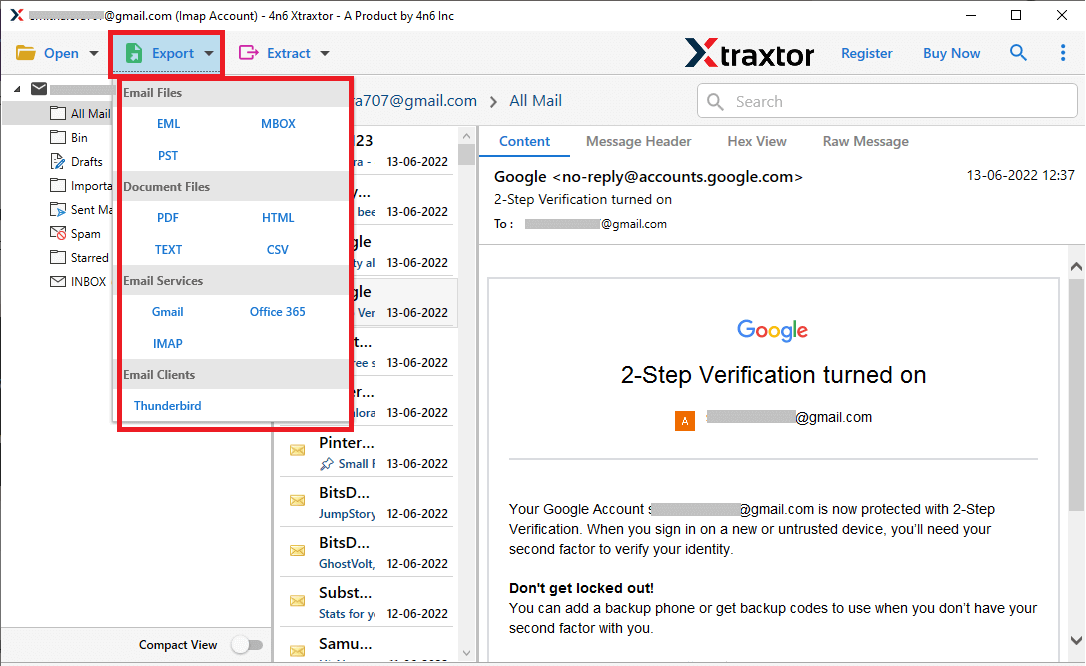
Step 5. After loading the mailbox, click on Export and choose PST as the saving format.
Step 6. Select the required email folders of your choice to export.
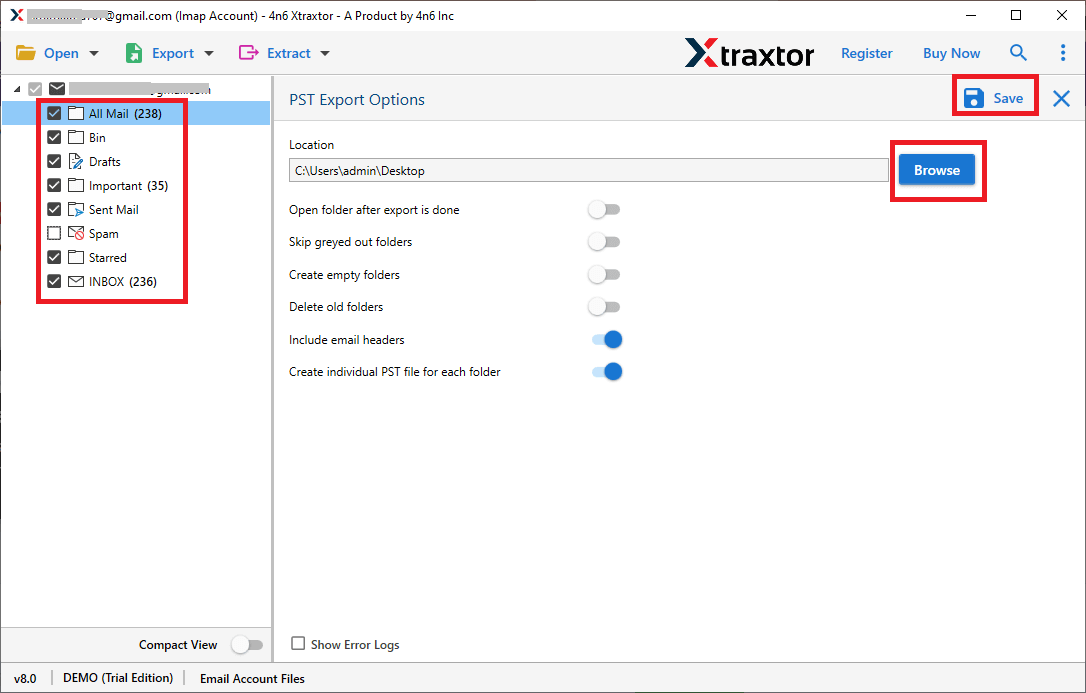
Step 7. Click on Browse to choose the destination location and then press the Save button.

That’s it! The process will start, and your BlueMail emails will be exported to PST format in just a few simple clicks.
This tool offers many useful features that make it easy to export BlueMail emails to PST format. Some of the key features are:
- Export all BlueMail emails to PST format in bulk.
- Maintains complete email data without any loss.
- Keeps the original folder structure during the export process.
- Allows you to download attachments from emails separately.
- Export selected emails using filters like date, subject, or sender.
- Preview emails before starting the export process.
- Save BlueMail emails to multiple formats like PST, PDF, MBOX, EML, MSG, HTML, and more.
- Option to choose any location on your computer to save the exported files.
- Simple and easy-to-use interface for all types of users.
- Backup BlueMail emails to PC, external hard drive, or other storage devices.
- 24/7 customer support is available for assistance.
Conclusion
Many users want to export BlueMail emails to PST format for backup or to access them in Outlook. In this blog, we explained a simple way to export BlueMail emails to PST. Although manual methods may work in some cases, they often come with limitations. However, the above-mentioned tool provides a quick and reliable way to export BlueMail emails to PST format without any restrictions.
