How to Export Apple Mail to PST File in Easy Steps?

Summary: Do you need a reliable solution to export Apple Mail to PST files? You may have searched a lot, but you still haven’t gotten the right method yet. If yes, you are in the right place. In this blog, you will get complete details on how to export emails from Apple Mail to PST format with step-by-step instructions.
Apple Mail is a popular email client for macOS users, widely used for managing personal and business emails. However, many users are looking to export emails from Apple Mail to PST. It can be due to various reasons depending on users’ personal requirements.
But, generally, Microsoft Outlook is everyone’s choice because it offers advanced features, better compatibility with Windows systems, and various email features. Since Microsoft Outlook supports PST files and Apple Mail does not, users often look for ways to export Apple Mail emails to PST format.
Keep reading this blog till the end to learn quick and easy-to-implement methods to convert Apple Mail emails into PST files. We will also introduce an automated Apple Mail to PST converter tool that helps you complete the migration easily.
Understand the requirement to Export Apple Mail to PST
Users export Apple Mail to PST due to multiple reasons. Here are some of the most common reasons listed below –
- Microsoft Outlook releases updates every month, which makes Outlook more superior for everyone.
- PST stores a lot of email data, like calendar entries, attachments, contacts, and others.
- PST file format is most useful for creating a backup of bulk emails.
- The PST file format helps to protect data from damage.
- Users can protect their PST files with the password function.
- Outlook provides task management and calendar features that improve performance and increase productivity.
These were the few most common reasons due to which users switch from Apple Mail to PST.
Now, let’s move towards the methods.
How to Convert Apple Mail to PST Manually?
You can export your Apple emails to a PST file using Outlook. Follow the step-by-step instructions below.
- Run the Outlook application on your desktop.
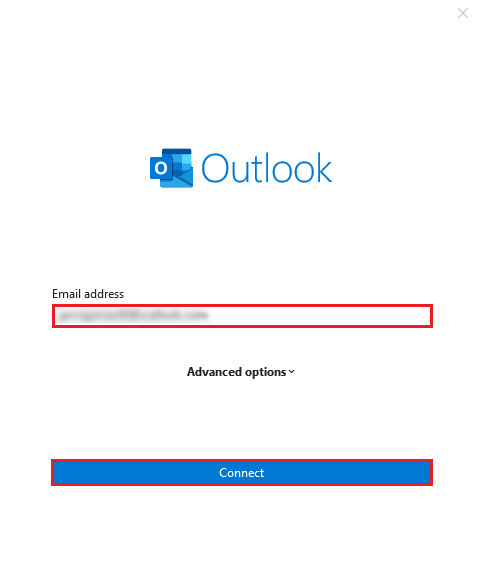
- Add your Apple Mail Account to Outlook.
- Enter your ID and Password of your Apple Mail account.
- Press the button “connect” to configure your account.
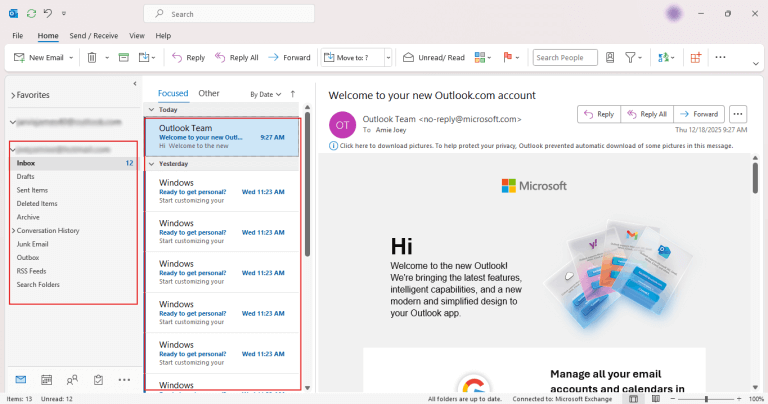
- Here you will get a preview of all your Apple Mail emails.
- Now, go to the File menu and select Open/Export Option.

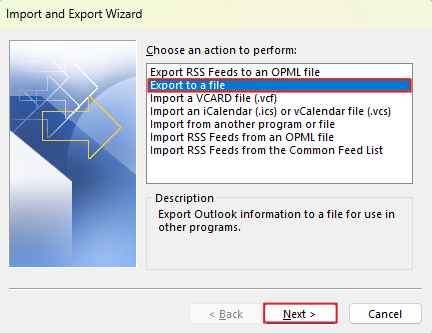
- Choose the option Export to a file and click Next.
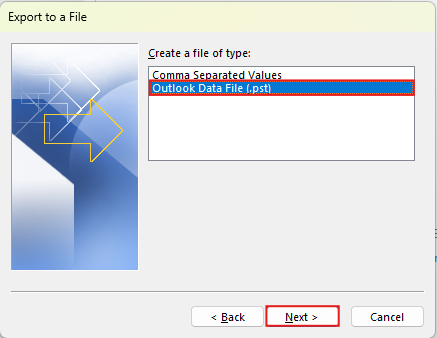
- Choose file type as Outlook data file and click the next button.
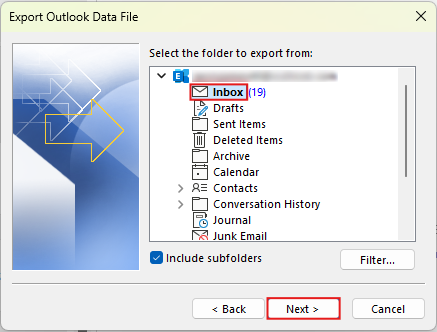
- Select the specific which you want folder to export and click next.
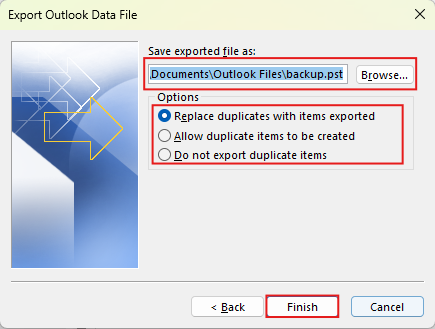
- Now, browse the file location and click on the Finish button to complete this process.
Done! Now you can see all your Apple Mail emails in Outlook.
Follow the above method to convert Apple Mail to PST.
Limitation:
- Not useful for the bulk of email data and large email file sizes.
- This process is lengthy and easily forgettable.
- Apple Mail should sync with Outlook to receive all emails.
- The process is time-consuming and not easy for non-tech users.
- Minor mistakes lead to permanent email loss.
- The file structure will be disturbed during this entire process.
How to Export Emails from Apple Mail to PST Directly?
There is no manual solution to export in such a case; you can try Xtraxtor. This software converts Apple Mail to PST file format in just a few clicks. You can easily convert emails from Apple Mail and import them into your Outlook email client. The software works offline and effortlessly exports your emails from Apple Mail to the PST format.
Simply click the download button below to try the free trial version.

Steps to Convert Apple Mail to PST
- Open Apple Mail on your Mac device.
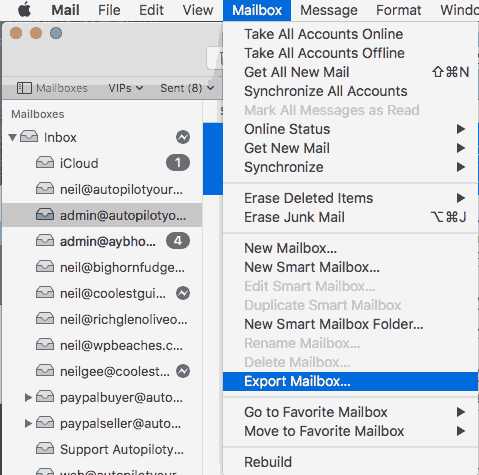
- Then, click on the Mailbox menu and choose the export option.
- Open the Xtraxtor application on your Windows PC.

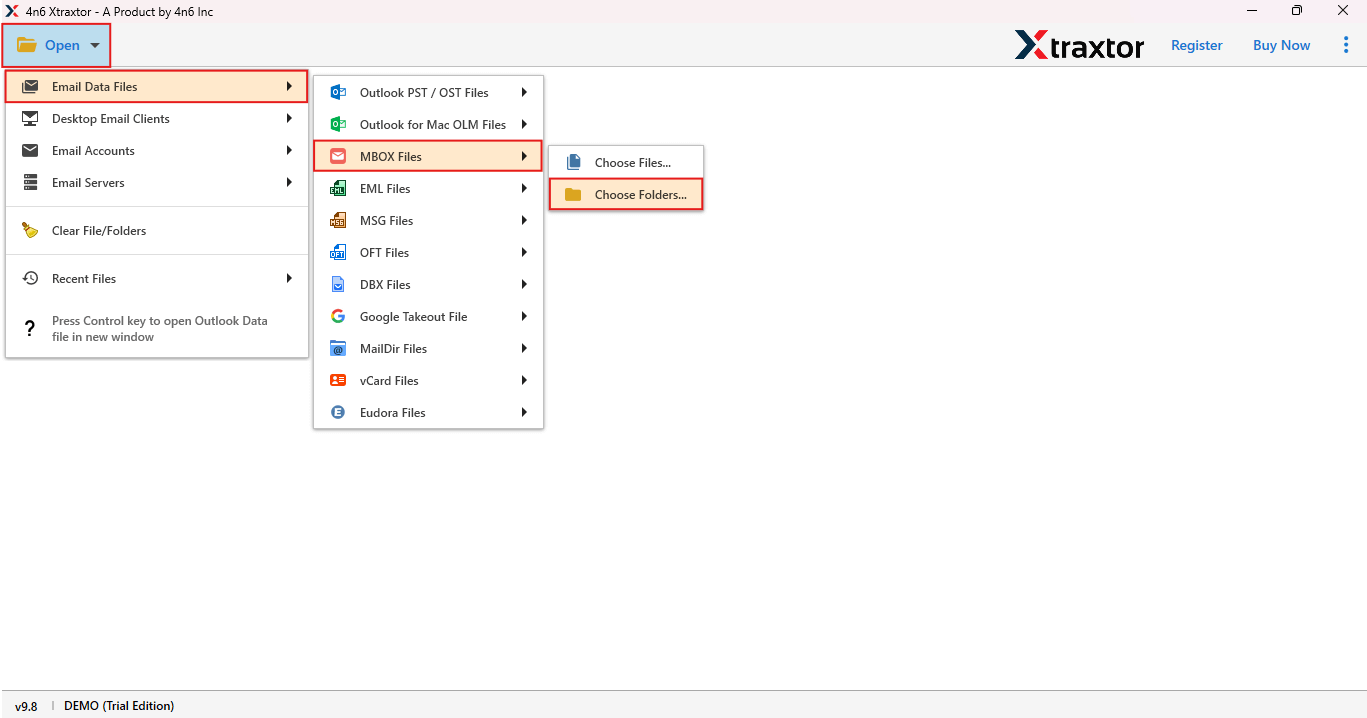
- Click on the Open Button, choose Email Data File > MBOX File > Choose Folder.
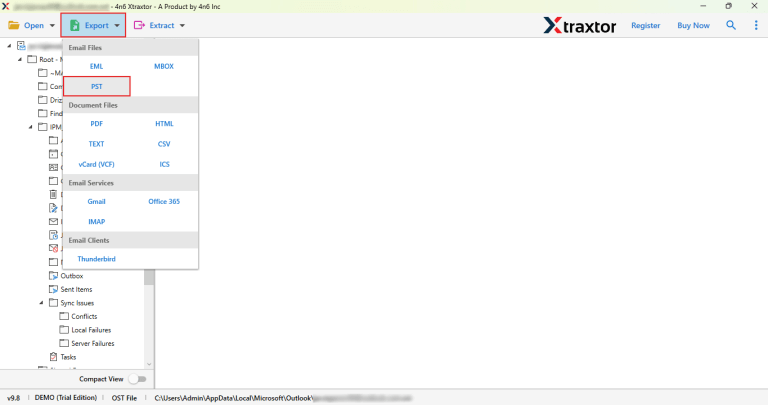
- Now, click on the Export button and choose the PST option.
- Here, browse the location and click on the Save button to save emails.
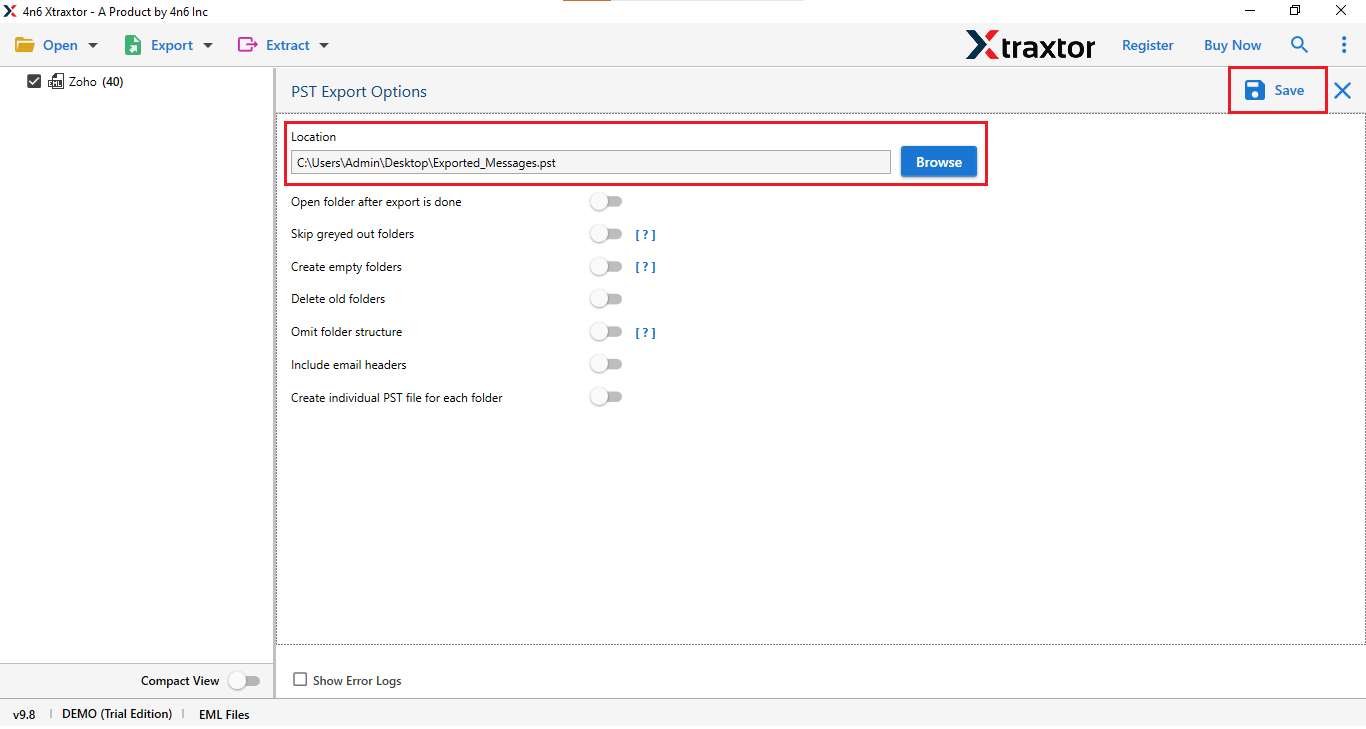
Done! Finally, your Apple Mail is successfully converted to PST file format.
By following the above process, you can convert Apple Mail to PST.
Advantages of Using a Professional Solution
- The software can extract data or information from almost all types of email files.
- You can use this to export, convert, and transfer all types of emails in just a few clicks.
- This solution gives you all-in-one support for 10+ file formats.
- You can extract data from emails via webmail.
- This Apple Mail to PST converter is easy to use for all types of users.
- Best for migrating, downloading, and exporting emails from one platform to another.
These were some of the main and best features of this software.
Final Thoughts
In this blog, we discuss two best solutions to export Apple Mail to PST file format. Tried both the manual and direct methods to convert Apple Mail to PST. Found manual method is time-consuming, lengthy, risk of email loss, and is difficult for non-tech users. In such a case, using the mentioned tool is the right decision and a simple way to export email from Apple to PST file format without losing any data.
You can try the free version of the suggested tool to check if it works. If you are satisfied with the outcomes of this software, you can go with its licensed version.
