How to Export AOL Emails to PDF Files?

Are you stressed with overloaded your AOL mailbox or facing issues while managing it all together? Here, you need to understand the best file format to manage your emails effectively. In this guide, you will learn all possible ways to export AOL emails to PDF, including free manual methods and a professional bulk solution. We will also explain limitations, real-world use cases, and the safest approach for large mailboxes.
So, check out this blog
Why Export AOL Emails to PDF?
Why PDFs? You might be asking this in your mind while choosing this file format to backup AOL emails. PDF is one of the most secure and widely accepted file formats. Exporting AOL emails to PDF offers several benefits:
- Keep important emails for legal or compliance purposes
- Create a permanent backup of AOL Mail
- Access emails offline anytime
- Share emails easily without AOL login
- Preserve email content in a read-only format
Many businesses, lawyers, and individual users prefer PDF because it keeps the email layout intact and prevents accidental changes.
How do I Save an AOL Email as a PDF?
AOL Mail does not provide a direct option to export emails as PDF files. This becomes a serious problem when users need to save important emails for legal records, backups, or offline access. Many users try manual workarounds but quickly realize they are slow and limited.
But, don’t worry, here we come up with all tried and tested solutions to convert aol email to pdf. Go through with each method one by one and choose the one that suits best to your needs and requirements.
Method 1. Manually Save AOL Emails as PDF (Free Method)
To save single AOL emails as .pdf file one by one, you can choose this method. This is the most commonly used free workaround.
- Log in to your AOL Mail account.
- Open the email you want to save.
- Click the Print option.
- Choose Save as PDF as the printer.
- Select a location and save the file.
Note: This method works only for single emails.
Method 2. Convert Multiple AOL Emails into PDF Files in Bulk
Xtraxtor Software helps you convert multiple AOL emails into PDF files in bulk without any hassle. The tool allows you to download complete AOL mail folders and save emails as secure PDF documents in just a few clicks. It keeps the original email content, formatting, and attachments intact during the conversion.
With Xtraxtor, you can export thousands of AOL emails at once, apply filters like date range, and create PDF files that are easy to store, share, and access offline.
Click on the free download button and check its working process.

Steps to Export AOL Emails to PDF with Attachments
Step 1. Run the software and click the Open tab.
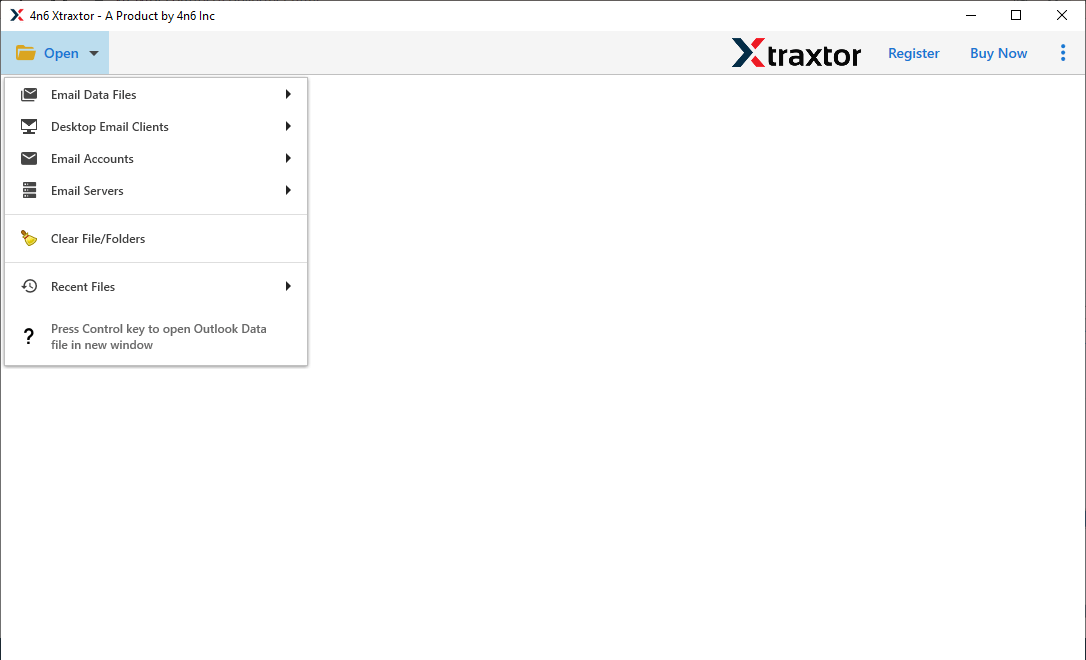
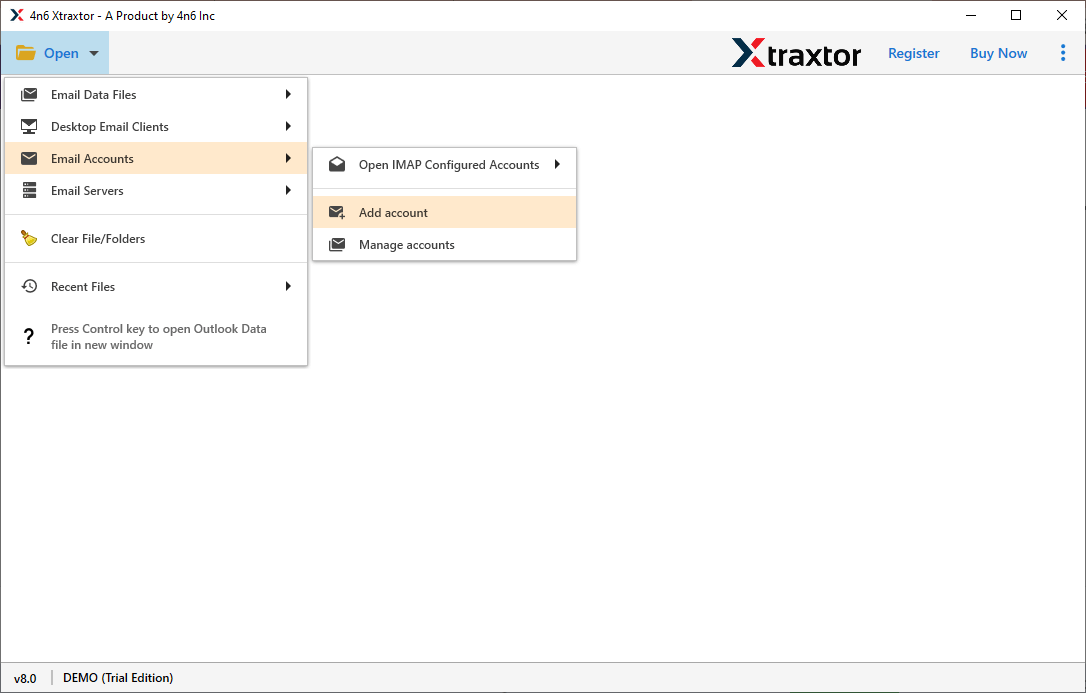
Step 2. Next, click Email Accounts >> Add Accounts.
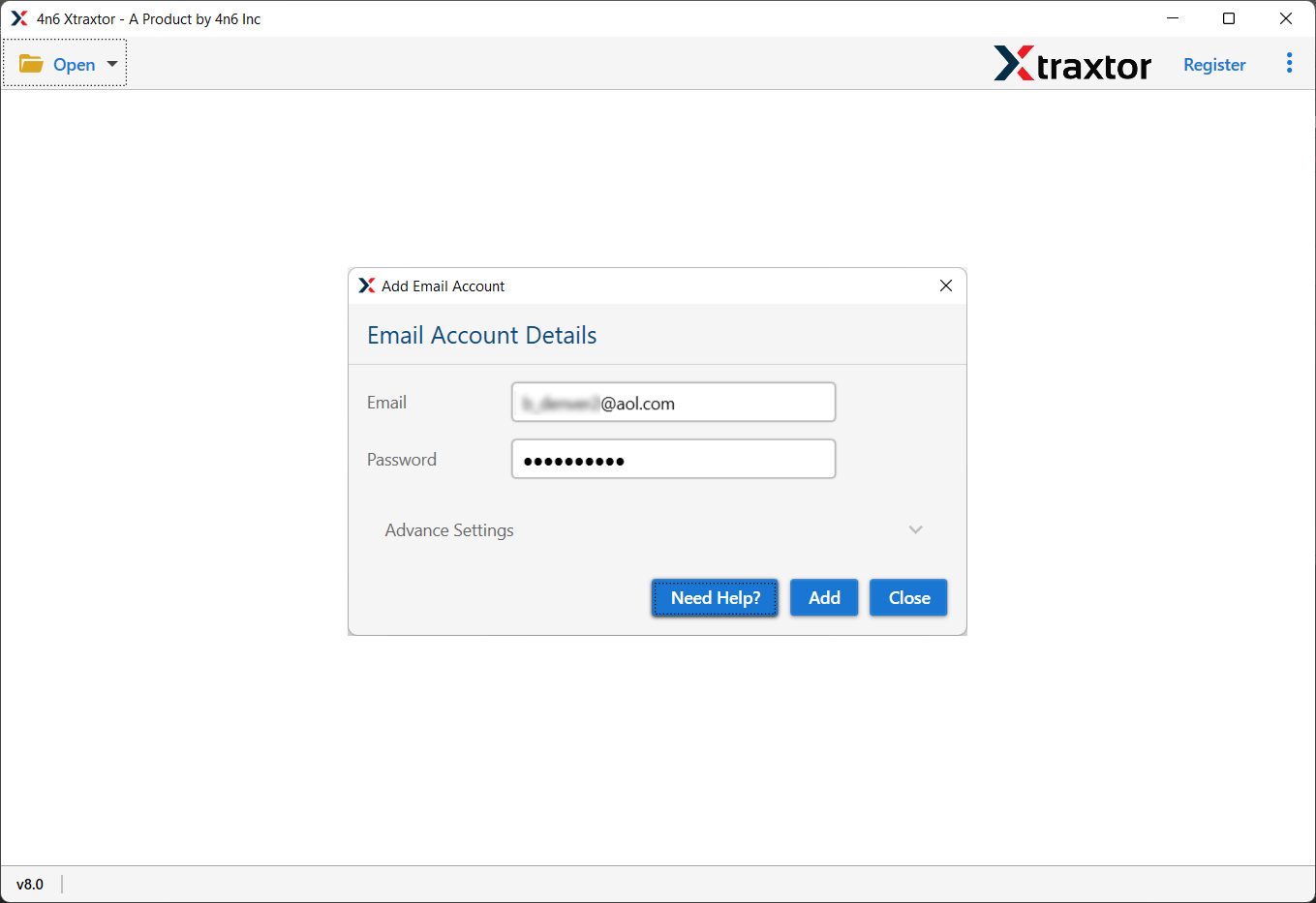
Step 3. Now, provide your AOL email account details and click the Add button.
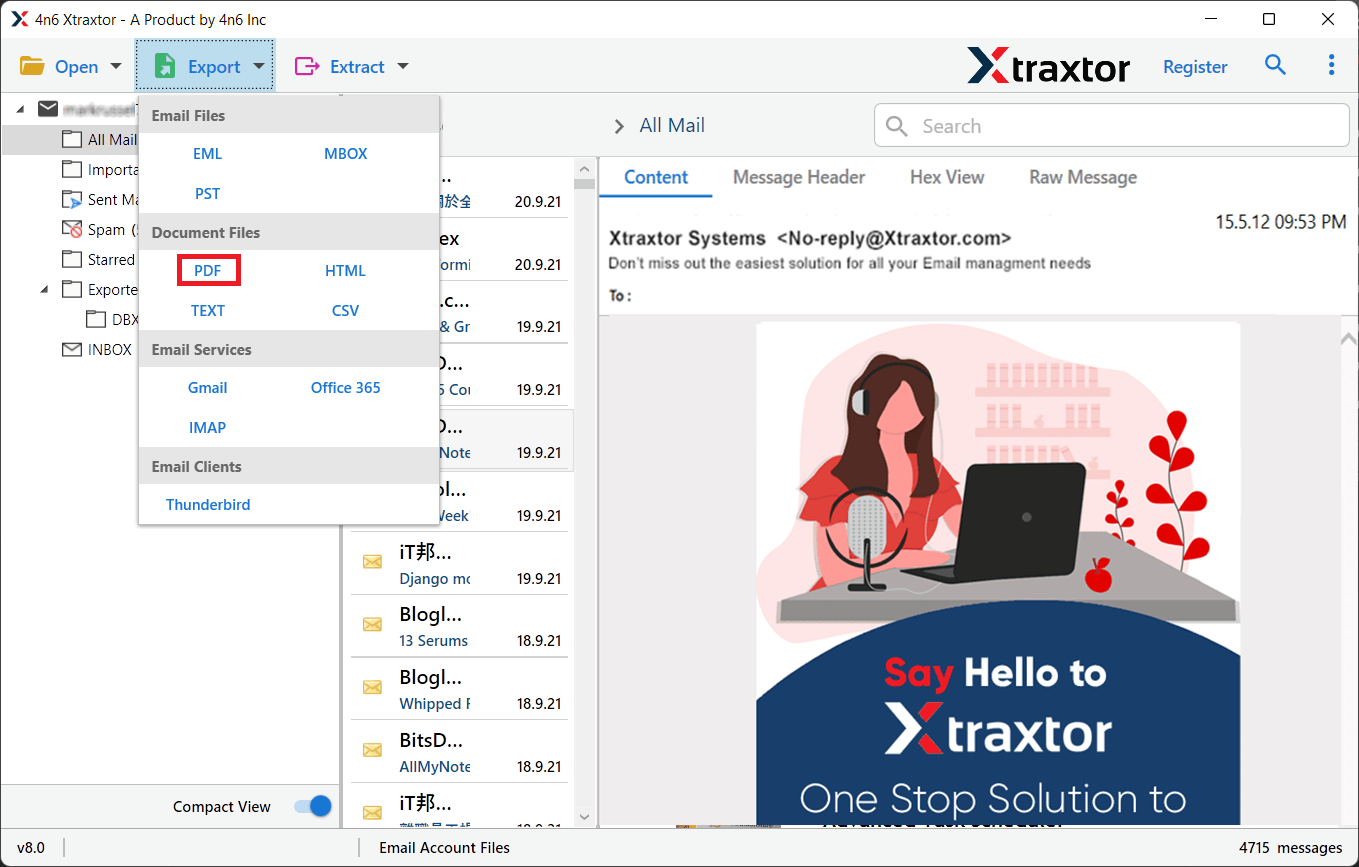
Step 4. After that, click Export and choose PDF from the options.
Step 5. Select the required email folders that you want to export.
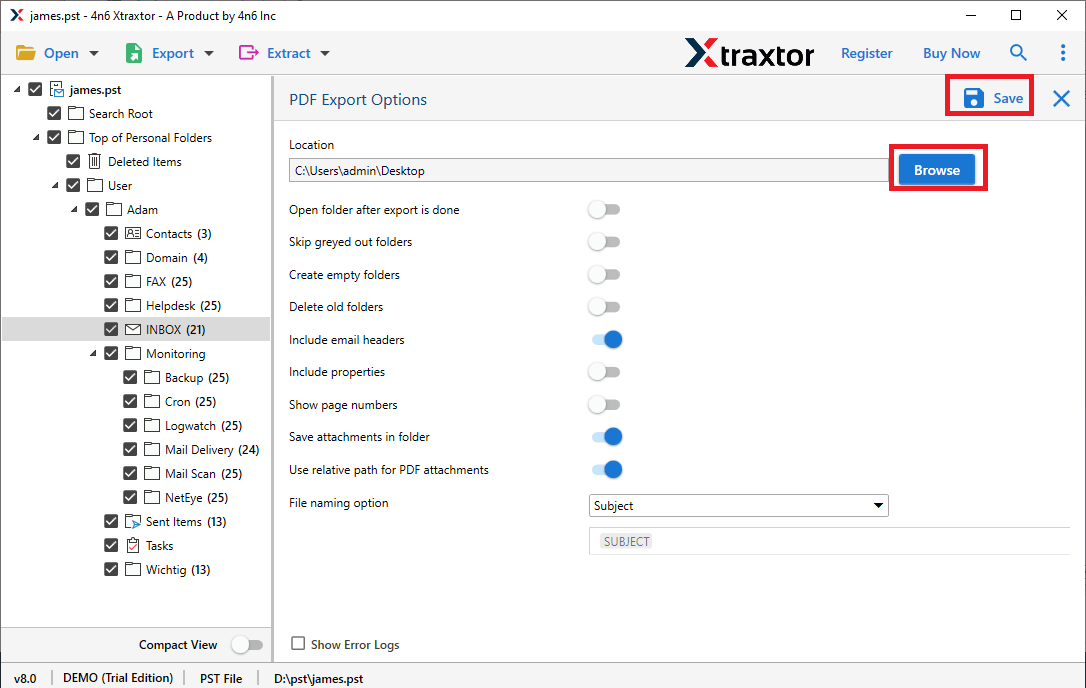
Step 6. Now, tap on the browse and select the destination, and click Save to start.
Exporting AOL emails into PDF files has started. Once completed, you will get a log report to see the live status.
Why Professional Tools Are Needed
Professional tools are designed to overcome AOL’s limitations. They allow you to:
- Export multiple emails at once
- Maintain folder structure
- Include attachments inside the PDF
- Preserve email metadata (From, To, Date, Subject)
- Apply filters (date range, sender, subject)
This is especially useful for business users, legal professionals, and IT teams.
Final Recommendation
In this guide, we have suggested the best ways to export AOL emails to PDF. By following any of the explained methods, you can easily save your AOL emails as a PDF file. If you only need to save a few emails, manual printing works. But if you want to convert emails in bulk, preserve folders, attachments, and metadata, a professional solution is the most efficient and secure option.
