How to Convert IMAP Emails to PDF Files?

Summary: This informative guide will show you how to convert IMAP emails to PDF. This blog consists of the challenges that users face while searching for a solution, manual and professional methods, and the safest way to perform bulk IMAP to PDF conversion without losing data.
Why is IMAP to PDF Conversion Challenging?
IMAP (Internet Message Access Protocol) is an email protocol that keeps emails synchronized with the mail server. When you open an email using IMAP, you are viewing a live copy stored online.
Key Characteristics of IMAP Emails
- Emails remain on the server
- Changes sync across all devices
- No permanent local storage by default
- Requires continuous internet access
Why IMAP to PDF Conversion Is Not Simple
- IMAP does not provide a built-in export option
- Emails are not downloaded as files
- Attachments and folder structure can be lost
- Bulk conversion is not supported manually
Because of these limitations, users often struggle when trying to download IMAP emails as PDF files.
How to Convert IMAP Emails to PDF for Free?
There is no official manual method that can let you save IMAP emails as PDFs. However, most of the email clients offer an option to export emails into .pdf files. Here, we will also use an email client to add your email account first and then print IMAP emails as a PDF.
- Download and install any email client of your choice.
- Now, add your IMAP email to your email client.
- Open any email and click the Print option.
- Select Save as PDF from the drop-down.
- Provide the location path and click save to start.
Limitations:
- One email at a time
- No bulk conversion
- Attachments may not embed properly
- Folder structure is lost
This method is only practical for very few emails.
How to Export IMAP Mailbox to PDF Files in Bulk?
To easily export multiple IMAP emails into PDF files, Xtraxtor software for Windows provides a simple, secure, and reliable solution. The software allows users to connect directly to their IMAP email account and convert emails into searchable PDF files without data loss.
Download the demo version to understand the full working process.

Steps to Convert IMAP Emails to PDF with Attachments
Step 1. Download and run the software on your Windows system.
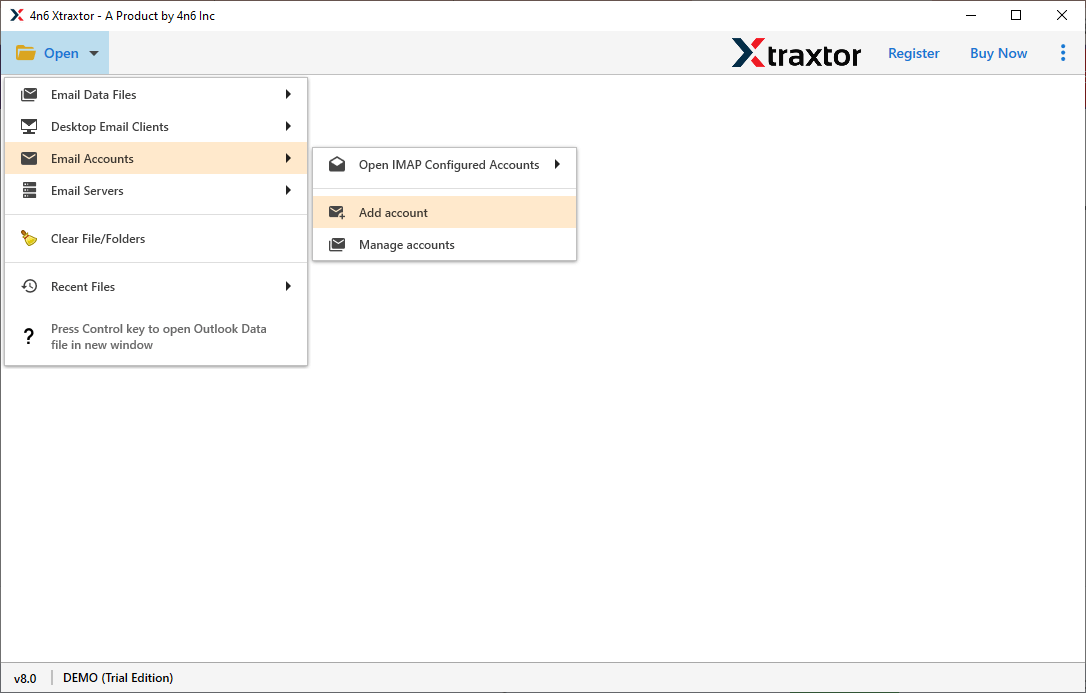
Step 2. Click the Open tab and choose Email Account and the Add account option.
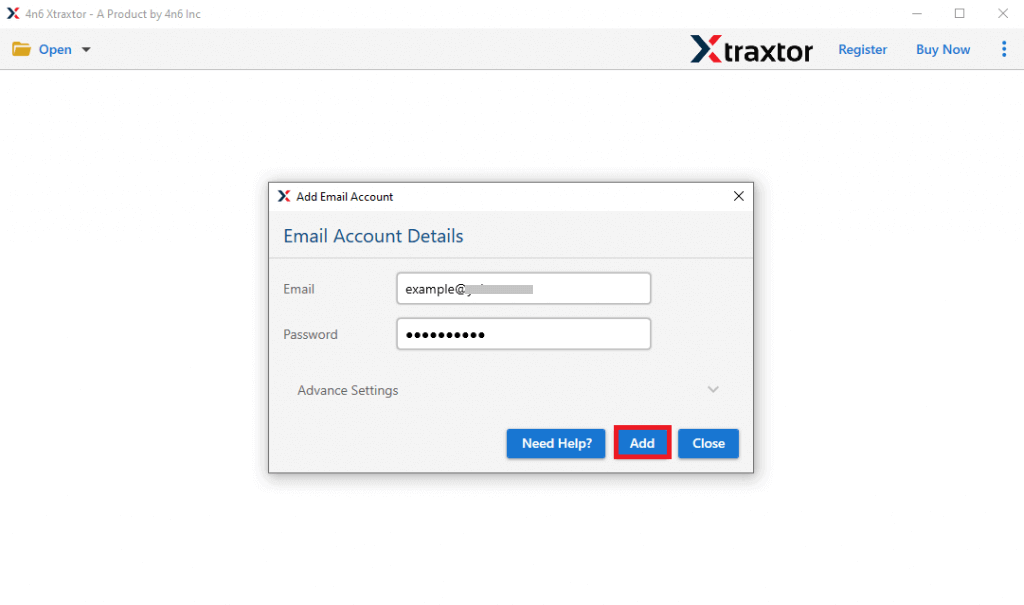
Step 3. Now, provide your IMAP account details and click the Add button.
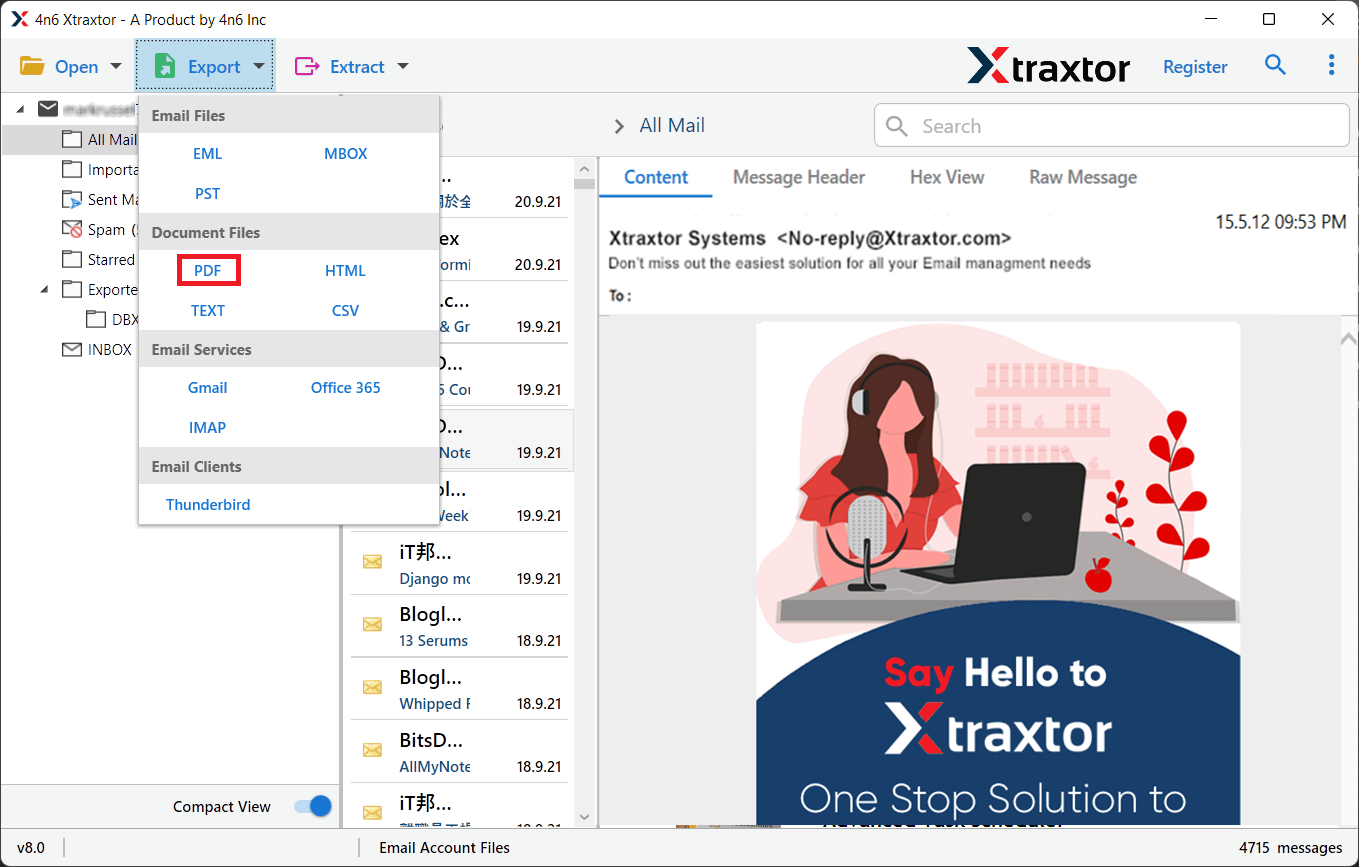
Step 4. Tap on the Export and choose the PDF option from the list.
Step 5. Choose the required mailbox folders from the preview mode.
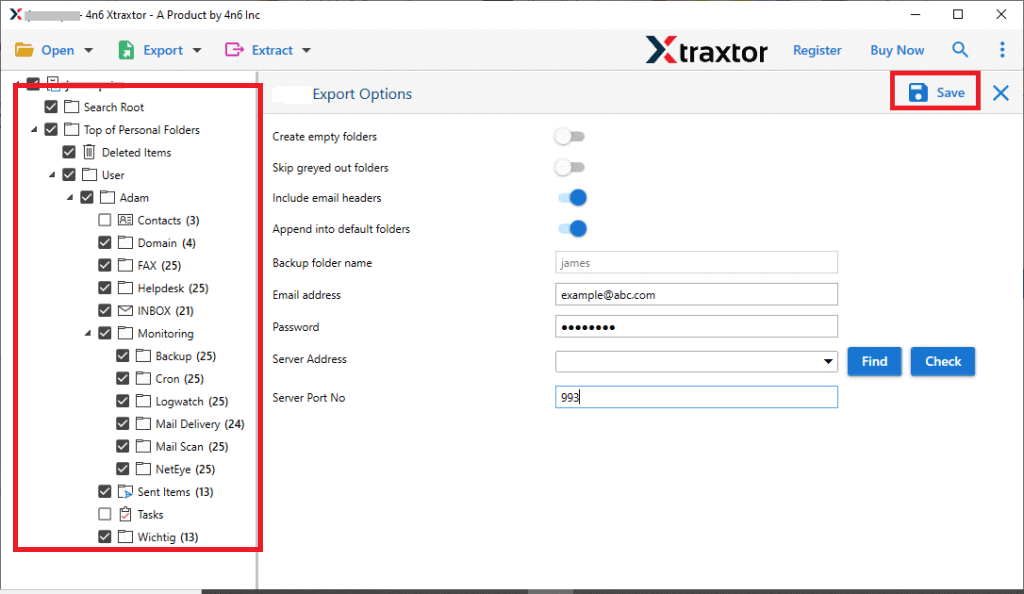
Step 6. Browse the destination path and click on the Save button.
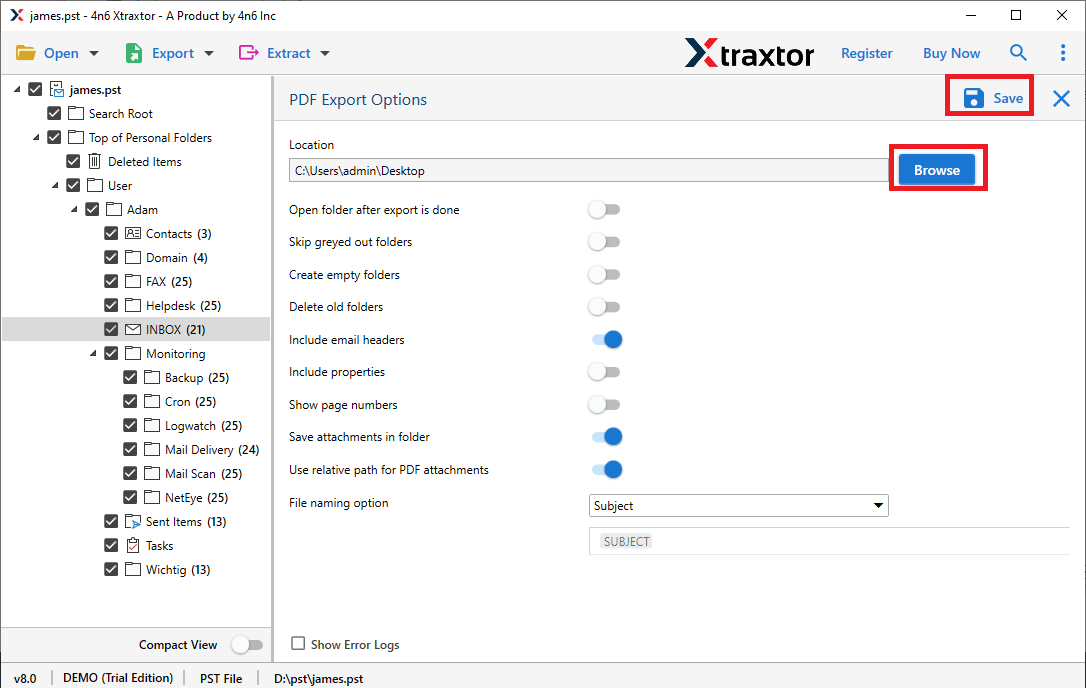
Wait for a while, the software will start exporting your selected Yahoo emails into PDF file.
Once completed, you will be notified through a log report. Click OK to continue.
Benefits of Using an Automated Solution
- Bulk IMAP Emails to PDF Conversion: You can convert multiple IMAP emails into PDF format in a single process. The tool supports large mailboxes without performance issues.
- Preserve Email Structure & Metadata: Xtraxtor maintains the original folder hierarchy and saves important details such as From, To, Subject, Date, and Attachments.
- Advanced Email Filters: Export selected emails based on Date range, Sender or recipient, Subject keywords, etc. This helps users convert only the required IMAP emails.
- Attachments Embedded in PDF: All attachments are embedded or saved alongside the PDF file, ensuring complete email records.
- Secure & Offline Processing: Xtraxtor performs the conversion locally on your Windows system. IMAP credentials are not stored, ensuring complete data security.
- Supports All IMAP Email Providers: Compatible with Gmail, Yahoo Mail, Outlook.com, Zoho, iCloud, and all standard IMAP servers.
Final Words
This complete blog guides you through the complete solutions to convert IMAP emails to PDF. You can use either a manual method or an automated tool to export emails from IMAP to PDF files. However, the manual method has some limitations, such as you can convert a single IMAP email into PDF at a time. To do it in bulk, you can go with an automated solution.
