How to Backup ProtonMail Emails to Hard Drive?

In this easy guide, you will learn the best ways to backup ProtonMail emails and keep them safe from accidental loss. This blog explains why ProtonMail backup is important and how users can save their emails to a hard drive for future access. So, refer to this article to know more.
ProtonMail is designed with strong privacy and encryption, which is great for security, but makes email backup slightly challenging. That is why many users look for reliable methods to create a local copy of their ProtonMail emails. A backup ensures that your data is always available, even if you cannot access your ProtonMail account for any reason.
Why Do We Need to Backup ProtonMail Emails to Hard Drive?
Backing up ProtonMail emails is very important to protect valuable information. Emails often include personal messages, business communication, and important attachments.
Below are some key reasons why ProtonMail users should create a backup on a hard drive:
- Your emails may contain important personal or business data. If your system crashes or your account becomes inaccessible, you may lose access to these emails. A backup helps you recover them easily.
- Sometimes emails get deleted by mistake. With a backup available, you can restore deleted emails anytime.
- When switching to a new computer, having a hard drive backup allows you to transfer ProtonMail emails without any trouble.
- A hard drive backup is more secure than online storage because it stays offline and reduces the risk of hacking.
- Backups are useful for legal, compliance, or record-keeping purposes.
For Proton Mail backup, we have both a manual and a professional way.
- Manual Method
- Professional (Automatic) Method
Let’s understand both in detail.
How to Download Emails from ProtonMail Manually?
ProtonMail provides a free Import-Export application that helps users download decrypted emails directly to their device. This method is useful for users who want a basic and one-time backup of their ProtonMail emails.
Follow the steps below to backup ProtonMail emails manually:
- Download and install the ProtonMail Import-Export app on your computer.
- Open the app and sign in using your ProtonMail email address and password.
- Once logged in, choose how you want to export emails.
- Next, select the email folders you want to save.
- Choose the output format to save emails, such as MBOX or EML.
- Select a destination folder on your hard drive and click on the Export button.
Once the process is complete, your ProtonMail emails will be successfully saved to your hard drive.
Note: This manual method works well for small mailboxes but may take time for large or bulk email backup.
How to Backup ProtonMail to Computer Automatically?
Try Xtraxtor Email Backup Wizard, which is one of the easiest and most reliable ways to backup ProtonMail emails to your hard drive. The software comes with a simple interface, so even non-technical users can perform the backup without difficulty. It allows you to download all ProtonMail emails locally and keep them safe for future use.
The tool also provides smart filter options that let you back up only selected emails instead of the entire mailbox. You can filter emails based on sender, receiver, subject, date range, and more. This is helpful if you want to save only important emails. In addition, the software supports multiple file formats such as PST, EML, MSG, PDF, and many more.
You can also try the demo version of the software to understand the complete working before upgrading to the full version.

Steps to Backup ProtonMail Emails to Hard Drive
Step 1. Download and install the Xtraxtor software on your computer.
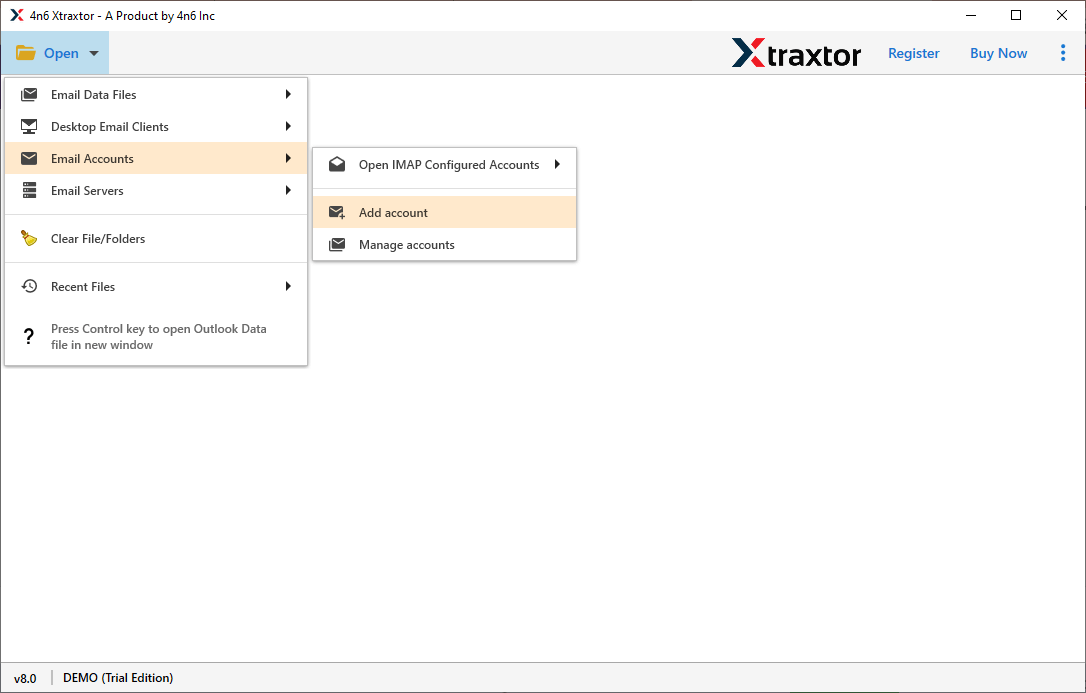
Step 2. Open the tool and go to Open >> Email Account >> Add Account.
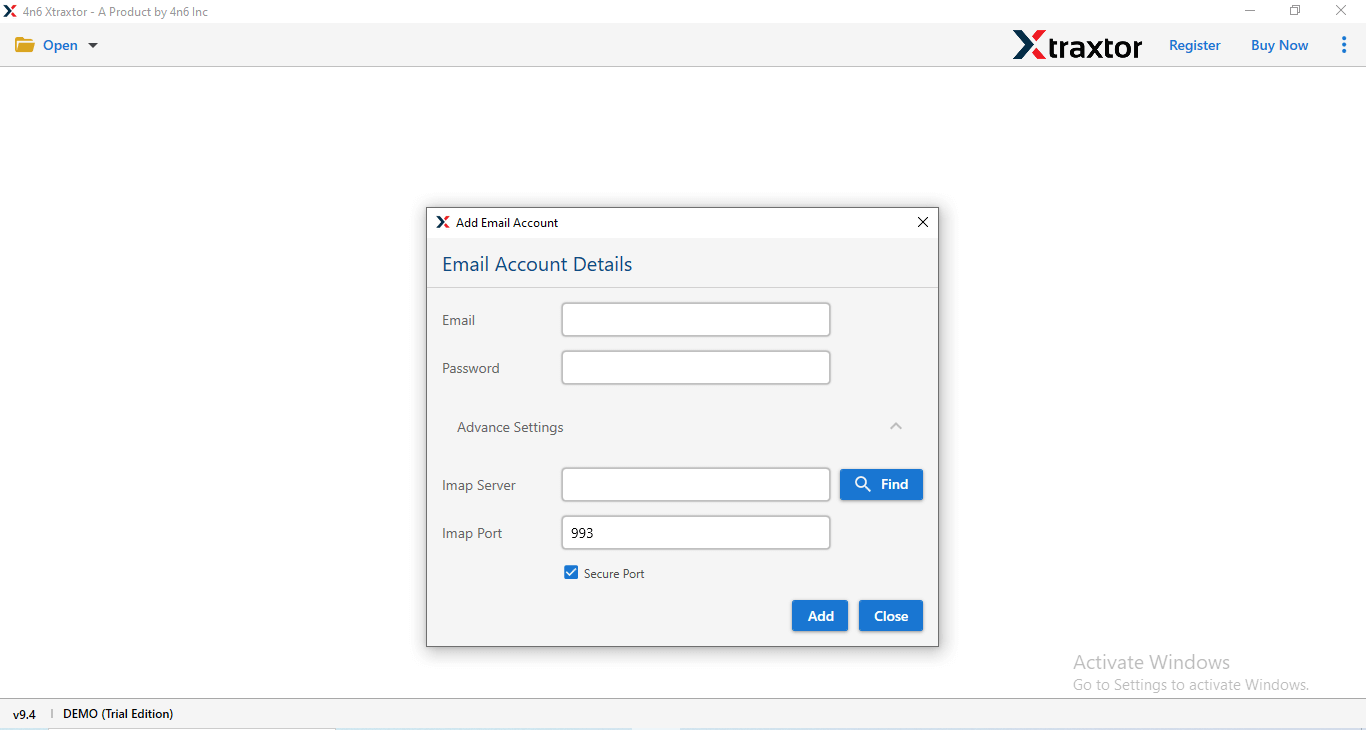
Step 3. Enter your ProtonMail login details and click on the Add button.
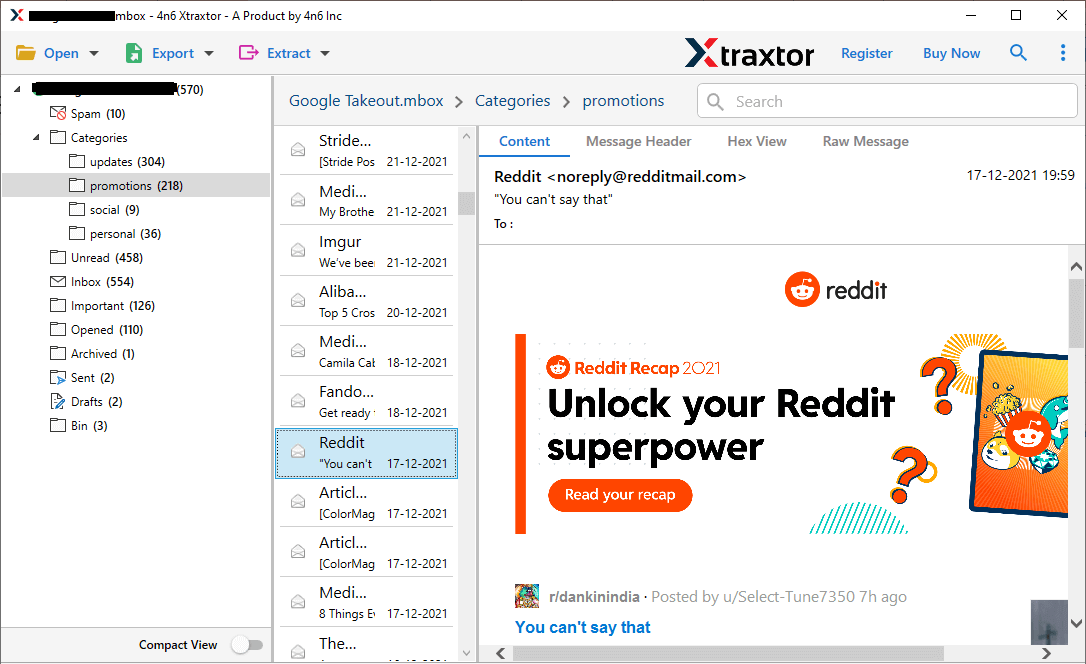
Step 4. Once connected, the tool will load your ProtonMail emails and allow you to preview them.
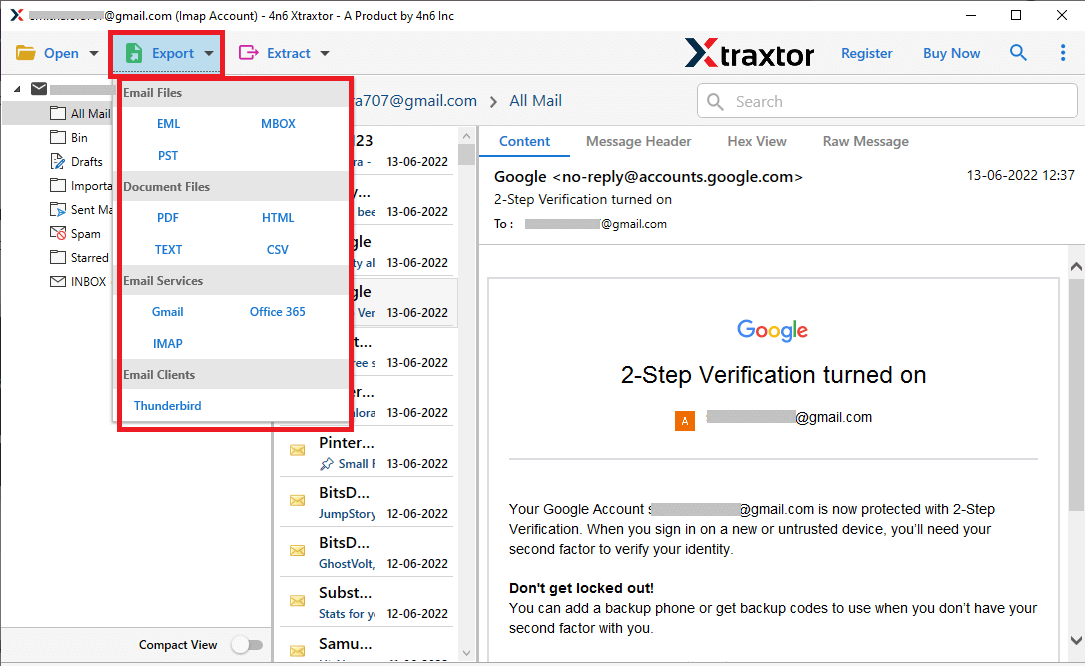
Step 5. Click on the Export option and choose the file format.
Step 6. Browse and select a location, then click on the Save button to start.
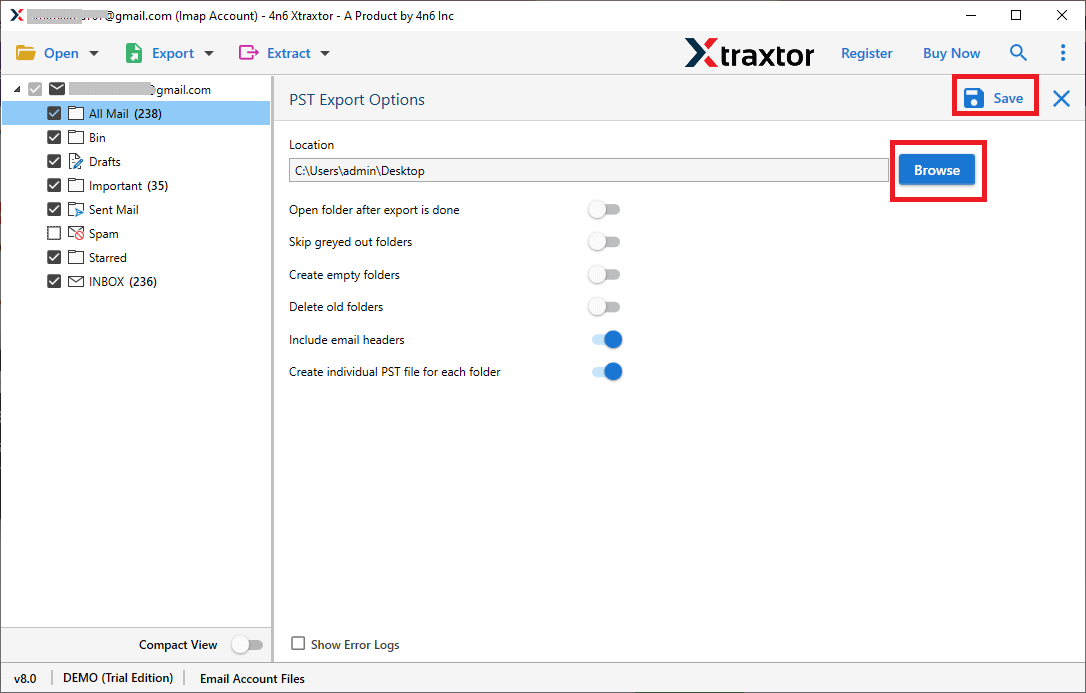
That’s it! Your ProtonMail emails are now successfully backed up to your hard drive with attachments in just a few simple steps.
Final Words
Everyone has their own reason to backup ProtonMail emails to their local system. However, choosing a method should be done carefully. First, analyse what you need and want. Once you are done with this, then you will understand all the methods carefully. Now, decide which method suits you best as per your needs and requirements.
As per our suggestion, the manual method is very lengthy for bulk emails and can be technically complicated. So, try using a professional tool to download complete emails from your ProtonMail account to PC.
