How to Take a Backup of NIC Emails to Computer?

Summary: If you want to keep a safe copy of your NIC emails on your computer, this guide will help you. In this article, we will explain simple ways to backup NIC emails to computer. You will learn both manual and professional methods so you can choose the one that suits your needs.
So, let’s understand how.
Why Backup NIC Emails to Computer?
Many users prefer saving their NIC mailbox data locally for safety and easy access. Below are some common reasons why users take a backup of their NIC emails.
- To create a local copy of important emails and attachments.
- Protect data from accidental deletion or server problems.
- Access emails offline without internet.
- Free up mailbox storage space.
- Keep a record of official communication for future use.
- Migrate emails to another email service or email client.
So, backing up your important emails is necessary to avoid any mishappening with your data in future.
How to Backup NIC Emails to PC/Computer/Hard Drive?
One free way to download NIC emails to your computer is by using an email client that supports IMAP configuration, such as Outlook or Thunderbird. These email programs allow you to sync your NIC mailbox and then export the emails to your system.
- First, install and open an email client as per your choice.
- Here, we will use an email client such as Outlook or Thunderbird on your computer.
- Go to the Add Account option in the email client.
- Enter your NIC email address and password.
- Choose IMAP configuration to connect your NIC mailbox.
- Once the account is connected, the software will download all emails from the NIC server.
- After syncing is complete, select the emails or folders you want to save.
- Export or save them to your computer in a desired file format.
This method allows you to download your NIC emails locally.
Although the manual solution is free, it also has several drawbacks.
- If you have a large number of emails, syncing and exporting them manually can take a lot of time.
- Users need to configure IMAP settings correctly, which may be difficult for non-technical users.
- Sometimes emails may not sync properly, leading to missing messages or attachments.
How to Download Emails from NIC Mail Professionally?
The best tool for an easy and reliable way to backup NIC emails to computer is Xtraxtor. If you are using a cloud email service like NIC Mail and want to keep a secure copy of your emails locally, then this tool can help you perform the task quickly. The software can directly connect with your NIC email account and download all mailbox data, including emails, attachments, and other properties in one go.
Moreover, the software allows users to save NIC emails in multiple file formats such as PST, MBOX, EML, MSG, PDF, and many more at any location on the computer. The tool also provides advanced options to customize the NIC email backup process. For example, users can apply date range filters to download emails from a specific time period instead of the entire mailbox.
Click on the free download button and check its working process.

Steps to Backup NIC Emails to PC/Computer/Hard Drive
Follow the steps below to backup NIC emails using the automated tool.
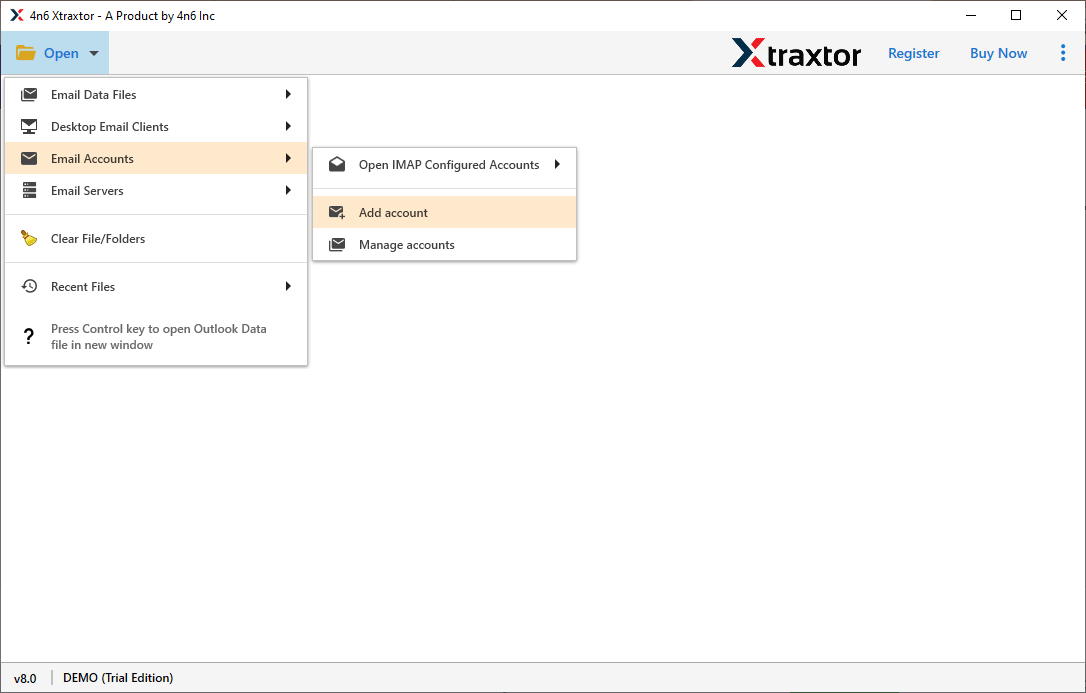
Step 1. Launch the software and click on Open >> Email Accounts >> Add Account.
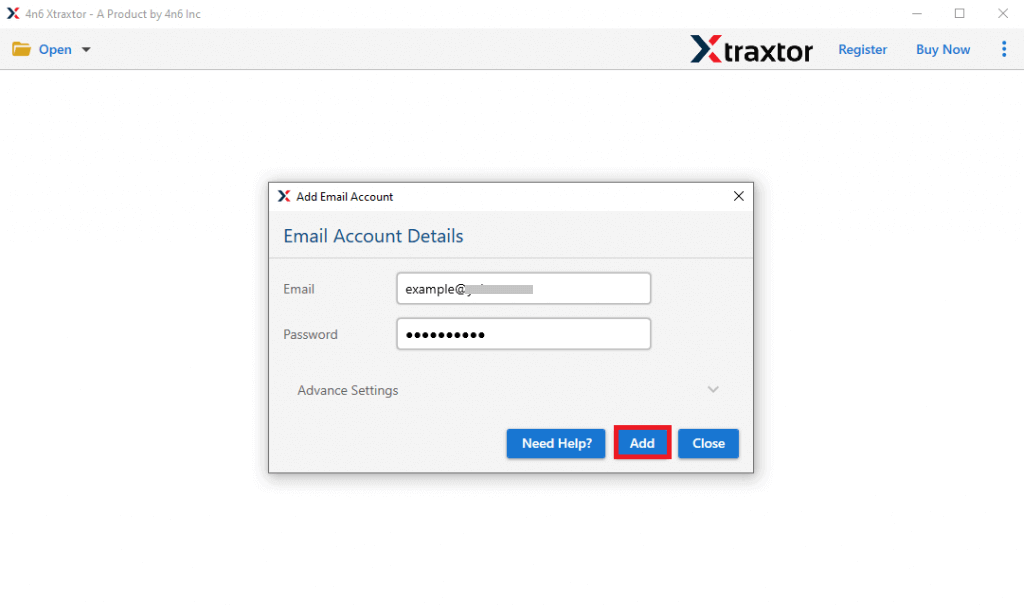
Step 2. Enter your NIC email login details and sign in.
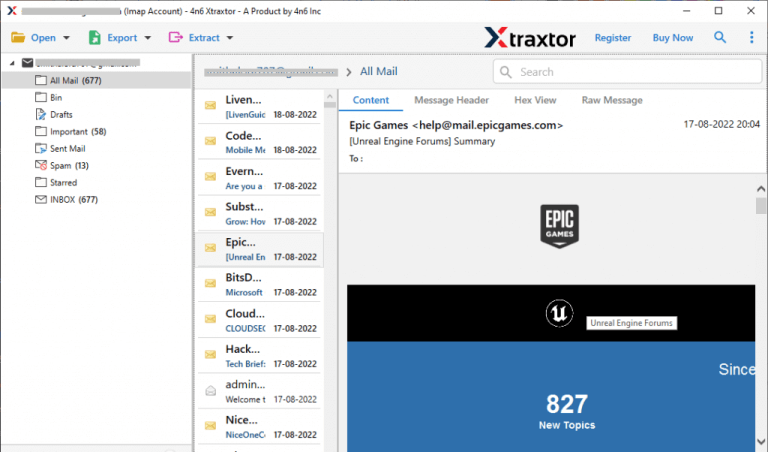
Step 3. The software will load your mailbox and display all folders.
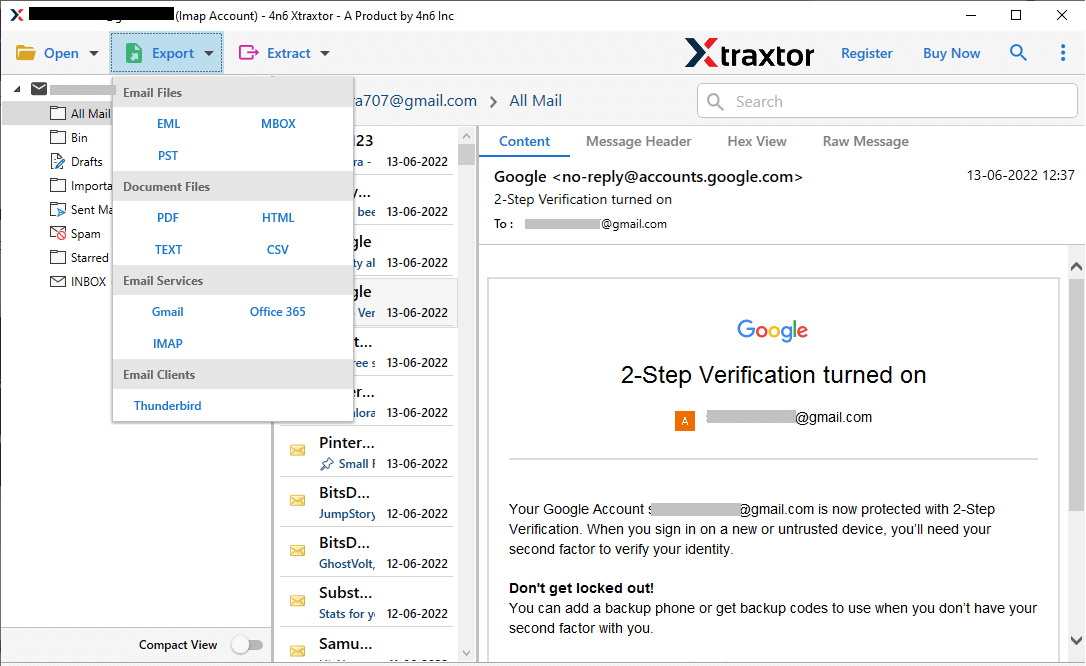
Step 4. Click on Export and choose the desired saving format.
Step 5.
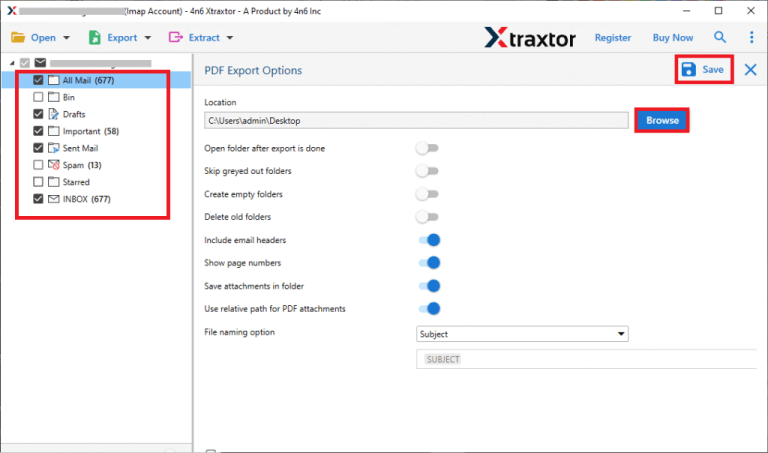
Step 6. Choose the destination folder & click on the Save button.
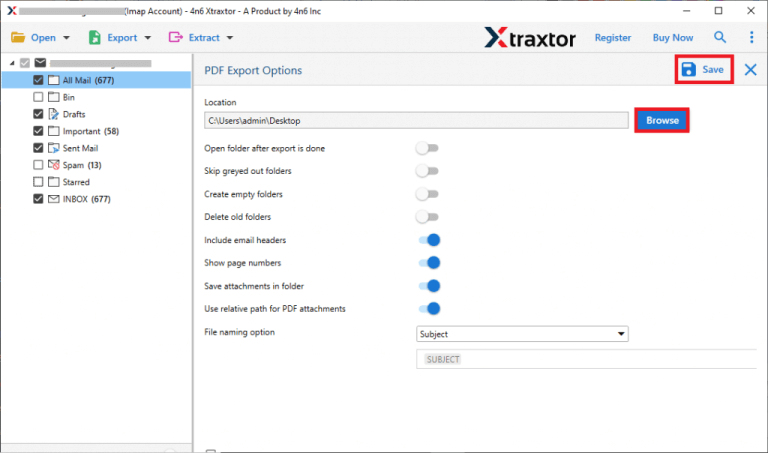
The software will download all NIC emails to your computer safely.
The software provides many helpful features for users.
- Users can save NIC emails in various file formats like PST, MBOX, EML, PDF, and more.
- The tool keeps all attachments and email properties intact during the backup process.
- Users can backup multiple emails and folders at the same time without any size limitations.
- The software preserves the original mailbox folder hierarchy during backup.
- Users can backup specific emails based on date, subject, or sender.
- The tool is designed with a simple interface so both technical and non-technical users can easily operate it.
Conclusion
In this article, we explained different ways to backup NIC emails to computer. Manual methods are available, but they can be slow and complicated, especially for large mailboxes. Using a professional tool is a faster and safer solution. It allows users to download all NIC emails with attachments while maintaining the original structure of the mailbox.
Still, try both methods and choose the best one as per your needs and requirements.
