How to Backup Kinghost Emails to Computer?

Summary: Are you looking for a safe and easy way to backup Kinghost emails to your computer? If yes, this guide is for you. In this article, we explain why downloading Kinghost emails is important and how you can directly backup all emails using a professional software solution. There is no dependable manual way to download all emails from Kinghost Mail in bulk, so using an automated tool is the best and safest option.
About Kinghost Email Service
KingHost provides web hosting and email services for personal and business users. Its email service allows users to manage emails through webmail using IMAP/POP settings. Users can send, receive, organize folders, manage attachments, and access emails from anywhere.
However, sometimes users need to backup their emails locally. This can happen due to email migration, account security, data protection, or offline access requirements. For these reasons, users want to save all Kinghost emails to their computer safely.
In this article, we will explain two possible methods to backup Kinghost emails, so users can choose the best one according to their needs.
Basically, there are two methods to save emails from Kinghost:
- Manual Method
- Automated Method (Recommended)
Both methods are explained below in simple words.
Why You Should Backup Kinghost Emails to Computer?
Backing up your emails to a computer provides many benefits:
- Protection from accidental email deletion
- Safety from server failure or account suspension
- Easy access to emails without internet
- Secure storage of business and legal emails
- Smooth email migration to another platform
- Long-term email archiving
Since Kinghost does not provide a proper bulk email download option, users cannot rely on any manual method for a complete backup.
Is There Any Manual Method to Download Kinghost Emails?
No. There is no proper manual method available to backup all Kinghost emails at once.
Manual approaches:
- Allow saving only one email at a time
- Do not support bulk backup
- Do not preserve folder structure
- Are time-consuming and unreliable
Because of these limitations, the only practical and secure solution is to use professional email backup software.
How to Backup Kinghost Emails to Computer Professionally?
Try Xtraxtor Email Backup Wizard to download Kinghost emails to your computer in just a few simple clicks. The software lets you export complete Kinghost mailboxes with attachments while keeping the original folder structure intact. You can also apply smart filters such as Date, To, From, or Subject to backup only selected emails instead of the entire mailbox.
Additionally, this tool allows you to save Kinghost emails to your hard drive or any external storage device in multiple file formats. With its clean and easy-to-use interface, even non-technical users can perform the backup process without any difficulty.
Download the demo version to understand the full working process.

Steps to Download Emails from Kinghost to PC
Step 1. Download and launch the Xtraxtor software on your Windows system.
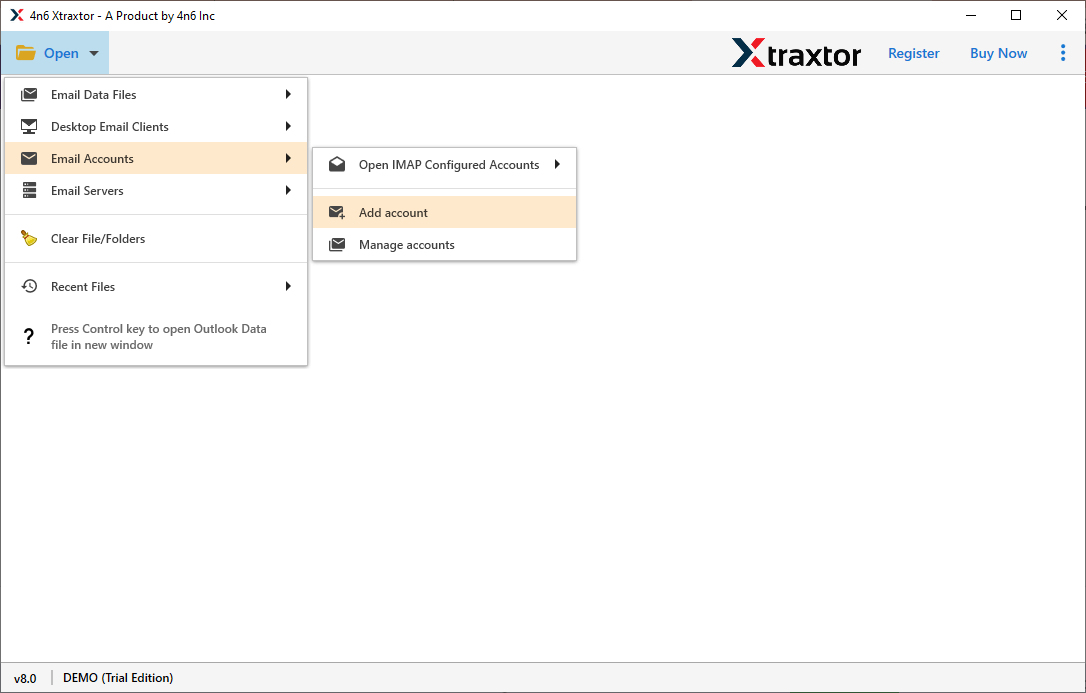
Step 2. Click on Open >> Email Accounts >> Add Account to begin.
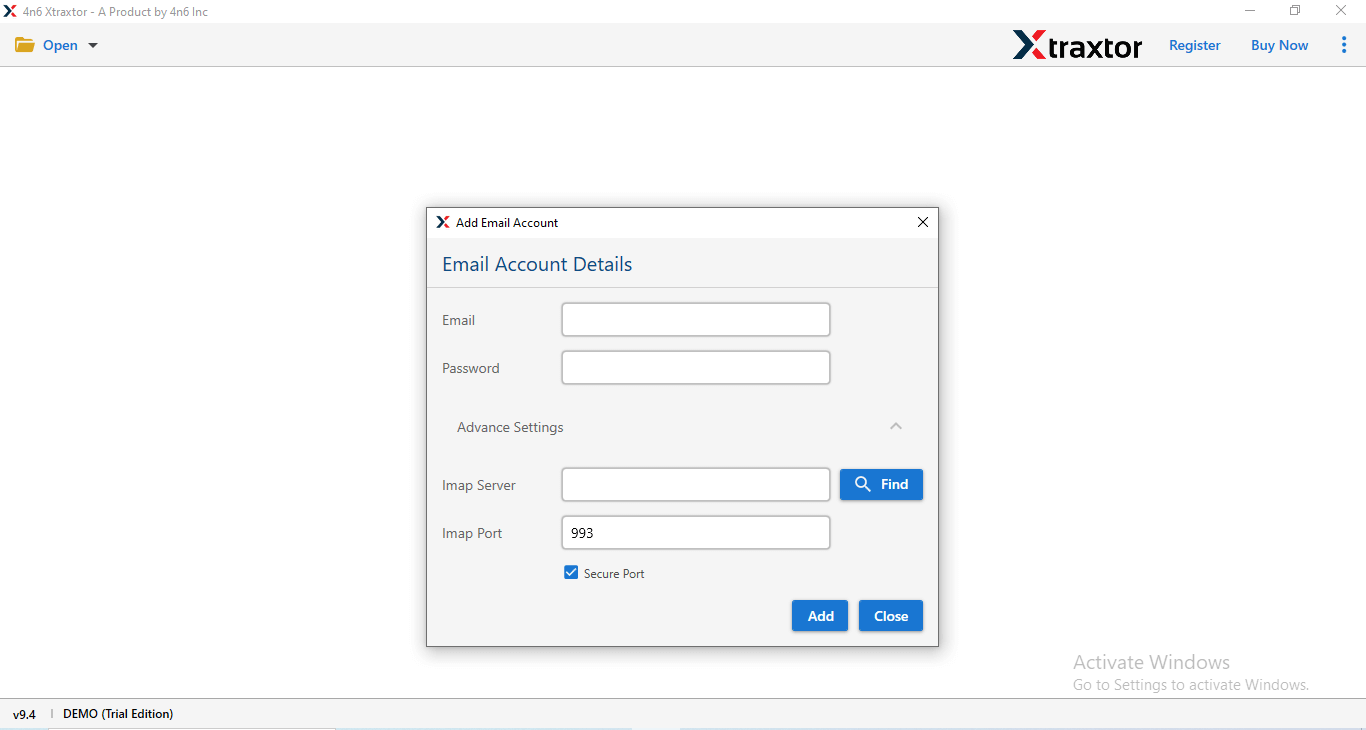
Step 3. Enter your Kinghost email login details and let the tool load your mailbox.
Step 4. Preview your Kinghost emails within the software interface.
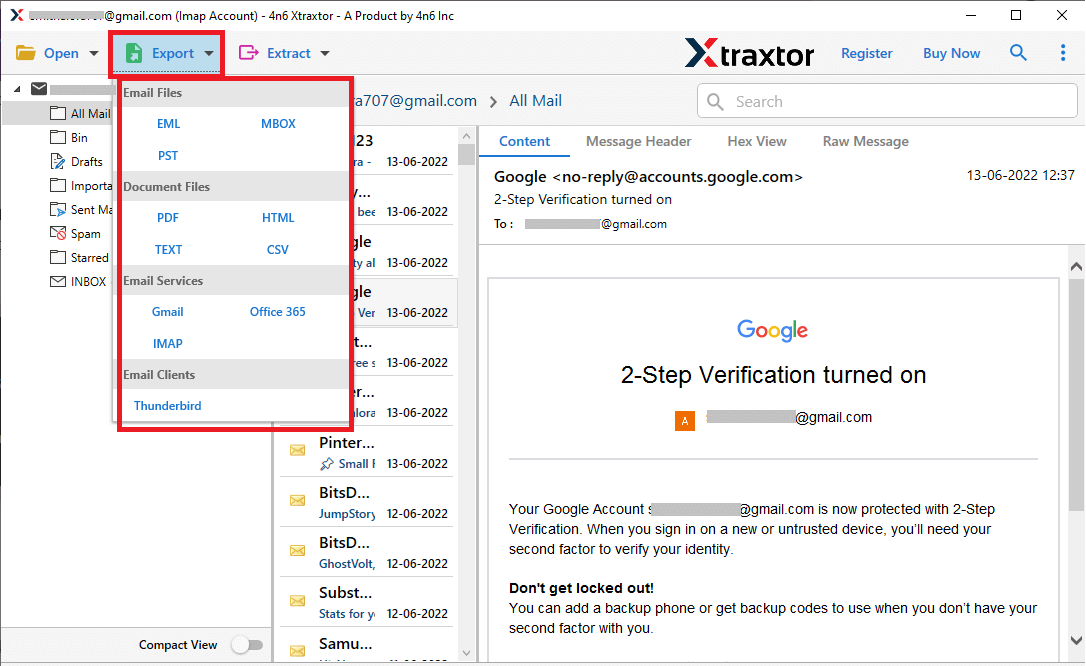
Step 5. Click on Export and select the desired file format.
Step 6. Choose the email folders you want to backup.
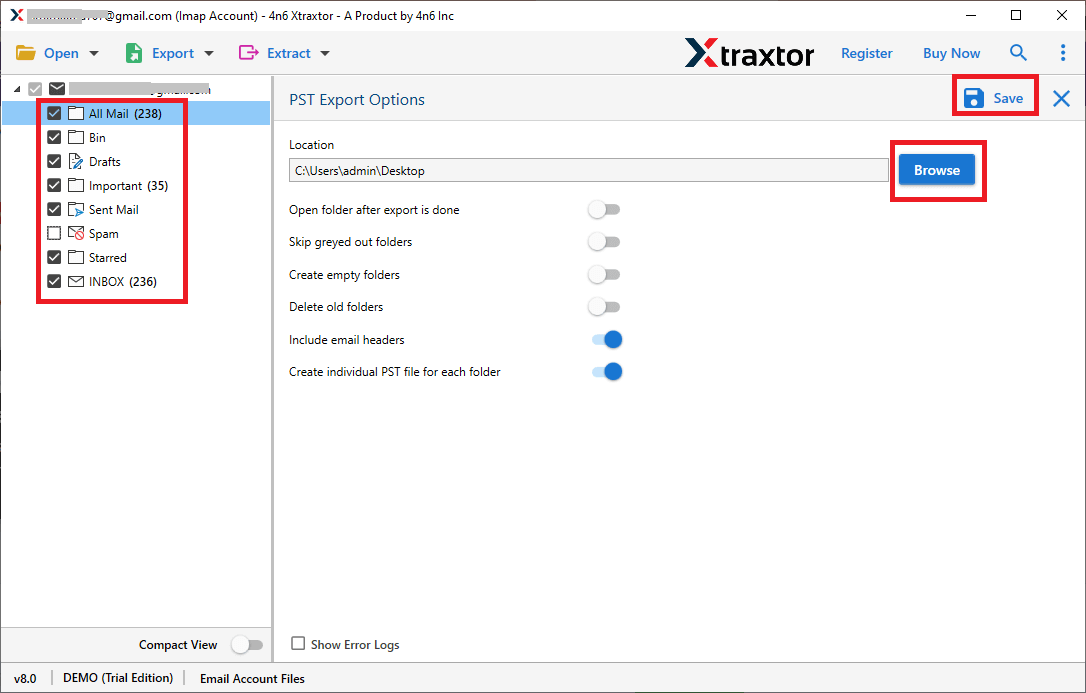
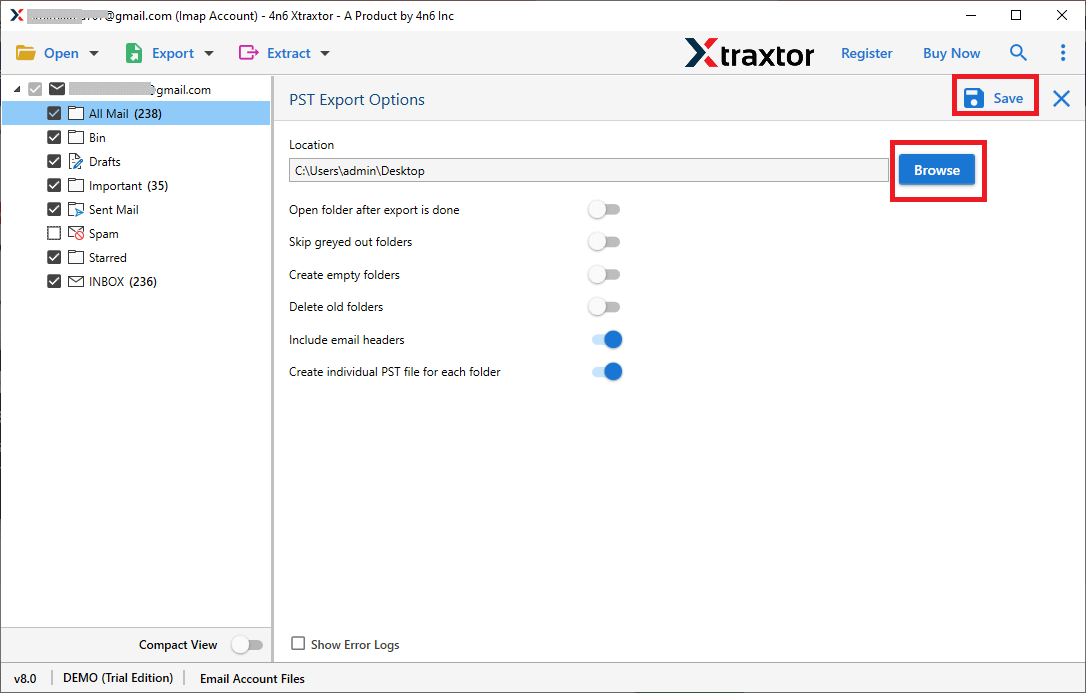
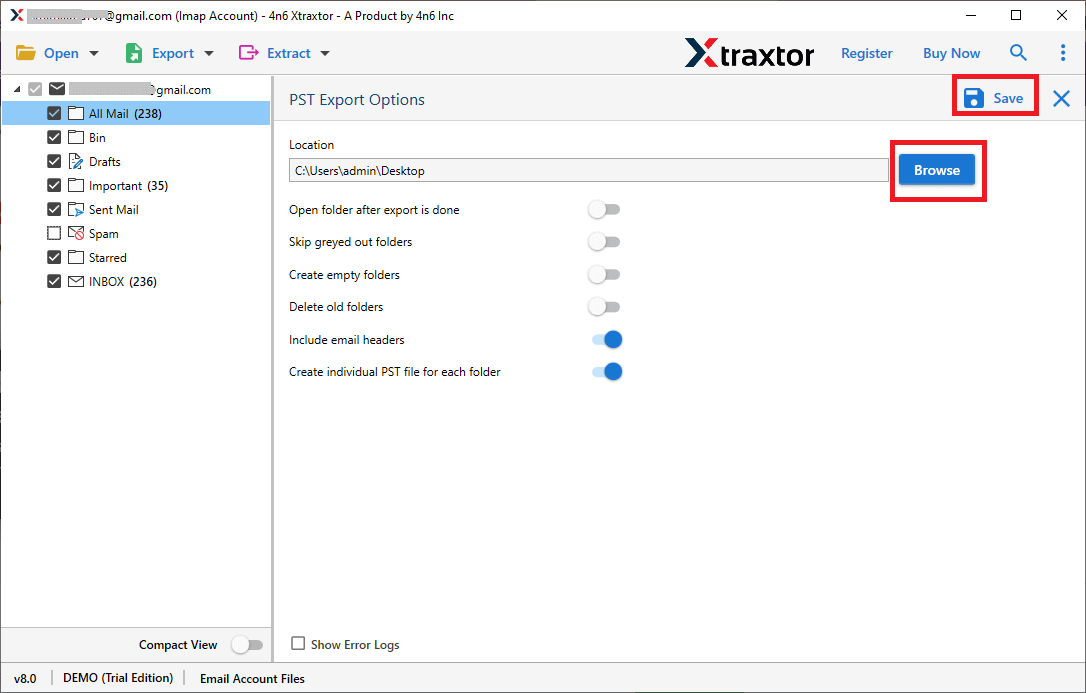
Step 7. Browse and select a destination folder on your computer, then click Save to start.
That’s it! Your Kinghost emails will be safely saved to your computer in just a few simple steps.
Benefits of Using Automated Software
- The tool allows you to backup all Kinghost emails in one single process without missing any data.
- It supports bulk email backup and securely saves all attachments along with emails.
- The original mailbox folder hierarchy is preserved exactly as it is.
- Email details such as sender, receiver, subject, date, and headers remain unchanged.
- Users can save Kinghost emails in multiple file formats, including PST, PDF, EML, and MBOX.
- Advanced filter options help you backup only selected emails based on date, sender, or subject.
- There is no file size or mailbox size limitation during the backup process.
- The software has a simple and user-friendly interface suitable for beginners.
- It is fully compatible with all major Windows versions.
- A free demo version is available to test features before purchasing.
Final Words
In this article, we explained how to backup Kinghost emails to a computer in a simple way. With the help of the recommended automated tool, backing up all Kinghost emails is no longer a difficult or time-consuming task. The software allows you to safely save complete mailbox data along with attachments while keeping all email details intact.
The tool also offers a free demo version so users can test its features and understand the backup process before buying the full version. So, download the trial version and start downloading your Kinghost emails easily and without any hassle.
