Extracting emails from PST file becomes tricky when Outlook is not available. PST is a file format used by Microsoft Outlook to store emails, contacts, calendars, and other data. This guide explains why users need to extract emails from PST file, what challenges they face, and the most reliable way to export PST emails safely, even from large or password-protected files.
Why Do Users Want to Extract PST Emails?
People extract PST emails for several reasons, especially when Outlook is not installed. Some common needs include:
- No Outlook Access: Outlook may not be installed, expired, or unavailable on the system.
- Improve Data Portability: Converting PST emails into universal formats like EML, PDF, or MBOX makes them easier to open anywhere.
- Avoid Outlook Dependency: Extracting emails locally allows users to open them in other applications without relying on Outlook.
- Data Backup & Archiving: Extracted emails can be saved for long-term reference or stored securely.
However, while exporting emails from your PST file, you can face some challenges –
Challenges When Extracting PST Emails Without Outlook
Without Outlook, users commonly face these issues:
- No built-in tool in Windows or Mac to read or extract PST files
- High risk of data loss or corruption during manual attempts
- Password-protected or corrupted PST files cannot be opened
- Large PST files may fail to load or get stuck
Since Microsoft does not provide any manual method to extract PST emails without Outlook, a dedicated utility becomes necessary.
How to Extract Emails from PST File Without Outlook?
There is no manual method to extract PST emails without Outlook. The only reliable way is to use a tool designed to read PST files independently.
A tool like Xtraxtor Email Extractor Tool can extract emails from any PST file, large, corrupted, encrypted, or password-protected, without installing Outlook. It allows you to export PST data into formats like EML, MBOX, PDF, CSV, and more. You can also extract attachments, contacts, calendars, and phone numbers.
Click on the free download button and check how it works.


Steps to Export PST Emails with Attachments
1. Run the Xtraxtor Software on your Windows.
2. Click on Open >> Data File >> PST File >> Select File.
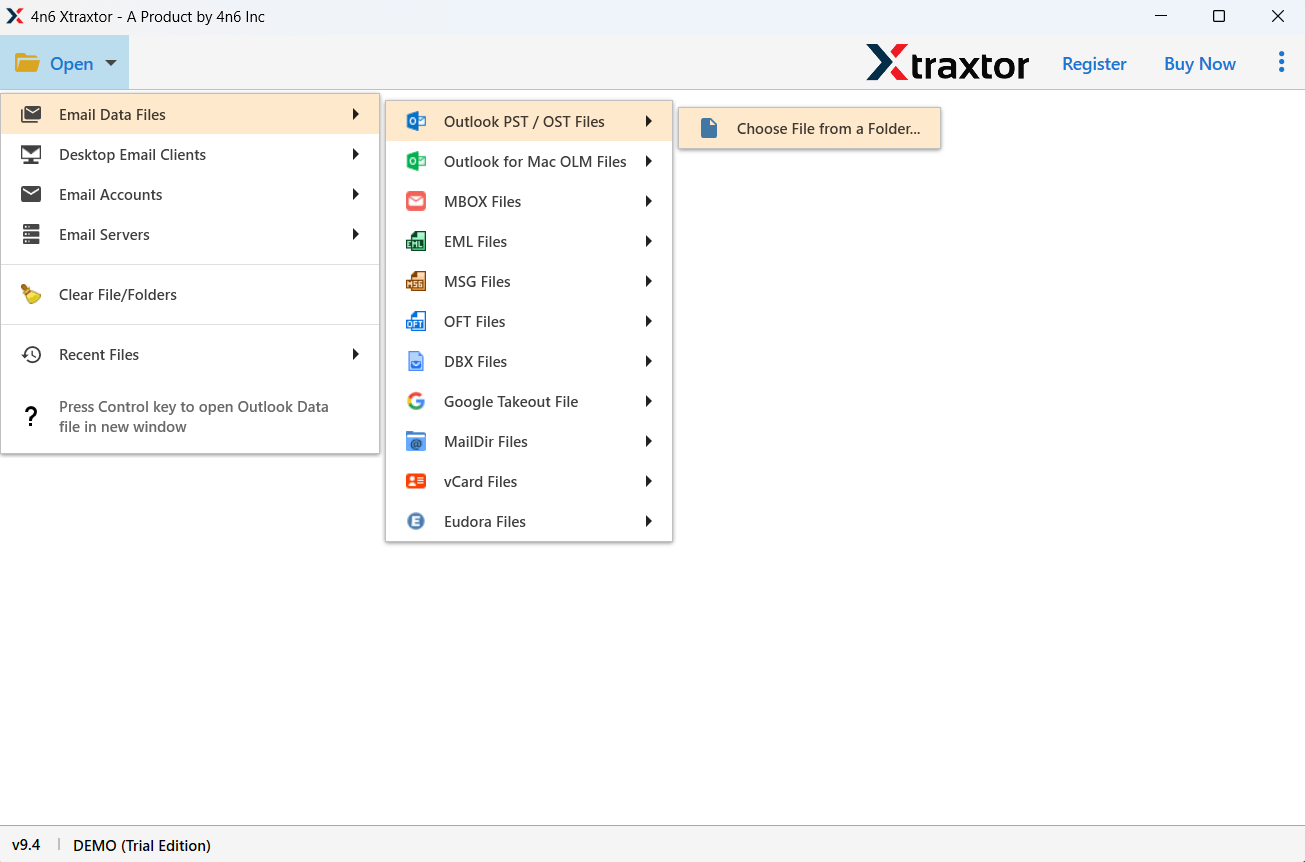
3. Here you can view PST file data before extracting it.
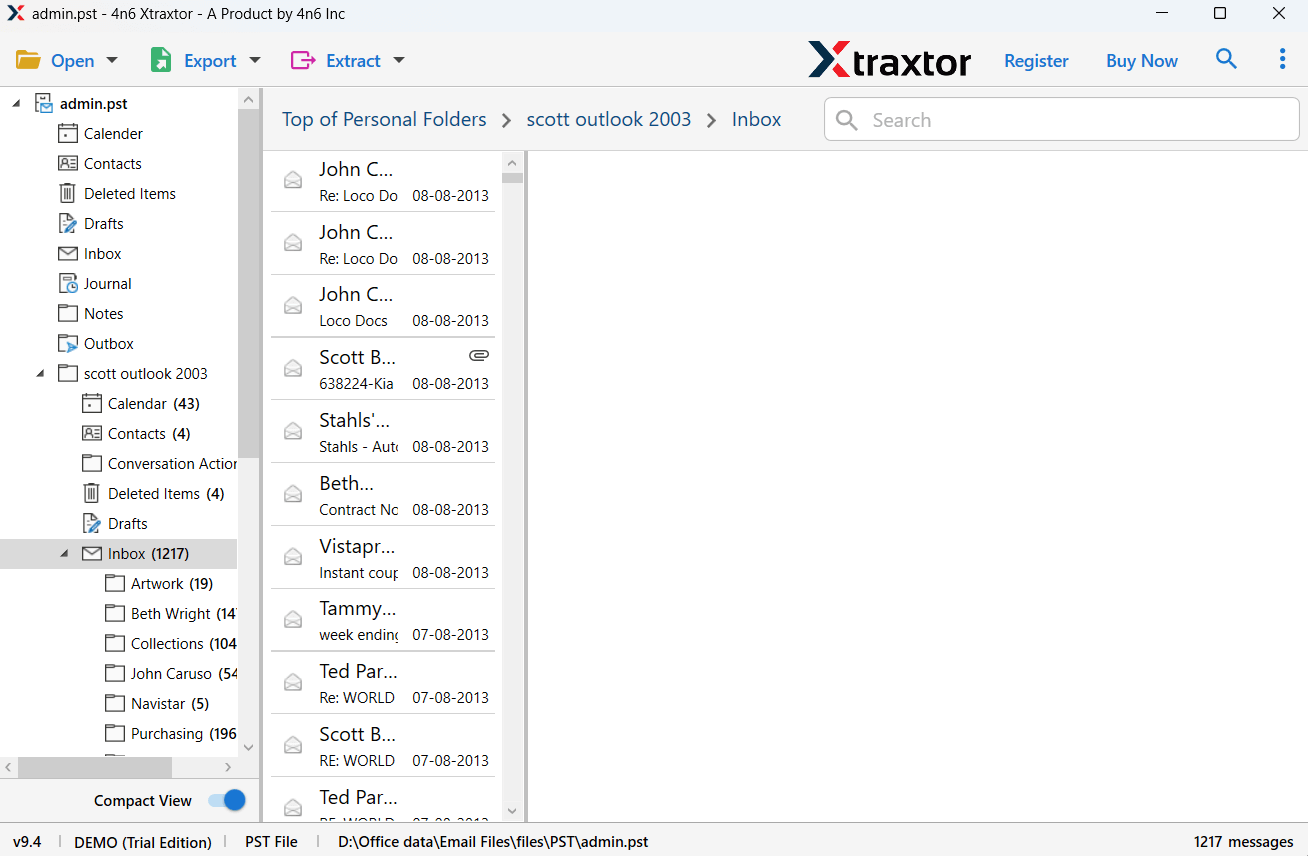
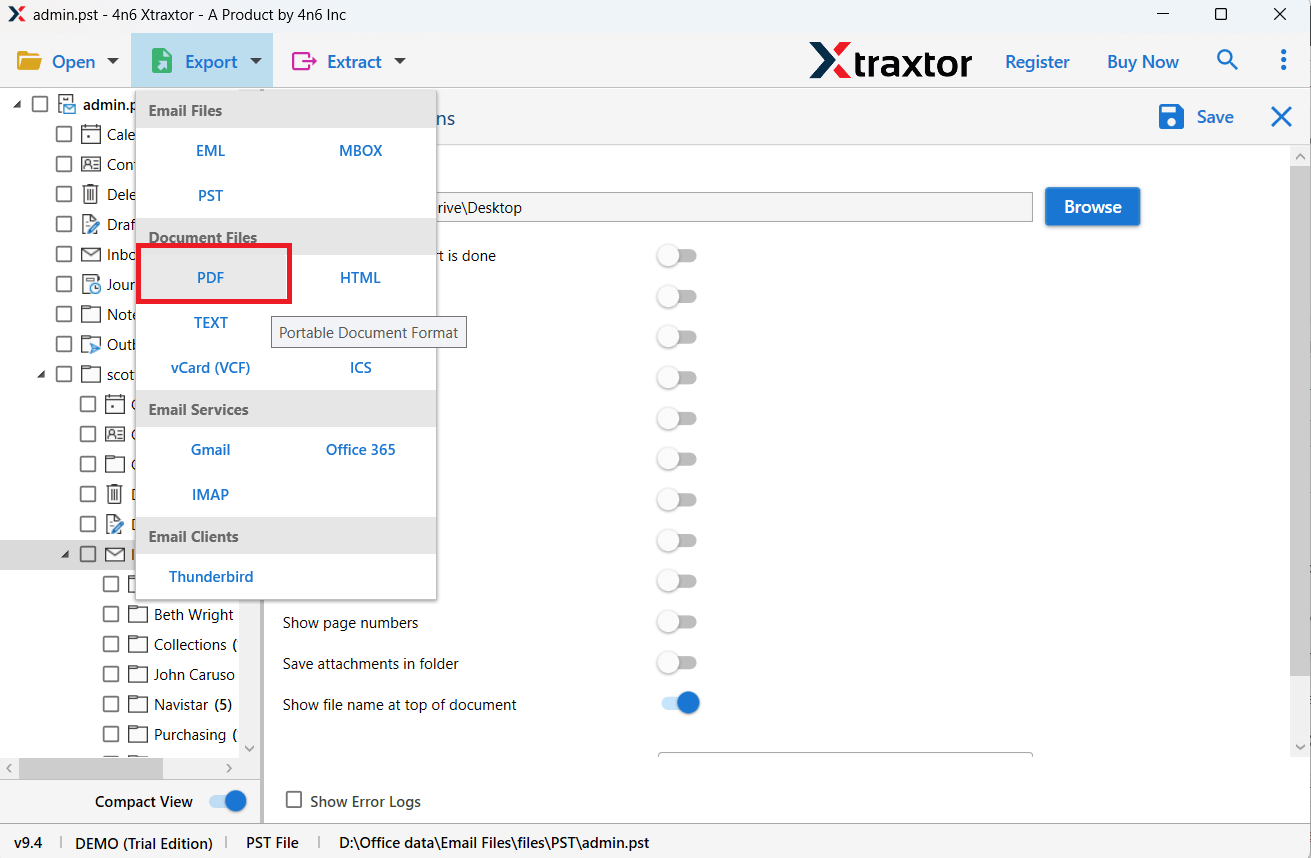
4. Click on Export >> Select any file format.
5. Choose the email folder you want to export.
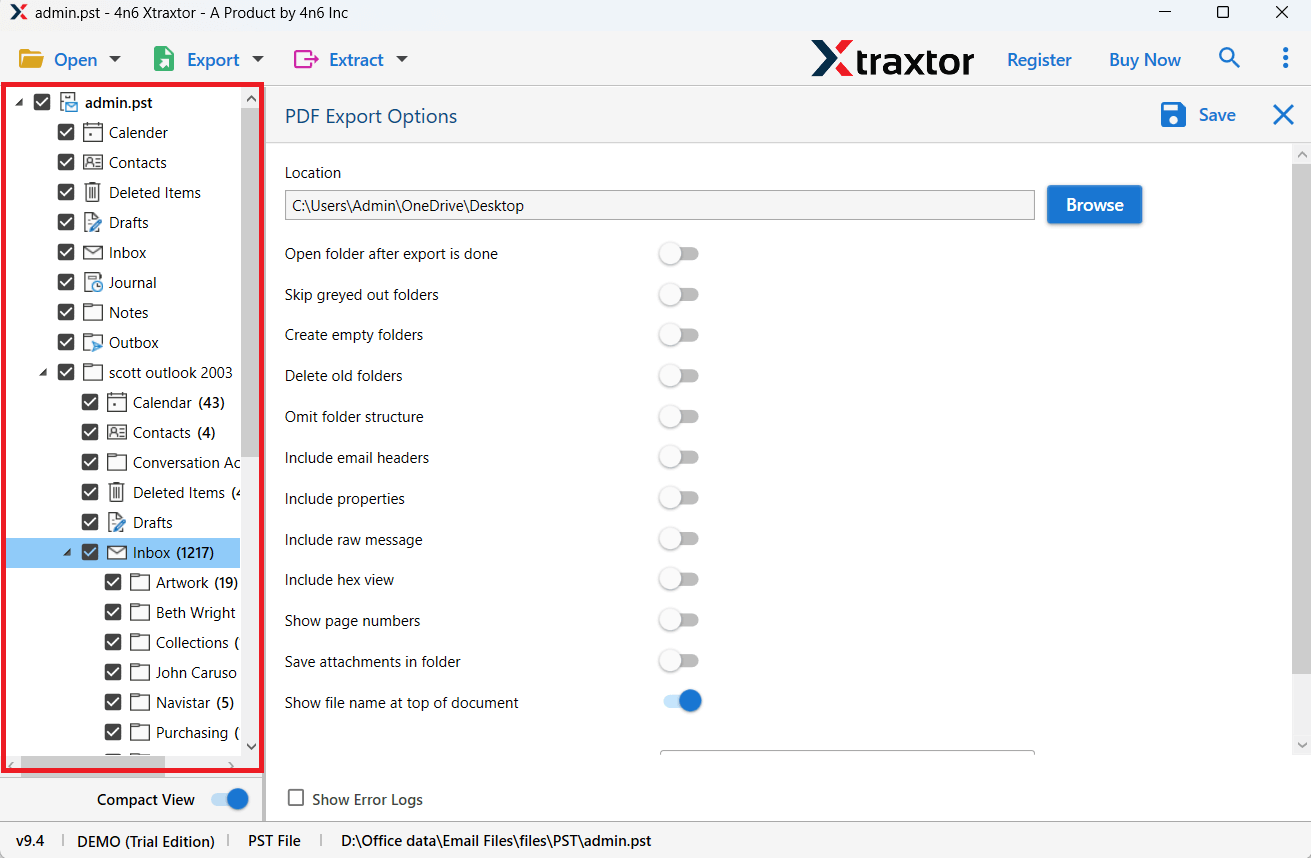
6. Browse the location and click on the Save button.
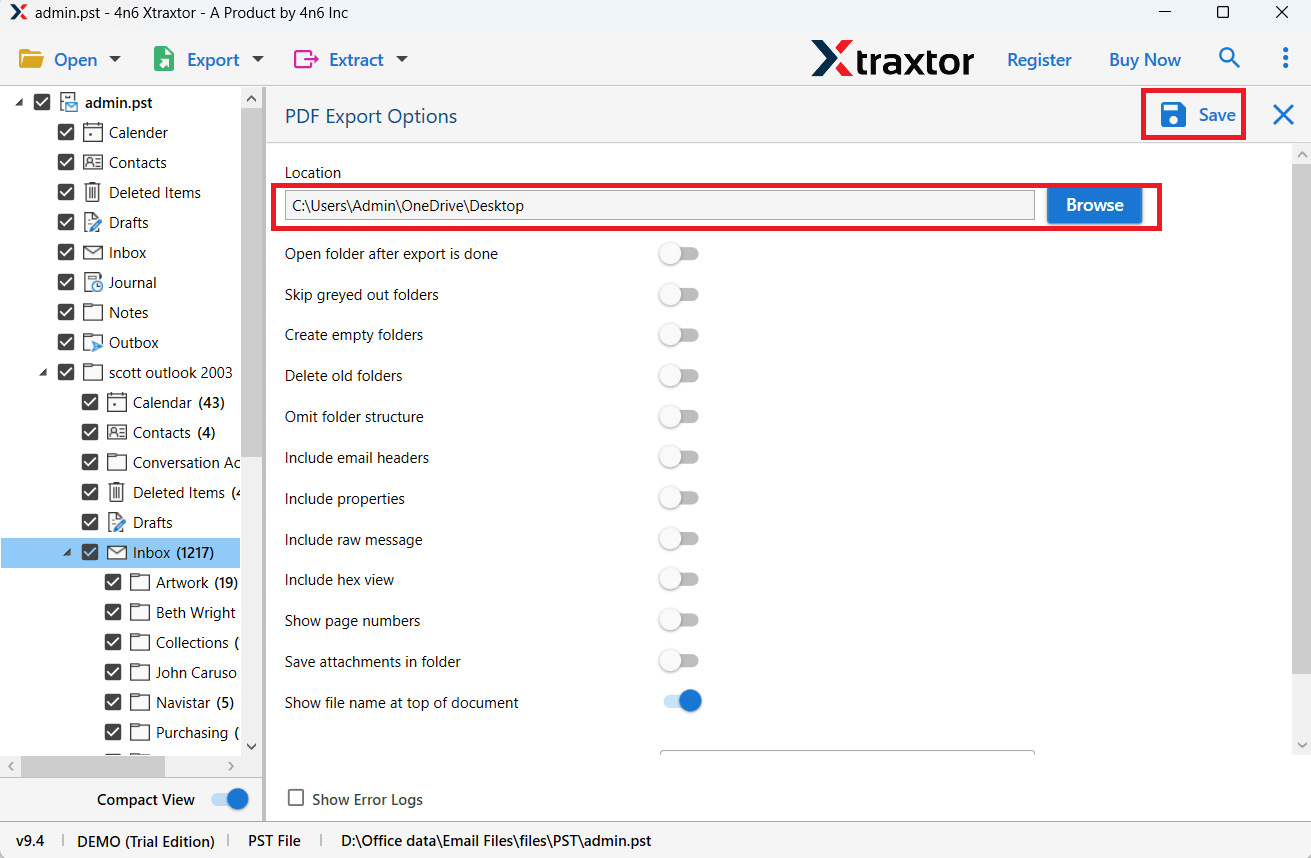
Done! Your PST emails will be extracted without using Outlook.
Why Use PST Emails Extractor by Xtraxtor?
With this tool, there are various prominent features, some of which include –
- Extract all your emails from the PST file in a few seconds without using Outlook.
- Effortlessly export all your PST to MBOX, PDF, EML, and many other file formats.
- Simple and user-friendly interface for both technical and non-technical users.
- Advanced filter options – to, from, cc, bcc, name, date, time, subject, and many more.
- The preview mode feature helps to view your PST file data before extracting it.
- Allows selection email folder for selective email extraction.
- Works on all versions of Windows 11, 10, 7, and all other older versions.
- A free demo version of the software is also available.
Conclusion
In this article, we have understood how we can extract emails from PST file without Outlook. Since Windows or Mac does not offer any built-in method, using a reliable PST extraction tool becomes the only practical choice. With the right tool, you can safely export PST emails from large, corrupt, or password-protected without losing data.
This guide should help you understand the process clearly and choose the best method based on your situation.