If you are looking for a solution to convert Eudora mailbox to PST format, this blog is for you. Here, we will guide you through the complete process in simple steps while avoiding any data loss.
Although Eudora is a reliable email client, many users prefer to switch to a more professional and widely supported platform like Microsoft Outlook. Since Outlook supports only PST file format, users need to convert their Eudora emails before moving.
However, Eudora does not provide any manual or built-in option to export emails directly to PST format. That is why users need a proper solution to perform this task safely.
Let’s discuss the complete method to export Eudora emails to PST format.
Is There a Manual Way to Convert Eudora to PST?
No. Eudora does not provide any built-in or manual option to export mailboxes directly to PST format. Manual workarounds are complex, unreliable, and can lead to data loss.
Because of this limitation, users usually rely on a professional email conversion tool to safely export Eudora emails to PST.
How to Export Eudora Emails to PST Automatically?
Try the Xtraxtor tool and directly convert Eudora to PST file format in a few simple clicks. The software can export all data from Eudora to PST at once. Using this tool, you can convert only necessary emails and other important data using filter options. It does not modify any data and exports Eudora mailboxes in their original format.
Moreover, the best thing about this tool is that you do not need to install any other applications to perform the process. This utility is designed with an advanced algorithm and a simplified interface. Beginners can convert Eudora email to PST without in-depth technical knowledge.
You can download its free demo version to check its work performance.

Process to Convert Eudora Mailbox to PST File Format
Follow the given steps to export Eudora mailbox to Outlook PST format-
Step 1. Launch Xtraxtor Email Backup Tool on your system and click on the Open tab.
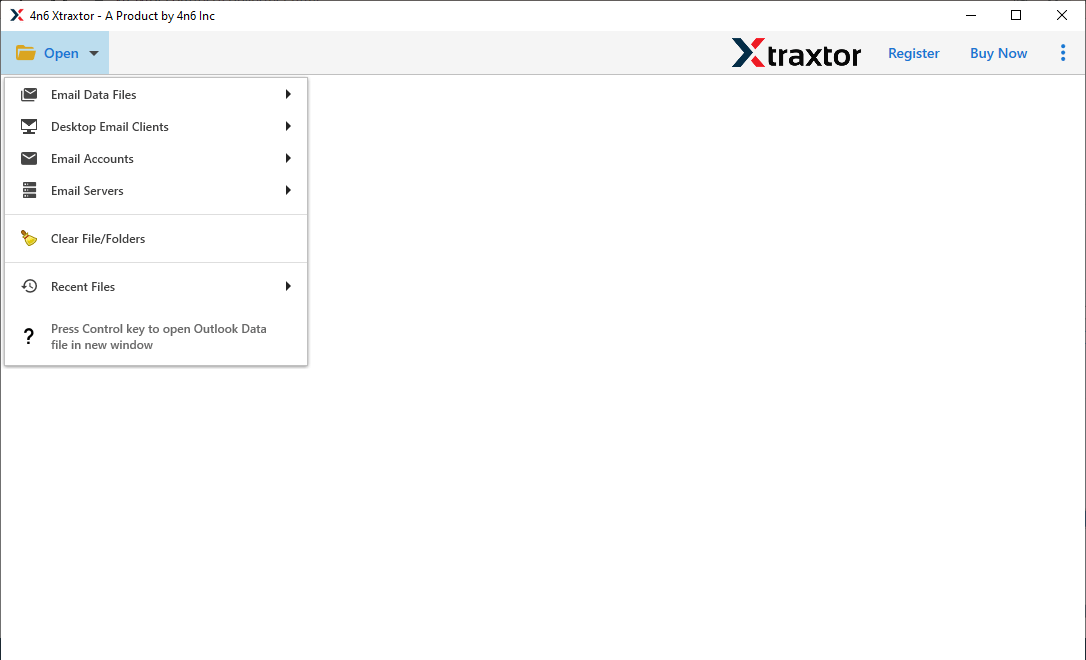
Step 2. Now, click on Desktop Email Clients >> Eudora Accounts >> Open Eudora Configured Data.
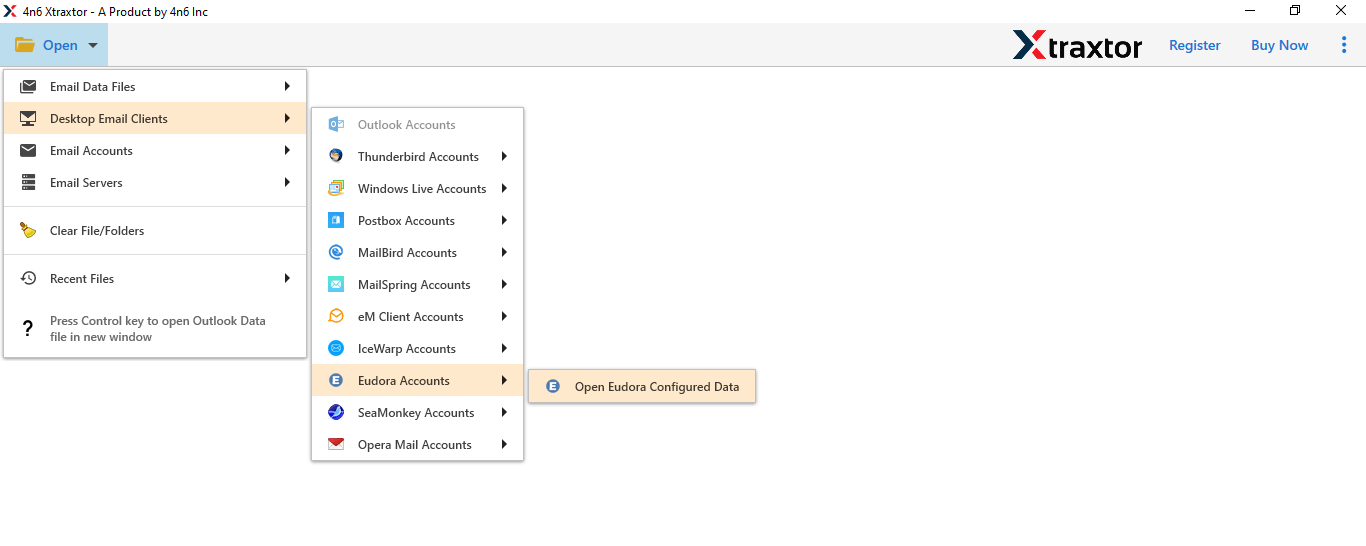
Step 3. Here, you can view the Eudora account data before the conversion process.
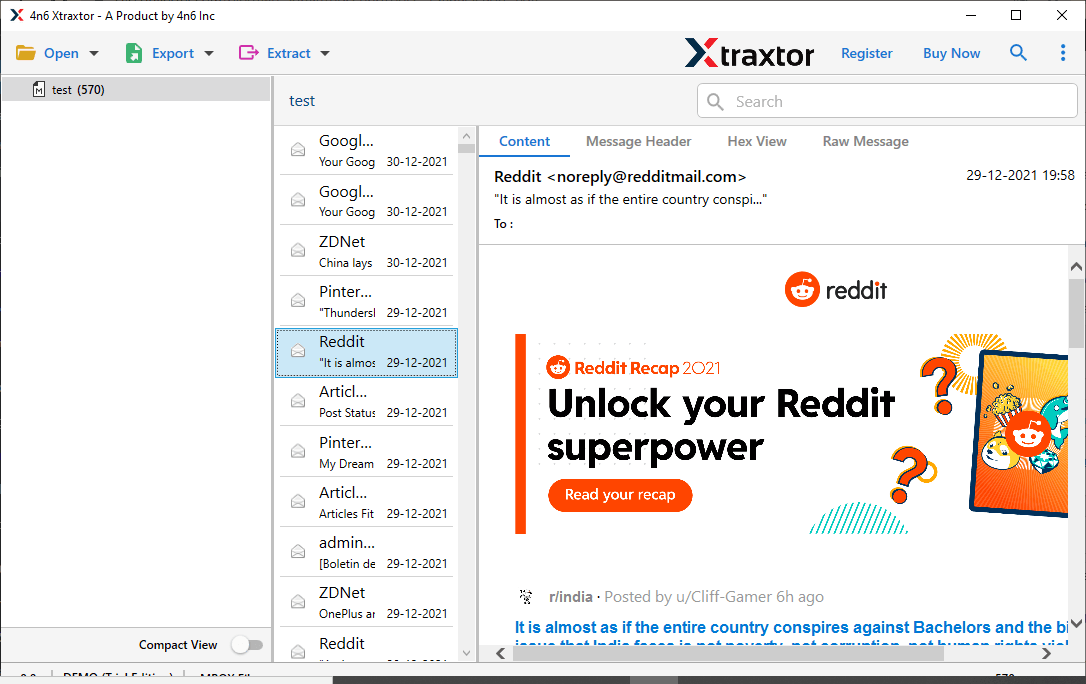
Step 4. After that, click on Export and select PST from the given options.
Step 5. Here, you can select the folders that you want to convert.
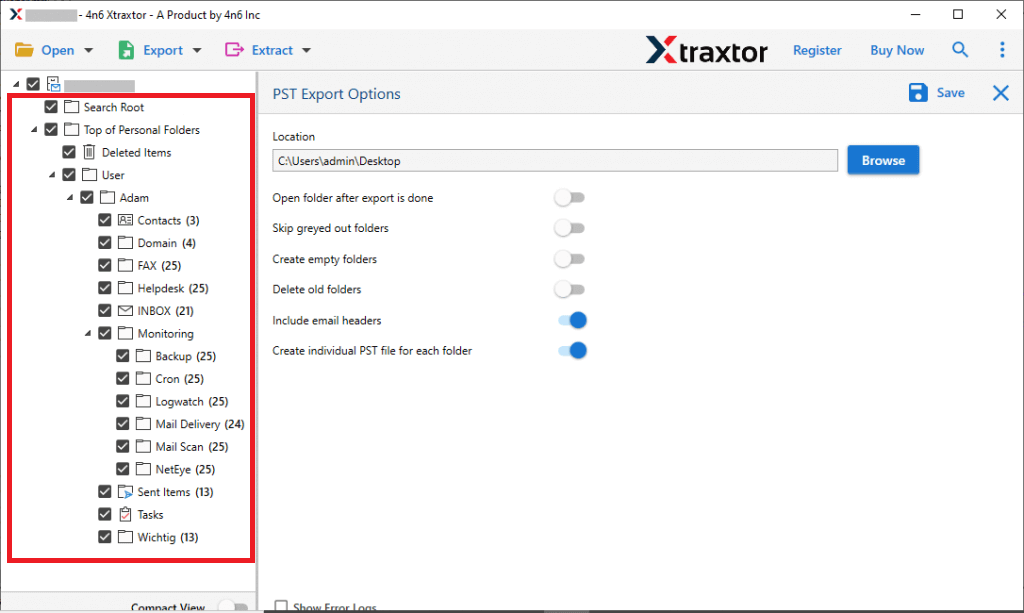
Step 6. Finally, browse the Destination location and then click on the Save button.
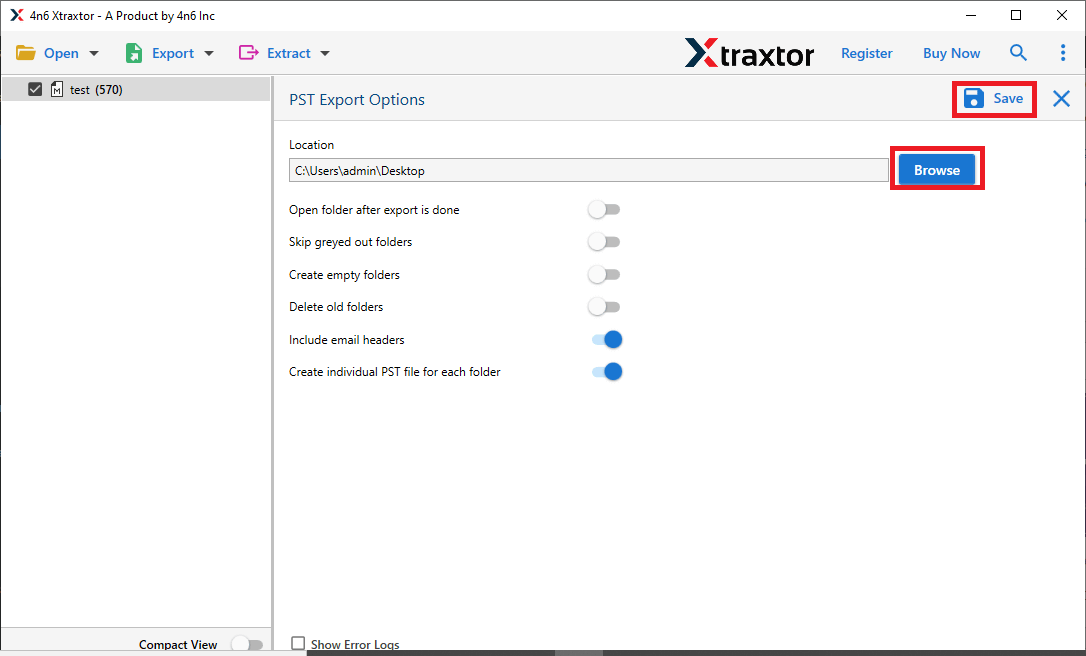
Once the process is complete, your Eudora emails will be saved in PST format and ready to open in Microsoft Outlook.
Key Features of Xtraxtor Tool
The software has many benefits that help you to easily convert Eudora mailbox to PST file, which are given below-
- Batch Conversion: Using this application, you can export all mailbox data from Eudora to PST at single go. Hence, it saves your time and effort to convert the complete Eudora mailbox.
- Export Eudora Emails to Various File Format: The software can convert Eudora emails to PST, MBOX, EML, MSG, etc. file formats.
- 100% Data Integrity: With this application, you do not worry about data loss. It preserves complete data integrity and gives accurate results after the conversion process.
- Advanced Filter Options: The tool provides various advanced filter options, such as to, from, date, time, cc, bcc, subject, etc. If you do not want to convert the complete mailbox, then filters help you to export only selected emails from Eudora to PST.
- Maintains Folder Hierarchy: The software does not modify the metadata properties and key attributes of emails after the conversion process. It maintains the original structure of the folder and subfolder after the process.
- Preview Option: When you add an Eudora account, it loads all data from the configured Eudora accounts in the software panel. You can view and select the data before the process.
- User-Friendly Interface: The interface of this tool is very simple and easy to use. Non-technical users can also convert Eudora to PST file without any external guidance.
- Desired Saving Location: This utility allows you to save the exported file at your desired location. Hence, it’s easy to find the resultant file after the completion of the process for further use.
- Vast Compatibility: You can run this tool on any Windows-based system. It supports all the latest and older versions of Windows Operating Systems.
Conclusion
Converting Eudora mailbox to PST file format is necessary for users who want to move to Microsoft Outlook or create a secure email backup. Since there is no manual or official way to export Eudora emails to PST, using a professional conversion tool is the safest and most effective solution.
In this blog, we explained the reasons for conversion, the challenges involved, and a step-by-step approach to export Eudora emails to PST without data loss. You can try a free trial version of the recommended tool to evaluate its accuracy before making a final decision.