In this blog, you will learn how to export Sylpheed emails to PST file along with attachments. Sylpheed does not provide a direct option to save emails in PST format. So, the process is completed in two easy steps.
Follow the guide below carefully.
How to Export Sylpheed Emails to PST File?
Here, we will discuss a workable solution for converting Sylpheed emails to PST format along with attachments. To save your emails from Sylpheed mailbox to PST file, follow the given instructions.
Step 1. Export Sylpheed Emails
Sylpheed has an inbuilt export option to save mailbox data. For that, follow the given instructions.
1. Open your Sylpheed application on your system.
2. After that, choose File >> Export Mail data.
3. A new window will appear, choose UNIX MBOX as a file format.
4. Then, choose the location to save the exported data file and click on the OK button.
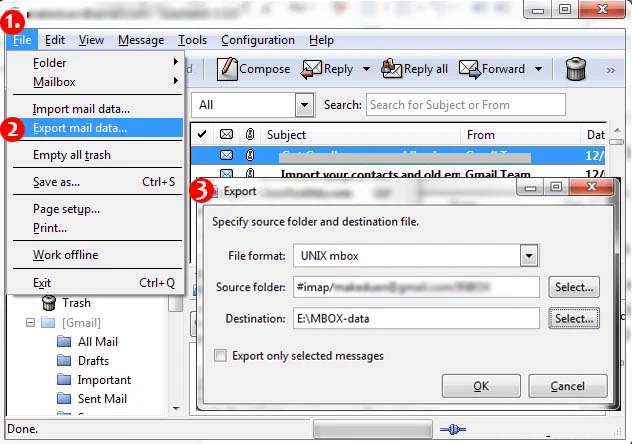
Here you have the MBOX file on your system. Now you need to convert MBOX to PST file to complete the export process.
Step 2: Convert Sylpheed folder to Outlook PST file
Since there is no manual solution to export Sylpheed MBOX file into PST format, you need an expert tool for that. Use Xtarxtor software that will swiftly export Sylpheed mailbox data to PST file in a few simple clicks. With its simple user interface, any novice user can save Sylpheed mailboxes to PST format without any hassle.
Additionally, you can also save Sylpheed emails to various other file formats as well. Moreover, you can also use various filter options and export selective emails from Sylpheed mailbox to .pst file.

Steps to Export Sylpheed Emails to PST File
Follow the given instructions and convert emails from Sylpheed data file to PST format.
1. Run the Xtraxtor Email Converter tool on your Windows OS system.
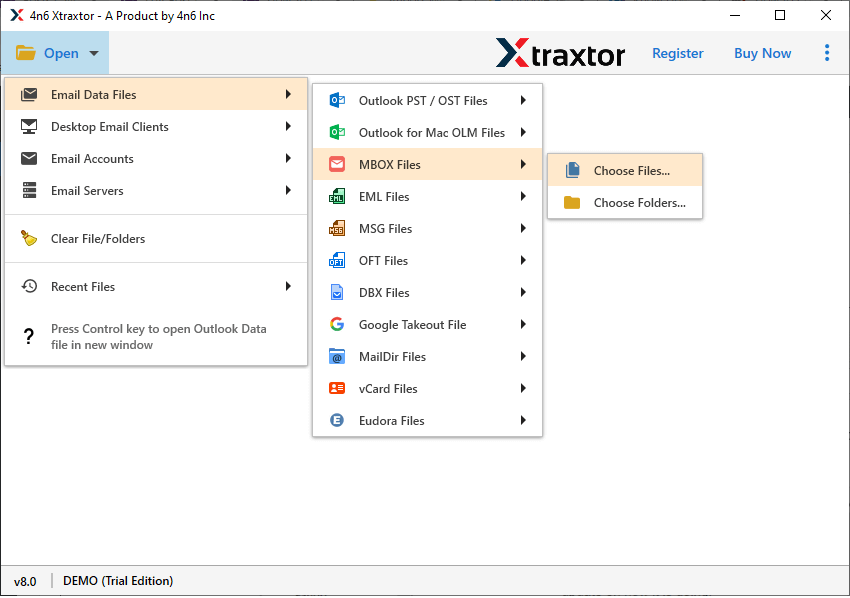
2. After that, select Open >> Email Data File >> MBOX File >> Select File or Folder.
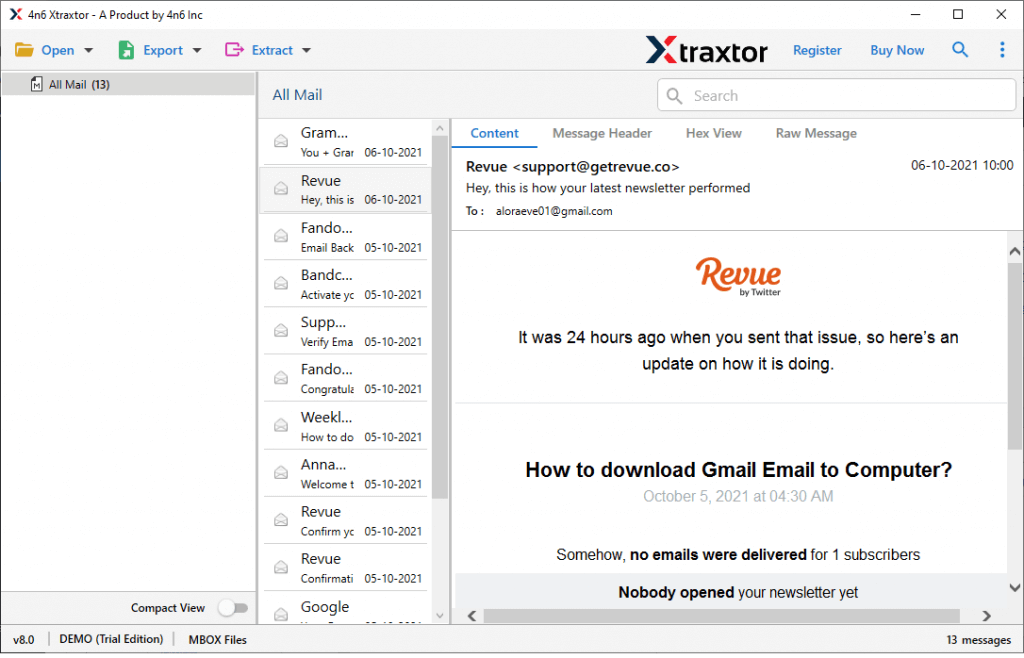
3. Here you can view your emails before exporting them.
4. Then, click on Export and choose PST format.
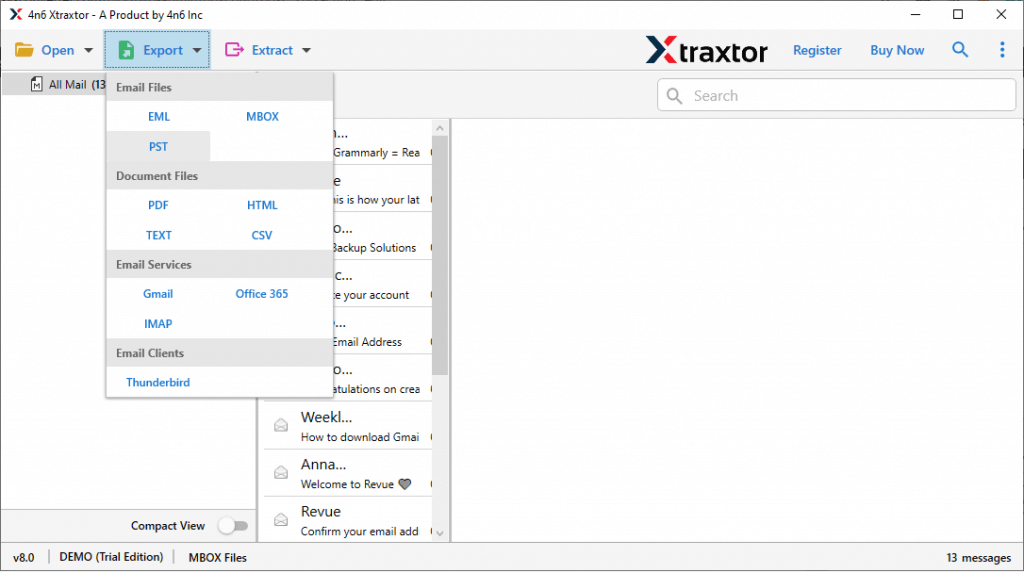
5. If you want to export a selective email folder, then you can choose here.
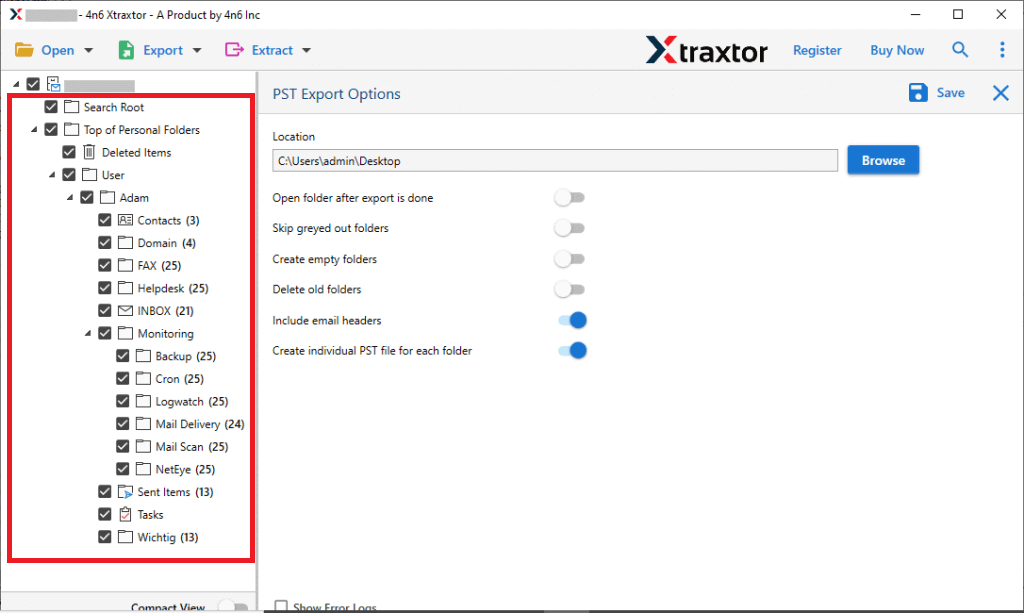
6. Browse the location to save the exported data file and hit the Save button.
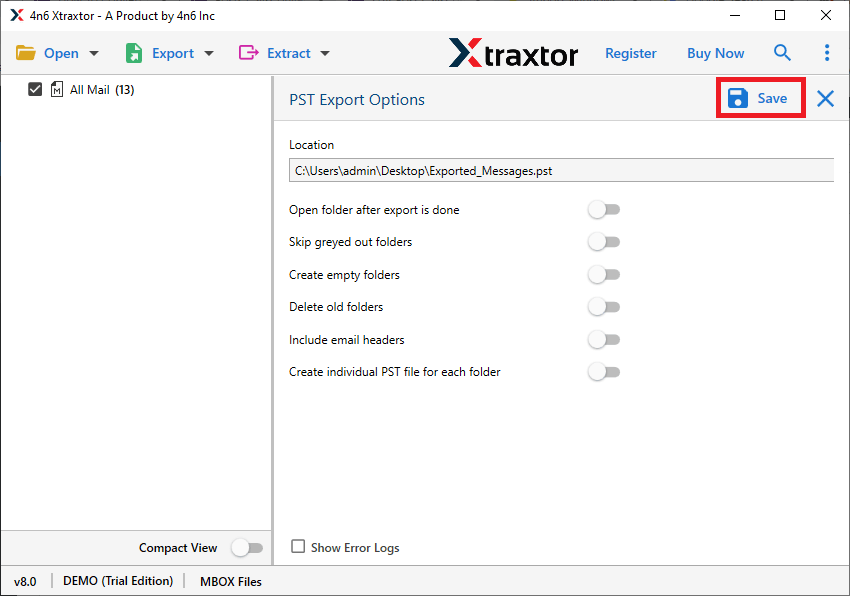
Done! Here, you export Sylpheed to PST file along with attachments. You can use the demo version of this tool and transfer emails from Sylpheed to PST yourself.
Why Use Expert Solution
- It will swiftly transfer emails from Sylpheed to PST format along with attachments.
- Allows you to convert Sylpheed emails to PDF, CSV, EML, and many other file formats.
- You can export multiple Sylpheed mailbox data file to PST in a single attempt.
- With a simple user interface, any novice user can export emails from Sylpheed to MS Outlook.
- You can preview your emails before converting Sylpheed emails to PST format.
- Advanced filter options such as – to, from, cc, bcc, name, date, time, etc.
- Maintain email folder and sub-folder hierarchy and structure while exporting Sylpheed to PST file.
- Support Windows 11, 10, 7, Vista, XP, and all other previous OS versions.
- Preserve mailbox data integrity when exporting emails from Sylpheed to PST format.
Conclusion
We hope we were able to guide you on how to export Sylpheed mailbox to PST file in easy steps. This blog mentions a manual and expert way to solve your query. We also mention the step-by-step description to export Sylpheed to PST format, along with attachments.