Are you looking for a secure and easy way to export Opera Mail emails to PST file format? If yes, this guide is for you. Many users still have important emails stored in Opera Mail and want to move them to Microsoft Outlook for better access and backup.
In this blog, we will explain why users export Opera Mail to PST, the challenges involved, and the best way to convert Opera Mail emails to PST, along with attachments.
What Is Opera Mail and Why Do Users Export Its Emails?
Opera Mail is an email and news client that was part of the Opera Internet Suite. It supports POP and IMAP accounts, contact management, RSS feeds, spam filtering, and other basic email features.
Although Opera Mail works well for basic email use, it is no longer actively developed. Because of this, many users want to:
- Move their emails to Microsoft Outlook
- Create a secure backup in PST format
- Free up mailbox space
- Access emails offline in a modern email client
Since Outlook uses PST files, users need to convert Opera Mail data before migration.
How to Export Opera Mail to PST File
Using the Opera Mail interface, you can export your mailbox data into MBS format. After that, you need to convert the exported data file into PST file. Let’s check the step-by-step process to export.
Step 1. Export Opera Mail Data
Follow the steps and save your mailbox data, along with any attachments, on your system.
1. Open the Opera Mail email client on your system.
2. After that, right-click on the folder that you want to convert and choose the Export option.
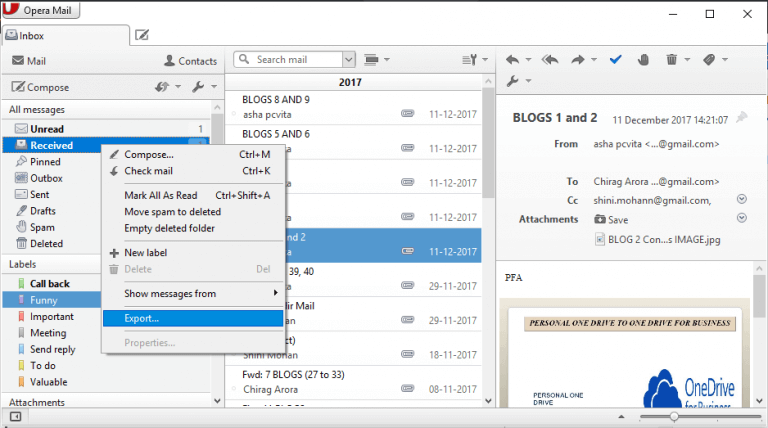
The folder data will be saved in a .mbs file on your system. You can use another way to save your Opera Mail data.
1. Open your Opera Mail and navigate to Help >> About Opera.
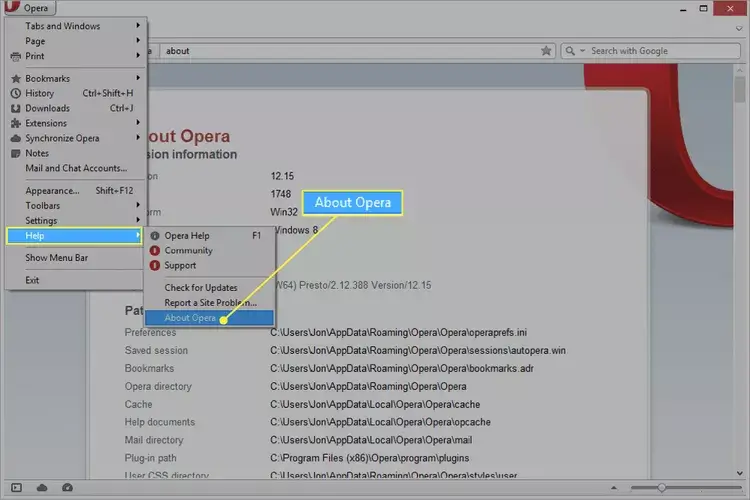
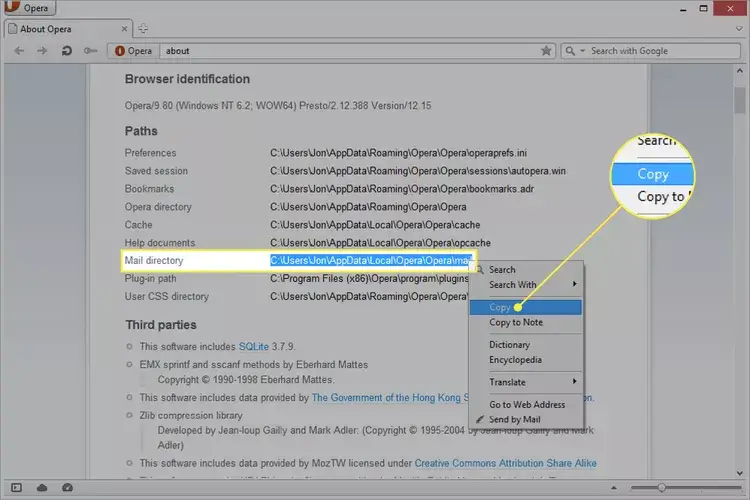
2. Copy the location of the Mail directory and close the program.
3. Now search the folders using the copied path.
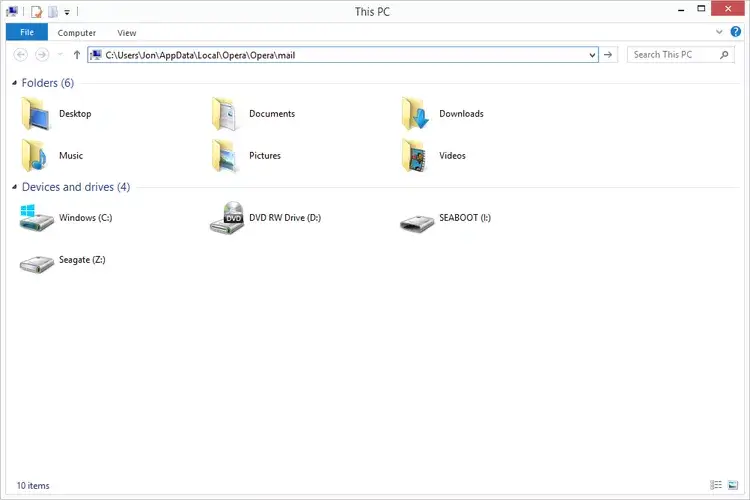
4. Now open the root folder and view all your mailbox data.
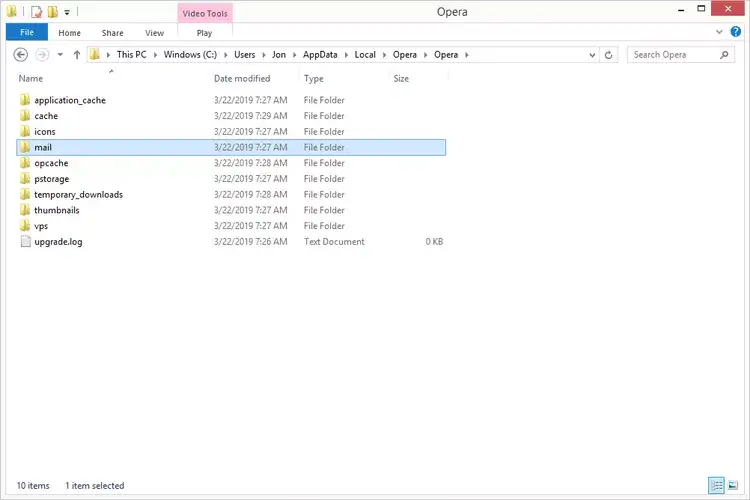
5. Right-click on the emails folder and copy, and then paste it to the location where you want to save it.
Done! Now you have exported a copy of your Opera Mail data to your system or external hard drive. Now you need to convert this file into PST format, and for that you ned a secure and efficient automated tool.
Step 2: Convert Opera Mail to PST File
Use the most efficient tool offered by Xtraxtor on your Windows system. Using this tool, you can swiftly export Opera Mail to PST file in a few simple steps. With its simple user interface, one can easily perform the export process without facing any errors. This tool can easily be installed and run on Windows 11, 10, Vista, XP, and all other previous OS versions.

Steps to Export Opera Mail to PST Format
Follow the given instructions and export emails from Opera Mail to PST format along with attachments.
Step 1. Install and run the Xtraxtor Email Converter tool on your Windows OS System.
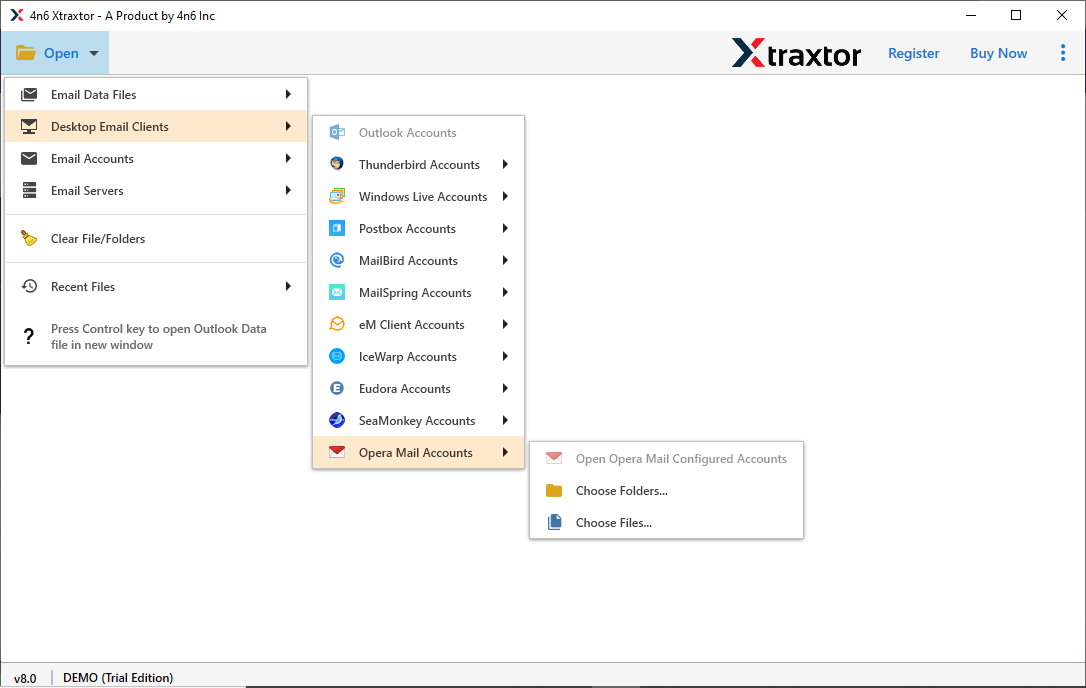
Step 2. After that, select Open >> Desktop Email Client >> Opera Mail >> Configured Account or Choose File.
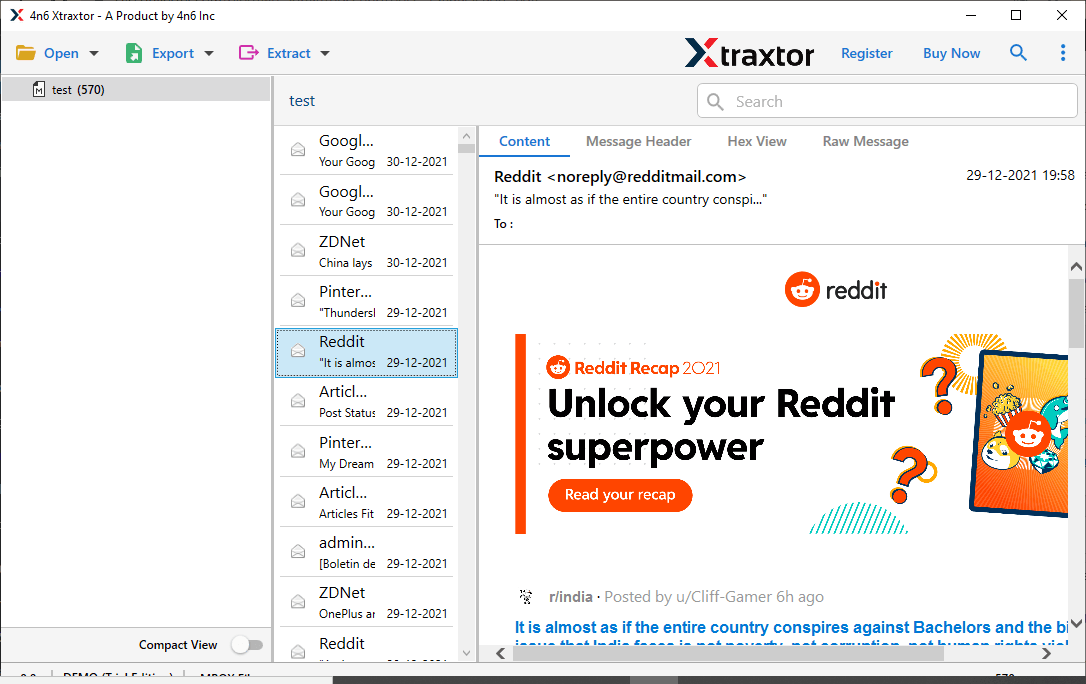
Step 3. Here you can view your emails before exporting them.
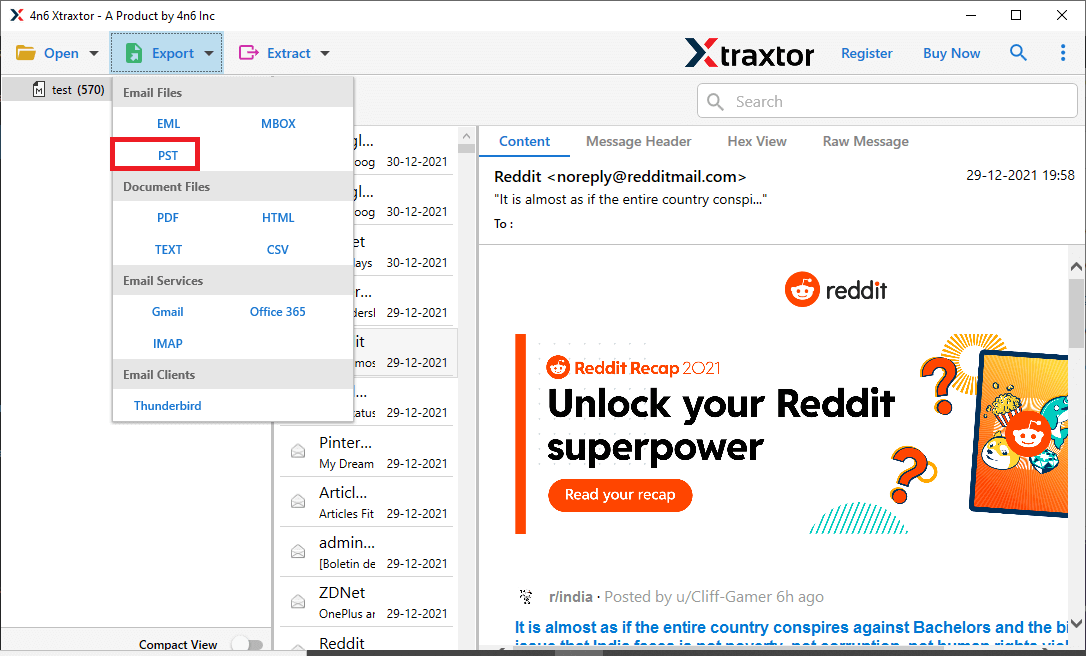
Step 4. Then, click on Export and choose PST file.
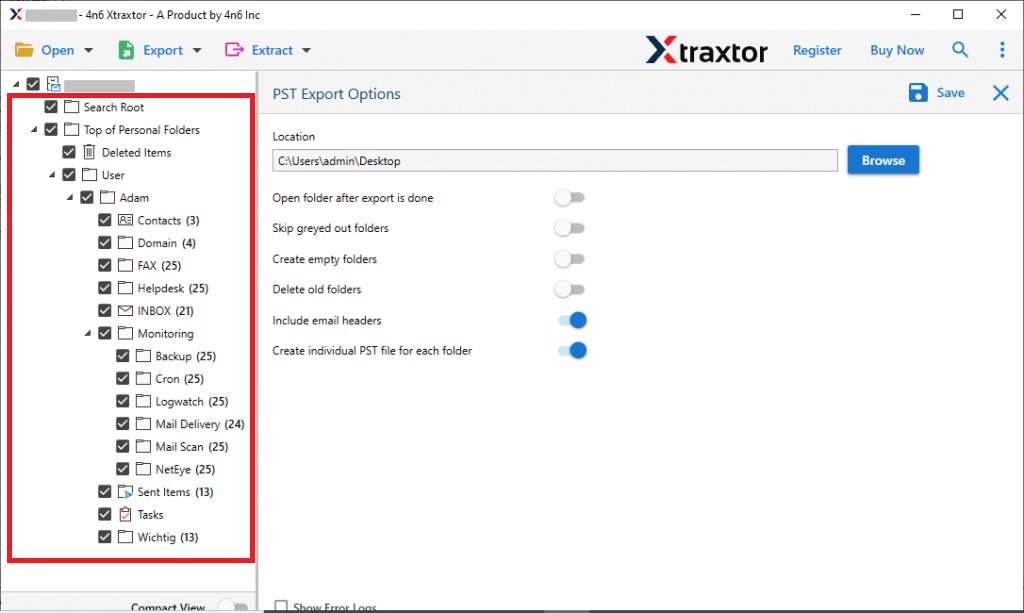
Step 5. Here you can select the email folders that you want to export.
Step 6. At last, browse the location to save the exported data file and hit the Save button.
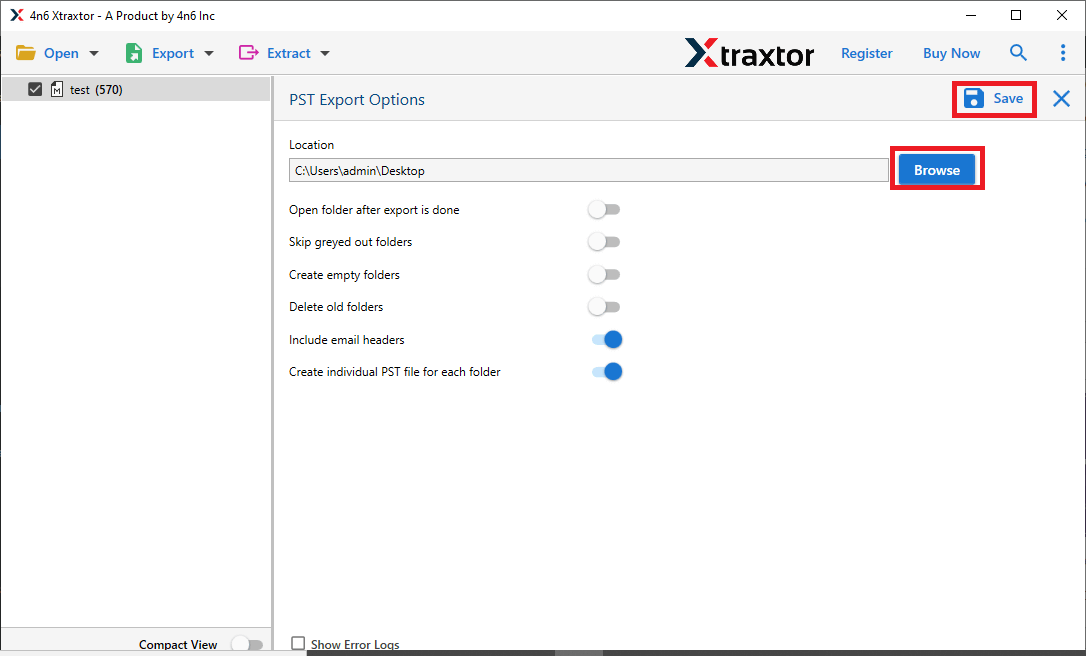
Done! Here, you convert MBOX to PST along with attachments. With this tool, you can also move Opera Mail to Outlook interface without facing any hassle.
Prominent Feature of Automated Tool
With this software, there are various outstanding features, some of them mention here –
- Various Saving Options: Using this tool, you can save your Oper Mail data into different file formats as well. It will convert your data into PST, PDF, CSV, EML, and many other saving options.
- Auto-Locate Data File: When you load the data file in this tool for conversion, it will automatically detect the data from your system and upload it.
- Information Extraction: It has another feature that allows you to extract email addresses, attachments, phone numbers, and associated email addresses and phone numbers from the data file. All the data will be saved in a single text file.
- Various Filter Options: With this software, there are various filters, such as to, from, cc, bcc, name, date, time, subject, and many more to choose from. Applying the method, you can export selective emails from Opera Mail account in a few simple clicks.
- Windows-Based Utility: This tool can be installed and run on Windows 11, 10, Vista, XP, and all other previous versions.
- Selective Email Folders Export: When you export Opera Mail to PST using this tool, you can select the folders and export only the important ones. In this way, you can avoid unwanted conversions.
Conclusion
In this blog, we explained the reasons for conversion, how to locate Opera Mail data, and the correct method to convert emails to PST along with attachments. By following these steps, users can safely export Opera Mail to PST without data loss or hassle.