Looking for a reliable way to export cPanel emails to EML files? You are at the right place. cPanel itself doesn’t offer any direct option to save its emails as individual .eml files, but here we will list all the possible workarounds. So, stay tuned and get complete information about the methods.
Before moving ahead with exporting your cPanel emails into .eml files. Let’s discuss first what an EML file is.
An EML file stores a single email message. Each email is saved as a separate file. An EML file includes the email sender and receiver, the subject line, the message body, and attachments. EML files are supported by many email clients. This makes EML a reliable format for backup and migration.
Why Export cPanel Emails to EML Files?
There are many reasons to export cPanel emails to EML.
Some common reasons are:
- To create a local email backup
- To move emails to another email client
- To store emails for legal records
- To save important emails safely
EML files are easy to manage, and they keep your emails in their original format. So, overall, it’s a reliable file format for anyone who is looking to save individual cPanel emails as .eml files.
How to Save Individual cPanel Emails as EML File Format?
As cPanel doesn’t offer any direct way to export its emails as .eml files. However, by using Roundcube, you can download individual email messages in EML file format.
Let’s see how to do it.
- First of all, log in to your cPanel account & make sure you are using Roundcube in its interface.
- Open email accounts and choose the email you want to save, and click on it
- Choose the Download (.eml) option and also provide the name & location to save this file.
- Done! The selected email will be saved as an EML file.
Note: Repeat the same steps for all the emails you want to save as an EML file.
How to Convert cPanel Emails into EML Files in Bulk?
So, if you have more requirement that what a manual method offers, you can now try a professional solution. Xtraxtor Email Backup Wizard is one such tool that we are going to explain here. It can easily export multiple emails from your cPanel account into .eml files in bulk. Also, it maintains folder hierarchy while exporting your cPanel emails. Plus, you can save your cPanel emails as .eml files with maintain email properties in the original format.
Thus, we can say that this method is best suited for businesses and admins.
So, what are you waiting for? Click on the free download button and check its working steps.

Steps to Export cPanel Emails to EML Files
Step 1. Launch Xtraxtor software on your Windows PC.
Step 2. Click on the open tab and choose email accounts >> Add Account option.
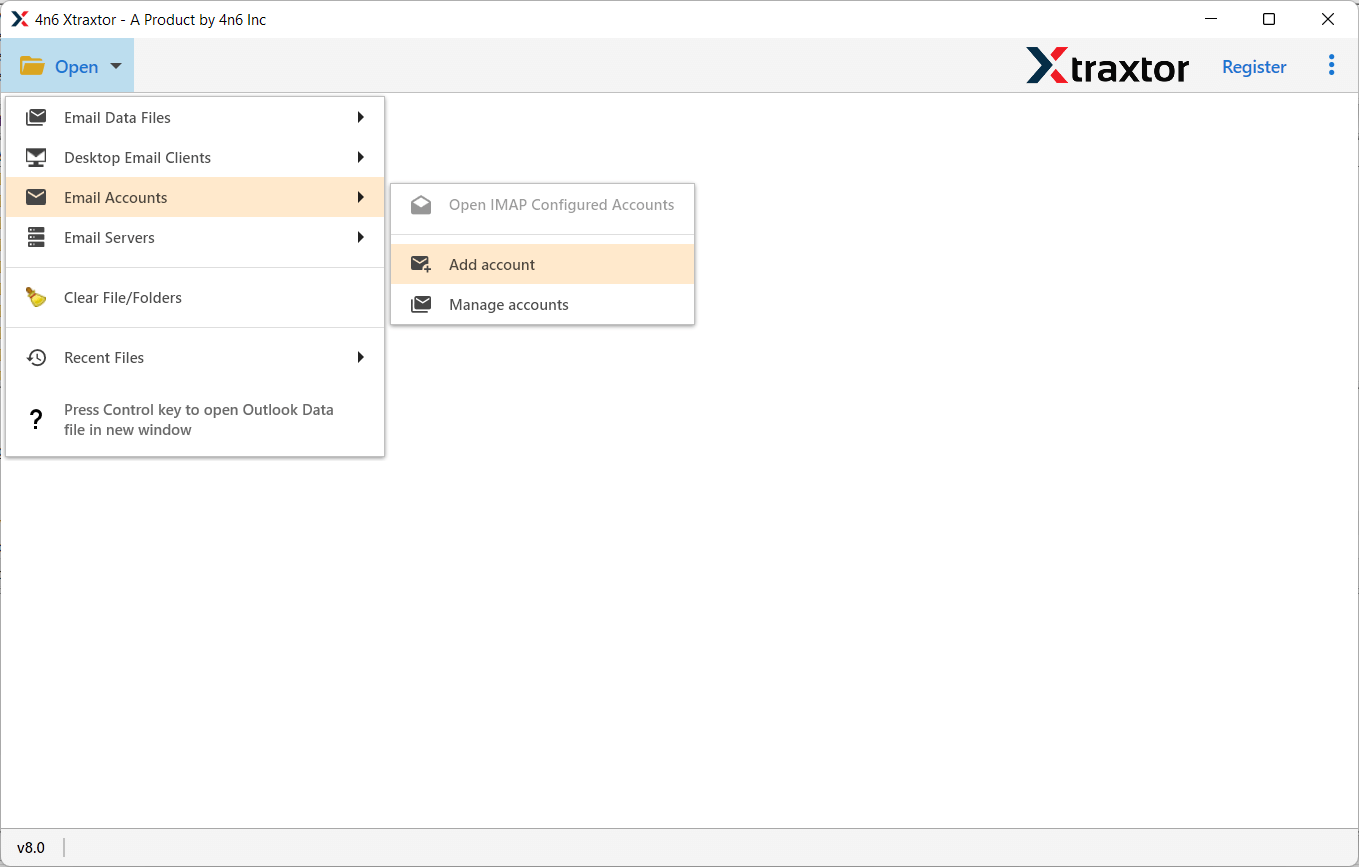
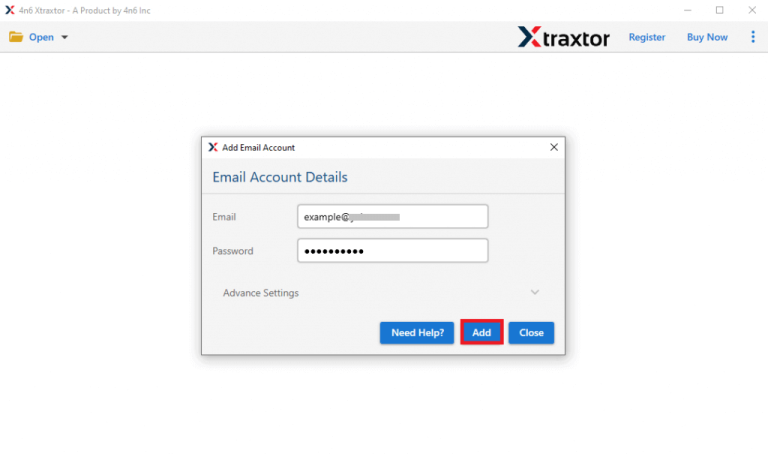
Step 3. Now, provide your cPanel email account credentials and press the Add button.
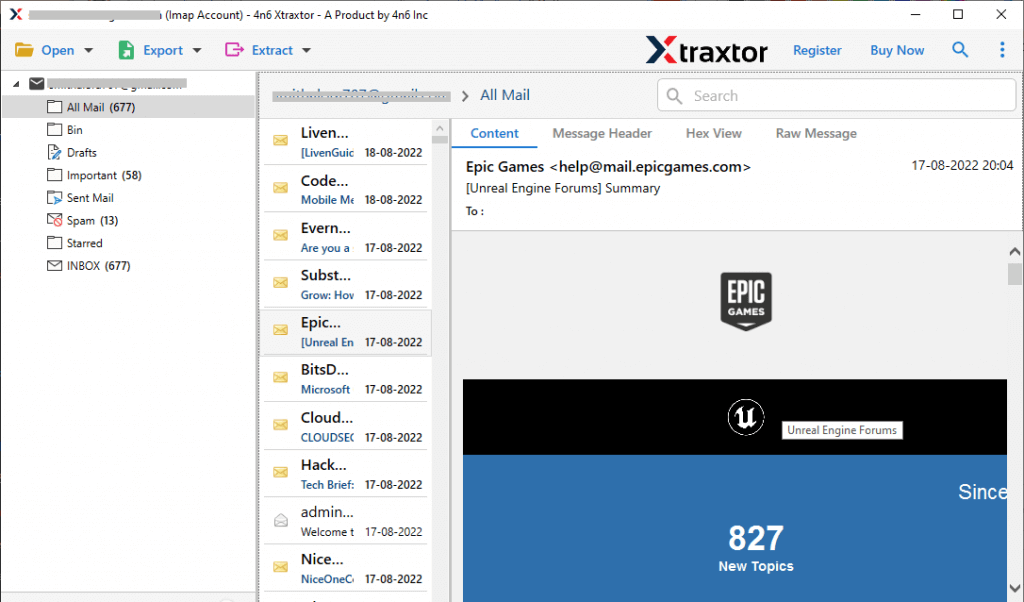
Step 4. After that, the tool will load your cPanel mailbox folders and preview your emails here.
Step 5. Next, click the Export tab and choose the EML option from the list.
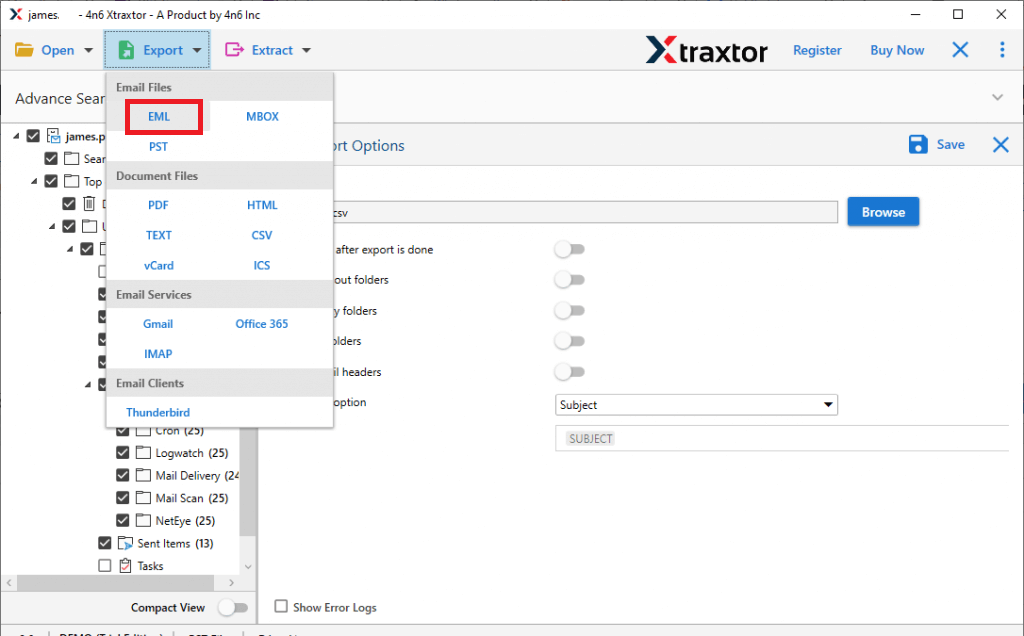
Step 6. Choose require emails that you want to export as EML files.
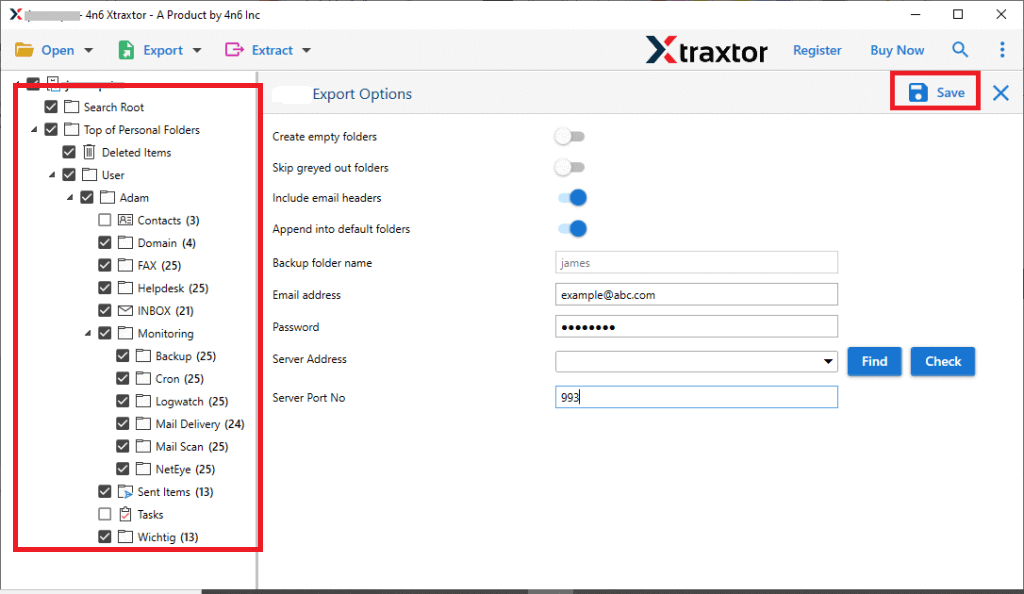
Step 7. Browse the destination path and click on the Save button to start.
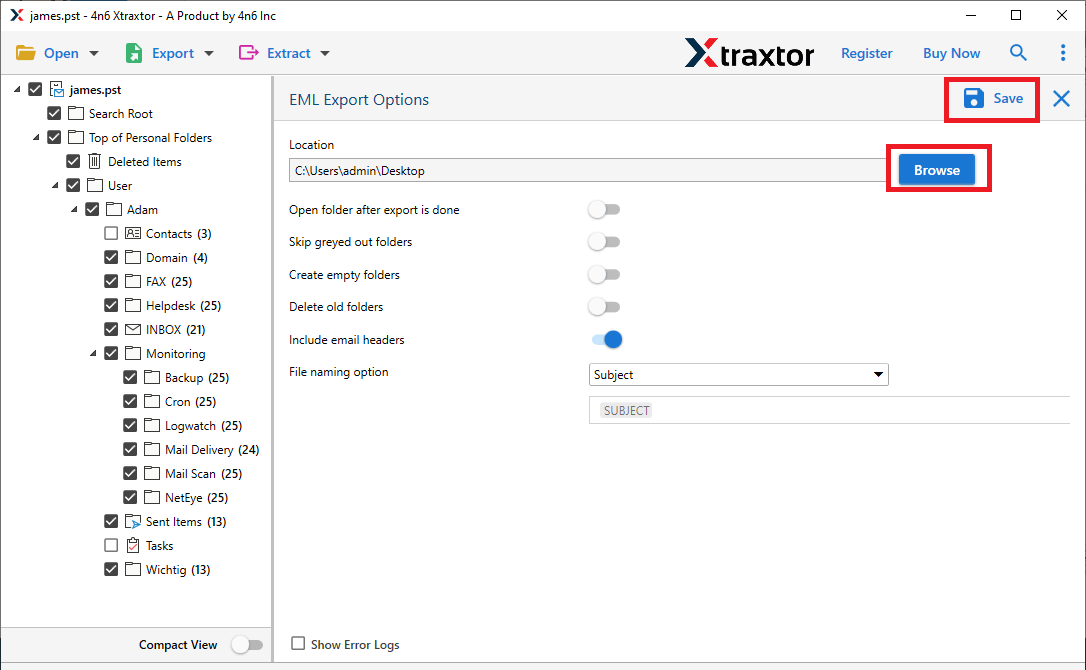
Done! Wait for a while, your selected cPanel emails will be saved as .eml files.
Ultimate Features of Xtraxtor cPanel to EML Converter
- Advanced Filter Options: This tool offers smart filter options. You can export only the required emails. Filter emails by date range, sender, receiver, or subject. This helps reduce unwanted data.
- Bulk Export of cPanel Emails: The tool allows you to export cPanel emails in bulk. You can convert multiple cPanel emails at once. There is no size limitation. This feature is useful for large mailboxes and business users.
- Preserves Original Folder Structure: The software keeps the original folder hierarchy. Inbox, Sent, Drafts, and custom folders remain unchanged. This helps you manage emails easily after export. No folder data is misplaced.
- Maintains Complete Email Integrity: All email properties stay intact during export. This includes headers, subject lines, dates, and attachments. Inline images and hyperlinks are also preserved. There is no data loss at any stage.
- Secure cPanel Email Login: The tool supports secure login for cPanel email accounts. You can connect using valid credentials. It works with SSL-enabled servers. Your email data remains protected throughout the process.
- Save EML Files at Desired Location: You can choose any location to save EML files. Store data on your system or an external drive. Access emails anytime without internet. This gives full control over data storage.
- Easy and User-Friendly Interface: Xtraxtor has a simple interface. No technical skills are required. The steps are easy to follow. Even first-time users can export emails without difficulty.
Conclusion
In this blog, we explained two ways to export cPanel emails to EML files. You can use a manual method or a professional tool. You should try both methods first. Then choose the one that suits your needs. The manual method works well for a small number of emails. It is not suitable for large mailboxes. The professional method is better for all types of cPanel to EML export needs. It saves time and avoids data loss.
If you have any questions about the software, feel free to contact our technical support team. They are available 24/7 to help you.