Are you trying to extract attachments from Office 365 but struggling to find a reliable and time-saving method? You’re not alone. Many users need to download all attachments from Office 365 Webmail for backup, storage management, or offline access, but doing this email by email can be frustrating and inefficient.
In this guide, you’ll learn a direct and effective way to download attachments from Office 365 Webmail, understand why users commonly need this process, and discover a professional solution designed for bulk extraction with accuracy.
Why Do Users Need to Extract Attachments from Office 365?
Downloading attachments from Office 365 Webmail offers several real-world benefits:
- Easily share attachments with other users or teams
- Access files offline without signing in to Office 365
- Free up mailbox storage space to avoid quota issues
- Organize downloaded files into local folders for better management
- Maintain backups of important business or legal documents
When dealing with large mailboxes, a manual approach often isn’t practical.
How to Download Attachments from Office 365? Expert Solution
Use Xtraxtor Email Attachment Extractor to directly extract attachments in a single text file without any restrictions. The software is capable of extracting multiple attachments at once. It allows you to save multiple or specific attachments as per your needs. It provides a preview option to view the data before the extraction process. The software maintains 100% data integrity during the process.
Additionally, the software is a standalone entity that does not require any supporting application to download all attachments from Outlook 365. It allows you to save the extracted file to your desired location. The software is compatible with Windows 11, 10, 8, and other previous Operating Systems.
You can download the demo version of this tool to check its work efficiency and accuracy.


Steps to Extract Attachments from Office 365 Webmail
Step 1. Download and Run Xtraxtor on your system.
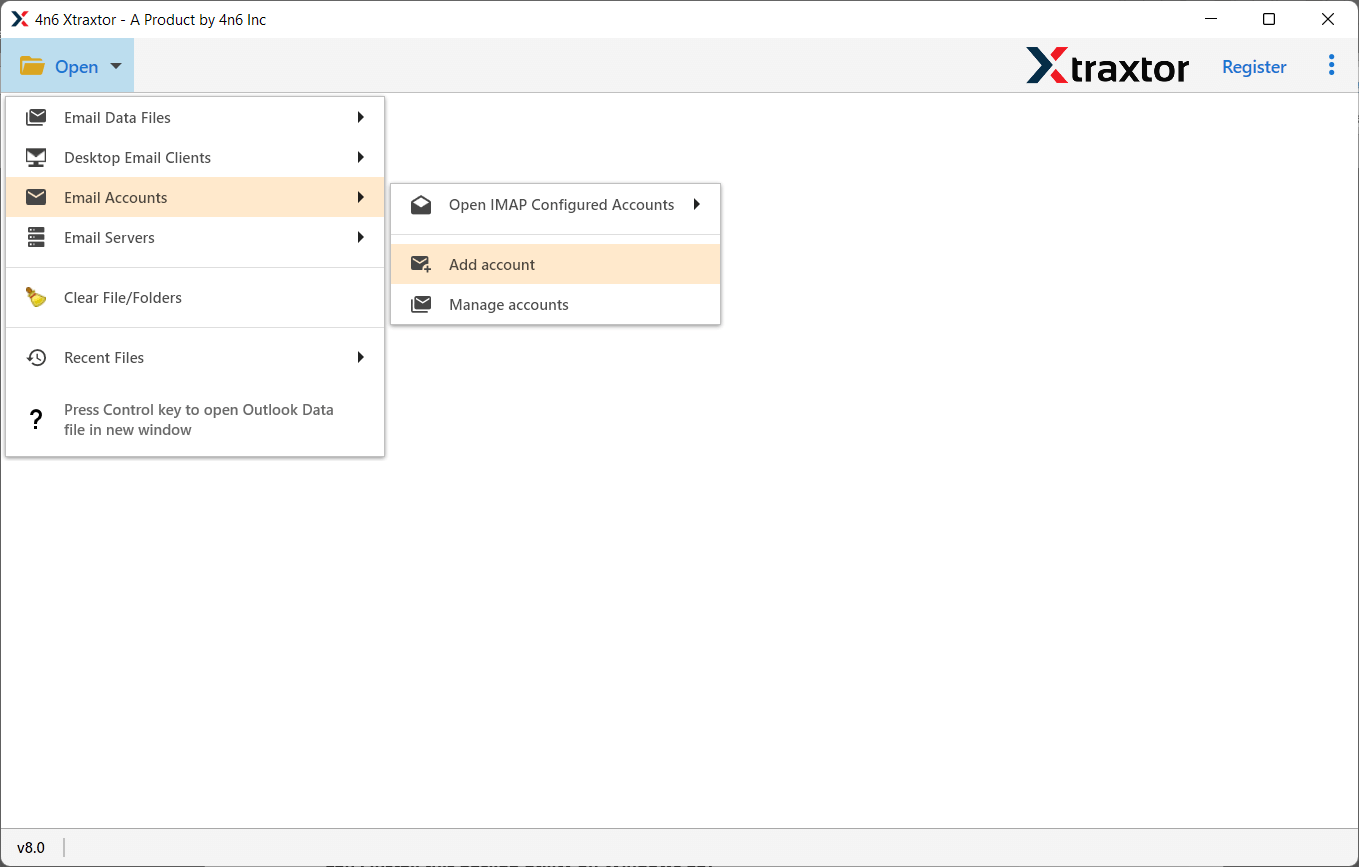
Step 2. Now, Navigate to Open >>Email Account >> Add Account.
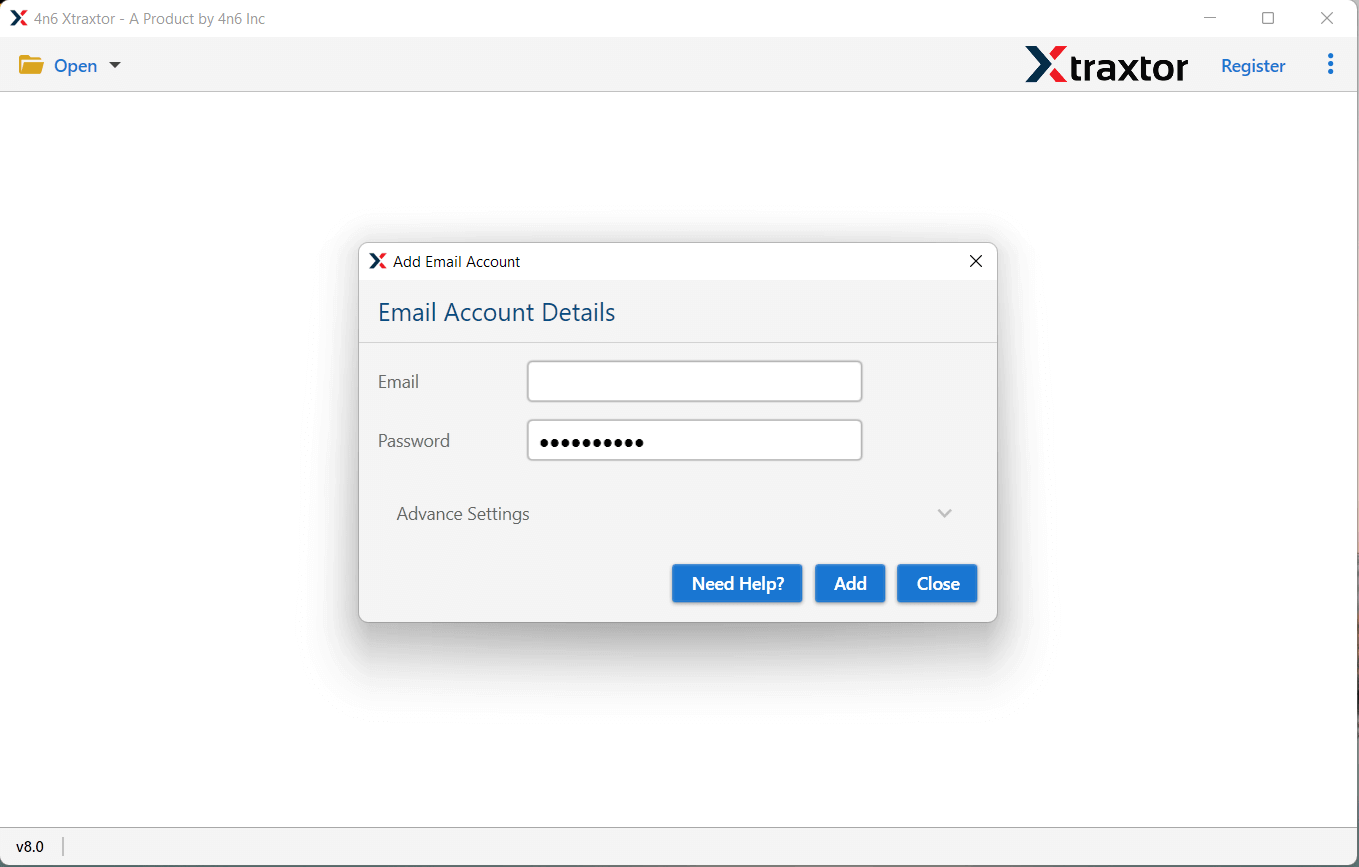
Step 3. Enter Office 365 login credentials and click on Add button.
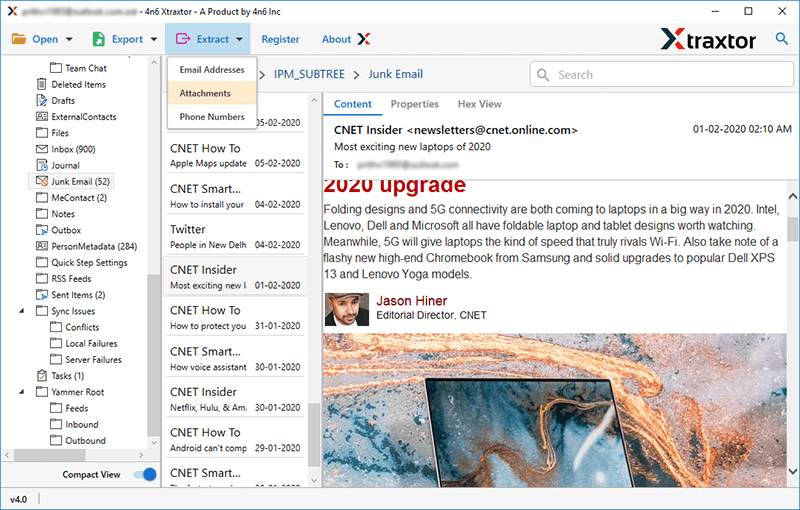
Step 4. After that, click on Extract and select the Attachments option.
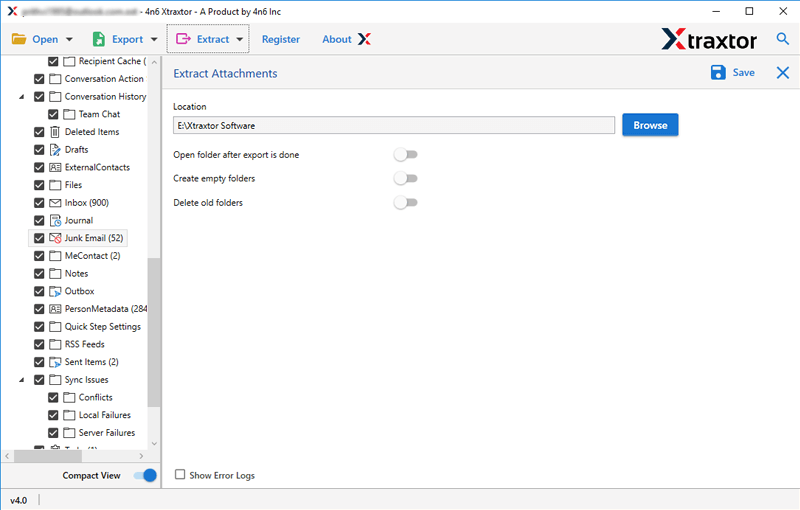
Step 5. At last, Set the Destination location and click on Save button.
The process is done. Now, go to the destination location and check if the downloaded attachments are right or wrong.
This is how you can extract attachments from Office 365 Webmail account.
Key Features of Office 365 Attachment Extractor
The software has many advantages that help you to download all attachments from Office 365 Webmail which are given below-
- Bulk Extraction- This solution is able to export multiple attachments at once. so, it saves you time and effort to download all attachments. Using this tool you can extract email addresses from Outlook 365.
- Search and Filter Option- The tool has many filter options such as to, from, date, time, subject etc that help you to export any particular attachments. If you want to save attachments from specific emails that contain a particular keyword then this tool is the perfect solution for you.
- Preview Option- When you configured Outlook 365 Webmail account with the software window then it automatically loads all data from the account to the software panel. It provides a preview option to view the data before the extraction process.
- Extract Attachments from File Formats- If you want to export attachments from any file formats or any Web mail accounts then you do not need to purchase other products. This software is able to extract attachments from PST, OST, MBOX, EML, MBOX etc.
- Freedom to Save at Desired Location- The software allows you to save the resultant files at your desired location. So, you can easily access them after the extraction process for further use.
- Maintains Original Structure- This utility does not modify any data during the process. It maintains metadata and folder structure and gives accurate results after the extraction process.
- Work Without Plugin- The software alone is able to download all attachments from Microsoft 365 Mail and save them in a text file. You just need to add your Office 365 email details and it will do the rest of the work.
- Support from Other Webmail Servers- This tool not only fetches attachments from Office 365 emails but also from other webmail accounts. With this application, you can extract attachments from Gmail, Yandex, GoDaddy, and other webmail servers easily.

Conclusion
In this post, we have discussed the topmost technique to download attachments from Office 365 Webmail. However, with this professional tool, you can extract attachments from Office 365 webmail efficiently and accurately. You can download the free trial version of this tool to check its work performance. If you have any doubts related to the product, you can contact the support team.
They are available 24*7 and resolve your query as soon as possible.
FAQs
Q1. Can I download all attachments from Office 365 Webmail at once?
Ans. Yes, using a professional attachment extractor tool.
Q2. Does extracting attachments affect my Office 365 emails?
Ans. No, the original emails remain unchanged.
Q3. Is Outlook required to download Office 365 attachments?
Ans. No, the automated solution works independently of Outlook.