Are you looking for a solution to export Zimbra mailbox to PST file format? Don’t worry, you’ve come to the right page. This blog will show you the best methods to easily convert your Zimbra emails to PST. After reading this article, you will get the exact solution.
Zimbra is a mail server, and it is available for both offline and online use. It offers businesses a data-sovereign email, security, and collaboration platform. Also, it provides integrated options for calendars, contacts, emails, tasks, and document sharing. This allows businesses to get full control over their data with flexibility.
Before moving ahead, let’s understand why Zimbra users export to PST.
Why Users Export Zimbra Mailbox to PST File?
There are several reasons why users of Zimbra email accounts switch to PST. The list below presents some of the most common reasons.
- There is no more documentation option is available on its email client and its outdated.
- Its user interface is outdated and not easy to use for any users.
- Zimbra emails often goes on spam folder, that cause loss for business.
- Bulk email files cannot be created easily; only EML files are generated.
- It does not provide password protection for email files, which increases the chances of email data being loss.
Now, Let’s move towards the methods.
In this section we are explaining the two way to export zimbra mailbox to PST file format with using desktop and cloud method.
How to Convert Emails from Zimbra Desktop to PST Format?
To export emails in PST file format you can try Xtraxtor. This tool simply convert your Zimbra emails to PST files in few clicks. It maintains original folder hierarchy and email structure. It’s simple interface make this easy to use for tech and non-tech users.
Click below to download the “Free Trial Version” of this software to check its working.

Steps to Convert Zimbra Emails to PST File
- Open Xtraxtor application in your windows PC.
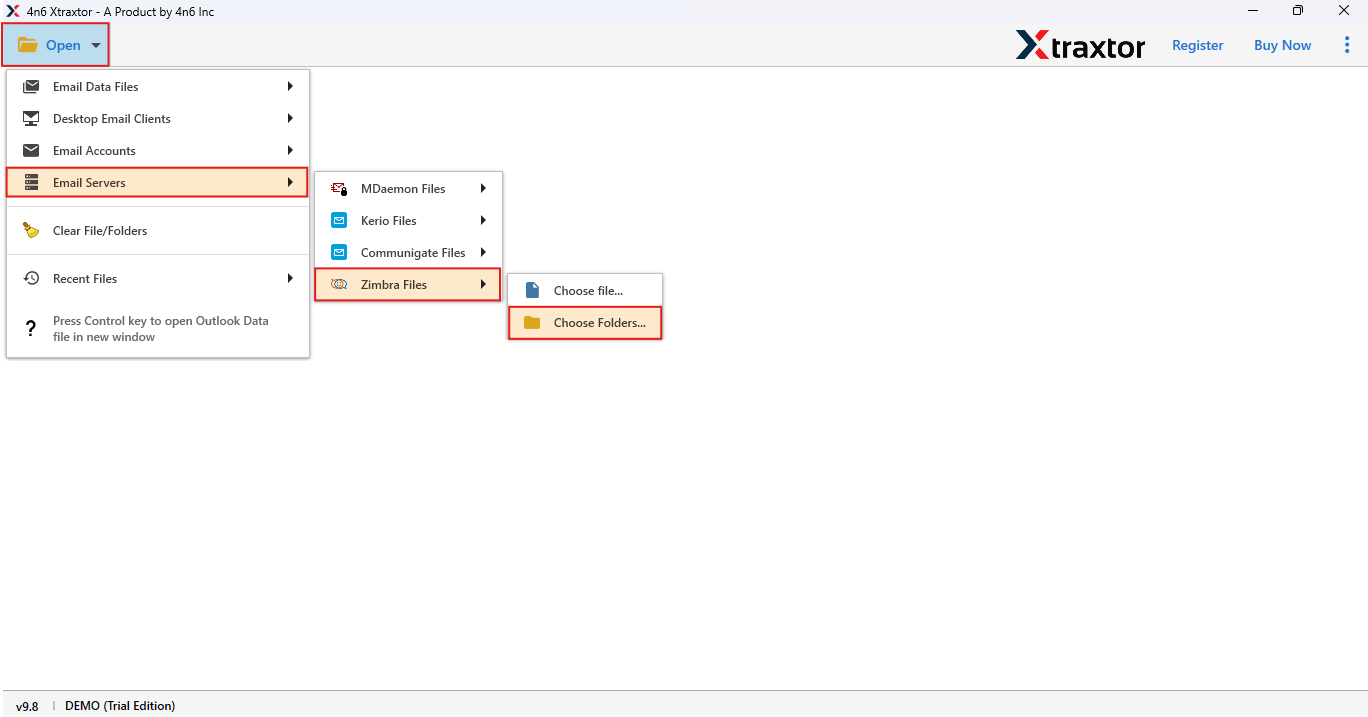
- Go to Open Tab > Email Server> Zimbra File> Choose folder.
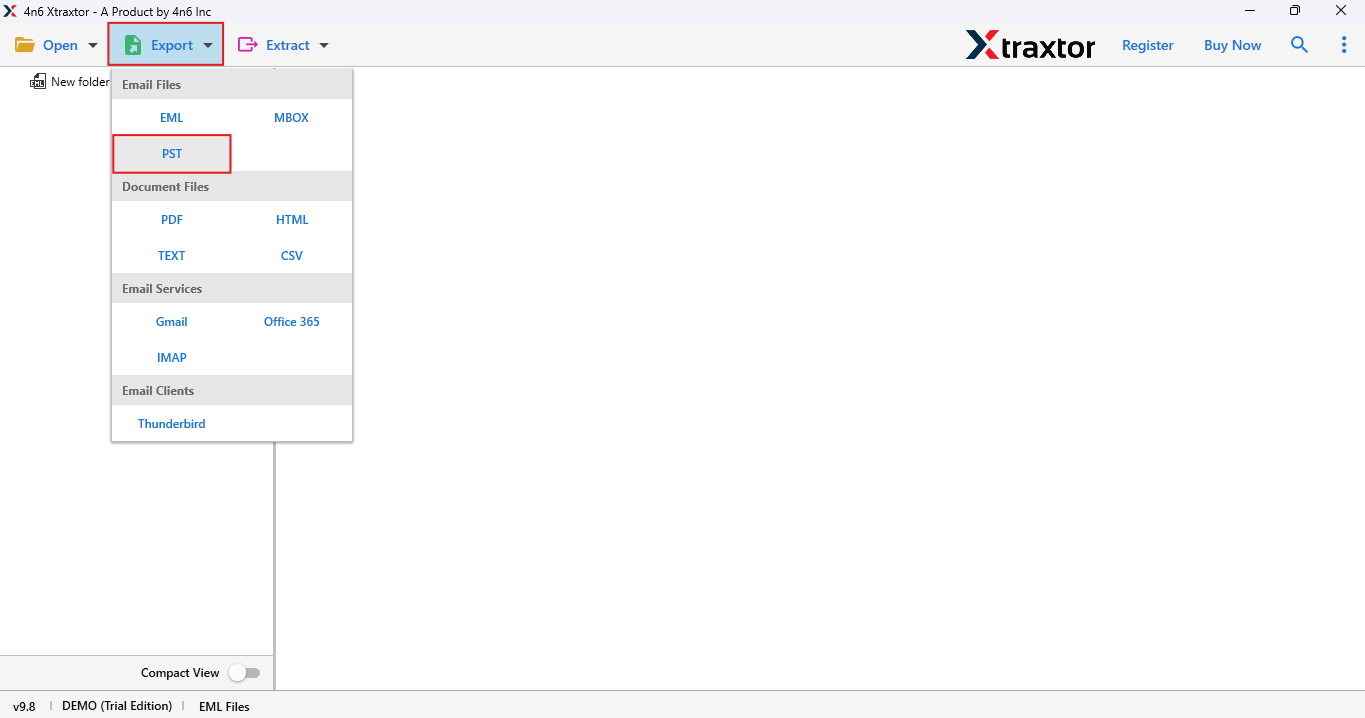
- Now click on export button and choose PST option.
- Here, just simply browse the file location to save your file and click on Save button.
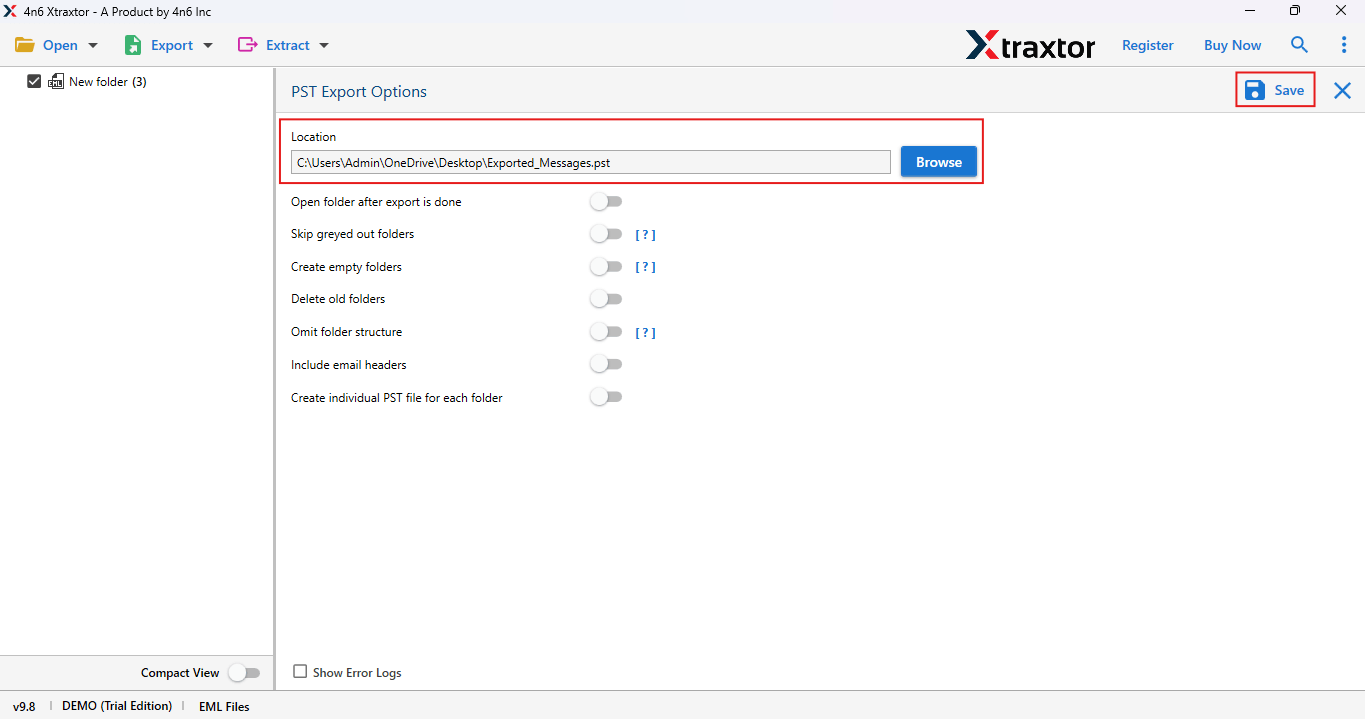
Done! Your emails from the Zimbra email client have been successfully converted to PST format.
If you carefully follow the instructions above, you can easily convert into .pst file of zimbra email client.
Now we will do this for the Zimbra cloud below.
How to Export Zimbra Cloud Emails to PST File Format?
Xtraxtor software can also export Zimbra email to PST files, only in few minutes. This software allows you to securely, accurately, and effortlessly save emails to PST. Additionally, this tool allows you to convert your all emails to PST format with email attachment, while maintaing the folder hierarchy of every single email.
Click on the below button to “Download” its free “Trial Version“.
Steps to Export Zimbra Emails to PST File Format
- Run the application on your windows PC.
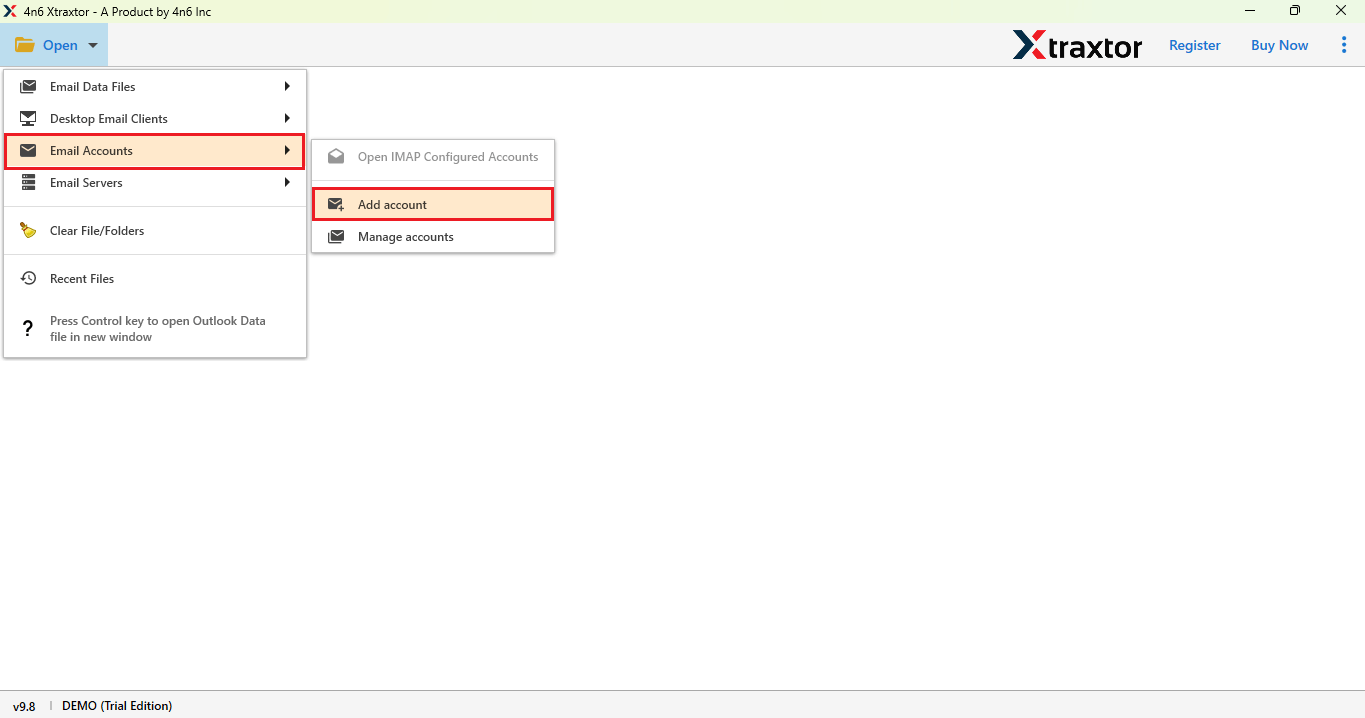
- Go to Email Account> add account.
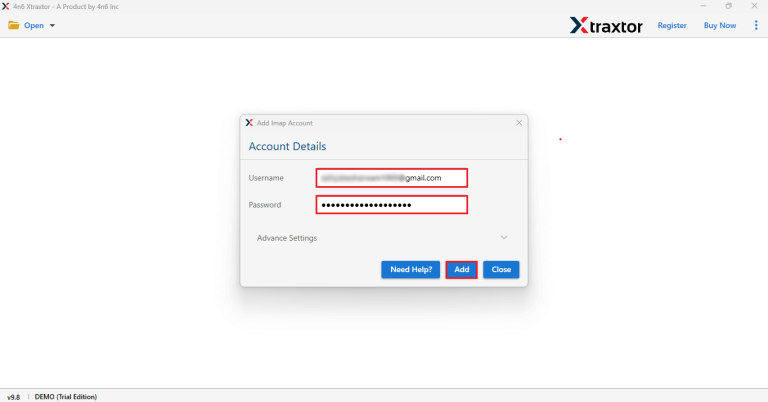
- Enter Login Id and app password click on Add.
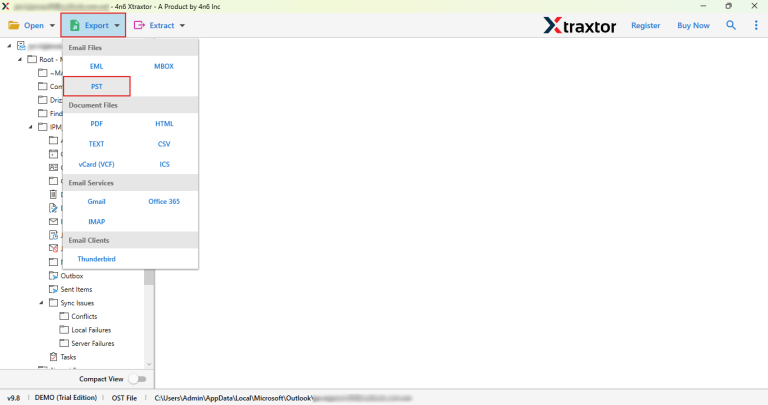
- Go to Export button choose PST option.
- Here, set the file location to save your file and click on Save button to save.
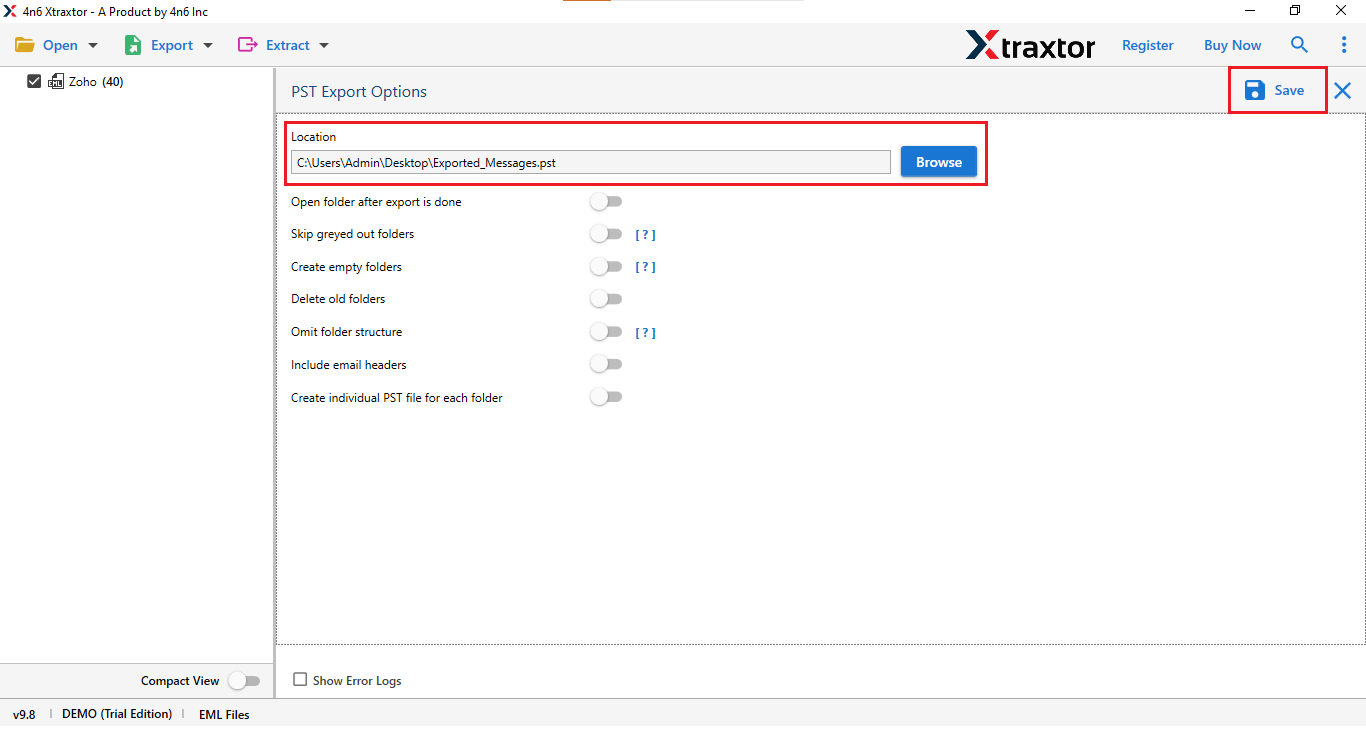
Done! Your Zimbra email has been successfully converted to the PST file format.
Follow the step by step above instructions and convert zimbra emails to PST.
Advantages of Using Professioal Tool
- This software can directly export any file format, e.g., EML, PDF, PST, and other file types.
- Works on all latest windows Operating Systems such as – 11, 10, 8, 8.1, 7 and XP.
- Maintain email properties and key elements while creating backup emails
- It gives you advanced filters option to back up emails based on subject, recipient, sender, etc.
- Software can export emails in bulk with just a few clicks.
- This tool come with a free trial version, that allow you to explore its features.
- Performs backup operations on over 200 Webmail accounts.
- The software’s user-friendly interface makes it easy to use for non-tech users.
- Emails can be downloaded without any loss of data integrity.
- This tool allows you to transfer emails from data files to Office 365, Gmail, Yahoo, Zoho Mail and all other email accounts.
These were the advantages of using this tool.
Final Words
In this blog post, we dicussed how to export Zimbra Mailbox to PST file format. We used the software mentioned above and found it to be the best option. It performs the conversion, including email attachments, with just a few clicks. It’s also excellent for processing large amounts of data. However, if you carefully follow the instructions above and use the recommended tool, you can easily convert zimbra emails to PST format.
You can try the free version of the recommended tool and check how it works. If you are satisfied with the results, you can upgrade to the premium version of this tool.