You have been using a rediffmail since long time, and you want to upgrade from Rediffmail to Outlook Mail. Many users like you want to switch to Outlook, but they don’t know how to do it. If you are the same one who is also facing the same challenge, then this blog is for you. In this article, we are going to explain two best-used methods, which will help you to transfer Rediffmail to Outlook without losing any important emails.
Rediffmail is one of the world’s most popular and oldest email provider, which offers users free and paid email services. While most users prefer to manage their email accounts in the cloud, some prefer to store their emails on their desktop-based email client so that they can access them without an internet connection.
Read this complete blog and follow the step-by-step methods to move emails from Rediffmail to Outlook.
Before we begin, let’s know the main reasons.
Why Users Transfer Rediffmail to Outlook?
There are many reasons why users switch from Rediffmail to Outlook; some of the key reasons are listed below.
- Rediffmail doesn’t have more robust security features like two-factor authentication and spam filters like Outlook.
- The interface of Rediffmail is globally outdated, as it has not been upgraded for many years.
- Modern email clients like Google Workspace and Microsoft 365 offer many features like integrated task management, calendar, and contacts, which Rediffmail lacks.
- User is habitual of using other email applications or wants to share their important data.
- Rediffmail can only be accessed via the internet; offline use is not possible. For this reason, users also transfer from Rediffmail.
There were a few major key reasons that answered the above question.
Now lets move toward the methods.
How to Add Rediffmail to Outlook Manually?
To manually migrate Rediffmail to Outlook we are using this simple method. Follow the steps to transfer all emails from Rediffmail to Outlook manually:
Before moving directly you need to turn on IMAP settings in your rediffmail account.
- Open Google Chorme application in your computer.
- Search “Rediffmail” and open website.
- Now Login to your Rediffmail account.
- Go to account setting, click on Gear Icon located in top right corner of your accouont.
- Navigate and click on Mail Settings or Account Settings.
- Now, find IMAP settings and enable IMAP.
After enabling, this will allow you to access Rediffmail in Outlook.
Finally, your account is ready to open in outlook directly.
- Open the Outlook application in your Windows OS.
- Add your Rediffmail Account in the oulook.
- Enter your Login ID and Password of your Rediffmail account.
- Click on “connect” button to configure your account.
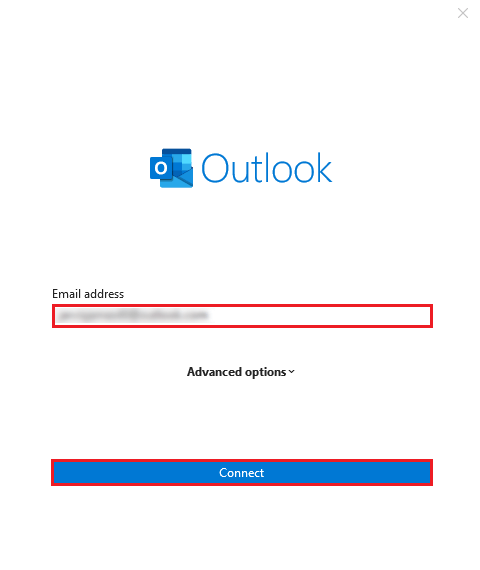
- Now you can see your all rediffmail emails in Outlook.
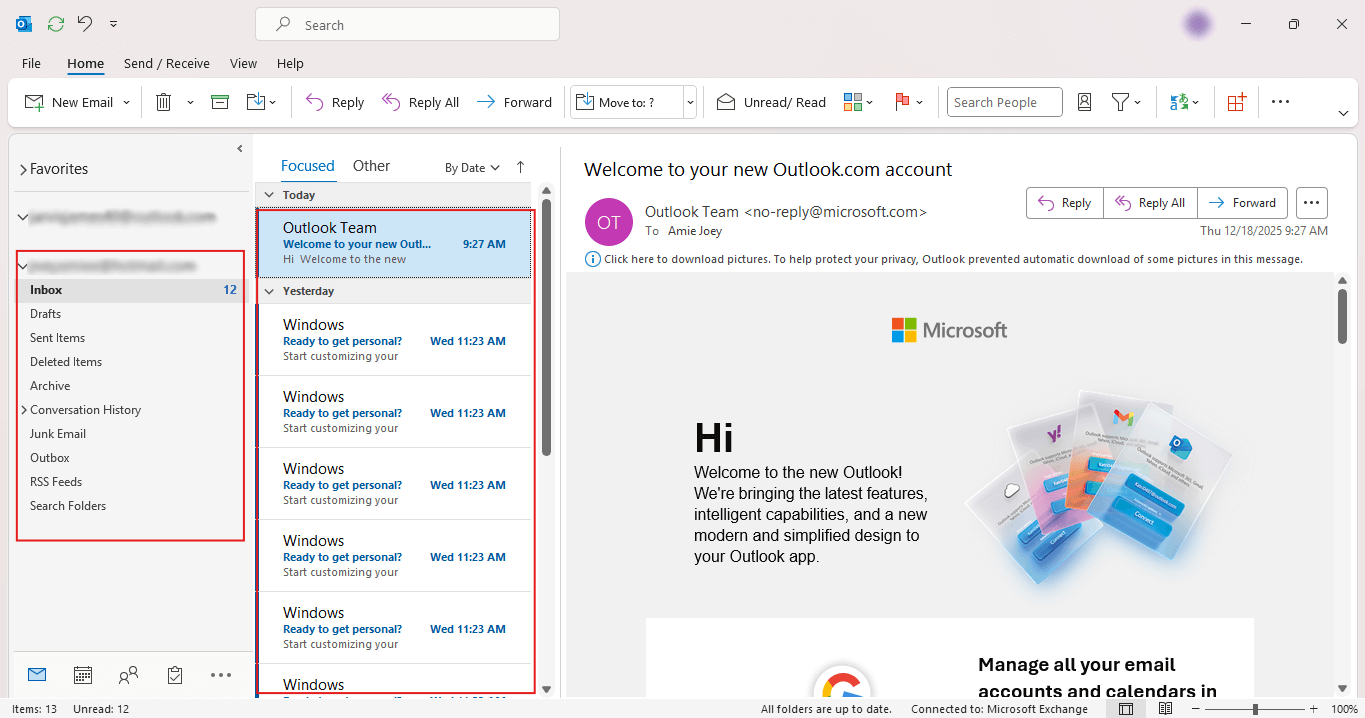
Done not you can easily access your rediffmail emails in Outlook.
Once this setup is complete, Outlook will automatically start syncing your emails from Rediffmail. After completion of the syncing process, you can access all your emails from Rediffmail in your Outlook inbox and other folders, and you can directly access them anytime with Outlook.
If you follow these steps you can easily move rediffmail to Outlook.
Limitation:
- Not suitable for bulk of email data and large email file size.
- Rediffmail needs to be sync with your Outlook to receive all emails.
- You need to configure two different email account setting.
- This process is time-consuming and hard for non-tech users.
- Any mistake can lead to the permanent loss of data.
- The file structure will be corrupted during this entire process.
These were the few limiations you should know before using this manual method.
If this method does not deliver deilver your expected result, you can use next method.
How to Transfer Rediffmail to Outlook Profesionally?
Now you know the manual solution to migarate Rediffmail to Outlook, but you still not able to transfer then don’t worry try Xtraxtor. This is the only tool that simplifies your work and offers an immediate, hassle-free solution. Software will move emails dirctly in bulk with attachments in few clicks. Additionally, it maintains email data hierarchy during the transfer process. Simply add your account to this software and directly migrate all your emails.
Click on Download button to get Free Trial Version of this software.

Steps to Export Rediffmail to Outook
- Open the Xtraxtor application in your windows OS.
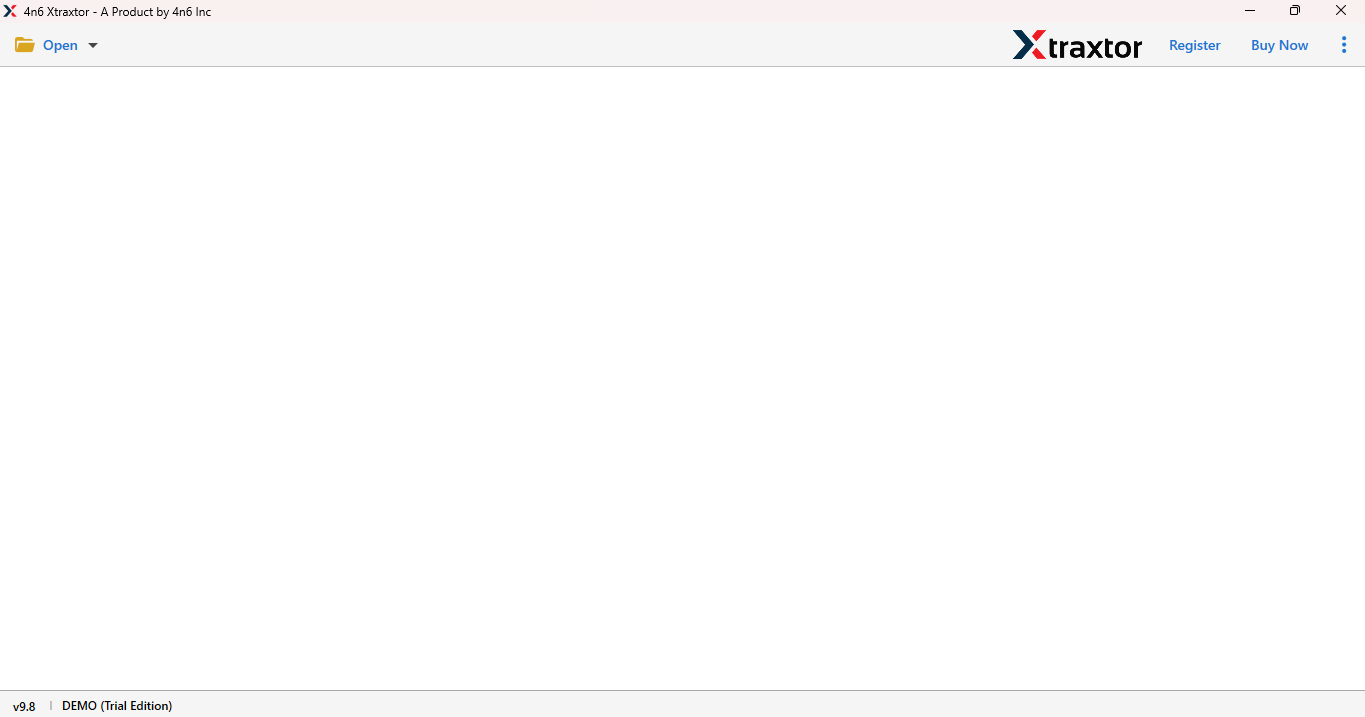
- Go to Open button and select Email Account option.
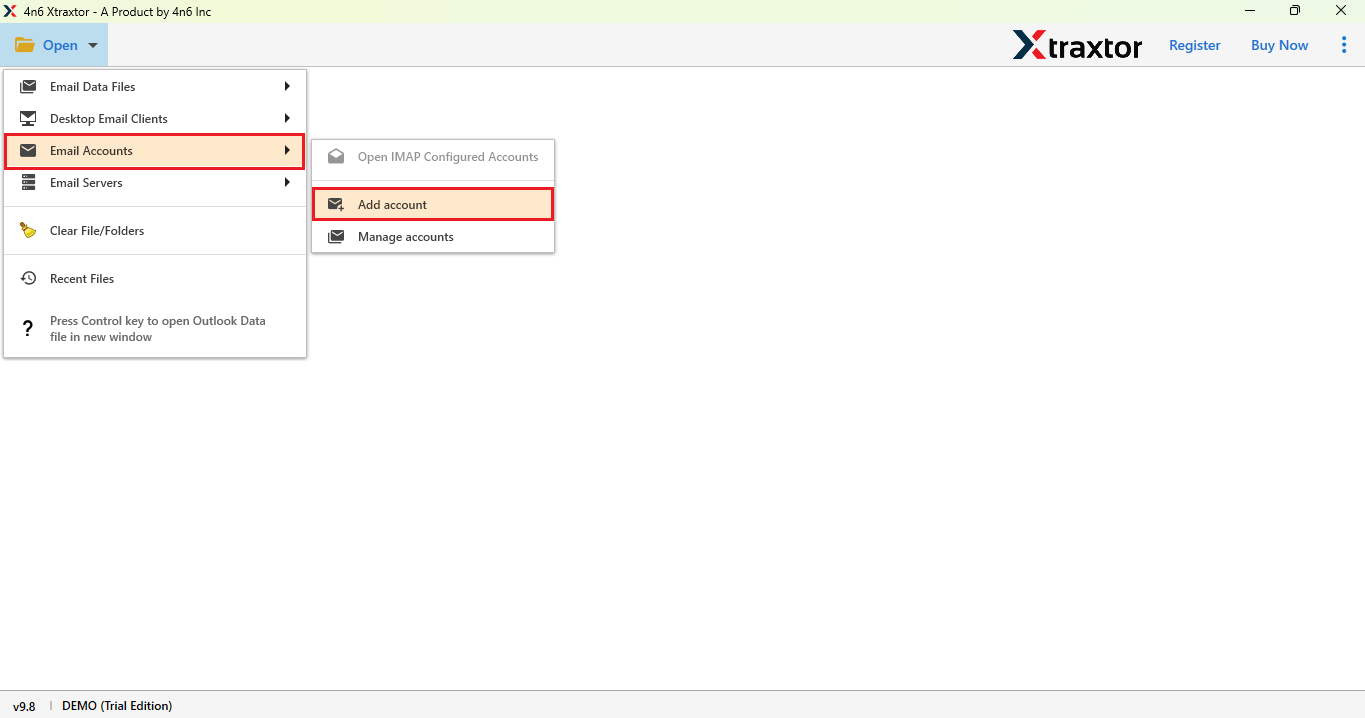
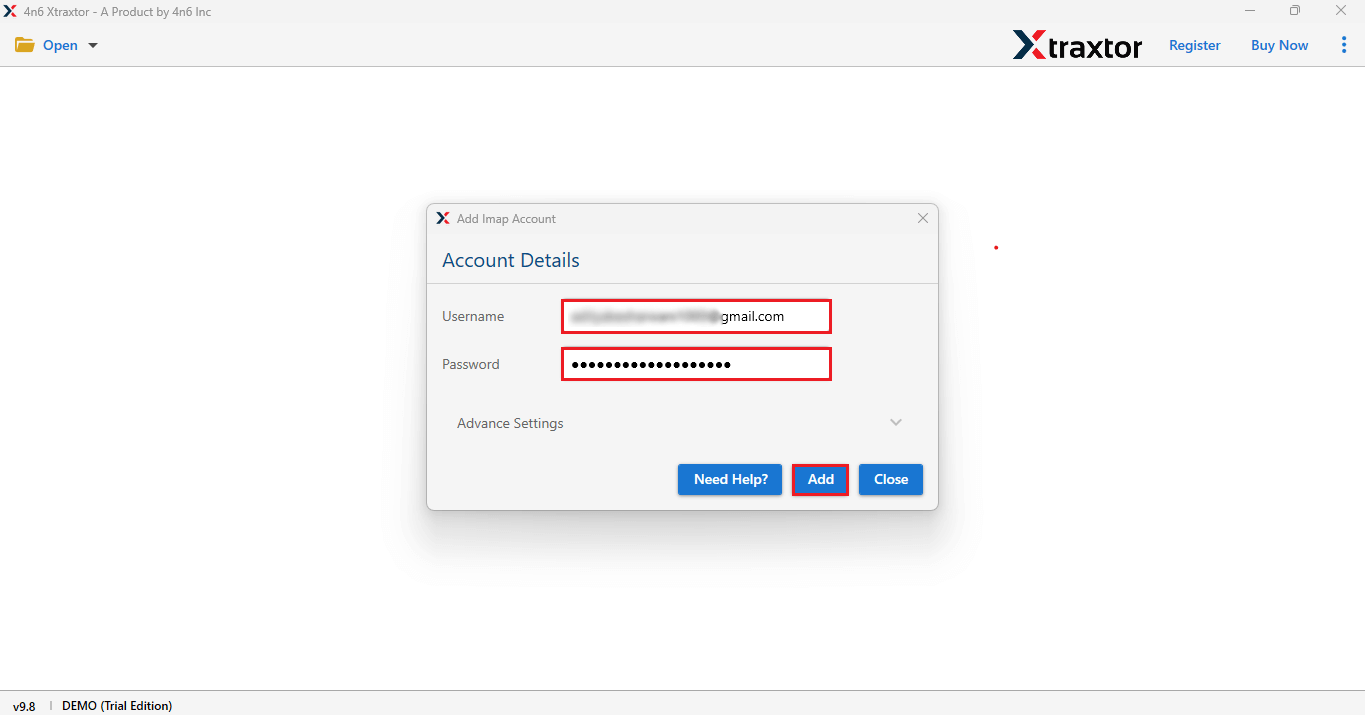
- Enter your Rediffmail account by entering the login ID and App password in the application.
- Click on Add button to configure your account.
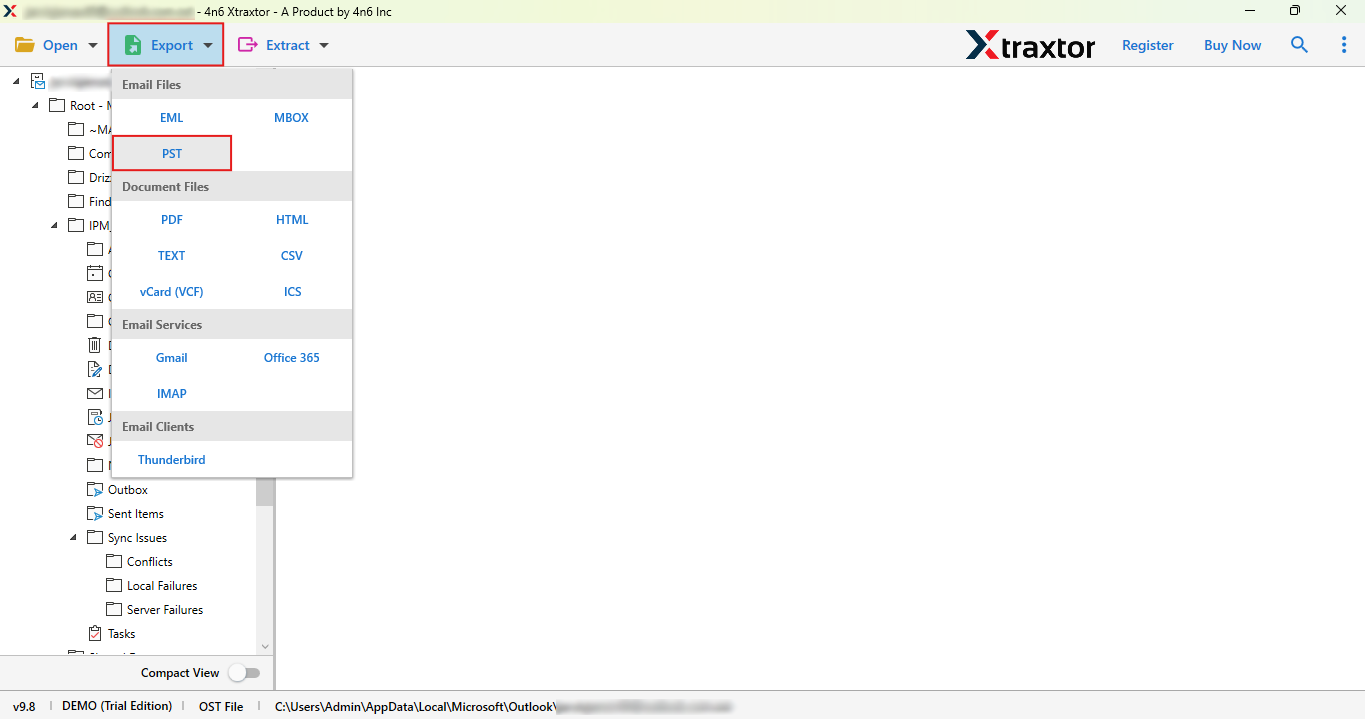
- Now, go to export button and select PST option.
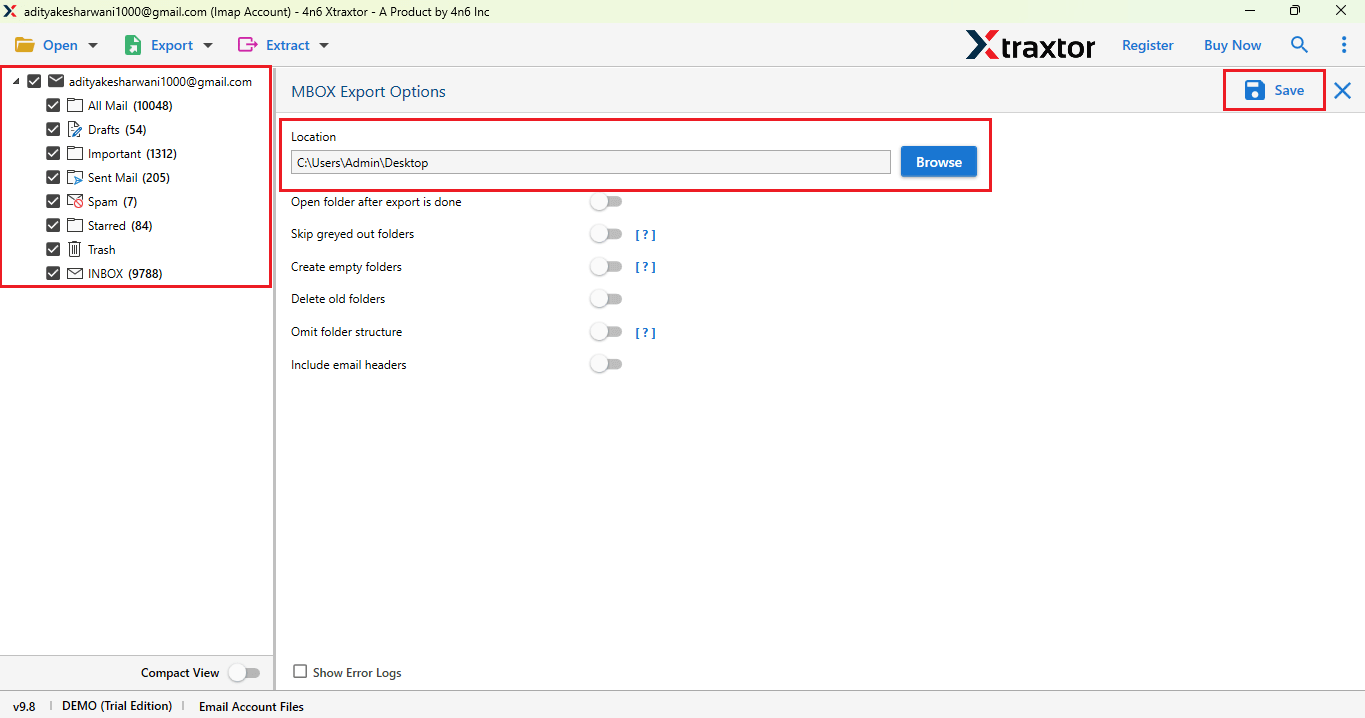
- Here, select the Folders that you want, and set the specific location to save your file.
- And click on Save button to save.
Done! Now you successfully transferred to Outlook.
Benifits of using Professional Solution
- You can use this software on any Windows Operating System.
- The tool maintains complete hierarchy during the entire process.
- Easy to use for tech and non-tech users, also can move bulk emails at a time.
- Users can easily transfer their emails from Rediffmail to Outlook with respective attachments.
- This tool offers with a free trial version, that allow users to check its working.
Final Thoughts
In this blog, we understand the problems of user what they face while using rediffmail email service. Therefore, we discussed two best solutions: a manual step-by-step guide and a professional method for transfer Rediffmail to Outlook. Found that using a manual solutionseems simple, but it is risky and time-consuming. While using the mentioned tool, users can easily move their emails in Outlook without losing or damaging the email and its attachments.